
Finding the right home office chairs in the Philippines within a budget of ₱3,000 to ₱15,000 is entirely achievable if you know what features to prioritize. This price range represents a highly competitive segment where manufacturers offer genuine ergonomic benefits without the premium price tags associated with high-end imported brands. By understanding how to evaluate these chairs, you can secure reliable back support, comfortable seating, and durable materials that withstand the local climate.
Working from home for extended hours demands a chair that actively supports your posture rather than just providing a place to sit. A poorly designed chair can lead to chronic back pain, neck strain, and shoulder fatigue, ultimately impacting your productivity and long-term health. Investing in a mid-range ergonomic chair is a practical step toward creating a healthier, more comfortable workspace.
To make an informed decision, you must look beyond aesthetic designs and focus on functional adjustability. The Philippine market is filled with options, but not all chairs labeled “ergonomic” offer the support your body needs. This guide will help you navigate the mid-range market, identify essential features, make smart trade-offs, and avoid common online shopping pitfalls.
Products mentioned in this guide
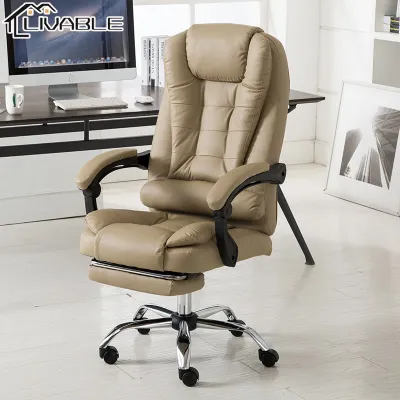
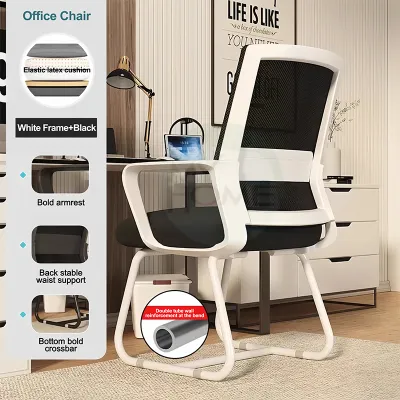
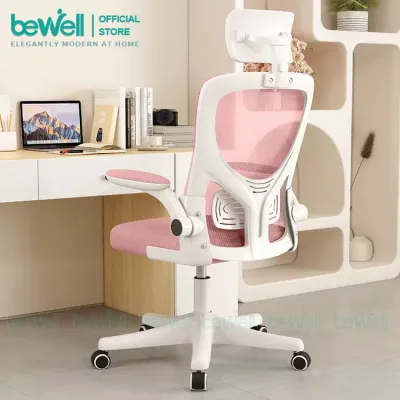
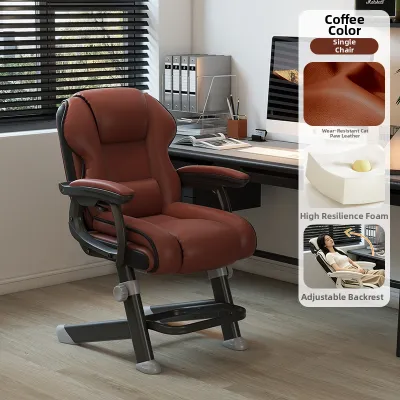
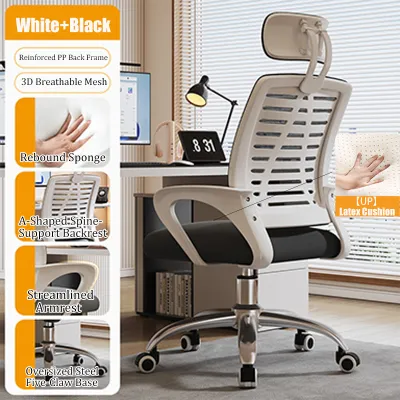
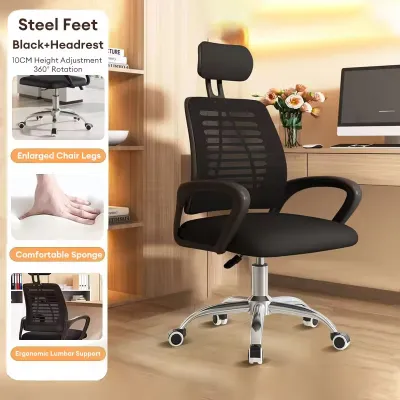
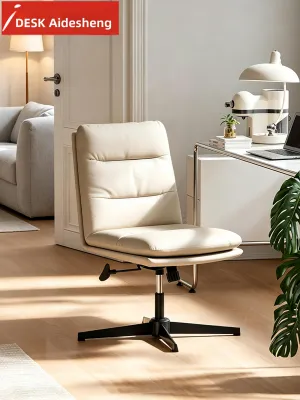
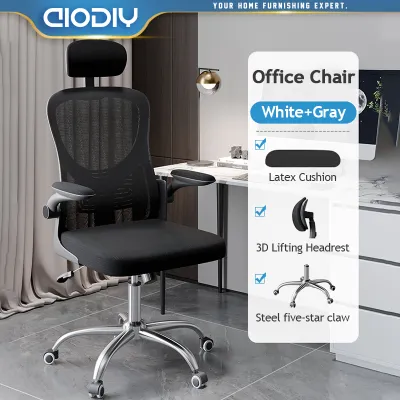
Prices are valid at publication and may change. Please refer to the product page for the latest price.
What to Expect from the ₱3,000 to ₱15,000 Price Range
In the Philippine furniture market, the ₱3,000 to ₱15,000 price range is considered the entry-to-mid tier for ergonomic seating. This segment is distinct from basic task chairs, which often cost under ₱2,000 and offer minimal padding, fixed backrests, and no lumbar support. It is also separate from premium global ergonomic brands that frequently retail for ₱30,000 to ₱80,000 or more.
Within this mid-range budget, you can expect a significant upgrade in build quality and adjustability. Instead of rigid plastic frames and cheap foam that flattens within a few weeks, these chairs typically feature reinforced nylon frames, high-density molded foam cushions, and breathable mesh backrests. You will also find functional mechanisms like adjustable lumbar support, seat height adjustment, and tension-controlled recline.
However, it is important to manage expectations regarding advanced features. Premium mechanisms, such as independent seat depth adjustment, fully polished aluminum frames, and highly customizable 4D armrests, are rarely found at the lower end of this budget. As you move closer to the ₱15,000 mark, some of these advanced features may become available, but the core focus remains on solid, reliable, and foundational ergonomics.
You should also be cautious of “gaming chairs” that fall within this price bracket. These chairs often prioritize flashy designs, colorful PU leather, and bucket-seat styling over actual physiological support. While they may look impressive, they frequently lack the breathability and targeted lumbar support required for long hours of desk work in a tropical climate. A dedicated ergonomic chair is almost always a better investment for home office productivity.
Non-Negotiable Ergonomic Features for Daily Back Support
When evaluating home office chairs, certain features are absolutely essential to ensure proper spinal alignment and reduce physical strain. The first non-negotiable feature is adjustable seat height. This mechanism must allow you to adjust the seat so that your feet rest flat on the floor, with your knees bent at a 90-degree angle and your thighs parallel to the ground, preventing pressure on the back of your legs.

Reliable lumbar support is another critical component. The human spine has a natural inward curve at the lower back, known as lordosis, which must be supported to prevent slouching. Look for a chair that offers either height-adjustable or depth-adjustable lumbar support. This allows you to position the support precisely against the curve of your lower back, maintaining your posture throughout the day.
The backrest recline and tension control are also vital for active sitting. Static sitting for hours puts continuous pressure on your spinal discs. A chair that allows you to recline safely enables you to shift your weight and relieve pressure on your lower back. The tension control knob is crucial here, as it lets you adjust the resistance of the backrest to match your body weight, preventing you from feeling like you are falling backward or struggling to push back.
Adjustable armrests, specifically at least 2D (height and depth/angle adjustment), are necessary to prevent shoulder and neck strain. Your armrests should support your forearms at a height that allows your shoulders to remain relaxed and your elbows to bend at approximately 90 degrees. If the armrests are fixed and too high or too low, they can force your shoulders into a shrugged or slumped position.
To verify these mechanisms when shopping online, carefully examine the product descriptions, specification sheets, and mechanism diagrams. Look for detailed terms rather than generic marketing claims. A synchronized tilt mechanism is highly preferred over a simple rocking mechanism. In a synchronized tilt system, the backrest reclines at a greater ratio than the seat (typically 2:1), keeping your feet flat on the floor and your body properly supported as you move.
Smart Trade-Offs: Where to Compromise Without Losing Comfort
Staying within a ₱3,000 to ₱15,000 budget requires making strategic compromises. One of the smartest trade-offs you can make is prioritizing breathable mesh over PU leather. In the hot and humid climate of the Philippines, PU leather can quickly become uncomfortable, trapping body heat and causing sweat buildup. Furthermore, PU leather is highly susceptible to peeling and cracking (hydrolysis) when exposed to humidity and sweat over time. Mesh backrests offer continuous airflow, keeping you cool and proving far more durable in local conditions.
Another area where you can compromise is the headrest. Many buyers assume a headrest is essential for an ergonomic chair, but in this budget tier, headrests are often poorly designed, fixed, or offer limited adjustment. A poorly positioned headrest can actually push your head forward, causing neck strain. Unless you plan to spend a significant portion of your day in a reclined position, it is far better to focus your budget on a high-quality backrest and robust lumbar support.
You can also save money by opting for a reinforced nylon star base instead of a polished aluminum alloy base. While metal bases offer a sleek, premium look, heavy-duty reinforced nylon bases are incredibly strong, lightweight, and perfectly safe for daily use. Ensure the manufacturer specifies a reliable weight capacity that accommodates your body type, and you can comfortably skip the aesthetic upgrade of a metal base to keep costs down.
Finally, do not worry about missing out on highly complex adjustment mechanisms like seat pan tilt or independent backrest height adjustment. While these features are excellent for fine-tuning, a well-designed chair with a synchronized tilt, adjustable seat height, and customizable lumbar support will provide 90% of the ergonomic benefits at a fraction of the cost. Prioritize these core features to maximize the value of your purchase.
Red Flags and Hidden Costs on E-Commerce Platforms
Shopping for home office chairs on e-commerce platforms in the Philippines requires a critical eye. A common red flag is a chair advertised as “fully ergonomic” that features a rigid, single-piece plastic shell with fixed armrests and no adjustable lumbar support. These chairs cannot be customized to fit your body and often force you into uncomfortable sitting positions. Always look for detailed specifications that list individual adjustable components.
Another critical component to verify is the gas lift cylinder, which controls the chair’s height adjustment and supports your weight. High-quality ergonomic chairs use Class 3 or Class 4 gas lifts, which are certified by international safety and durability standards such as BIFMA or SGS. Be wary of listings that do not specify the gas lift class, as cheaper Class 1 or Class 2 cylinders are prone to sinking over time and can even pose safety hazards.
Hidden costs can also significantly impact your total budget. Because ergonomic chairs are heavy and packaged in large boxes, shipping fees can be substantial, especially if you live outside of Metro Manila. When browsing online marketplaces, always calculate the total landed cost, including shipping to your specific region (Luzon, Visayas, or Mindanao), to avoid unexpected charges at checkout.
Additionally, pay close attention to warranties and after-sales support. Many budget-friendly chairs sold online come with very short warranties, sometimes only covering the first 7 days or 3 months, or excluding moving parts altogether. Look for reputable local sellers or official brand stores that offer at least a 1-year warranty on the gas lift, caster wheels, and tilt mechanism. This ensures you are protected if a component fails prematurely.
Your Pre-Purchase Checklist for Space and Compatibility
Before finalizing your purchase, it is essential to perform a few quick measurements to ensure the chair fits your physical body and your home office layout. Start by measuring your desk clearance. Use a tape measure to find the distance from the floor to the underside of your desk frame. Compare this with the chair’s maximum armrest height to ensure you can slide the chair fully under the desk when not in use, saving valuable floor space.
Next, evaluate the physical footprint of the chair’s star base. Most ergonomic chairs have a base diameter ranging from 60cm to 70cm. Mark this area on your floor to ensure you have enough room to rotate and move the chair freely without bumping into walls, filing cabinets, or other furniture. This is especially important in compact home offices or shared bedroom workspaces.
Matching the chair’s dimensions to your body type is crucial for long-term comfort. Check the seat width and seat depth measurements provided by the manufacturer. If the seat depth is too long, the edge of the seat will press against the back of your knees, restricting blood circulation. If the seat is too wide or too narrow, the armrests may not align properly with your elbows. Always verify the maximum weight capacity to ensure structural stability and safety.
You must also consider the type of flooring in your home office. Standard hard nylon caster wheels are suitable for carpets but can easily scratch delicate local flooring materials like hardwood, laminate, or vinyl tiles. If you have these types of floors, look for chairs equipped with soft polyurethane (PU) or rubber-coated casters, which roll quietly and prevent surface damage. Alternatively, you can purchase a protective chair mat.
Finally, spend time analyzing user reviews, focusing on feedback from buyers who have used the chair for several months. Look specifically for comments regarding cushion durability, as cheap foam can flatten quickly, leaving you sitting on hard plastic. Check for reports of squeaking joints, loose armrests, or mesh that sags over time. This real-world feedback is invaluable for assessing the long-term durability of your chosen model.
Frequently Asked Questions (FAQ)
Is a headrest necessary for an ergonomic office chair?
A headrest is not a mandatory feature for an ergonomic chair, especially if you primarily sit upright while typing or writing. Headrests are designed to support your neck when you recline to rest, read, or watch videos. In the ₱3,000 to ₱15,000 price range, many included headrests are fixed or poorly adjustable, which can push your head forward and cause neck strain. If your budget is tight, it is highly recommended to prioritize high-quality lumbar and backrest support over an average headrest.
How long should a mid-range ergonomic chair last?
With regular daily use, a mid-range ergonomic chair within this price bracket typically lasts between 2 to 5 years. The actual lifespan of the chair depends on several factors, including adherence to the manufacturer’s maximum weight capacity, the quality of the gas lift cylinder, and basic maintenance. Keeping the chair clean, avoiding exposure to direct sunlight or extreme humidity, and periodically tightening loose bolts will help extend its service life.
Can I assemble these chairs myself, or do I need professional help?
Most home office chairs purchased online are shipped flat-packed and are designed for self-assembly. The package will typically include all necessary parts, a step-by-step instruction manual, and basic assembly tools like an Allen wrench. While professional help is generally not required, you must follow the instructions carefully to ensure safety. Take your time, avoid over-tightening the bolts to prevent stripping the threads, and check if the seller offers paid assembly services if you prefer a hassle-free setup.
Community discussion
Share your experience or ask a question. Comments are reviewed before publication.