
Setting up a high-performance workspace requires a foundation that can support both your productivity and your valuable hardware. For professionals in the Philippines managing multi-monitor setups, a standard desk often falls short. When you combine multiple screens, heavy articulating arms, high-fidelity speakers, and a desktop computer tower, the physical demands on your workspace escalate dramatically. A motorized standing desk offers incredible ergonomic benefits, but it must be an office table heavy duty enough to handle these substantial loads without compromising on stability or safety. Selecting the ideal heavy-duty standing desk requires a deep understanding of weight distribution, structural engineering, and material science to ensure your equipment remains secure at any height.
How to Calculate Weight Capacity for Your Multi-Monitor Setup
To choose a standing desk that reliably lifts your equipment, you must calculate the precise weight of your setup. Guessing can lead to premature motor failure or an unstable workspace. Begin by listing every item on the desktop, starting with your monitors. When calculating monitor weight, refer to specifications without the stand, as you will be mounting them to an arm. A standard 27-inch monitor typically weighs 4 to 6 kilograms, while larger 34-inch ultrawide or 49-inch super-ultrawide displays range from 8 to 15 kilograms each.
Next, account for mounting hardware. Heavy-duty dual or triple monitor arms are constructed from robust steel or aluminum and can add 4 to 8 kilograms to the total load. If you plan to mount your PC tower beneath the desk using a CPU holder, you must include the full weight of the computer. A mid-tower PC with a tempered glass panel, heavy graphics card, and liquid cooling components can easily weigh between 12 and 22 kilograms. Do not forget peripherals: studio monitors (speakers) can add 3 to 7 kilograms per pair, while keyboards, mice, audio interfaces, and desk mats contribute another 2 to 4 kilograms.
Products mentioned in this guide
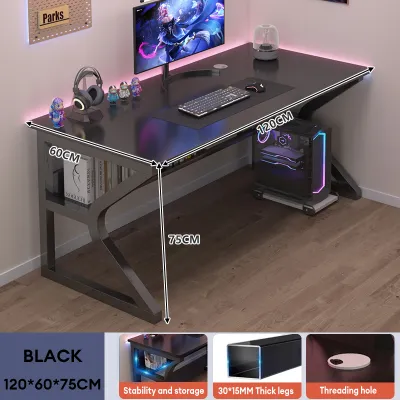
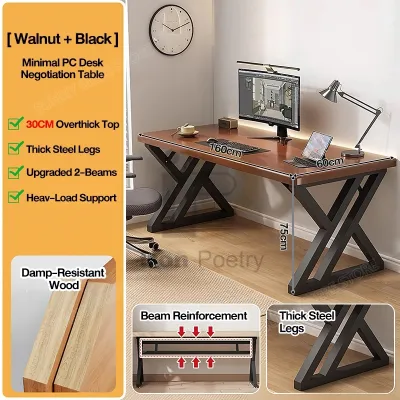
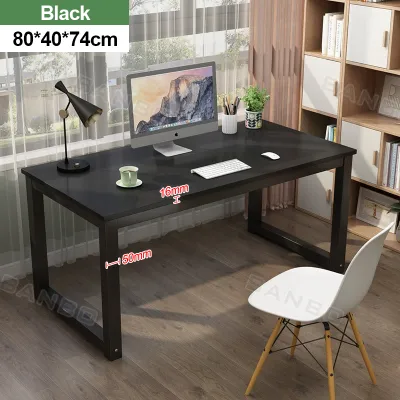
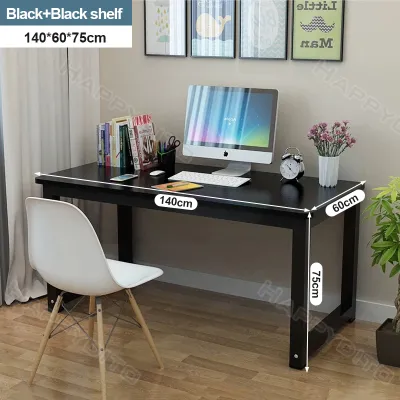
Prices are valid at publication and may change. Please refer to the product page for the latest price.
It is vital to distinguish between static weight capacity and dynamic lifting capacity. Static weight capacity is the maximum load the desk frame can support when completely stationary. Dynamic lifting capacity is the maximum weight the motorized system can safely raise and lower. When evaluating desks, always base your decisions on the dynamic lifting capacity. If you purchase a desk frame separately from the desktop, you must also subtract the weight of your table top (which ranges from 15 to 30 kilograms depending on the material) from the frame’s rated dynamic capacity to find your true equipment payload limit.
To protect your investment, apply a 20% to 30% safety margin to your total calculated weight. Operating any motorized system at its absolute limit causes the motors to run hot, accelerates gear wear, and leads to jerky height adjustments. For example, if your combined desktop, monitors, arms, and PC tower weigh 80 kilograms, target a desk with a certified dynamic lifting capacity of at least 100 kilograms. This buffer ensures the motors operate within their optimal performance envelope, resulting in quieter transitions and a longer lifespan.
Before purchasing, locate and verify these weight specifications directly on the manufacturer’s official product labels or user manuals. Avoid relying solely on marketing headlines, which can sometimes conflate static and dynamic capacities. Look for frames certified by international standards organizations such as BIFMA, which tests office furniture for safety, durability, and structural performance under rigorous load conditions.
Structural Features That Prevent Wobbling at Maximum Height
A heavy-duty standing desk must remain rock-solid not only when lowered for sitting but also when fully extended to standing heights. At elevations above 100 centimeters, physical forces acting on the desk change, and any minor structural instability is magnified. Even minor typing vibrations can translate into distracting monitor shake if the frame is poorly engineered. To prevent this, look for specific structural reinforcements designed to minimize lateral (side-to-side) and longitudinal (front-to-back) movement.

The most critical structural components to look for are crossbars, wedge gussets, and overlapping leg joints. A central crossbar running horizontally between the two lifting columns provides essential lateral rigidity, acting as a brace that prevents the legs from splaying or twisting under uneven loads. Wedge gussets—reinforced steel plates welded at the right-angle joints where the lifting columns meet the top frame—are crucial for reducing front-to-back tilt. Furthermore, the telescoping segments of the leg columns must have substantial overlap inside each other when fully extended. This overlap eliminates the microscopic “play” between the metal sleeves, which is a primary source of high-altitude wobble.
When comparing leg column designs, you will choose between two-stage and three-stage telescoping legs. Two-stage legs consist of two moving segments and have a limited height adjustment range. Because they have fewer overlapping sections, they are inherently less stable at higher elevations and are best suited for shorter users or lighter setups. Three-stage legs feature three telescoping segments, providing a wider height range and superior stability. The additional segment allows for greater overlap between the columns at any given height, distributing lateral forces more evenly and significantly reducing wobble when the desk is fully raised.
The overall weight of the steel frame and the design of the foot bases also play a vital role in grounding the desk. A high-quality heavy-duty desk frame is constructed from thick, heavy-gauge steel, which naturally lowers the center of gravity of the entire assembly. The feet of the desk should be long, wide, and heavy, spanning at least 60 to 70 centimeters in depth. This wide footprint prevents the desk from rocking forward or backward when you lean on the front edge. Additionally, ensure the feet are equipped with heavy-duty, adjustable leveling glides to compensate for uneven tile or concrete flooring, which is common in many Philippine homes.
To verify stability claims before buying, look for independent stability test reports or detailed video reviews that demonstrate the desk’s performance at maximum height. Pay close attention to user feedback from individuals who have identical multi-monitor setups. If reviewers note that the desk wobbles when typing on a mechanical keyboard or when shifting weight, it indicates that the frame’s steel gauge is too thin or the joint tolerances are poor.
Motor and Frame Specs for Lifting Heavy Office Tables
The mechanical performance of an office table heavy duty standing desk depends entirely on its motor configuration and frame construction. When lifting several kilograms of expensive electronics, the movement must be smooth, controlled, and perfectly synchronized. A subpar motor system can jerk, stall, or tilt, putting your screens at risk of tipping over.
For heavy-duty applications, a dual-motor system is highly recommended over a single-motor design. Single-motor desks use a single motor to drive one leg, transferring power to the other leg via a hexagonal spinning rod. This setup is prone to uneven lifting, slower speeds, and a lower weight capacity, making it unsuitable for heavy multi-monitor configurations. In contrast, a dual-motor system places a dedicated motor inside each leg column. These motors are synchronized electronically by a central control box using Hall effect sensors, which monitor the exact rotations of each motor. This ensures the desktop remains perfectly level during transit, even if the weight on the desk is distributed unevenly.
Lifting speed is another important specification to consider. High-quality dual-motor desks typically feature a lifting speed of 32 to 40 millimeters per second when unloaded. However, it is important to understand that lifting speed will naturally decrease as the load on the desk increases. A well-engineered motor system will maintain a relatively consistent speed even near its maximum capacity, whereas low-quality motors will slow down dramatically, whine loudly, or struggle to initiate movement.
The physical construction of the frame must match the strength of the motors. Look for frames made from cold-rolled steel with a thickness of at least 1.5 mm to 2.0 mm. Inspect the quality of the welds; clean, continuous robotic welds are far stronger than manual spot welds, which can fail over time under the cyclical stress of daily height adjustments. The connection between the leg columns and the top crossbar must be exceptionally rigid, secured by multiple high-tensile bolts rather than simple friction clamps.
Safety features are paramount when dealing with heavy motorized furniture. Ensure the desk is equipped with anti-collision detection, which uses an internal gyroscope or sensor to instantly stop and reverse the desk’s movement if it encounters an obstacle, such as a chair armrest or a wall outlet. Overheat protection is another essential feature; it monitors the motor temperature and temporarily disables the system if it is operated continuously for more than a few minutes, preventing the motor windings from burning out. Finally, soft start and soft stop mechanisms ensure that the desk accelerates and decelerates gently, preventing sudden jolts that could cause your monitors to shake or slide.
Desktop Thickness and Materials for Monitor Arm Clamps
While the steel frame provides the lifting power, the desktop surface is what physically supports your monitor mounts. Mounting multiple monitors on articulating arms creates a tremendous amount of concentrated torque at the clamping point. If your desktop material is too weak or too thin, the clamping force can crush the surface, cause the desk to bow, or even lead to a catastrophic structural failure.
To safely support C-clamp or grommet-mount monitor arms, your desktop should have a minimum thickness of 2.5 centimeters (approximately 1 inch). Thinner tops, such as standard 1.5 cm or 1.8 cm boards, do not have the structural depth to resist the rotational leverage exerted by heavy, extended monitor arms. Under continuous pressure, thin boards will warp or crack at the mounting site, potentially causing the entire monitor assembly to tilt forward.
The density of the desktop material is just as critical as its thickness.
- Solid Wood: Hardwoods such as acacia, mahogany, or rubberwood (which are widely available in the Philippines) are the premier choice for heavy-duty setups. Solid wood possesses high natural density and excellent tensile strength, allowing it to easily withstand the intense pressure of monitor clamps without crushing or cracking.
- High-Pressure Laminate (HPL) on High-Density Fiberboard (HDF): This is an outstanding engineered alternative. HDF is much denser than standard particleboard, and the HPL exterior provides a tough, scratch-resistant, and moisture-resistant barrier. This moisture resistance is particularly important in the humid Philippine climate, where unprotected wood fibers can absorb atmospheric moisture and weaken over time.
- Standard Particleboard and Medium-Density Fiberboard (MDF): While cost-effective, standard particleboard is relatively soft and porous. Under high humidity, it can swell and lose its structural integrity. If you must use MDF or particleboard, ensure it is of high density, fully sealed on all sides, and reinforced at the clamp site.
- Hollow-Core Materials: You must completely avoid hollow-core desktops, which are constructed with a paper honeycomb interior sandwiched between thin wood veneers. These tops have no internal structural strength and will collapse instantly under the clamping pressure of a monitor arm.
The physical dimensions of the desktop also impact ergonomics and stability. A heavy-duty desk should have a depth of at least 70 to 80 centimeters. This depth ensures that your large monitors sit at an ergonomically safe viewing distance and provides enough physical space behind the screens for the monitor arms to articulate without hitting the wall behind your desk. The width should range from 140 to 180 centimeters to ensure your screens do not overhang the sides of the desk, which can create an unbalanced load.
To protect your desktop from localized damage, always use steel reinforcement plates or solid wood blocks between the clamp and the desk surface. Placing these plates on both the top and underside of the desktop distributes the concentrated clamping force over a much larger surface area. This simple addition prevents the metal clamp from digging into the wood finish and significantly reduces the risk of structural failure.
Pre-Purchase Checklist for Heavy-Duty WFH Desks
Investing in a heavy-duty standing desk is a significant decision that requires careful preparation. Before placing your order, use this comprehensive checklist to ensure the desk will fit your physical space, electrical environment, and assembly capabilities.
- Space and Footprint Verification: Measure your available floor space precisely. Ensure there is enough clearance around the desk's perimeter so it does not rub against walls, window sills, or other furniture when moving up and down. A minimum gap of 5 centimeters on all sides is recommended. Check the vertical clearance to ensure there are no wall-mounted air conditioning units, hanging shelves, or light fixtures that could obstruct your monitors when the desk is raised to its maximum height.
- Electrical and Cable Management Planning: Confirm the location of your nearest wall outlet. Because the desk moves vertically, the power cord must have enough slack to reach the outlet at the desk's highest setting without being stretched tight. In the Philippines, where electrical fluctuations and sudden power interruptions can occur, it is highly recommended to plug your desk's control box into a high-quality surge protector or an Automatic Voltage Regulator (AVR). This safeguards the sensitive electronics in the desk's control box from voltage spikes. Plan your cable management routing using flexible cable spines or under-desk cable trays, ensuring all cables running from your monitors and PC tower to the floor have sufficient slack to accommodate the full range of motion.
- Warranty and Support Check: Verify the specific terms of the manufacturer’s warranty. A high-quality heavy-duty desk should offer a comprehensive warranty of at least 3 to 5 years covering the motors, control box, and steel frame. Read the warranty exclusions carefully. Ensure that operating the desk near its maximum rated capacity does not void the warranty, and check if the manufacturer provides local customer support and replacement parts.
- Delivery and Assembly Logistics: Check the shipping weight and packaging dimensions. Heavy-duty desk frames are incredibly heavy, often shipped in multiple dense boxes weighing a combined 40 to 60 kilograms. Verify your building’s access rules if you live in a high-rise condominium or a gated subdivision. Ensure the delivery boxes can fit inside your building’s service elevator and through your apartment's doorways. Finally, plan for assembly assistance. Due to the weight of the steel components, assembling a heavy-duty desk frame and flipping the completed desk upright safely requires at least two people. Ensure you have the necessary tools on hand, including a high-quality hex key set, a level, and a screwdriver or drill with adjustable clutch settings.
Frequently Asked Questions (FAQ)
Can I use a monitor arm on any standing desk?
No, monitor arms cannot be safely used on all standing desks. Articulating monitor arms concentrate a massive amount of downward and rotational force onto a very small area of the desktop. Desks made from hollow-core materials, thin glass, or low-density particleboard are highly susceptible to cracking, bowing, or collapsing under this localized pressure. To safely use a monitor arm, your desktop must be at least 2.5 centimeters thick and constructed from solid wood or high-density engineered wood. Additionally, using steel reinforcement plates is highly recommended to distribute the clamping force evenly.
Does a heavier desk frame always mean it is more stable?
While a heavier steel frame helps lower the center of gravity and grounds the desk, weight alone does not guarantee stability. The overall engineering and design of the frame are equally critical. High-quality desks rely on precision-machined joints, wedge gussets, rigid horizontal crossbars, and substantial overlap between telescoping leg segments to eliminate wobble. A heavy frame constructed with loose manufacturing tolerances or poor welding will still experience significant lateral and front-to-back movement at maximum standing heights.
How do I maintain the motors on a heavy-duty standing desk?
Maintaining your desk’s motors requires simple, proactive care. Always operate the desk within its specified dynamic lifting capacity and distribute your equipment evenly across the surface to prevent uneven motor strain. Avoid continuous, repetitive height adjustments, which can cause the motors to overheat and trigger the built-in thermal protection system. Finally, keep the telescoping lifting columns clean and free from dust, hair, or liquid spills, and periodically inspect the frame to ensure all assembly bolts remain securely tightened.
Community discussion
Share your experience or ask a question. Comments are reviewed before publication.