
Working from home in the Philippines requires a workspace that can adapt to changing daily needs. Whether you are setting up a temporary office in a high-rise condominium in Metro Manila, finding a quiet corner in a busy household, or moving closer to an air-conditioning unit during hot afternoons, flexibility is key. A high-quality rolling table with wheels provides the mobility needed to transition your workspace seamlessly from one room to another. This solution allows you to maintain productivity without sacrificing valuable living space to a permanent, bulky desk.
To find the best mobile workstation for your home, you must look beyond basic aesthetics. The ideal rolling table must balance smooth mobility with rock-solid stability, ensuring your expensive laptop or monitor setup remains secure. Additionally, because the local climate is characterized by high relative humidity, the materials used in the table’s construction must be resilient enough to prevent premature wear. By understanding how to evaluate these factors, you can select a mobile desk that enhances your daily comfort and lasts for years.
How to Evaluate Rolling Tables for Your Home Office
Space and Dimensions
Before browsing online marketplaces or visiting local furniture showrooms, precise spatial planning is essential. Begin by measuring the specific area where you intend to work, but do not stop there. Because this desk is designed to roll, you must also measure the width of your doorways, hallway corners, and any narrow passages it will traverse. A desk that is too wide to pass through a standard 70-centimeter bedroom door loses its primary benefit of mobility. If you live in a multi-level home or a condominium, consider lift access and floor transitions. Bumping a loaded desk over raised door saddles or sliding it across thick rugs requires adequate physical clearance. Furthermore, if you plan to use the table alongside a sofa or bed, measure the clearance underneath those furniture pieces to ensure the bottom frame slides under easily.
Products mentioned in this guide
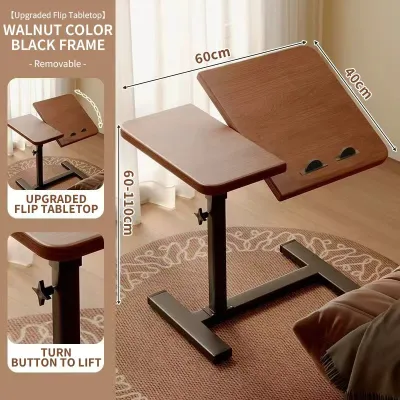
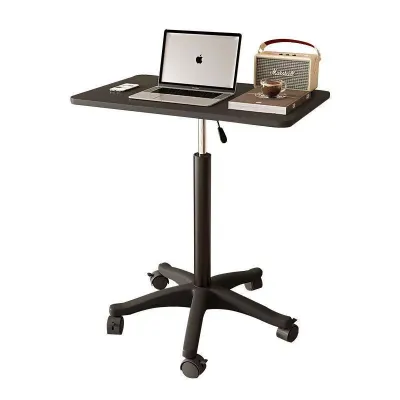
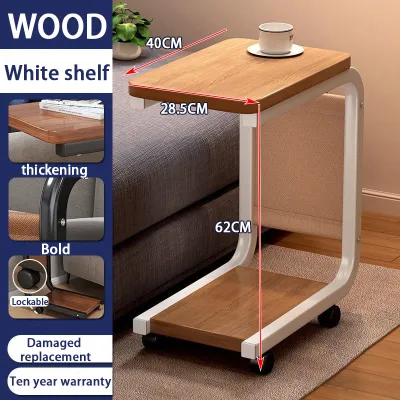
Prices are valid at publication and may change. Please refer to the product page for the latest price.
Weight Capacity and Stability
The structural design of a rolling table directly dictates what equipment it can safely support without wobbling or tipping over. If your work-from-home setup consists solely of a lightweight laptop and a mouse, a simple, single-column table will likely suffice. However, if you use a heavy desktop tower, dual external monitors, or clamp-on monitor arms, you must prioritize structural reinforcement. Look for desks with H-frame or low-center-of-gravity T-frame bases, which distribute weight more evenly across the floor. Single-post designs tend to flex under heavy typing pressure, creating an irritating bounce that disrupts your focus. Always check the manufacturer’s certified load capacity on the product label, distinguishing between static weight and dynamic weight. To prevent tipping, ensure the heaviest items are centered over the strongest support columns rather than concentrated on the outer edges.
Wheel Quality and Locking Mechanisms
The casters are the defining feature of any rolling table, yet they are often the most overlooked component during the purchasing process. Hard plastic or cheap nylon wheels are common on entry-level models, but they can easily scratch or gouge delicate hardwood, laminate, or vinyl plank flooring. For hard surfaces, soft polyurethane or rubber-coated wheels are highly recommended because they glide silently, absorb minor floor vibrations, and protect your flooring from wear. If your home office area features low-pile carpets or area rugs, slightly larger, hard-surfaced casters will roll more effectively than soft ones. Regardless of the floor type, a reliable braking system is non-negotiable for stationary work. Ensure that at least two of the wheels feature robust, independent locking levers that are easy to engage with your foot to prevent the desk from drifting backward while you type.
Material and Humidity Resistance
The tropical climate of the Philippines introduces unique environmental challenges that can quickly degrade poorly constructed furniture. High relative humidity can cause unprotected metal frames to rust and inferior wooden surfaces to warp or swell. When evaluating rolling tables, prioritize steel frames that feature a thick, even powder-coated finish. This electrostatic coating provides a robust barrier against moisture and corrosion, far outlasting cheap spray-painted alternatives. For the tabletop itself, high-pressure laminate (HPL) over medium-density fiberboard (MDF) or solid wood is highly preferable to basic particle board. Pay close attention to the quality of the edge banding along the sides of the desk. If the edge banding is thin or poorly glued, ambient humidity or accidental liquid spills will seep into the inner wood core, causing the wood fibers to swell, bubble, and peel over time.
Recommended Rolling Table Types for Different WFH Needs
Best for Small Spaces and Laptop Users (Compact C-Tables)
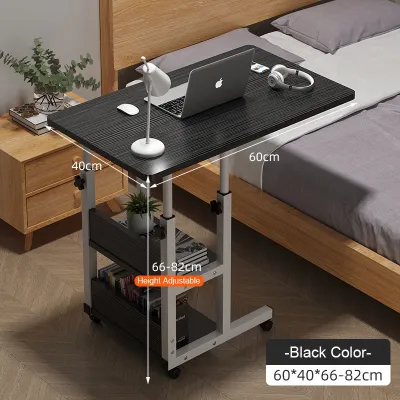
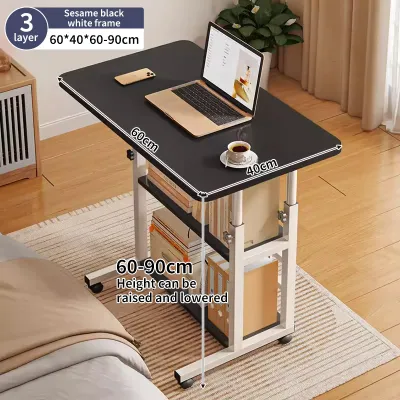
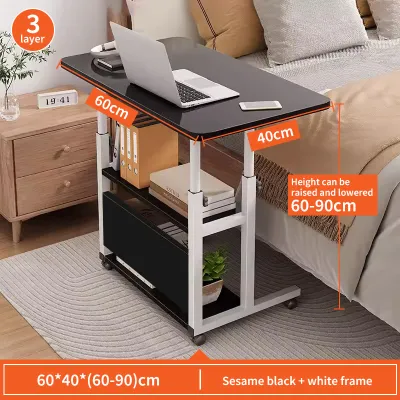
For professionals working in cozy apartments or shared rooms, a compact C-table design is often the most efficient choice. The defining characteristic of a C-table is its asymmetrical frame, which resembles the letter “C” when viewed from the side. This clever geometry allows the bottom support legs to slide completely under a sofa, armchair, or bed, bringing the tabletop directly over your lap. This setup eliminates the need for a dedicated desk chair, saving valuable floor space in tight living areas.

These compact tables typically offer a surface area optimized for a single laptop, a smartphone, and a small notepad or mousepad. Many models feature manual height adjustment knobs or gas-spring mechanisms, allowing you to transition between sitting and standing heights effortlessly. Because they are lightweight and have a small footprint, they are incredibly easy to steer around tight corners and store in a closet when your workday ends.
However, it is important to manage expectations regarding their structural limits. Due to their single-sided support design, compact C-tables are not built to handle heavy equipment. Attaching a heavy, clamp-on dual-monitor arm to a C-table can cause the frame to twist or tip forward under the uneven weight distribution. If you rely on multiple screens, external hard drives, or heavy desk accessories, a more robust, symmetrical desk design is a safer investment.
Best for Heavy Equipment and Dual Monitors (Sturdy Mobile Desks)
If your daily work-from-home tasks require a comprehensive workstation with multiple monitors, a desktop PC, and professional peripherals, a sturdy mobile desk is the correct category to explore. Unlike compact C-tables, these desks feature symmetrical frames—usually H-shaped or four-legged—constructed from heavy-gauge steel. This balanced architecture provides the necessary rigidity to support weights ranging from 20 to over 40 kilograms without flexing or shaking while you work.
The desktop surface on these heavy-duty models is significantly wider, typically measuring between 90 and 120 centimeters in length. This generous surface area easily accommodates dual monitors side-by-side, a full-sized keyboard, a wrist rest, and desktop speakers. To handle the increased weight of both the desk and the equipment, these models are equipped with larger, industrial-grade casters. These heavy-duty wheels often measure 2 to 3 inches in diameter, allowing them to roll smoothly over floor transitions and thick carpets without getting stuck.
Before purchasing a heavy-duty mobile desk, always verify the exact dimensions and weight limits specified on the product label. Because these desks are heavier and wider, they require more physical effort to maneuver. Ensure that the locking casters are of premium quality, as any play or wiggle in the wheel bearings will translate to an unstable typing surface. Investing in a model with a lower crossbar or a reinforced back panel will further enhance lateral stability, eliminating side-to-side sway during intense work sessions.
Best for Storage and Organization (Multi-Tier Rolling Carts)
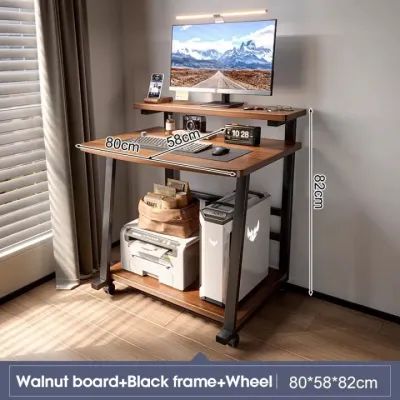
For remote workers who need to keep physical documents, reference books, printers, and office supplies within arm’s reach, a multi-tier rolling cart workstation offers unmatched utility. These mobile desks combine a primary work surface with integrated lower shelves, side baskets, or CPU holders. By utilizing vertical space, they allow you to organize your entire office inventory on a single mobile platform, keeping your main desktop clean and clutter-free.
The primary benefit of a multi-tier design is its self-contained organization. You can place your laptop or monitor on the top tier, store active paperwork on the middle shelf, and position a printer or desktop tower on the bottom tier. This configuration is particularly useful for those who must clear their workspace completely at the end of the day, as everything rolls away together in one neat unit. It also simplifies cable management, as power strips and charging bricks can be secured directly to the lower shelves.
The main trade-off with multi-tier rolling carts is their bulkier overall footprint and potential impact on legroom. Because the lower shelves occupy the space beneath the desktop, you may have limited room to stretch your legs or tuck your office chair fully under the desk when not in use. Additionally, you must carefully check the load capacity of each individual shelf rather than assuming the entire unit can support heavy items anywhere. To maintain a safe center of gravity, always place the heaviest items, such as printers or paper reams, on the bottom shelf to keep the cart stable while in motion.
Quick Comparison of Mobile Desk Features
To help you quickly identify the right mobile desk for your specific work-from-home setup, the table below summarizes the key features, ideal users, and structural capacities of each primary rolling table category.
| Table Category | Ideal User Profile | Estimated Surface Area | Weight Capacity Range | Recommended Wheel Type |
|---|---|---|---|---|
| Compact C-Tables | Laptop users, small apartments, flexible seating | Compact (60 x 40 cm) | Up to 10 kg | Soft polyurethane (low-profile) |
| Sturdy Mobile Desks | Dual-monitor users, desktop PCs, heavy typists | Medium to Large (90-120 x 60 cm) | 15 to 40 kg | Heavy-duty lockable rubber casters |
| Multi-Tier Rolling Carts | Users needing storage, printers, and organization | Medium (80 x 50 cm) plus shelves | Up to 25 kg total (distributed) | Dual-wheel nylon or polyurethane |
Maintenance and Floor Protection in Humid Climates
Floor Protection
Even the highest quality rolling wheels can cause wear over time if used continuously on the same floor area. To protect your home’s flooring from unsightly scratches, scuffs, and pressure marks, consider placing a dedicated protective mat or a low-pile area rug underneath your workspace. A clear polycarbonate chair mat is an excellent option for hardwood, laminate, or tile floors because it allows the beauty of the floor to show through while providing a smooth, hard surface for the casters to glide over. If you prefer a softer aesthetic, a tightly woven, low-pile rug will protect the floor while dampening the sound of rolling wheels.
Rust and Moisture Management
The persistent humidity in the Philippines requires proactive maintenance to keep your rolling table’s metal components in optimal condition. Moisture in the air can settle on steel frames, joints, and wheel axles, leading to localized rust and squeaking over time. To prevent this, make it a habit to wipe down the metal frame with a clean, dry microfiber cloth at least once a week. Avoid using harsh chemical cleaners or abrasive pads, which can scratch the protective powder coating and expose the raw metal underneath. If you work in a non-air-conditioned room or close to an open window, applying a thin layer of silicone lubricant to the metal joints and wheel bearings once a year will repel moisture and ensure silent operation.
Wheel Maintenance
Over time, rolling wheels inevitably collect hair, dust, pet dander, and floor debris within their axles and swivel joints. This accumulation restricts the smooth rotation of the wheels, forcing you to drag the desk rather than roll it, which can damage both the caster mechanism and your floor. To maintain effortless mobility, inspect the wheels every few months. Use a pair of tweezers or a small utility knife to carefully clear away any tangled fibers wrapped around the axles. If the wheels begin to squeak or feel stiff, clean them with a damp cloth, let them dry completely, and apply a drop of multi-purpose lubricant to the swivel bearing to restore smooth, silent movement.
Frequently Asked Questions (FAQ)
Can a rolling table support a desktop PC and dual monitors?
Yes, but only if you select a heavy-duty mobile desk specifically engineered for high weight capacities. Standard compact C-tables or basic rolling carts are not designed to support the concentrated weight of a desktop tower, dual screens, and heavy clamp-on monitor arms. Before setting up your equipment, verify the manufacturer’s weight limit on the product label and ensure the desk features a wide, symmetrical base (such as an H-frame) to prevent tipping. It is also critical to distribute the weight evenly, placing the heavy computer tower on a dedicated bottom shelf or centered over the main support legs rather than on an overhanging edge.
How do I stop the wheels from scratching my floor?
To prevent your rolling table from scratching delicate tile, laminate, or hardwood floors, start by checking the material of the wheels. Hard plastic or cheap nylon casters are the primary culprits behind floor damage; replacing them with soft polyurethane or rubber-coated wheels will significantly reduce friction and noise. Additionally, placing a durable polycarbonate desk mat or a low-pile area rug under your workstation provides a protective barrier. Regularly sweeping or vacuuming your floor is also essential, as small particles of dirt or grit can get trapped under the wheels and act like sandpaper when the desk is moved.
Are rolling tables stable enough for typing?
High-quality rolling tables are perfectly stable for typing, provided they are equipped with reliable locking casters and a robust frame design. To minimize wobble, look for desks that feature cross-support bars, thick steel legs, and dual-wheel locking mechanisms that prevent both rolling and swiveling. Before purchasing, you can test a desk’s stability by applying downward pressure on the corners and edges to see if the frame flexes. For the best typing experience, ensure the desk is placed on a level surface, as uneven floors can cause even a sturdy desk to rock slightly if the wheels do not make uniform contact with the ground.
Community discussion
Share your experience or ask a question. Comments are reviewed before publication.