
Working from home has redefined the modern workspace, prompting many professionals to turn their bedrooms into temporary offices. While the idea of working straight from the comfort of your mattress sounds appealing, doing so without the proper equipment quickly leads to physical discomfort and drop-offs in productivity. A standard laptop resting directly on your lap or a soft duvet creates an unstable surface, restricts your movement, and forces your body into a hunched position.
To establish a sustainable daily work-from-home setup in bed, you must look beyond casual solutions. A dedicated table on bed serves as the structural foundation of an ergonomic bedroom workspace. It bridges the gap between the soft, yielding surface of your mattress and the rigid support required for typing, writing, and viewing a screen for eight hours a day. Investing in the right table type ensures you can maintain professional output without sacrificing your physical well-being.
However, selecting the right model requires analyzing specific design features, spatial constraints, and your personal work habits. Not all bed tables are built to withstand the rigors of daily, long-term use. By understanding the mechanical differences between various designs, you can select a setup that keeps your body aligned, your devices cool, and your productivity high.
Products mentioned in this guide

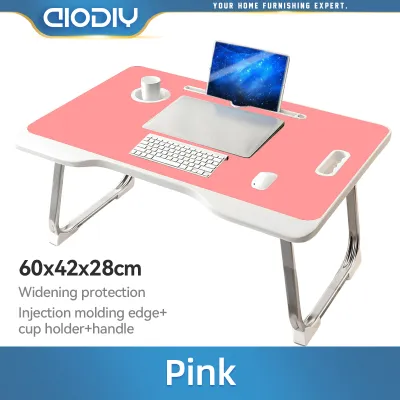
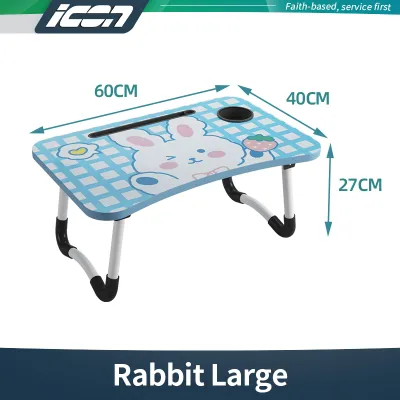
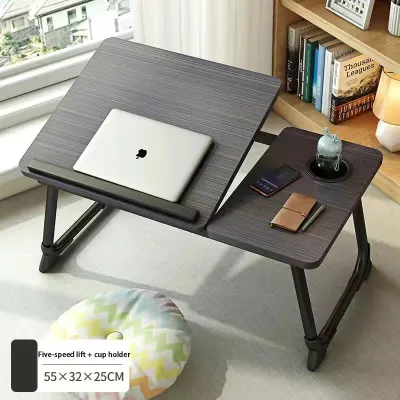
Prices are valid at publication and may change. Please refer to the product page for the latest price.
Essential Features for Long-Hour Bed Desk Setups
When evaluating a table on bed for a full-time professional setup, casual designs intended for occasional reading or breakfast in bed will not suffice. You must look for specific structural features that support prolonged typing, prevent physical strain, and protect your hardware.
Height and Tilt Adjustability
Fixed-height tables force you to adapt your posture to the furniture, which almost always results in neck and shoulder strain. An ergonomic bed table must offer independent height and tilt adjustments. Look for models that allow you to raise the surface so that the top third of your laptop screen sits at eye level when you are sitting upright.
Tilt mechanisms are equally critical for wrist health. Angling the tabletop slightly forward (between 10 to 30 degrees) allows your wrists to remain in a neutral, straight position while typing, reducing the risk of repetitive strain injuries. Ensure the adjustment joints use secure locking pins or heavy-duty clamp levers rather than simple friction dials, which can slip under the weight of your hands.
Stability, Base Design, and Weight Capacity
Typing creates continuous micro-vibrations that can cause a poorly constructed table to wobble. This constant movement is not only distracting but also strains your eyes as they try to focus on a shaking screen. Prioritize tables with wide, low-profile bases or reinforced legs that distribute weight evenly across the mattress.
Before purchasing, verify the manufacturer’s rated weight capacity. A daily setup needs to support not just a laptop, but also the weight of your forearms as you type, a mouse, and potentially a notebook or tablet. Look for a minimum weight capacity of 10 kilograms for smaller lap desks, and up to 20 kilograms for heavy-duty overbed tables. Check that the frame joints are made of steel or reinforced aluminum rather than lightweight plastics.
Ventilation and Heat Dissipation
Laptops generate substantial heat during intensive work tasks. In the tropical climate of the Philippines, where ambient temperatures and humidity levels are naturally high, keeping your computer cool is vital for maintaining its performance and lifespan. Placing a laptop directly on a bedsheet or a solid plastic tray blocks the intake vents, leading to thermal throttling and potential hardware damage.
Select a bed table featuring built-in ventilation. This can take the form of pre-drilled airflow slots, an aluminum tabletop that acts as a natural heat sink, or integrated USB-powered cooling fans. If you prefer wooden finishes, ensure the surface has a slatted design or a raised platform that allows air to circulate freely beneath the chassis.
Surface Area and Protective Lip Edges
Your table must provide enough physical space to accommodate your entire workflow. A surface width of at least 55 to 60 centimeters is generally required to comfortably fit a 15-inch laptop alongside an external mouse and a small notepad.
When the tabletop is tilted for ergonomic viewing, gravity will naturally cause your devices to slide downward. A built-in protective lip or a removable silicone stopper is essential to keep your laptop and mouse secure. Ensure this stopper is soft and low-profile so it does not press uncomfortably into your wrists while you type.
Comparing Bed Table Types for Daily Productivity
Different bed table designs offer distinct trade-offs in terms of stability, adjustability, and storage. Understanding these categories helps you match the table to your specific bedroom layout and daily work requirements.

Foldable Lap Desks with Cushions
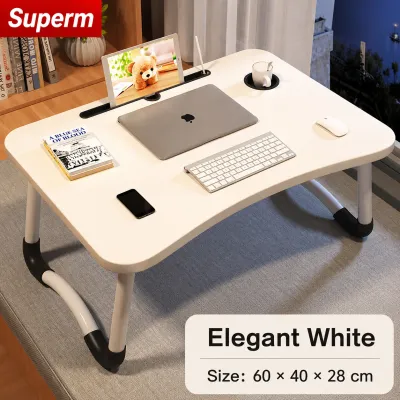
Foldable lap desks with cushioned bases are designed for maximum portability and comfort. These tables feature a hard work surface on top and a soft, foam-filled fabric cushion underneath that rests directly on your thighs. They are incredibly lightweight and can be tucked away into a closet or beside a nightstand when not in use.
However, these models are generally unsuitable for long-hour, daily WFH sessions. Because they rest directly on your lap, they offer very limited height adjustment, forcing you to look downward at your screen. Additionally, the fabric cushions tend to trap body heat against your legs, which can quickly become uncomfortable in warm tropical weather. Use these primarily for short, casual tasks rather than as your primary daily desk.
Adjustable Overbed Tables (Rolling or Cantilever)
Adjustable overbed tables represent the most stable and ergonomic option for serious, full-time remote work from bed. These units feature a heavy steel base that slides underneath your bed frame, with a single or double support column rising up to hold the tabletop suspended over your mattress. Most models are equipped with locking caster wheels for easy positioning.
Because the table’s weight rests entirely on the floor rather than the bed, your movements on the mattress will not cause the table to shake. They offer superior height ranges (typically from 65 to 95 centimeters) and generous surface areas. The primary trade-off is their physical footprint; they require at least 7 to 10 centimeters of clearance under your bed frame and sufficient floor space beside the bed. They also require assembly and represent a larger financial investment, typically ranging from ₱2,500 to ₱6,000.
Foldable Leg Bed Trays
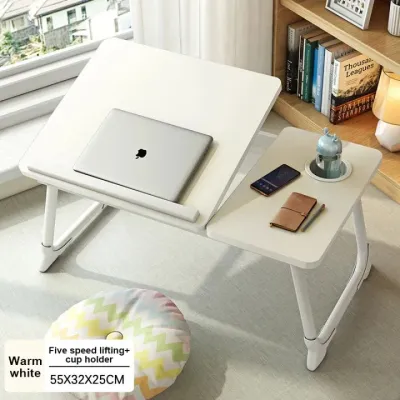
Foldable leg bed trays sit directly on top of your mattress, straddling your legs with two folding supports. They offer a larger, flatter workspace than cushioned lap desks and can be folded completely flat for easy storage. Premium models in this category feature telescoping legs to adjust the height and a split-top design where one section tilts for your laptop while the other remains flat for a cup or mouse.
When choosing a bed tray, avoid basic wooden breakfast trays with fixed legs, as they do not provide the necessary ergonomic adjustments. Instead, look for models with sturdy metal legs, secure locking hinges, and non-slip rubber feet. Keep in mind that because these trays rest on the mattress, any shift in your sitting position can cause the table to tilt or wobble slightly. They are best suited for firm mattresses that minimize sinking.
Ergonomic Setup and Safety Tips for Bed Working
Using a high-quality table on bed is only half the battle; you must also configure your workspace and your body correctly to avoid long-term physical strain.
Posture Support and Spinal Alignment
Never slouch or lie completely flat while working. Sit as upright as possible with your head, shoulders, and hips aligned. Place a firm wedge pillow or several supportive cushions behind your lower back to maintain the natural curve of your lumbar spine. To relieve tension in your hamstrings and lower back, place a small, rolled-up towel or a cylindrical pillow underneath your knees.
Managing Lighting and Glare
Position your bed table so that your laptop screen is at a right angle to any nearby windows. Direct sunlight hitting the screen from behind creates distracting reflections, while light from behind the screen causes eye strain due to high contrast. If you work during the evening, avoid relying solely on harsh overhead lighting; use a warm, adjustable desk lamp placed on a nearby nightstand to keep your workspace evenly illuminated.
Safety Boundaries and Stability Checks
If you are using a rolling overbed table, always engage the caster locks once the table is in position to prevent it from rolling away when you lean on it. For in-bed trays, perform a quick stability check before placing your laptop on the surface. Ensure the legs are fully extended and the locking mechanisms are completely engaged. Avoid placing heavy drinks or hot liquids on the same tilted surface as your computer; use a dedicated cup holder or keep liquids on a stable bedside table.
Health Reality Check
Even with the most sophisticated bed table setup, the human body is not designed to remain stationary on a soft surface for extended periods. Working from bed naturally reduces your overall physical movement compared to working at a standard desk. Make a firm commitment to stand up, stretch, and walk around for at least five minutes every hour. Treat your bed table as a tool for flexible comfort, but integrate regular movement into your daily routine to protect your musculoskeletal health.
Frequently Asked Questions (FAQ)
Can I use a regular dining tray as a table on bed for WFH?
A regular dining tray is not recommended for daily work-from-home setups. Dining trays are designed for short-term food service and lack the structural stability, height adjustments, and tilt mechanisms required for ergonomic typing. They typically have fixed legs that do not raise the laptop to eye level, forcing you into a hunched posture that strains your neck. Furthermore, dining trays lack protective lip edges to secure your devices and do not feature ventilation slots, which can lead to your laptop overheating.
How do I prevent my laptop from overheating on a bed table?
To prevent your laptop from overheating, choose a bed table with built-in ventilation, such as a slatted wooden surface, an aluminum top, or integrated cooling fans. Always ensure that soft bedding, blankets, or pillows do not drape over the edges of the table and block your laptop’s side or rear exhaust vents. If your workspace is particularly warm or humid, consider using an external USB-powered cooling pad on top of your bed table to maintain active airflow beneath the computer chassis.
Community discussion
Share your experience or ask a question. Comments are reviewed before publication.