
Transitioning to a work-from-home setup in the Philippines requires furniture that supports both your physical well-being and your productivity. A wooden study table for an adult that doubles as an adjustable standing desk offers a classic aesthetic while encouraging movement throughout the workday. Finding the right balance between natural wood beauty and mechanical reliability is essential, especially when dealing with tropical humidity and varying home office spaces.
To make an informed investment, you must evaluate how a desk handles daily height transitions, supports your equipment, and resists environmental wear. This guide outlines the critical technical specifications, material choices, and spatial requirements to help you select a wooden standing desk that fits your workflow and stands the test of time.
Key Features to Look for in a Wooden Standing Desk
The core of any standing desk is its lifting mechanism, which dictates how smoothly and quietly your workspace transitions between sitting and standing heights. Motorized frames are the most popular choice for modern home offices, offering effortless adjustments at the press of a button. When comparing motorized options, dual-motor systems generally provide superior performance over single-motor alternatives. Dual motors distribute the lifting force evenly across both desk legs, resulting in faster transit speeds, higher weight capacities, and quieter operation. Single-motor systems, while often more budget-friendly, may struggle with heavier wooden tops and adjust at a slower, louder pace.
Products mentioned in this guide
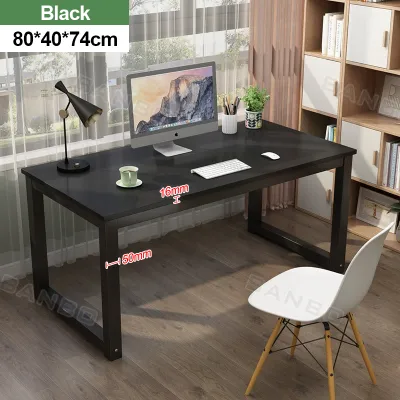
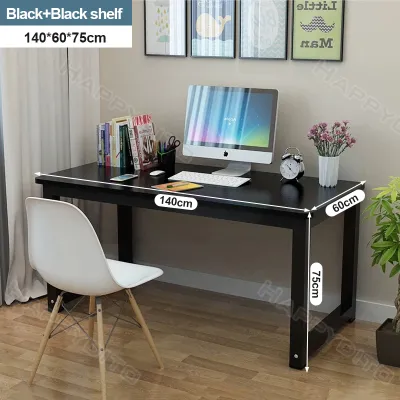
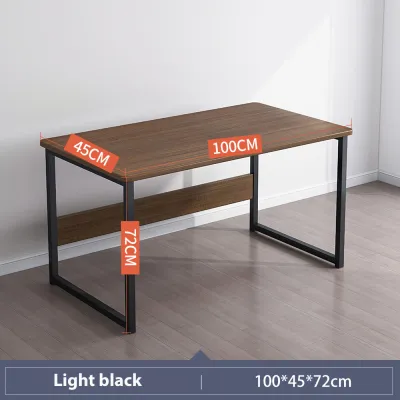
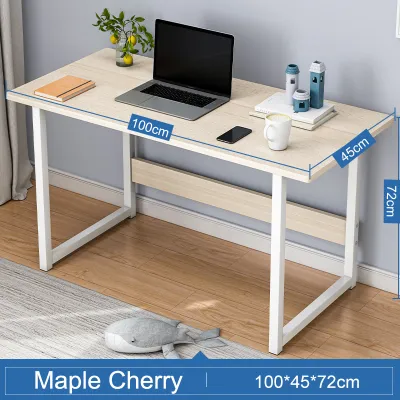
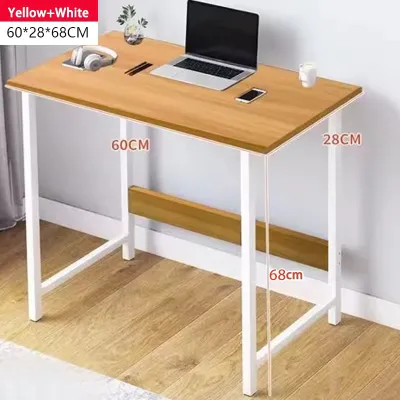

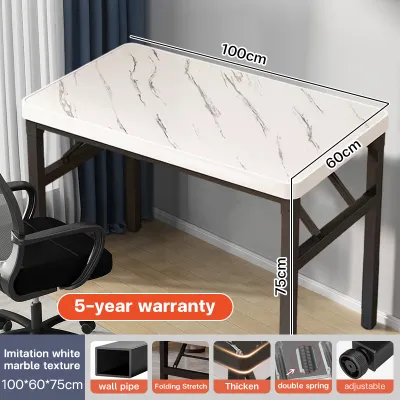
Prices are valid at publication and may change. Please refer to the product page for the latest price.
Manual crank mechanisms present a reliable, electricity-free alternative that eliminates the risk of electronic failure. However, manual desks require physical effort to raise and lower, which can discourage frequent posture changes during a busy workday. If you choose a manual crank, verify the gear ratio to ensure that adjusting the height does not require excessive rotations or strain your wrists.
Weight capacity is a critical safety and performance metric, particularly when pairing a frame with a heavy solid wood desktop. You must check the manufacturer’s specified weight limit and subtract the weight of the wooden top itself to determine the actual capacity left for your equipment. A standard setup with dual monitors, a laptop, external speakers, and mounting arms can easily exceed basic weight limits. Overloading a frame strains the motor, increases noise levels, and can lead to premature mechanical failure or uneven lifting.
Height range and stability are directly linked to your physical comfort and safety. An ergonomic standing desk should adjust low enough to allow your elbows to rest at a 90-degree angle while seated, and high enough to maintain that same angle when standing. At maximum height, standing desks are naturally more susceptible to lateral movement and wobble. To minimize this, look for frames constructed with thick steel legs, wide foot pads, and, if necessary, a stabilizing crossbar. The absence of a crossbar can sometimes be compensated for by heavier, wider leg columns, but you should always verify stability reviews or floor-contact specifications before purchasing.
Control panels elevate the convenience of motorized desks by offering programmable memory presets. Instead of manually holding down an arrow key to find your preferred height, memory presets allow you to save exact sitting and standing levels for quick, one-touch transitions. Advanced control panels also feature collision detection sensors, which automatically stop the desk motor if the surface encounters an obstacle like a chair armrest or a filing cabinet, preventing damage to your furniture and equipment.
Matching the Desk to Your Space and Workflow
Selecting the correct surface dimensions is a balancing act between your daily task requirements and the physical limitations of your room. A standard wooden study table for an adult typically ranges from 120 to 160 centimeters in width. If your workflow relies on a single laptop and a notebook, a compact 120-centimeter width is usually sufficient. However, if you utilize dual monitors, large desk mats, or external audio gear, a width of 140 to 160 centimeters is highly recommended to prevent clutter and maintain comfortable keyboard and mouse clearance.

Depth is equally important for visual ergonomics and arm support. A desk depth of 60 centimeters is the absolute minimum for comfortable screen viewing distances, but a 70 to 80-centimeter depth is ideal for larger monitors or monitor arms. Deep desks allow you to push your screens further back, reducing eye strain and leaving ample space in front of you for writing, typing, and resting your forearms.
Before finalizing your purchase, you must measure the physical footprint of the desk base and ensure adequate room clearance. Standing desks require a clear vertical path; ensure that the rising desktop will not collide with wall-mounted shelves, window sills, or hanging light fixtures. Additionally, leave at least 10 to 15 centimeters of clearance between the desk edges and adjacent walls or furniture to prevent pinching hazards during height adjustments.
Cable management is often overlooked but becomes a safety hazard when a desk moves vertically. As the desk rises, power cables for your monitors, computer, and accessories must stretch without pulling on outlets or disconnecting. Look for wooden desktops with built-in grommets that allow wires to pass cleanly through the surface. Under-desk cable trays or routing channels are essential for housing power strips and excess cord length, keeping your workspace visually clean and preventing dangling wires from getting caught in the lifting mechanism.
Evaluating Wood Types and Surface Finishes
The choice of wood material directly influences the desk’s aesthetic appeal, weight, and resistance to environmental factors. Solid wood tops, crafted from hardwoods like acacia, rubberwood, or mahogany, offer unmatched natural beauty, unique grain patterns, and exceptional structural integrity. These tops can be sanded down and refinished over years of use, making them a highly durable investment. However, solid wood is significantly heavier than engineered alternatives, which increases the load on your desk’s motor and makes initial assembly and relocation more challenging.
Engineered wood options, such as Medium-Density Fiberboard (MDF) or particleboard finished with a wood veneer, provide a lighter and more cost-effective solution. High-quality MDF is structurally stable and less prone to warping than solid wood when exposed to temperature fluctuations. Wood veneers offer the look of genuine wood grain at a fraction of the weight and cost. However, engineered wood is highly susceptible to moisture damage if water penetrates the outer protective layer, which can cause the inner fibers to swell and crumble.
In the tropical climate of the Philippines, high humidity and ambient moisture can accelerate wood degradation and warping. Therefore, verifying the surface protection and finish of your wooden desktop is crucial. Look for tops treated with moisture-resistant polyurethane, lacquer, or specialized hardwax oils. These protective coatings seal the wood pores, preventing humidity absorption and protecting the surface from sweat, condensation from cold drinks, and accidental spills. Anti-scratch and anti-fingerprint coatings are also beneficial for maintaining a pristine appearance under heavy daily use.
Edge banding and finishing quality determine both the durability of the desktop and your physical comfort. Poorly finished edges can feel sharp against your forearms during long typing sessions and are prone to chipping or peeling over time. Inspect the desktop for rounded or beveled edges, often referred to as ergo-edges or chamfered edges. High-quality edge treatments ensure smooth arm contact and prevent the wood layers from separating under constant friction.
Assembly, Delivery, and Warranty Considerations
Purchasing a heavy, motorized wooden standing desk involves logistical challenges that require careful planning before delivery day. Because these desks are shipped in heavy, oversized flat packs, you must measure your home’s entry points. Check the clearance of doorways, narrow hallways, staircases, and elevator cabins to ensure the delivery team can safely transport the packages to your designated room. If you live in a high-rise condominium, verify building policies regarding delivery hours and elevator reservations to avoid unexpected delays.
Assembly requirements for standing desks are generally more complex than those for standard static tables. You will need to align and secure a heavy steel frame to the underside of the wooden desktop, install the lifting columns, and connect the electronic control box and drive shafts. While many manufacturers provide detailed instruction manuals and basic tools, having a secondary set of hands is highly recommended to flip the fully assembled desk upright safely. If you are uncomfortable with DIY assembly, check if the retailer offers professional on-site installation services, which can save time and prevent assembly errors that might void your warranty.
A comprehensive warranty is vital for protecting your investment, especially given the mechanical and electronic components involved. When reviewing the warranty terms, distinguish between the coverage period for the electronic motor and control box versus the physical wooden desktop and steel frame. High-quality standing desks typically offer separate warranty durations, with electronics covered for a few years and structural components covered for longer. Ensure you understand the process for claiming replacement parts and whether the manufacturer provides local customer support in the Philippines to avoid lengthy international shipping delays for replacement motors or controllers.
Condition-Based Shortlist: Which Desk Type Fits Your Needs?
To simplify your decision-making process, you can categorize your options based on your specific work-from-home scenario, budget, and space constraints.
The budget-conscious setup is ideal for those transitioning to a standing routine without a significant upfront financial commitment. This configuration typically pairs a manual crank frame or a single-motor system with an engineered wood or MDF desktop. While you sacrifice the convenience of automatic presets and fast transit speeds, this setup provides a stable, functional entry point into ergonomic working. To maximize the lifespan of this desk, ensure you do not exceed the lower weight capacity of the single motor or manual gears, and use coasters to protect the engineered wood surface from moisture.
The heavy-duty professional setup is designed for power users who require a robust, high-capacity workspace. This configuration features a dual-motor steel frame paired with a thick, solid hardwood desktop. It easily supports multiple monitors, heavy computer towers, and articulated monitor arms without compromising lifting speed or stability. The solid wood surface offers superior scratch resistance and can be refinished if damaged. While this setup requires a higher initial investment, its durability and performance make it a long-term asset for dedicated home offices.
The compact space solution addresses the needs of apartment dwellers or those working from shared living areas. These desks feature a smaller footprint, typically measuring 100 to 110 centimeters in width and 60 centimeters in depth. They utilize streamlined frames that fit neatly into tight corners or alcoves while still offering full height adjustability. When selecting a compact desk, prioritize models with integrated drawer storage or under-desk shelving to maximize your limited vertical space without cluttering the main desktop.
Regardless of the configuration you choose, verifying the credibility of your purchasing channel is essential. When buying from official brand websites or established online furniture stores, check customer reviews specifically mentioning shipping reliability, packaging quality, and responsive customer service. Be aware of potential shipping surcharges for heavy items, especially if you reside outside major metropolitan areas. Review the return policy carefully, as returning a heavy, partially assembled standing desk can incur substantial return shipping fees if the product does not meet your expectations.
Frequently Asked Questions (FAQ)
Can I convert my existing wooden study table into a standing desk?
Yes, you can convert an existing wooden study table into a standing desk, provided the tabletop meets specific structural requirements. The most common method is purchasing a standalone motorized or manual lifting frame and mounting your existing wooden top onto it. Before doing this, you must verify that your tabletop is thick and sturdy enough—typically at least 1.8 to 2.5 centimeters—to securely hold the mounting screws without splitting. Additionally, ensure the wood is not made of low-density hollow-core materials, which cannot support the weight of the frame and your office equipment.
How much weight can a typical wooden standing desk support?
The weight capacity of a wooden standing desk is primarily determined by the lifting capacity of its steel frame rather than the wood material itself. Standard single-motor frames generally support between 70 to 80 kilograms, while heavy-duty dual-motor frames can support 100 to 125 kilograms or more. When calculating your usable capacity, you must subtract the weight of your wooden desktop—which can range from 15 kilograms for engineered wood to over 30 kilograms for thick solid hardwood—from the frame’s maximum load rating to find the safe limit for your monitors, computers, and accessories.
Community discussion
Share your experience or ask a question. Comments are reviewed before publication.