
The best foldable training table for a small home office is one that balances structural stability with space-saving storage, fitting seamlessly into your specific room layout while supporting your daily work equipment. In compact living spaces, such as condominiums in Metro Manila or shared family rooms, a desk cannot simply be a static piece of furniture. It must adapt to multi-functional environments where a workspace during the day transitions back into a dining area, living room, or bedroom at night.
Choosing the right table requires shifting away from generic “one-size-fits-all” recommendations and focusing instead on your personal spatial constraints and work habits. If you primarily work on a lightweight laptop, your structural needs will differ vastly from someone who uses multiple monitors, external keyboards, and heavy reference books. The frequency with which you plan to fold and store the table also dictates the ideal design, as some mechanisms are built for daily transition while others are meant for occasional storage.
A critical trade-off exists between portability and stability. Lightweight frames made of thin hollow steel or plastic are incredibly easy to carry, lift, and slide behind a wardrobe, but they may wobble during intense typing or when supporting heavier equipment. Conversely, heavy-duty training tables with thick steel legs and dense engineered wood tops offer a rock-solid writing surface but require more physical effort to fold and move.
Products mentioned in this guide
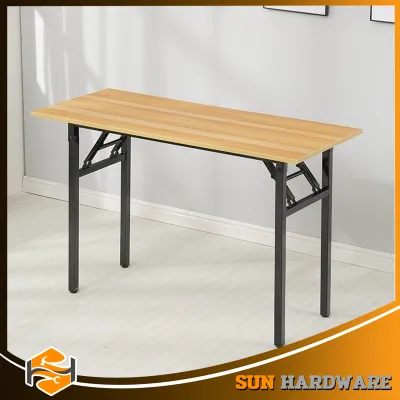
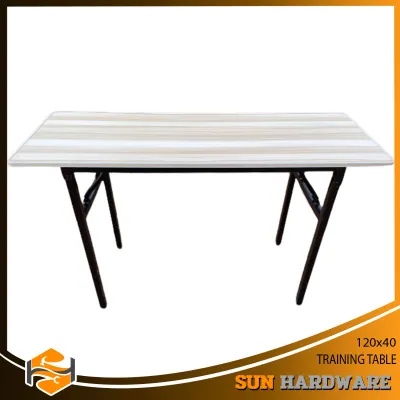
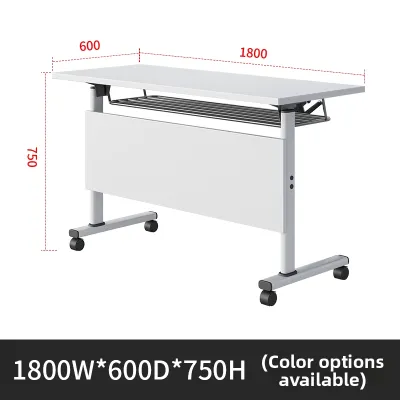
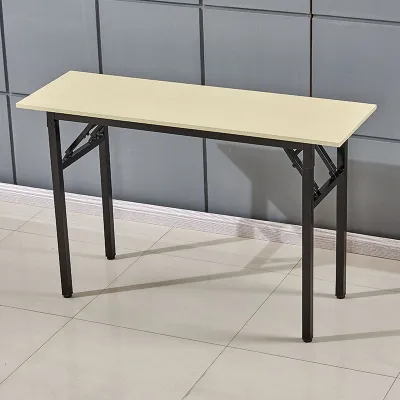
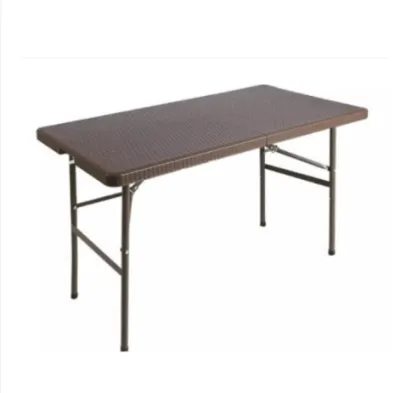
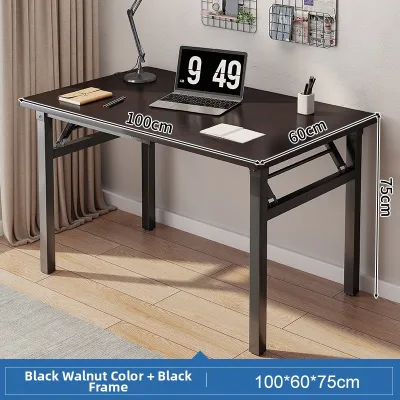
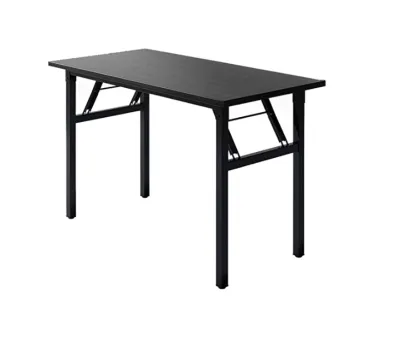
Prices are valid at publication and may change. Please refer to the product page for the latest price.
Baseline ergonomic requirements must not be compromised for the sake of foldability. A standard training table should ideally stand between 70 to 76 centimeters high to allow comfortable seating posture. Furthermore, the tabletop depth must be sufficient—typically at least 50 to 60 centimeters—to maintain a safe viewing distance from your screen and provide ample forearm support, preventing strain during long working hours in humid tropical climates where physical comfort is paramount.
Measuring Your Space and Table Dimensions
To avoid purchasing a table that crowds your room or fails to fit into your designated storage nook, precise measurements are essential before browsing online marketplaces. Begin by measuring the physical footprint of your active work area. Do not just measure the length and width of the table itself; you must account for the clearance required for your office chair. A standard desk chair requires at least 60 to 75 centimeters of space behind the desk to slide out smoothly, and you should leave an additional 50 centimeters of walking path clearance to ensure you can move around the room without squeezing past obstacles.
Understanding the difference between deployed and folded dimensions is crucial for seamless integration. Deployed dimensions tell you how much workspace you will enjoy, but folded dimensions—specifically thickness, folded height, and folded width—determine where the table can live when not in use. A table that folds down to a thickness of 5 to 10 centimeters can easily slide under a bed or behind a sofa, whereas a flip-top nesting table might retain a wider footprint that requires a dedicated corner of the room.
Do not overlook the transit path from your storage area to your active workspace. Measure the width of doorways, narrow hallways, and storage closets to ensure you can carry or roll the folded table through these spaces without scraping the walls or pinching your fingers. If you live in a high-rise condominium, verify that the folded table can fit inside the building’s passenger elevator if you ever need to transport it during a move.
Finally, pay close attention to the architectural details of your room. Baseboards can prevent a table from sitting completely flush against the wall, which might reduce the available clearance in tight spaces. Additionally, locate your wall outlets and internet ports before deciding on table placement. A foldable table should not block access to essential plugs, and you must ensure that power cords have enough slack to prevent tension when the table is fully deployed or slightly shifted during daily use.
Evaluating Folding Mechanisms and Stability
The longevity and safety of your home office setup depend heavily on the engineering of the folding mechanism. Different designs offer distinct advantages for small spaces. Center-fold tables, which fold in half like a suitcase, are highly portable but often feature a seam down the middle that can interfere with writing or mouse movement. Drop-leaf tables allow you to collapse one or both sides of the tabletop, making them highly adaptable but sometimes lacking in legroom. Flip-top tables with nesting bases feature a top that rotates 90 degrees to stand vertically, allowing multiple tables to slide closely together; while highly stable and easy to operate, their bases remain wide even when folded.

To ensure your table does not wobble or collapse under the weight of your computer, you must inspect key stability indicators on product specifications. Look for robust cross-bracing—metal support bars that connect the legs to the underside of the tabletop—which prevents lateral swaying. If you select a model with wheels for easy mobility, ensure it features heavy-duty locking casters with reliable brakes on at least two of the wheels to keep the desk firmly in place while you type. For uneven tiled or wooden floors, adjustable leveling feet are a superior alternative, allowing you to compensate for floor imperfections.
Be cautious of flimsy locking pins, plastic latches, or thin spring-loaded buttons that can wear down quickly with repeated use. A high-quality folding table should feature positive locking mechanisms—such as steel gravity locks, slide rings, or heavy-duty latching bars—that click securely into place when the legs are extended. Always verify the manufacturer’s stated weight capacity, ensuring it comfortably exceeds the combined weight of your monitor, laptop, desk lamp, and any personal items you plan to place on the surface.
While wheels and casters add immense convenience for moving the table out of the way at the end of the workday, they can introduce instability if the braking system is weak. When evaluating a wheeled training table, check that the caster housing is made of steel rather than cheap plastic, and that the brake levers are easy to engage with your foot. A stable base prevents micro-vibrations from typing, which can cause eye strain over time as your monitor subtly shakes.
Building Your Shortlist: Matching Table Types to Work Styles
Selecting the right foldable training table requires matching the structural design to your daily work habits and space limitations. By categorizing tables into distinct types, you can identify which configuration aligns with your lifestyle.
Full-Fold / Flat-Fold Tables These tables feature legs that fold completely flat against the underside of the tabletop. They are the ultimate space-savers, capable of being tucked away in closets, under beds, or behind doors. When evaluating flat-fold models, check for protective edge banding or rubber bumpers to prevent damage to your walls and floors during transport. Integrated carrying handles are also highly beneficial, making it easier to carry the table between rooms.
Flip-Top / Nesting Tables Designed for quick transitions, flip-top tables allow the desktop to pivot vertically with the pull of a lever. The legs typically feature a wide, arched design with wheels, allowing folded tables to nest tightly against one another or against a wall. This style is ideal if you frequently transition your room from a dedicated office to an open space for exercise or play. Ensure the flipping mechanism features a secure lock to prevent the top from tilting accidentally during use.
Drop-Leaf / Wall-Mounted Foldables If you have a permanent spot for your workspace but need to reclaim floor space when the workday ends, a wall-mounted drop-leaf table is an excellent option. These desks mount directly to the wall and fold down flat when not in use. When choosing this type, it is critical to verify wall stud compatibility and use high-quality mounting hardware. Mounting a heavy desk directly into drywall without proper support can lead to structural failure and damage to your home.
Adjustable / Standing Foldables For those who prioritize ergonomics and wish to alternate between sitting and standing, adjustable folding tables offer height-modification features. These tables often use manual pin adjustments, crank handles, or pneumatic lifts. When selecting an adjustable model, pay close attention to the weight capacity at its maximum height extension, as taller configurations are naturally more prone to wobbling and require a wider, heavier base to maintain stability.
To help you compare these options, the following matrix outlines the key trade-offs of each table type:
| Table Type | Space Efficiency | Setup Speed | Ideal Use Case |
|---|---|---|---|
| Full-Fold / Flat-Fold | Excellent (stores completely flat) | Moderate (requires manual leg unfolding) | Occasional use, temporary setups, ultra-tight storage |
| Flip-Top / Nesting | Moderate (base remains on floor) | Fast (one-lever release and roll) | Daily multi-purpose rooms, frequent reconfigurations |
| Drop-Leaf / Wall-Mounted | Outstanding (zero floor footprint when closed) | Fast (lifts and locks into place) | Permanent small-space setups, dedicated work corners |
| Adjustable / Standing | Moderate to Good (depends on leg design) | Moderate (requires height adjustment) | Ergonomic focus, users who switch between sitting and standing |
Setup, Safety, and Daily Maintenance
Once you have selected and received your foldable training table, proper setup and safety checks are vital to protect your equipment and ensure a secure working environment. Before placing your laptop or monitor on the desk, perform an initial inspection. Tighten all pre-installed bolts, screws, and brackets, as these can loosen during shipping. Test the folding mechanism several times to ensure it operates smoothly and locks securely without binding or requiring excessive force.
In a home environment, especially one shared with children or pets, safety precautions are paramount. Foldable furniture presents unique hazards, such as pinch points in the hinges and folding joints. Always keep fingers clear of these areas when opening or closing the table. To mitigate tip-over risks, place heavier items like computer towers or heavy books toward the center or rear of the table, close to the support legs, rather than on the outer edges. If your table is lightweight, avoid leaning heavily on the front edge.
Routine maintenance will significantly extend the lifespan of your table’s moving parts. Periodically inspect the underside of the desk to check for loose screws or worn locking pins. If the folding joints begin to squeak or feel stiff, apply a small amount of silicone-based lubricant to the hinges, wiping away any excess to prevent dust accumulation. For tables with wheels, clean the casters regularly to remove hair, dust, and fibers that can clog the bearings and prevent smooth rolling.
Proper cleaning methods are essential to preserve the tabletop finish, particularly in the humid tropical climate of the Philippines. High humidity can cause moisture to seep into poorly sealed engineered wood, leading to swelling or warping. Wipe down the surface daily with a dry or slightly damp microfiber cloth. Avoid harsh chemical cleaners, abrasive pads, or excessive water, which can degrade the protective laminate or veneer. If you spill a drink, dry it immediately to prevent water rings and moisture damage along the edges.
Frequently Asked Questions (FAQ)
Can I use a foldable training table for dual monitor setups?
Yes, you can use a foldable training table for a dual monitor setup, provided you carefully verify the table’s weight capacity and structural design. Dual monitors, along with their stands or mounting arms, exert significant concentrated weight on the tabletop. Ensure the table is rated to support at least 20 to 30 kilograms to safely accommodate your screens, laptop, and accessories. Additionally, check the tabletop material; dense engineered wood or solid wood can handle the clamping force of a dual monitor arm, whereas hollow-core plastic tables may warp or crack under the pressure. Finally, choose a table with a depth of at least 60 centimeters to maintain an ergonomic viewing distance and prevent the setup from feeling top-heavy or unstable.
Are foldable tables durable enough for daily full-time work?
High-quality foldable training tables are absolutely durable enough for daily, full-time work, provided they are constructed with commercial-grade materials. Look for tables featuring powder-coated steel frames, heavy-duty metal hinges, and thick scratch-resistant laminate tops. While budget-friendly plastic utility tables are excellent for temporary events, they often lack the rigidity and ergonomic comfort required for eight-hour workdays. Investing in a table with robust locking mechanisms, cross-bracing, and sturdy joints ensures that the desk remains stable over years of daily folding and unfolding, providing a reliable and professional workspace in your home.
Community discussion
Share your experience or ask a question. Comments are reviewed before publication.