
Finding the right study setup for your child is a critical step in supporting their learning journey, especially as back-to-school preparation begins. A key component of this setup is the chair. Choosing the correct ergonomic upuan (chair) is not just about comfort; it directly impacts your child’s physical development, focus, and long-term posture. For a child’s study desk, the most essential features to look for are highly adjustable seat height and depth, integrated or adjustable footrests, dynamic lumbar support, and breathable, climate-appropriate materials. These features ensure that the seating solution adapts to your child’s rapidly growing body, rather than forcing them to adapt to an adult-sized environment.
Investing in a dedicated chair early on helps prevent the development of poor sitting habits that can persist into adulthood. In the Philippines, where children spend hours at their desks for schoolwork and online learning, a supportive seat is a foundational tool for academic engagement. By understanding what makes a chair truly ergonomic, parents can make an informed decision that protects their child’s health and enhances their productivity.
Why Fixed-Size Chairs Cause Posture Strain
Standard household chairs, such as dining chairs or adult office seating, are engineered for fully developed adult proportions. A typical adult chair features a seat height of 45 to 50 centimeters and a seat depth of 40 to 45 centimeters. When a child sits in one of these fixed-size chairs, their smaller body is forced into an unnatural, strained position. Because their thighs are shorter than the seat depth, they cannot sit all the way back against the backrest while keeping their knees bent comfortably.
Products mentioned in this guide
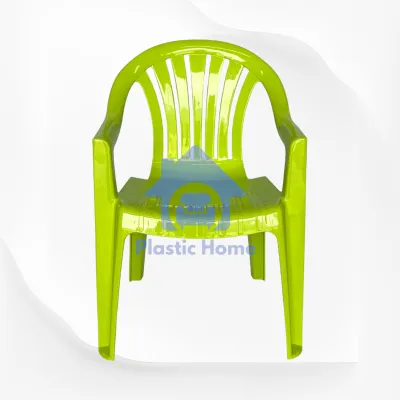
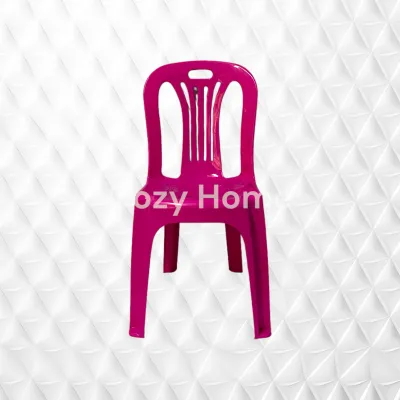
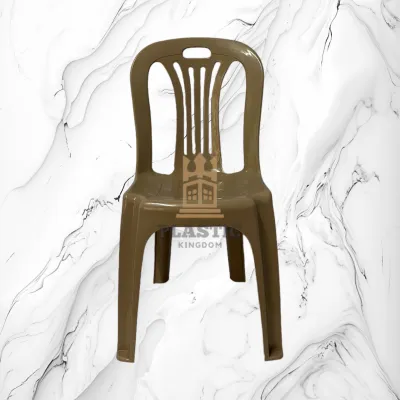
Prices are valid at publication and may change. Please refer to the product page for the latest price.
To compensate for this mismatch, children will typically slide forward to the edge of the seat so their feet can touch the floor. This leaves their lower back completely unsupported, causing the spine to collapse into a slouched, C-shaped curve. Alternatively, if they sit all the way back to use the backrest, their legs dangle in mid-air. The front edge of the seat then presses directly against the sensitive area behind their knees, compressing blood vessels and nerves, which leads to numbness, tingling, and restless fidgeting.
Over long study sessions, this constant posture struggle causes rapid muscle fatigue and mental distraction. Dangling feet pull down on the lower back, straining the lumbar muscles and ligaments. The child’s body must work twice as hard just to stay upright, draining energy that should be focused on their lessons. Therefore, the primary goal when selecting an ergonomic upuan is to find a model that adjusts to your child’s current physical dimensions, providing continuous, active support during their rapid growth phases.
Core Adjustability Features for an Ergonomic Upuan
Children do not grow at a uniform rate; they experience sudden growth spurts that can make a perfectly fitting chair obsolete within a matter of months. To avoid the constant cycle of replacing furniture, a high-quality study chair must feature robust mechanical adjustments. These features allow the chair to expand in height, depth, and support, keeping pace with your child’s physical development from early elementary school through their teenage years.

Seat Height and Depth Adjustment
Achieving the foundational “90-90-90” posture rule is the first step in ergonomic seating. This rule dictates that a child’s hips, knees, and ankles should all be bent at comfortable 90-degree angles, with their feet resting completely flat on a solid surface. To facilitate this, the chair’s seat height must adjust smoothly. Pneumatic gas lifts are standard, but you must verify that the lowest setting is short enough for your child’s legs, especially if they are transitioning from preschool to primary school.
Equally important is seat depth adjustment, a feature often overlooked in standard seating. A sliding seat pan allows you to adjust the distance between the backrest and the front edge of the seat. When adjusted correctly, there should be a clear gap of two to three fingers between the back of your child’s knees and the front edge of the seat cushion. This gap prevents the seat from pressing against the popliteal fossa, ensuring unrestricted blood circulation and preventing the child from sliding forward to seek relief.
Before finalizing a purchase, always measure the height of your child’s current study desk. Many standard desks in Philippine homes stand at a fixed height of 75 centimeters. If the desk cannot be lowered, the chair must be raised to allow the child’s elbows to rest at a comfortable 90-degree angle on the desktop. In this scenario, seat height adjustment alone is insufficient, and must be paired with a dedicated footrest to prevent the feet from dangling.
Integrated or Adjustable Footrests
When a child’s chair must be raised to match a standard-height desk, a footrest becomes an absolute necessity. Dangling feet are not just uncomfortable; they destabilize the pelvis, causing the child to constantly shift their weight, lean to one side, or tuck their legs under their body. This instability leads to uneven spinal alignment and localized muscle strain.
There are two primary types of footrests available: integrated foot rings and adjustable footplates. Integrated foot rings, commonly found on drafting-style chairs, provide a circular bar for the feet. While helpful, they can sometimes be too narrow, forcing the child’s feet close together and limiting natural movement. Adjustable flat footplates, which attach directly to the chair’s frame or gas lift, offer a much wider, more stable platform. These footplates can be raised or lowered to match the child’s leg length, ensuring their feet remain flat and fully supported.
A stable, well-adjusted foot base acts as an anchor for the entire body. It prevents the child from swinging their legs—a common habit that leads to distraction and physical fatigue. When the feet are firmly planted, the lower body is stabilized, which naturally aligns the pelvis and reduces the workload on the lower back muscles. Ensure the footrest is made of a rigid, slip-resistant material to prevent the child’s shoes or socks from sliding off during study sessions.
Backrest Contours and Upper Body Support
While the lower body’s stability is established by the seat and footrest, the upper body requires dynamic support to maintain focus and prevent fatigue. The backrest of an ergonomic chair should actively guide the spine into its natural alignment, reducing the strain on the neck, shoulders, and upper back during reading, writing, and typing tasks.
Lumbar Support and Backrest Angle
The human spine naturally curves inward at the lower back, a shape known as the lumbar lordosis. A child’s spinal column is highly flexible and still developing, making it incredibly vulnerable to poor posture habits. A flat, rigid backrest provides no support to this natural curve, forcing the lower back to flatten and putting excessive pressure on the spinal discs.
Look for a chair with a contoured backrest that mimics the natural S-curve of the spine, or one equipped with an adjustable lumbar support pad. This pad should be height-adjustable so it can be positioned precisely in the small of your child’s back. Avoid overly rigid backrests that lock the child into a single, stiff position. A flexible backrest or a gentle tension-recline mechanism allows for micro-movements. These small shifts in position are vital; they stimulate blood flow, keep the spinal discs hydrated, and prevent the static muscle fatigue that occurs when sitting still for long periods.
Additionally, verify the overall height of the backrest. It should be tall enough to support the mid-to-upper back, particularly the thoracic region, without being so high that it pushes the child’s head or shoulders forward. The backrest should cradle the shoulder blades comfortably, allowing the chest to open naturally for deep, relaxed breathing while studying.
Armrests: Helpful or Hindrance?
The inclusion of armrests on a child’s study chair is a subject of much debate among ergonomic experts. Fixed, bulky, or wide armrests often present a practical problem: they collide with the front edge of the study desk. When this happens, the chair cannot be slid fully under the desk, forcing the child to sit too far away from their books, tablet, or keyboard.
To bridge this gap, the child is forced to lean forward, pulling their back away from the supportive backrest and slumping their shoulders. This completely negates the benefits of the chair’s ergonomic design. To avoid this issue, look for chairs equipped with height-adjustable armrests that can be lowered to clear the desktop, or flip-up armrests that can be rotated out of the way when not needed.
For active studying, writing, and drawing, many pediatric specialists recommend armrest-free designs. Removing the armrests entirely allows for unrestricted shoulder and arm movement. It encourages the child to rest their forearms flat on the spacious surface of the desk itself, which naturally stabilizes the shoulders and prevents the neck tension associated with resting elbows on high, unyielding armrests.
Stability, Safety, and Breathable Materials
An ergonomic chair must not only support correct posture but also guarantee physical safety and durability. Children are naturally active, often twisting, leaning backward, or using their chair as a step stool. Therefore, the structural integrity, stability, and material composition of the chair are critical factors to evaluate before making a purchase.
- Base and Casters: To prevent tipping accidents, a child's study chair must be built on a wide, stable 5-point star base. Bases made of reinforced nylon or heavy-duty steel offer the best combination of strength and stability. When it comes to mobility, standard free-rolling casters can be a hazard for younger children, causing the chair to slide away unexpectedly when they try to sit down. Look for chairs equipped with gravity-locked or weight-activated braking casters. These specialized wheels lock automatically when a weight of 15 to 20 kilograms is applied, keeping the chair firmly anchored while the child is seated and focused. When the child stands up, the brakes release, allowing the chair to be easily moved or tucked under the desk.
- Weight Capacity and Joint Integrity: Always check the manufacturer's specified weight capacity and structural warranties. Even if your child is lightweight, the chair must be robust enough to handle sudden impacts, such as a child jumping onto the seat or leaning heavily over the backrest. Inspect the quality of the adjustment levers, the gas lift cylinder, and the connection joints. Opt for chairs with certified steel components and solid, wobble-free joints rather than thin plastic mechanisms that can easily crack or wear out under daily use.
- Climate-Appropriate Materials: In the tropical, high-humidity climate of the Philippines, the choice of upholstery material significantly affects comfort. Thick, dense foam seats covered in non-breathable PU leather, vinyl, or heavy velvet trap body heat and sweat. This leads to sticky discomfort, skin irritation, and a general reluctance to sit at the desk for long periods. Instead, prioritize high-density, breathable mesh for the backrest. Mesh allows continuous airflow, keeping your child's back cool even during hot afternoon study sessions. For the seat cushion, look for moisture-wicking, tightly woven fabrics over high-resilience molded foam, which offer both breathability and firm, long-lasting support.
- Care and Verification: Do not assume a material is inherently stain-proof, water-resistant, or mold-resistant based on its name alone. In humid regions, mold and mildew can quickly develop on damp fabrics. Always check the manufacturer's care labels and cleaning instructions. Prioritize materials that can be easily spot-cleaned with mild soap and water or vacuumed to remove dust mites and allergens. Regularly inspect the chair's joints and tighten any loose screws to ensure the structure remains stable and safe over years of use.
Pre-Purchase Checklist: Space, Clearance, and Fit Testing
Before purchasing an ergonomic upuan, it is essential to conduct a thorough practical check to ensure the chair fits both your child and your home environment. Taking precise measurements and understanding the physical space prevents the inconvenience of returning a bulky piece of furniture.
- Space and Clearance: Measure the exact floor area dedicated to the study corner. Keep in mind that a 5-point star base typically has a wider footprint than a standard four-legged chair, requiring sufficient turning clearance. Additionally, consider the delivery path. If the chair arrives fully assembled, measure your doorways, hallway widths, and stairwells to ensure it can be transported to the study room without scratching walls or getting stuck in tight corners.
- Desk Compatibility: Measure the height of the study desk from the floor to the underside of the desktop. If the desk has a built-in drawer, a keyboard tray, or a supportive crossbar underneath, measure the clearance from the floor to the lowest point of these obstacles. Ensure that the chair's armrests, seat, and base can glide smoothly under the desk when the chair is not in use, maximizing floor space in smaller rooms.
- The Fit Test: If you are shopping in a physical retail store, have your child sit in the chair to perform a live fit test. Verify that their feet rest flat on the floor or footrest, their knees are at a 90-degree angle, and their lower back is firmly supported by the backrest without pressing behind the knees. If you are purchasing online, carefully review the manufacturer's detailed dimension charts. Check the minimum and maximum height ranges, seat depth measurements, and weight limits. Prices can vary widely, ranging from budget-friendly options under ₱3,000 to premium adjustable models over ₱10,000. Always read the seller's return and exchange policies, and check if the product requires self-assembly, ensuring you have the necessary tools and instructions before it arrives.
Frequently Asked Questions (FAQ)
At what age should a child transition to an ergonomic study chair?
The transition to an ergonomic study chair should occur as soon as your child begins regular, seated desk activities, such as homework, drawing, or reading. This typically happens around the early elementary school years, between ages 6 and 8. Rather than focusing on a strict age number, observe your child’s posture. If they are slouching, dangling their feet, or constantly shifting in a standard household chair, it is time to upgrade to an adjustable upuan that supports their current growth stage.
Can a regular dining chair be modified for study use?
A regular dining chair can be temporarily modified for study use, but it is not an ideal long-term solution. You can place a firm, ergonomic seat cushion to raise their seating height and use a stable, non-slip footstool to support their feet. However, these modifications lack the precise backrest contouring and depth adjustments needed for a growing child. Avoid using unstable, makeshift solutions like stacked books or cardboard boxes as footrests, as they can easily slip, posing a safety hazard and causing poor posture.
Community discussion
Share your experience or ask a question. Comments are reviewed before publication.