
Choosing the right budget for an ergonomic chair depends entirely on your daily study duration and physical needs. A ₱3,000 budget covers basic posture support for short sessions, while stepping up to ₱7,000 or ₱15,000 unlocks advanced adjustability, durable materials, and long-term comfort. This guide breaks down what each price tier actually delivers, helping you decide where to invest and where to compromise without falling for misleading marketing claims.
When selecting a chair for study table setups, the temptation to buy the cheapest option is strong. However, a poor seating choice can lead to discomfort, poor posture, and frequent replacements. By understanding the structural and mechanical differences between these price points, you can make an informed decision that protects both your physical well-being and your budget.
What to Expect at the ₱3,000 Budget Tier
At the ₱3,000 budget tier, you are looking at entry-level seating solutions. These chairs are designed for basic utility rather than customized ergonomic support. The adjustability features in this range are highly restricted, typically limited to a simple pneumatic lever for seat height adjustment. The armrests are almost always fixed to either the seat pan or the backrest, meaning they cannot be adjusted to align with your desk height or typing position.
Products mentioned in this guide
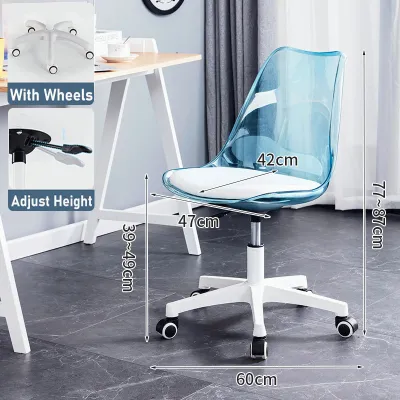
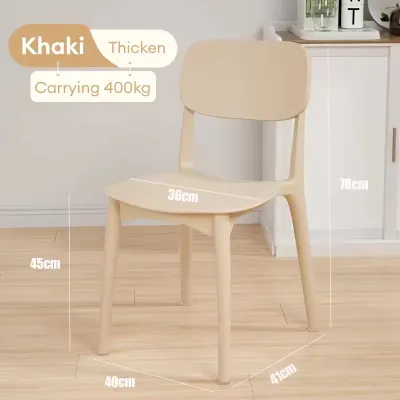
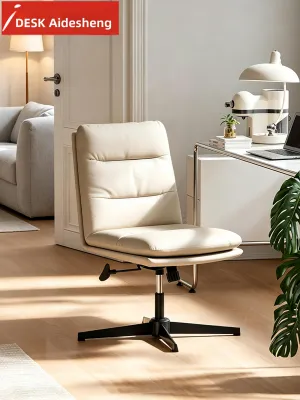
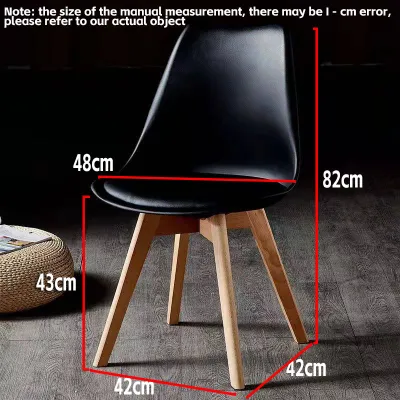
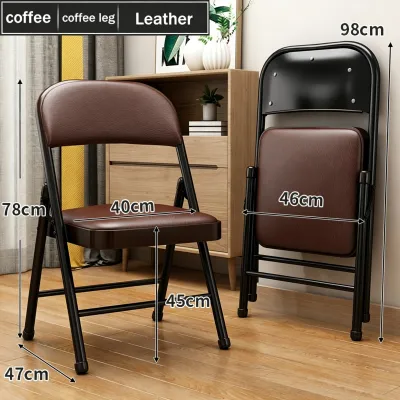
Prices are valid at publication and may change. Please refer to the product page for the latest price.
Material trade-offs are highly visible at this price point. The seat cushions are generally made of standard cut foam, which feels soft initially but tends to compress and lose its supportive shape within a few months of regular use. The backrest is usually covered in a basic mesh material. While this mesh offers some ventilation, it often lacks the tension required to provide firm lumbar support, leading to a slouching posture over time.
Safety verification is a critical step when shopping in this budget range. Because manufacturing costs are kept low, you must carefully check the product specifications for gas lift cylinder certifications. Look for an explicit mention of a Class 3 or Class 4 gas lift. This rating ensures the cylinder has undergone pressure testing and has a wall thickness capable of supporting daily use safely. Avoid any product listing that fails to specify the gas lift class.
This entry-level tier is best suited for short, intermittent study sessions of one to two hours daily. If you only use your desk occasionally to complete quick tasks, write notes, or check emails, a ₱3,000 chair can serve as a functional placeholder. However, if you plan to sit for extended periods, the lack of adjustable support may quickly lead to physical fatigue.
The Mid-Range Upgrade: Stepping Up to ₱7,000
Stepping up to the ₱7,000 mid-range tier introduces significant ergonomic improvements that justify the extra cost for moderate daily use. The most notable upgrade is the inclusion of dedicated lumbar support adjustments. Instead of a rigid, non-adjustable backrest, chairs in this price range often feature a lumbar pad that can be adjusted vertically or horizontally to match the natural curve of your lower spine.

Additionally, mid-range chairs offer basic recline and tilt-lock mechanisms. This allows you to tilt the backrest backward and lock it into a few pre-determined angles, giving you the flexibility to shift your posture throughout the day. The armrests in this tier are often adjustable in at least one dimension (1D), allowing you to raise or lower them to support your forearms and reduce strain on your shoulders.
The quality of materials is also substantially better. The mesh used on the backrest is typically tighter and more resilient, maintaining its shape and tension over years of use. This is particularly beneficial in warm, humid tropical climates, where breathable materials are essential to prevent heat and moisture buildup. The seat cushion is usually upgraded to high-density foam, which resists sagging and distributes your weight more evenly than entry-level foam.
When evaluating a ₱7,000 chair, pay close attention to the structural components. Look for a base made of reinforced nylon or heavy-duty steel rather than thin plastic. Check the caster specifications to ensure they match your flooring; polyurethane-coated casters are ideal for protecting hard tile or wooden floors, while standard nylon casters are suitable for carpeted areas. This tier is highly recommended for moderate study routines of three to five hours daily.
Premium Features at the ₱15,000 Tier
The ₱15,000 premium tier represents a long-term investment in your health, comfort, and productivity. At this price point, chairs feature advanced mechanical engineering designed to support the body dynamically. A key feature is the synchro-tilt mechanism, which tilts the backrest and seat at a synchronized ratio (usually 2:1). This keeps your feet flat on the floor and maintains proper spinal alignment as you recline, preventing your lower back from pulling away from the lumbar support.
Adjustability becomes highly customizable in this range. You can expect multi-dimensional armrests (3D or 4D) that adjust not only in height but also in depth, angle, and width. This level of customization ensures that your elbows and wrists are perfectly aligned with your keyboard, minimizing the risk of repetitive strain injuries. The lumbar support is often self-adjusting or highly precise, adapting to your movements as you shift positions.
The materials used in premium chairs are engineered for maximum durability. High-elasticity mesh is common, offering a suspended seating experience that eliminates pressure points entirely. If the chair uses a foam seat, it is typically molded foam, which is shaped under high pressure to ensure it never bottoms out or loses its supportive properties. Fully adjustable headrests that control both height and angle are also standard, providing crucial neck support during long reading sessions.
Before finalizing a purchase at this level, perform a thorough verification of the manufacturer’s warranty and local service network. A reputable ₱15,000 chair should come with a multi-year warranty covering the frame, mechanism, and gas lift. Check the explicit weight capacity limits to ensure the structural components are rated for your needs. This tier is easily justified for intensive studying of six or more hours daily, where physical comfort directly impacts focus and academic performance.
How to Match Your Budget to Your Study Habits
To match your budget to your study habits, start by conducting an honest assessment of your daily sitting duration and physical needs. If you have a history of lower back stiffness, shoulder tension, or neck strain, your body will require the advanced adjustability found in the mid-range or premium tiers. Do not compromise on ergonomic features if you already experience discomfort, as a basic chair can exacerbate these issues.
Next, measure your physical environment to ensure a proper fit. Check the finished dimensions of the chair, including the maximum outer width of the base and the height of the armrests. Compare these measurements to your study table height and the available space in your room. Ensure there is enough clearance for the chair to slide completely under the desk when not in use, which is especially important for maintaining open walkways in smaller bedrooms or study areas.
When allocating your funds, use a strict budget prioritization strategy. Always secure verified safety features and functional lumbar support before paying for aesthetic upgrades like colorful frames, chrome accents, or premium leather upholstery. A certified Class 4 gas lift and an adjustable lumbar pad are far more valuable to your daily comfort than a stylish design that lacks basic ergonomic functionality.
If your budget is currently limited to ₱3,000 but your study habits and physical needs point toward a higher tier, consider delaying your purchase. Saving up for a ₱7,000 mid-range chair is often a better financial and physical decision than settling for a cheap, unverified option that may break or cause physical discomfort within a few months. Investing in a supportive chair is an investment in your daily productivity and long-term health.
Red Flags and Hidden Costs on E-commerce Platforms
When shopping for a chair for study table setups on online marketplaces, you must navigate a variety of misleading marketing claims. A common red flag is the use of fake ergonomic labels. Many low-cost sellers market their chairs as “fully ergonomic” simply because they feature a fixed, non-adjustable plastic curve on the backrest. True ergonomic support requires adjustability; a fixed plastic bump that does not align with your height can cause painful pressure points.
Another critical red flag is the absence of clear safety certifications. If a product listing uses vague descriptions like “strong hydraulic rod” or “durable lifter” without explicitly stating a Class 3 or Class 4 certification, you should avoid it. The gas cylinder is a pressurized component, and choosing an uncertified model poses a safety risk. Always look for official certification stamps or ask the seller directly for verification before purchasing.
Be sure to calculate the total cost of ownership, as online prices can be deceptive. Bulky furniture items often incur substantial shipping fees, particularly if you live outside major urban centers. Check if the chair requires self-assembly and whether the necessary tools are included in the package. Additionally, review the return policy carefully; returning a heavy, bulky item can be incredibly difficult and expensive if the chair arrives damaged or does not fit your space.
Finally, read user reviews with a critical eye, focusing specifically on long-term durability feedback. Look for recurring complaints about peeling faux leather, squeaking joints, or a gas lift that slowly sinks over time. These issues typically manifest after a few months of daily use and are clear indicators of low-grade materials. Paying attention to these warning signs will help you avoid low-quality products and ensure your money is well spent.
Frequently Asked Questions (FAQ)
Is a gaming chair a good alternative for studying?
While gaming chairs are highly popular, they are designed with a different philosophy than dedicated ergonomic study chairs. Gaming chairs often rely on loose, strap-on lumbar pillows that easily slide out of alignment, whereas ergonomic chairs feature integrated, adjustable lumbar support frames. Additionally, the racing-style bucket seats of gaming chairs have raised side bolsters that can restrict leg movement and compress the thighs, potentially hindering circulation during long study sessions. In warm, humid climates, the synthetic polyurethane leather commonly used on gaming chairs traps heat and sweat, whereas the open mesh of an ergonomic chair allows for continuous airflow.
How do I know if a chair fits my study table?
To ensure a proper fit, measure the height of your study table from the floor to the underside of the desktop. The chair’s seat height should adjust so that your elbows rest at a 90-degree angle when typing, with your forearms parallel to the desk surface. Next, measure the distance between the desk legs to ensure the chair’s base diameter—which typically ranges from 60 to 70 centimeters—can roll in and out freely without hitting the desk legs or nearby storage units. Finally, check the maximum height of the armrests to confirm they can slide under the desk when you need to tuck the chair away.
Community discussion
Share your experience or ask a question. Comments are reviewed before publication.