
Finding the right chair for computer use in the Philippines requires balancing your physical comfort with a realistic budget. Between ₱3,000 and ₱15,000, the market transitions from basic utility seats to highly customizable ergonomic tools. Knowing what features are genuinely available at each price point prevents you from overpaying for marketing hype or settling for a chair that causes back strain.
At the lower end of this budget, you will primarily find essential height adjustments and standard materials. As you move toward the ₱15,000 mark, the focus shifts to advanced mechanisms like synchronized tilt, adjustable seat depth, and certified materials designed to withstand daily wear. Understanding these tiers allows you to invest your money where it impacts your posture and comfort the most.
Defining Your Ergonomic Priorities for a Computer Chair
Before browsing online marketplaces, you must identify which adjustable features are non-negotiable for your daily routine. A person spending eight hours a day typing requires a different level of support than someone using a computer for casual browsing. Essential ergonomic supports, such as pneumatic seat height adjustment and basic lumbar contact, form the foundation of any healthy seating posture. Secondary comfort features, like integrated footrests or extreme recline angles, are optional additions that do not necessarily improve your sitting alignment.
Products mentioned in this guide
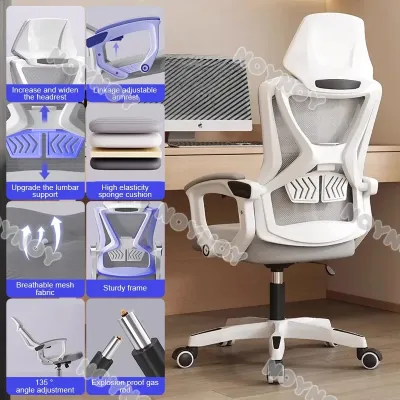
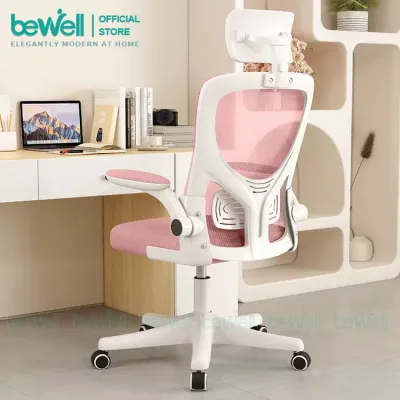
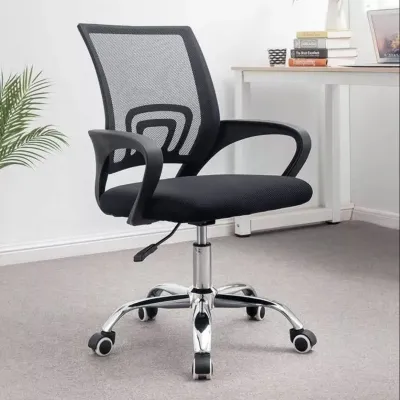
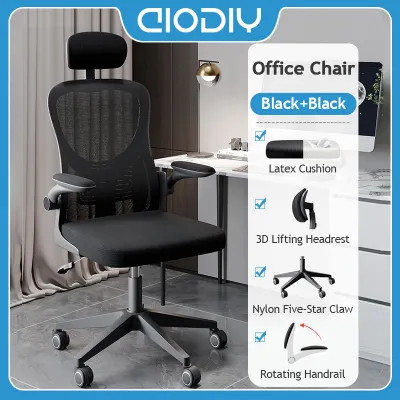
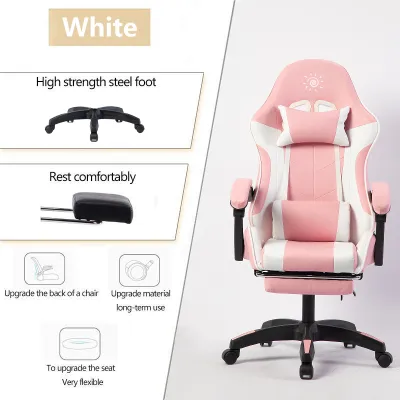
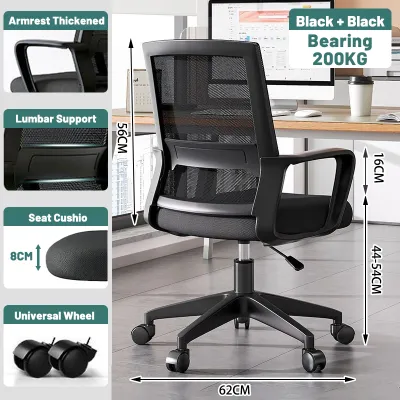
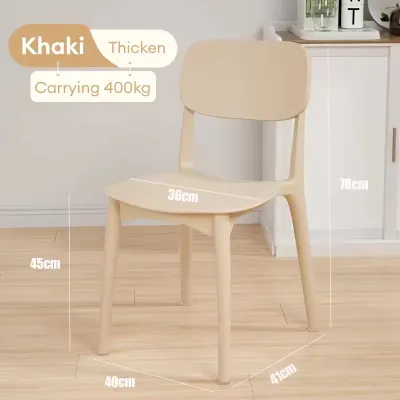
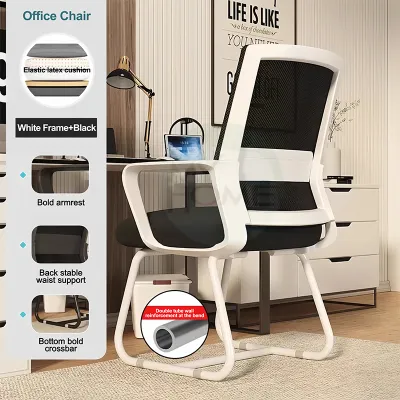
Prices are valid at publication and may change. Please refer to the product page for the latest price.
Your daily usage duration directly dictates the required durability of the chair’s components. For extended sitting sessions, the density of the seat cushion foam or the tensile strength of the backrest mesh becomes critical. Low-density foam quickly compresses and loses its supportive shape, leading to pressure points on your hips. High-density molded foam or reinforced mesh, while more expensive, distributes your weight evenly and maintains its structural integrity over years of use.
To make an informed decision, establish a personal checklist of must-have adjustments versus acceptable compromises. If you experience lower back discomfort, adjustable lumbar support should be your top priority. If you have a non-standard desk height, highly adjustable armrests are crucial to prevent shoulder strain. By aligning your physical needs with your budget, you can avoid paying for unnecessary aesthetic extras and focus on features that actively protect your spine.
Realistic Expectations at the ₱3,000 to ₱5,000 Entry Tier
In the ₱3,000 to ₱5,000 price range, ergonomic features are functional but basic. The primary mechanism at this level is the standard pneumatic gas lift, which allows you to adjust the seat height to align your feet flat on the floor. Armrests in this tier are almost exclusively fixed to the seat frame or backrest, meaning they cannot be raised, lowered, or rotated to match your desk height. The tilt mechanism is usually a simple upright lock, allowing you to either sit completely straight or free-rock with adjustable tension.

Materials in this entry bracket are selected for cost-efficiency, typically featuring lightweight nylon frames, basic mesh backrests, and standard cut-foam seat cushions. While these materials offer initial comfort, they require careful maintenance to maximize their lifespan. Basic mesh can stretch out over time if subjected to excessive force, and fabric seat covers are prone to staining and dust accumulation. Regular vacuuming and avoiding harsh chemical cleaners will help preserve these entry-level textiles.
When shopping in this budget tier, you must watch out for common quality traps. Many entry-level chairs feature non-replaceable parts, meaning a broken caster or a failed gas lift cylinder could render the entire chair useless. Weight capacity specifications are often lower in this range, typically topping out around 90 to 100 kilograms. It is vital to review the manufacturer’s product labels and specification sheets carefully to ensure the structural limits accommodate your body type safely.
Stepping Up to the ₱6,000 to ₱10,000 Mid-Range Tier
Moving into the ₱6,000 to ₱10,000 mid-range tier introduces a significant upgrade in adjustability and structural durability. At this level, chairs frequently feature dedicated lumbar support systems that can be adjusted vertically or depth-wise to fit the natural curve of your spine. Tilt tension controls become more precise, and you will often find multi-position tilt locks that allow you to secure the backrest at several comfortable angles rather than just the upright position. Armrests also transition from fixed designs to 2D or 3D adjustable models, allowing you to modify their height and angle.
The structural foundation of the chair receives a notable upgrade in this price bracket. Heavy-duty nylon bases are replaced with reinforced steel or aluminum bases, and the casters are often upgraded to smoother, floor-friendly polyurethane materials. It is still essential to verify floor compatibility, as hard nylon casters can scratch delicate wood or laminate flooring, while softer polyurethane casters glide quietly on both hard surfaces and low-pile carpets. Checking the manufacturer’s specifications for weight limits is crucial, as these chairs generally support up to 120 to 130 kilograms.
Cushioning and mesh quality also improve dramatically in the mid-range tier. Instead of standard cut foam, manufacturers often use high-density molded foam that retains its shape and supportive properties over years of daily use. The mesh used on the backrest is typically reinforced with elastomeric fibers, providing a firmer, more responsive support system that does not sag easily. To verify these material claims, look past marketing buzzwords and check the product specifications for density ratings or mesh composition details.
Maximizing Value in the ₱11,000 to ₱15,000 Premium Tier
The ₱11,000 to ₱15,000 premium tier represents the sweet spot for advanced ergonomic engineering and high-grade materials. One of the most significant features found in this range is the synchronized tilt mechanism, which tilts the backrest and seat cushion at a synchronized ratio (usually 2:1). This movement keeps your feet flat on the floor and your eyes level while you recline, maintaining proper spinal alignment. Adjustable seat depth is another premium feature, allowing you to slide the seat pan forward or backward to support your thighs without putting pressure on the back of your knees.
At this price point, the quality of after-sales support and warranty coverage becomes a major factor in the overall value proposition. While entry-level chairs might offer a basic three-month or six-month warranty, premium chairs often come with comprehensive warranties covering moving parts, gas lifts, and structural frames for one to three years. This extended coverage protects your investment against mechanical failures and ensures that replacement parts are readily available through official distributors.
To justify the higher cost, you should verify the material certifications and ergonomic testing claims directly from the manufacturer’s official documentation. Look for recognized industry standards such as BIFMA (Bifma International) or SGS certifications, which indicate that the chair has undergone rigorous testing for durability, stability, and load capacity. Avoid relying solely on retail listings; instead, download the official user manuals or technical data sheets to confirm that the chair’s components meet these international safety and performance benchmarks.
How to Verify Build Quality and Ergonomic Claims Before Buying
Before finalizing your purchase on any ecommerce platform, you must perform a few practical checks to ensure the chair fits both your body and your workspace. Start by measuring your available floor space and the height of your desk. Pay close attention to the maximum height of the armrests when fully raised; they must be able to slide under your desk or align perfectly with the desktop surface to prevent wrist strain. Additionally, check the width of your doorways and lift access if you are purchasing a pre-assembled model, as bulky ergonomic chairs can be difficult to maneuver through tight spaces.
Next, carefully review the product manuals and specification sheets provided by the seller. Look for exact dimensions, including seat width, seat depth range, and backrest height. Verify the maximum weight capacity and ensure the base diameter is wide enough to provide stable support without tipping when you recline. If the chair requires assembly, check if the necessary tools are included and whether the manufacturer provides clear, step-by-step instructions or video guides to assist with the setup process.
Finally, investigate the logistics and customer service policies of the online marketplace or local retailer. Confirm the return policy, especially regarding who covers the shipping costs for bulky items if the chair arrives damaged or does not meet your expectations. Check the warranty registration process immediately after delivery, as some manufacturers require you to register the product online within a specific timeframe to activate the full coverage. Taking these precautionary steps ensures a smooth purchasing experience and protects your investment.
Frequently Asked Questions (FAQ)
Is a headrest necessary for a chair for computer?
A headrest is not strictly necessary for active, upright computer work like typing or data entry, as your head should naturally align over your spine. However, a headrest becomes highly beneficial if you frequently recline to read, watch videos, or take phone calls during your workday. If you decide to choose a chair with a headrest, ensure it offers height and angle adjustments so you can position it precisely in the curve of your neck rather than pushing your head forward.
Should I prioritize mesh or foam seating in a tropical climate?
In a hot and humid tropical climate like the Philippines, material choice significantly impacts daily comfort. Mesh seating offers superior airflow, preventing heat buildup and sweat accumulation during long working hours. However, high-density foam cushions provide more robust, contoured support for your hips and thighs. If you choose a foam seat, look for breathable fabric covers and check the manufacturer’s cleaning instructions to manage moisture buildup, or opt for a hybrid design featuring a mesh backrest and a high-density foam seat.
Community discussion
Share your experience or ask a question. Comments are reviewed before publication.