
Finding a reliable ergonomic office chair under ₱5,000 in the Philippines is entirely possible, but it requires a strategic approach. At this budget, you must prioritize structural durability and essential spinal support over premium adjustments like 4D armrests or dynamic synchro-tilt mechanisms. By focusing on a certified gas lift, breathable mesh, and a well-contoured lumbar curve, you can secure a comfortable setup that keeps you productive during long remote work shifts without straining your wallet.
Setting Realistic Expectations for a ₱5,000 Budget
When shopping for an entry-level ergonomic office chair, managing expectations is key to making a smart purchase. In the sub-₱5,000 price bracket, the term “ergonomic” does not mean a chair will have the high-end features found in premium models costing ₱20,000 or more. Instead, it indicates that the chair provides the baseline physical support necessary to maintain a healthy, upright posture during extended sitting sessions.
At this price point, you must distinguish between essential features and non-essential extras. Flashy marketing often highlights adjustable headrests, deep recline angles, or slide-out footrests. However, at this budget, these additions are frequently made from low-grade plastics that wobble, rattle, or break under regular use. Your primary focus should always be on core structural integrity: a solid seat cushion, a stable five-star base, and a reliable height adjustment mechanism.
Products mentioned in this guide
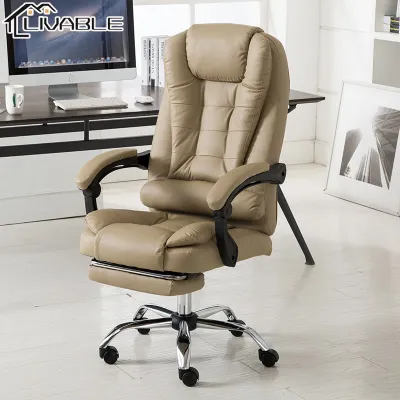
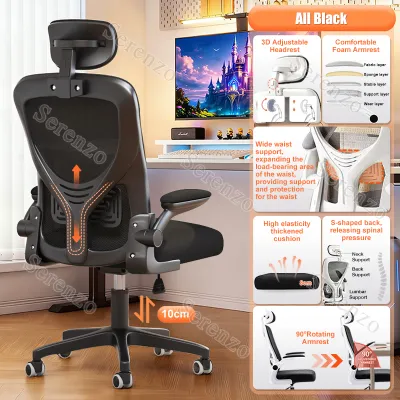
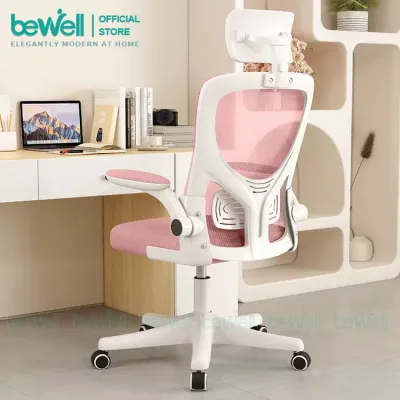
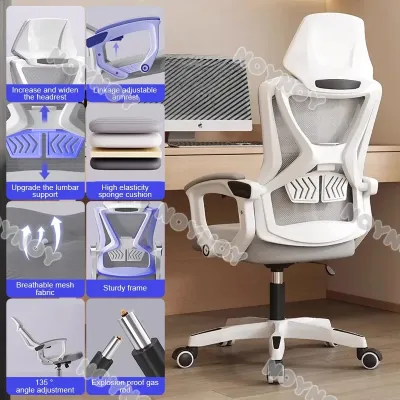
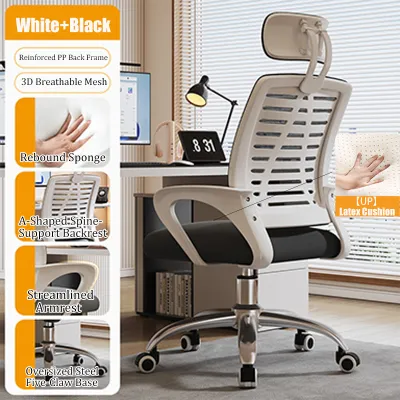
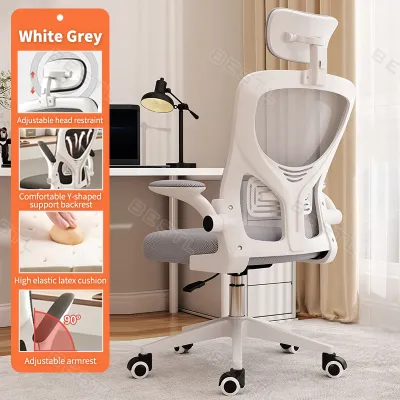
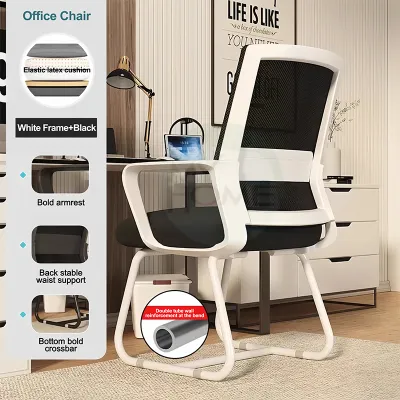
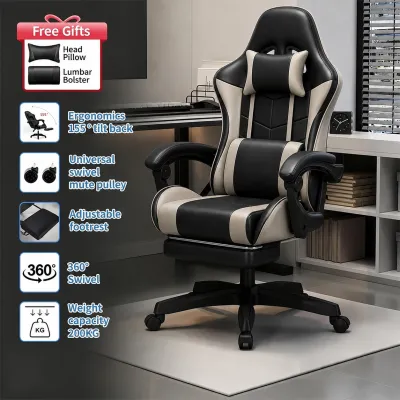
Prices are valid at publication and may change. Please refer to the product page for the latest price.
By prioritizing these fundamental elements, you ensure your money goes toward components that directly impact your physical well-being. A basic, well-built chair with a fixed but anatomically correct backrest curve is far superior to a cheap chair loaded with poorly executed adjustable parts that fail within a few months of daily use.
Must-Have Ergonomic Adjustments for Daily Use
To ensure your office chair supports you through an eight-hour workday, you must verify several critical adjustments before committing to a purchase. These features directly influence how your body interacts with the chair and help prevent chronic strain.

Seat Height and Depth Alignment
Your chair’s gas lift must allow you to adjust the seat height so that your feet rest completely flat on the floor. This position keeps your thighs parallel to the ground and reduces pressure on the back of your legs. When evaluating a chair online, check the minimum and maximum seat height specifications against your desk height, which is typically around 75 centimeters in standard home setups.
Seat pan depth is equally important. When sitting all the way back against the lumbar support, there should be a gap of about two to three fingers between the front edge of the seat cushion and the back of your knees. If the seat is too deep, it will press against your knees, restricting circulation; if it is too shallow, your thighs will lack adequate support, leading to premature fatigue.
Lumbar Support Mechanisms
Adequate lower back support is the cornerstone of any ergonomic design. In the under-₱5,000 tier, you will generally encounter two types of lumbar support: a fixed curve built into the backrest frame or a height-adjustable lumbar pad.
If you choose a chair with a fixed lumbar curve, you must verify that the chair’s overall backrest height matches your torso length. For users who are exceptionally tall or short, a fixed curve can press against the thoracic spine or the sacrum instead of the lower lumbar region, causing discomfort. If possible, opt for a model with a vertically adjustable lumbar pad, which allows you to slide the support up or down to align perfectly with the natural curve of your lower back.
Armrest Functionality and Shoulder Strain
At this price point, armrests are typically either fixed to the seat and backrest or offer basic vertical height adjustment. Fixed armrests are acceptable if they naturally align with your desk height, allowing your elbows to rest at a 90-degree angle while typing.
If your budget allows, look for height-adjustable armrests. Being able to lower or raise the armrests ensures you can slide the chair under your desk when not in use, which is a major space-saver in compact Filipino home offices. Adjustable armrests also prevent you from shrugging your shoulders or reaching forward, both of which are primary causes of upper back and neck tension.
Tilt, Tension, and Recline Locking
While high-end chairs offer synchronized tilting where the seat and backrest move at different ratios, budget options usually rely on a simple center-tilt mechanism. This allows the entire chair to rock backward from a central pivot point.
For daily typing tasks, a locking mechanism that secures the chair in a strict upright position (90 to 95 degrees) is essential. Working in a semi-reclined position without proper lock control can force you to crane your neck forward to see your screen. Ensure the chair features a tilt tension knob underneath the seat pan, which lets you adjust the resistance of the tilt to match your body weight, preventing sudden, jarring backward drops.
Evaluating Materials and Build for Humid Environments
The tropical climate of the Philippines introduces unique challenges for furniture durability. High humidity levels and warm temperatures mean that material selection directly impacts both your daily comfort and the lifespan of your office chair.
Upholstery Choices for Tropical Climates
When selecting upholstery, you will generally choose between mesh, woven fabric, and PU (polyurethane) leather. In a humid environment, a full mesh backrest is highly recommended. Mesh allows air to circulate freely, keeping your back cool even if you rely on an electric fan rather than continuous air conditioning.
Conversely, budget-grade PU leather should generally be avoided in this price tier. While it may look sleek initially, low-cost synthetic leather traps body heat, leading to sweating and discomfort. Furthermore, exposure to sweat and high humidity causes budget PU leather to crack, peel, and flake away within 12 to 18 months, leaving unsightly debris on your floor and ruining the chair’s appearance. If you prefer a cushioned seat, look for high-density foam upholstered in a breathable, tightly woven fabric cover.
Base Construction and Caster Suitability
The base of the chair bears your entire weight and handles the stress of daily movement. Under ₱5,000, bases are typically made of reinforced nylon or chrome-plated steel. Reinforced nylon is an excellent, lightweight option that resists rust in humid coastal regions, whereas low-quality chrome plating can corrode or rust over time if exposed to moisture.
Additionally, consider your home’s flooring. Most Filipino homes feature ceramic tiles, polished concrete, or vinyl planks. Standard hard nylon casters roll easily but can scratch delicate wooden floors or make a loud clicking noise on tiled grout lines. If your workspace has hardwood or laminate flooring, look for chairs equipped with polyurethane (PU) or rubber-coated casters, which offer quieter operation and protect your floors from scratches.
Weight Capacity and Gas Lift Certification
To ensure safety and long-term reliability, never rely on vague marketing terms like “heavy-duty” or “extra strong.” Instead, locate the manufacturer’s official specifications sheet and check the maximum weight capacity, which should ideally be at least 100 to 120 kilograms to accommodate daily dynamic loads.
Equally critical is the gas lift cylinder, which regulates the chair’s height. Reputable manufacturers specify the class of the gas lift. You should look for a Class 3 or Class 4 pneumatic rod. These classes feature thicker steel walls and superior seals, ensuring the chair maintains its height over years of daily use. Lower-class lifts (Class 1 or 2) are prone to losing pressure, causing the chair to sink slowly and unexpectedly while you work.
Verifying Space, Assembly, and Total Checkout Costs
Before finalizing your purchase on local e-commerce platforms, you must account for physical space limitations and potential hidden expenses that could push you over your ₱5,000 budget limit.
Measuring Spatial Clearance in Your Home Office
An office chair that is too large for your workspace can make your daily routine frustrating. Measure the width between your desk legs to ensure the chair’s base—which typically has a diameter of 60 to 68 centimeters—can fit comfortably underneath.
You must also measure the height of your desk’s underside. If the chair’s armrests are fixed and sit higher than the bottom of your desk drawer or frame, you will not be able to push the chair in when your workday ends. This is particularly crucial for those working in tight bedrooms or multi-purpose living areas where saving floor space is a daily necessity.
Factoring in Delivery, Assembly, and Hidden Fees
When shopping online, the price tag on the product page is rarely the final amount you pay. Large, heavy items like furniture incur substantial shipping fees, especially if you live outside Metro Manila or in provincial areas across Visayas and Mindanao. A chair priced at ₱4,500 can easily exceed ₱5,000 once shipping costs are added at checkout.
Furthermore, most budget chairs are shipped flat-packed to reduce transit costs. Check the product description to see if basic assembly tools, such as an Allen wrench, are included. If you are not comfortable with DIY assembly, you may need to hire a local handyman or pay an additional fee for pre-assembly services, which must be factored into your overall budget.
Warranty Periods and Return Policies
A solid warranty is your safety net against manufacturing defects. While premium chairs offer multi-year warranties, entry-level chairs under ₱5,000 typically come with a 3-month to 1-year warranty, often limited strictly to the gas lift cylinder or the tilt mechanism.
Be sure to read the seller’s return policy carefully. Because ergonomic comfort is highly subjective, a chair that looks perfect online might feel uncomfortable to your specific body shape. Returning a bulky, heavy item can be incredibly expensive and logistically challenging, so verifying the return terms beforehand can save you significant hassle.
Red Flags and When to Delay Your Purchase
When browsing budget options, certain warning signs indicate a chair is of poor quality and unlikely to provide lasting support. Recognizing these red flags will protect you from making a poor investment.
First, avoid products that lack detailed technical specifications. If a listing does not state the gas lift class, the base material, or the exact dimensions of the seat pan, the manufacturer may be cutting corners. Similarly, be skeptical of chairs marketed as “ergonomic” that offer absolutely no adjustable features other than basic height.
Second, watch out for extremely cheap models priced under ₱2,000 that claim to be professional-grade. These chairs often use low-density recycled foam in the seat cushion, which flattens out within a few weeks, leaving you sitting directly on a hard wooden or plastic panel. This leads to poor posture, tailbone pain, and eventual physical discomfort.
If your budget is currently very tight and you cannot find a chair that meets these baseline safety and material standards, it is often wiser to delay your purchase. Saving an extra ₱1,000 to ₱1,500 to buy a reliable, certified chair is a far better long-term decision than buying a sub-par model that breaks quickly, resulting in a waste of money and potential back pain. Use a supportive cushion on a sturdy dining chair as a temporary solution while you save for a dependable entry-level office chair.
Frequently Asked Questions (FAQ)
Is a gaming chair a good ergonomic alternative under ₱5,000?
Generally, no. Budget gaming chairs in this price range prioritize a racing-style aesthetic and are often wrapped in cheap PU leather that traps heat in tropical climates. They typically feature flat, bucket-style seats that restrict leg movement and rely on loose pillows for lumbar support rather than a contoured backrest. A dedicated mesh office chair provides far better ventilation, takes up less space, and promotes a healthier upright posture for typing and administrative tasks.
How long should an entry-level ergonomic chair last?
A well-maintained entry-level chair with a Class 3 or Class 4 gas lift and a nylon base should last between two to three years of daily eight-hour use. The lifespan depends heavily on weight loads, humidity levels, and how carefully the chair is handled. To maximize its longevity, regularly tighten any loose screws, avoid exceeding the manufacturer’s weight limit, and protect the mesh from sharp objects.
Community discussion
Share your experience or ask a question. Comments are reviewed before publication.