
Finding a reliable office chair with massage capabilities under the ₱10,000 threshold in the Philippines requires a balance between physical comfort and realistic electronic features. At this price point, you are primarily looking at ergonomic desk chairs equipped with localized vibration motors—usually embedded in the lumbar cushion—rather than high-end mechanical rollers. These chairs offer a practical way to relieve mild muscle tension during short breaks while serving as your primary workstation seat.
To make a smart purchase, you must evaluate how well the chair performs its foundational job: supporting your body for eight or more hours a day. The massage function should be viewed as a helpful secondary feature rather than the primary reason for your choice. By focusing on structural integrity, breathability, and basic adjustability, you can secure a chair that keeps you comfortable and productive without exceeding your budget.
Setting Realistic Expectations for a ₱10,000 Massage Chair Budget
When shopping within a ₱10,000 budget, it is crucial to distinguish between a dedicated full-body massage chair and an office chair with built-in massage features. Dedicated massage recliners are large, heavy appliances designed solely for relaxation, often costing tens or hundreds of thousands of pesos. In contrast, an office chair with massage functions is designed first and foremost as a task chair, with small electronic components integrated into its frame to provide localized relief.
Products mentioned in this guide
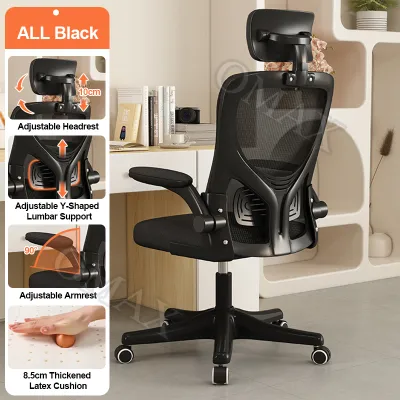
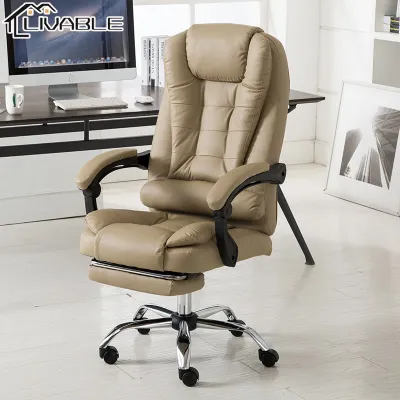
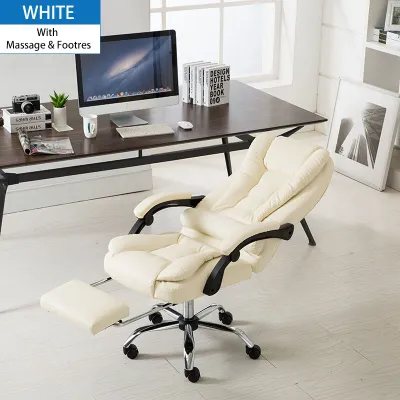
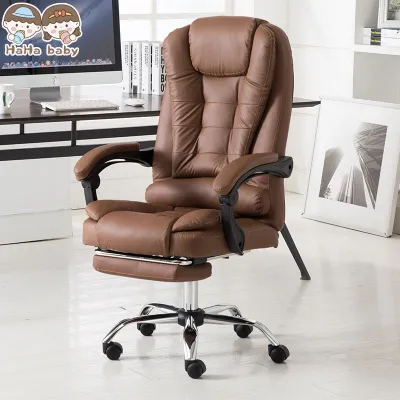
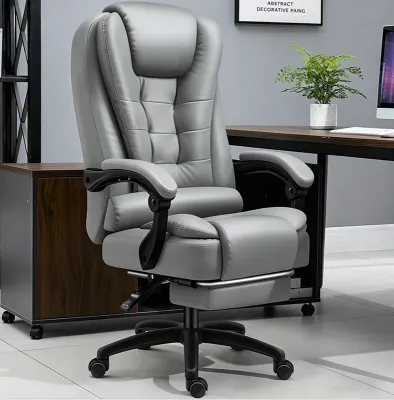
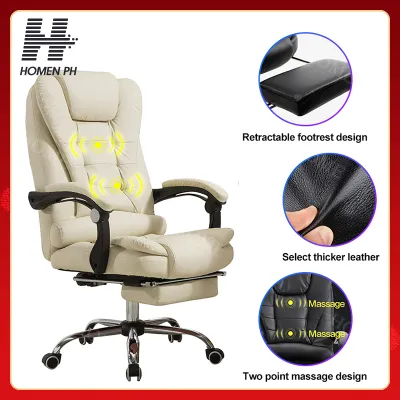
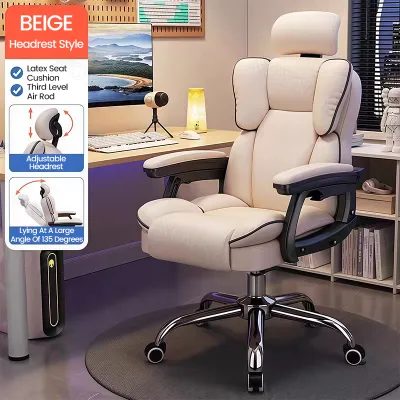
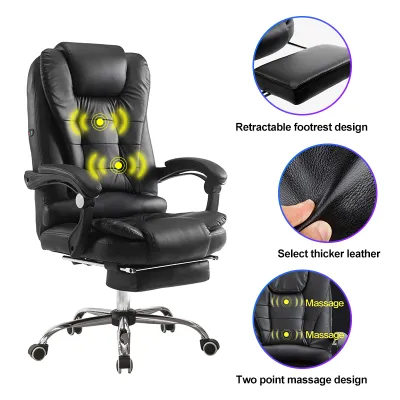
Prices are valid at publication and may change. Please refer to the product page for the latest price.
In the sub-₱10,000 price bracket, the massage technology is almost exclusively limited to vibrating nodes or simple, fixed rotating rollers located in the lumbar support area. These components are powered by a USB cable or a standard wall adapter. They do not offer the deep-tissue kneading, body-scanning, or zero-gravity recline features found in premium wellness appliances. Instead, they deliver a gentle, surface-level vibration designed to stimulate blood flow and soothe lower back stiffness during brief pauses in your workday.
Accepting this budget constraint means understanding the trade-offs involved in product manufacturing. To include electronic components while keeping the retail price under ₱10,000, manufacturers often simplify other aspects of the chair. You might find fewer advanced ergonomic adjustments, such as multi-directional armrests, independent seat depth sliders, or sophisticated synchro-tilt mechanisms that mimic natural body movement. The materials used for the base and casters may also lean toward heavy-duty nylon rather than polished aluminum.
Therefore, your primary decision logic should prioritize daily seating comfort and structural stability over the complexity of the massage settings. A chair with an exceptional massage motor is of little use if the seat cushion flatlines after a month or if the backrest fails to support your spine. Look for a model that functions beautifully as a standard ergonomic chair first, treating the massage element as a welcome bonus for your break times.
Essential Ergonomic Features You Should Not Compromise On
Adjustability and Posture Support
Even on a budget, certain adjustable features are non-negotiable for protecting your physical health during long desk sessions. A dependable gas lift—ideally Class 3 or Class 4 certified—is essential for smooth, reliable pneumatic seat height adjustment. This allows you to position your feet flat on the floor with your knees at a 90-degree angle, which reduces pressure on your thighs and lower back.

Lumbar support is another critical element to verify before making a purchase. In this price range, lumbar support can range from a simple fixed plastic band to an adjustable cushion that moves vertically. Because the massage nodes are typically housed inside this lumbar support, ensure that the cushion can be adjusted to align directly with the natural curve of your lower spine. If the lumbar support is non-adjustable, check the product’s listed backrest height to ensure it matches your torso length.
Additionally, always verify the manufacturer’s specified load capacity and seat dimensions before ordering. Most budget chairs in the Philippines are rated for a maximum weight capacity of 100kg to 120kg. Exceeding these limits can compromise the stability of the base and cause the gas lift to slowly sink over time. If you are ordering a pre-assembled model, measure your doorways and office entryways to ensure the chair can be delivered to your workspace without obstruction.
Material and Breathability in Tropical Climates
The climate in the Philippines presents unique challenges for office furniture materials. High humidity and warm temperatures mean that your choice of upholstery directly impacts your daily comfort. The two most common materials found in budget massage chairs are polyurethane (PU) leather and mesh fabric, each presenting distinct advantages and trade-offs.
PU leather offers a sleek, executive appearance and is exceptionally easy to clean. If you accidentally spill coffee or water, you can simply wipe it away with a dry cloth. However, PU leather traps body heat and sweat, which can lead to a sticky, uncomfortable seating experience if your workspace lacks continuous air conditioning. Over time, constant exposure to sweat and humidity can cause budget PU leather to crack and peel, degrading the appearance and comfort of the chair.
Mesh fabric, on the other hand, is highly breathable and allows air to circulate freely around your back, making it an excellent choice for naturally ventilated rooms. The trade-off is that mesh provides less cushioning. If the massage nodes underneath are poorly padded, you may feel them pressing uncomfortably into your back when the massage function is turned off. To evaluate material quality from online listings, look for close-up photos showing high-density molded foam cushions and double-stitched seams, which indicate better durability than cheap cut foam.
Evaluating the Massage Mechanisms Within Your Budget
Vibration Motors vs. Mechanical Rollers
Understanding the difference between vibration and mechanical kneading is key to avoiding disappointment when shopping on online marketplaces. The vast majority of office chairs under ₱10,000 utilize small, high-frequency vibration motors. These motors are embedded within the foam of the lumbar cushion and produce a steady hum that helps relax tense muscles by promoting blood circulation.
Be cautious of listings that use exaggerated marketing terms like “8D mechanical kneading” or “shiatsu roller systems” at incredibly low prices. True mechanical rollers require complex motorized tracks that move up and down the backrest, a technology that is highly uncommon in this budget range. If a budget chair does feature rotating rollers, they are typically fixed in a single position. If these fixed rollers do not align perfectly with your body shape, they can press painfully into your spine rather than providing relief.
When comparing options, look for models that offer a wired remote control with multiple vibration modes (such as pulsing, tapping, or continuous waves) and adjustable intensity levels. Having these options allows you to tailor the experience to your preference, ensuring the vibration is strong enough to feel relaxing but quiet enough not to disrupt your household or office environment.
Power Sources and Cable Management
The practical logistics of powering your chair’s massage function can affect both your safety and the neatness of your workspace. Most budget massage office chairs are powered via a USB cable. This design is highly convenient because it allows you to draw power directly from your laptop, a desktop USB port, or a portable power bank placed in a side pocket of the chair. However, USB power is generally limited to 5 volts, which means the vibration intensity may be relatively mild.
Some models use a standard 220V wall-plug adapter, which delivers more consistent and powerful performance. The drawback is that you must position your chair close to an electrical outlet, which limits your mobility. If you choose a wall-powered model, check the length of the power cord provided in the product specifications.
Proper cable management is essential to prevent accidents and equipment damage. Ensure the power cable is routed safely away from the chair’s caster wheels. Running over a live power cable with caster wheels can crimp or sever the internal wires, leading to short circuits or rendering the massage function useless. Use adhesive cable clips or hook-and-loop straps to secure any slack wire to the underside of the chair frame.
Red Flags and Hidden Costs When Shopping Online
Shopping for furniture on local e-commerce platforms requires a critical eye to avoid low-quality traps. One major red flag is a listing that completely lacks detailed specifications, such as weight capacity, seat dimensions, or base materials. Reliable manufacturers are transparent about these figures. If a seller cannot provide the exact height range or weight limit of the chair, it is safest to look elsewhere.
Another common issue is the warranty coverage. Many budget sellers offer a generic “1-year warranty” but bury the details in the fine print. Often, this warranty only covers the metal frame or the hydraulic gas lift, completely excluding the electronic massage components and the USB cord. Since budget electronics are typically the first parts to experience issues, verify whether the seller offers a dedicated replacement window or warranty for the massage motors before finalizing your purchase.
Do not forget to calculate the total cost, including shipping fees. Office chairs are bulky, heavy packages that often weigh between 12kg and 20kg. While the base price of the chair might be well under ₱10,000, shipping fees to provincial areas outside Metro Manila can add thousands of pesos to your total bill. Always check the final checkout price, including delivery, to ensure the purchase remains within your actual budget.
Finally, look past the initial five-star reviews that only praise the fast shipping or the neat packaging. Instead, filter the reviews to look for feedback written after several months of use. Pay close attention to comments mentioning the noise level of the motor over time, whether the seat cushion has flattened out, or if the frame has developed squeaks and wobbles. This real-world feedback is far more valuable than the seller’s promotional descriptions.
Maximizing Comfort and Longevity on a Budget
To get the most value out of your investment, you must take care of both the structural and electronic components of your chair. When using the massage function, treat it as a recovery tool rather than a constant background setting. Limit your massage sessions to 10 or 15 minutes during work breaks. Sitting on a vibrating surface while actively typing can cause subtle, involuntary muscle adjustments in your arms and shoulders, which may lead to strain or fatigue over time.
Maintaining the cleanliness of your chair is simple but vital for its lifespan. If you chose a PU leather chair, wipe it down weekly with a damp microfiber cloth to remove sweat, skin oils, and dust. Avoid using alcohol-based cleaners or harsh detergents, as these can dry out the synthetic leather and accelerate cracking. For mesh chairs, use a vacuum cleaner with a brush attachment to remove dust and debris from the fabric pores. This prevents dust from migrating into the small ventilation slots of the massage motors underneath.
Regular structural checks are also highly recommended. Every few months, check the bolts holding the armrests, backrest, and seat plate together. The vibrations from the massage motor, combined with daily movement, can gradually loosen these screws. Tightening them with an Allen wrench will keep the chair stable and prevent squeaks. Additionally, inspect the caster wheels regularly to clear out any tangled hair or carpet fibers that could restrict smooth rolling.
If you find that the massage nodes feel too firm or prominent against your back during long periods of focused writing or typing, you do not have to live with the discomfort. Simply place a thin, dedicated lumbar pillow or a folded soft blanket over the backrest. This provides an extra layer of cushioning for your spine during regular sitting, and you can easily slide it away when you are ready to activate the massage function.
Frequently Asked Questions (FAQ)
Do I need a dedicated power outlet for a massage office chair?
Whether you need a dedicated outlet depends entirely on the power design of the model you choose. USB-powered chairs do not require a wall outlet; they can run efficiently off a computer port or a standard portable power bank, which keeps your workspace free of trailing wires. However, if your chair uses a standard AC wall adapter, you will need to position it near an outlet. In areas prone to voltage fluctuations, it is highly recommended to plug the adapter into a surge protector to safeguard the chair’s internal control board from electrical damage.
Can I use the massage function while actively typing at my desk?
While you can physically run the massage function while working, it is generally not recommended for active typing. The continuous vibration introduces micro-movements to your torso, which forces your neck, shoulders, and wrists to constantly make tiny physical corrections as you type. Over several hours, these micro-adjustments can lead to muscle fatigue and repetitive strain. For the best ergonomic results, use the massage feature during dedicated 5-to-10-minute rest breaks, allowing your body to fully relax without the physical demands of active desk work.
Community discussion
Share your experience or ask a question. Comments are reviewed before publication.