
A heavy-duty office desk for a multi-monitor setup typically needs to support a baseline capacity of 75 to over 150 kilograms, depending on your gear. The exact capacity you need depends on the total weight of your monitors, computer tower, mounting arms, and accessories, combined with how that weight is distributed. Choosing an office table heavy duty enough for your workspace requires calculating your equipment’s actual weight, understanding how manufacturers test their products, and verifying the structural integrity of the desk frame and materials to prevent bowing or wobbling over time.
How to Calculate Your Total Equipment Weight
To determine the ideal capacity for your office table heavy duty setup, start by listing every item that will rest on the desktop. Begin with the heaviest components, typically the computer tower and the monitors. While a single modern monitor might seem light, combining three or four screens on a multi-monitor mount quickly adds up. Do not forget to include the weight of the monitor mount itself; heavy-duty articulated steel arms can weigh almost as much as a small monitor.
Next, account for peripherals and desktop accessories. Items like external hard drives, studio speakers, mechanical keyboards, and heavy desk mats contribute to the cumulative load. If you plan to keep your uninterruptible power supply (UPS) or a printer on the desk surface, check their product labels or manuals for their exact weights, as these items are exceptionally heavy and can easily overload standard furniture.
Products mentioned in this guide
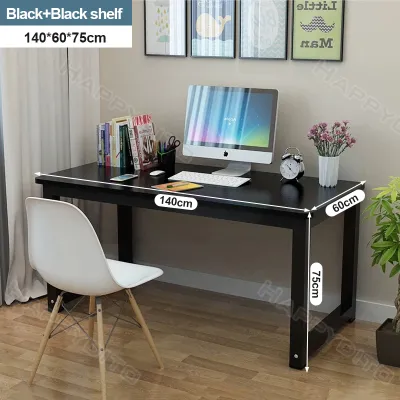
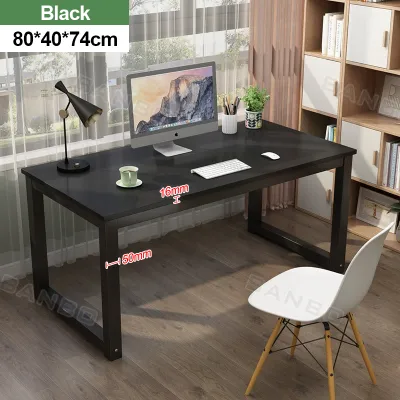
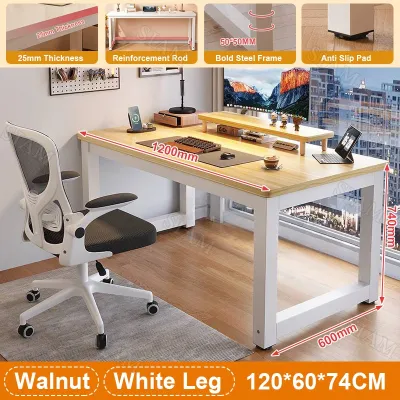
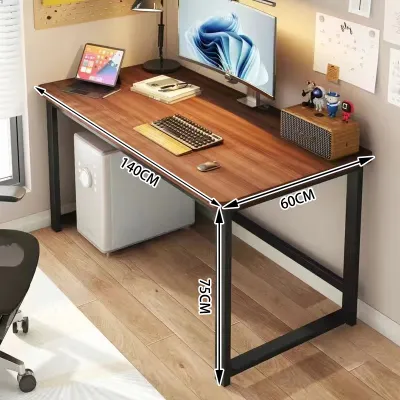
Prices are valid at publication and may change. Please refer to the product page for the latest price.
A critical factor often overlooked is the concentrated point load. When you use a clamp-on monitor arm, the entire weight of multiple screens is concentrated onto a tiny surface area at the back edge of the desk. This creates immense localized pressure, unlike freestanding monitors that distribute their weight across wider bases.
Finally, always add a practical safety margin to your total calculation. A good rule of thumb is to add at least 15 to 20 kilograms to your equipment total. This buffer accommodates future upgrades, such as a larger graphics card or an extra screen, and accounts for the temporary physical pressure you exert when leaning on the desk or resting your forearms while typing.
Decoding Weight Capacity Specifications
When shopping for an office table heavy duty model, you will encounter weight capacity ratings that require careful interpretation. Manufacturers typically list a single maximum weight limit, but this number does not tell the whole story. You must first distinguish between static weight capacity and dynamic lifting capacity. Static capacity refers to the maximum load a stationary desk can safely hold without structural failure. Dynamic capacity, which is crucial for motorized standing desks, is the maximum weight the motors can safely lift and lower while in motion.

Another vital distinction is how the weight is distributed. Most manufacturer specifications assume an evenly distributed load across the entire desktop surface. However, a typical multi-monitor workstation concentrates heavy equipment in specific areas—such as the back edge for monitor clamps or one side for a heavy PC tower. If a desk is rated for 100 kilograms of evenly distributed weight, placing a concentrated 40-kilogram load on a single corner or edge could still cause the desktop to warp, crack, or tip.
To ensure long-term safety, review the manufacturer’s documentation or user manual for specific testing conditions. Look for mentions of safety factors, which indicate whether the desk was tested beyond its rated limit for added security. Additionally, pay close attention to the warranty terms. Many warranties for office furniture contain clauses that void coverage if damage is caused by overloading or improper weight distribution, making it essential to stay well within the specified limits.
Desk Structure and Material Checks for Heavy Loads
The materials and physical construction of a desk determine how well it handles continuous heavy loads without bowing or shaking. Start by evaluating the desktop itself. A thin desktop made of low-density particleboard is highly susceptible to sagging under the weight of heavy monitors. For a reliable heavy-duty setup, look for a desktop thickness of at least 25 millimeters. Solid wood, high-density fiberboard (HDF), or thick plywood cores offer superior resistance to bending. Ensure the edges have high-quality edge banding to protect the core from tropical humidity, which can weaken the material over time.
Beyond the desktop surface, inspect the underlying support structure. A truly heavy-duty desk relies on a robust steel or metal frame rather than just four independent legs screwed into the wood. Look for frames that feature a center support beam or dual crossbars running directly beneath the desktop. These metal supports absorb the downward force of your equipment and distribute it evenly to the legs. Leg thickness and the footprint of the desk feet also play a major role in preventing lateral wobble when you are typing or adjusting your monitors.
Finally, examine how the frame connects to the desktop. Standard wood screws driven directly into particleboard can easily strip or pull out under heavy loads or during relocation. High-quality heavy-duty desks utilize threaded metal inserts pre-installed into the desktop, allowing machine bolts to secure the frame tightly. This metal-to-metal connection ensures maximum structural integrity, prevents the joints from loosening over time, and allows you to disassemble and reassemble the desk without compromising its strength.
Adjusting for Desk Types: Fixed vs. Standing Desks
Your choice between a traditional fixed-height desk and an adjustable standing desk significantly impacts how you manage weight capacity. Fixed-height desks generally offer much higher absolute weight limits and superior structural stability. Because they lack moving parts, they have a zero-wobble advantage, making them highly suitable for massive, static multi-monitor arrays and heavy desktop PC towers. The solid, fixed joints ensure that even when loaded to capacity, the desk remains completely stable.
In contrast, motorized standing desks require a more calculated approach. When using an adjustable desk, you must account for motor strain. As the desk rises to its maximum height, its center of gravity shifts upward, which can introduce noticeable wobble if the desk is loaded near its limit. Furthermore, you must verify whether the manufacturer’s stated lifting capacity includes the weight of the desktop itself. If a motorized frame is rated for 100 kilograms and you install a custom solid wood desktop weighing 30 kilograms, your actual usable capacity for monitors and equipment drops to 70 kilograms.
Cable management also becomes a critical factor with standing desks. Heavy cable chains, power strips, and bundled cords add physical weight and create tension as the desk moves. Ensure that cables have enough slack to prevent them from pulling on the desk frame or restricting the motors, which can cause uneven lifting, motor error codes, or premature wear on the drive system.
Frequently Asked Questions (FAQ)
Does a heavier desktop material reduce the usable weight capacity?
Yes, a heavier desktop material directly reduces the usable weight capacity of your setup, particularly on motorized standing desks. Motorized frames have a gross lifting limit that covers everything above the lifting columns. If you choose a dense, heavy material like solid oak or thick medium-density fiberboard (MDF) for your desktop, that weight must be subtracted from the frame’s total capacity. Always check the product manual to confirm whether the stated weight limit represents the frame’s gross capacity or the net capacity after accounting for a standard desktop.
How can I prevent my desk from sagging under heavy equipment?
To prevent your desk from sagging, prioritize structural support and smart equipment placement. Choose a desk that features a steel under-frame or a center support beam to reinforce the middle of the desktop. Avoid placing heavy items on unsupported overhangs or directly in the center of a wide span without support underneath. Instead, position heavy computer towers directly over or close to the desk legs, and distribute your monitors evenly across the frame’s primary support paths to minimize localized stress.
Community discussion
Share your experience or ask a question. Comments are reviewed before publication.