
Working from bed is a tempting option for hybrid employees, freelancers, and students seeking comfort during long working hours. However, without the right equipment, this habit can quickly lead to physical strain. Balancing a laptop directly on your lap or relying on a flimsy serving tray forces your body into awkward, hunched positions that strain your neck, shoulders, and lower back. Furthermore, soft mattresses and heavy blankets easily block a laptop’s cooling vents, trapping heat that can degrade your device’s performance and cause uncomfortable warmth against your legs.
A dedicated bed table solves these issues by elevating your screen, providing a stable typing surface, and allowing your legs to move freely underneath. To find a model that truly supports your productivity and physical well-being, you must evaluate key design elements. The ideal bed table should offer precise height and tilt adjustability, structural stability on soft mattresses, a generous surface area, and materials that can withstand the humid climate of the Philippines.
Key Adjustability Features to Prevent Neck and Back Strain
When you work on a flat, non-adjustable surface in bed, you are forced to look downward, which places immense pressure on your cervical spine. To maintain a neutral, pain-free posture, your bed table must have robust adjustability features that bring the work to you, rather than forcing you to bend toward the work.
Products mentioned in this guide
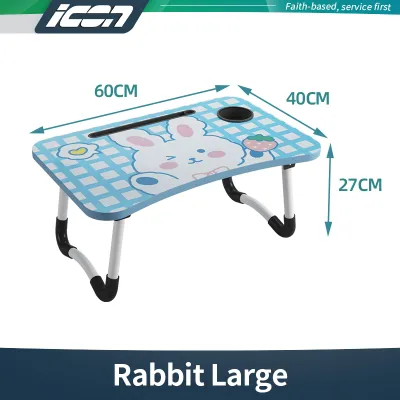
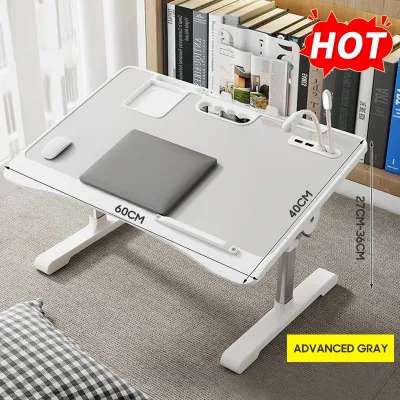
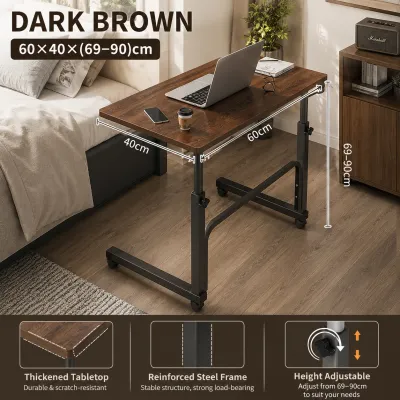
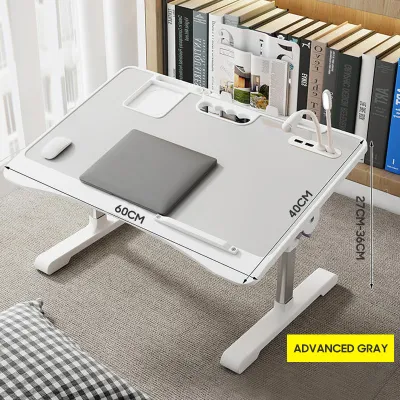
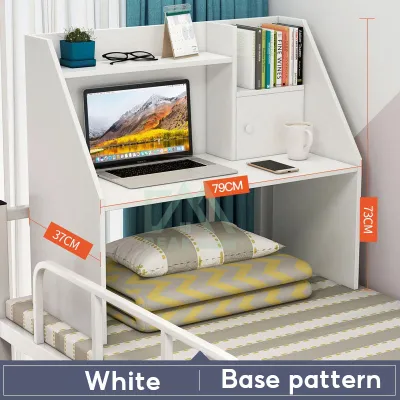
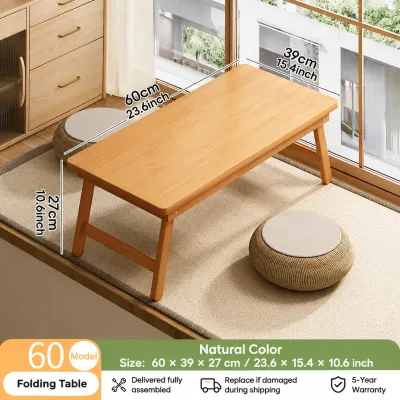


Prices are valid at publication and may change. Please refer to the product page for the latest price.
Height Adjustment
An adjustable height mechanism is the most critical ergonomic feature of a bed table. It allows you to raise the laptop screen so that the top of the monitor sits at or slightly below eye level, preventing neck flexion. Look for telescopic legs or multi-notch locking systems that let you secure the table at various heights. Fixed-height models rarely accommodate different sitting postures or varying mattress firmness levels. When browsing options on local ecommerce platforms, verify that the height range can accommodate both your sitting torso height and the thickness of your thighs under the table.
Surface Tilt
An adjustable tilt angle is essential for keeping your wrists in a neutral position while typing or writing. Standard flat surfaces force your wrists to bend upward, which can lead to strain over long periods. A tilting desktop allows you to angle your keyboard or tablet to match the natural slope of your hands. When choosing a tilting bed table, ensure it includes a sturdy, built-in physical stopper or raised silicone lip at the bottom edge. This stopper is vital for preventing your laptop, tablet, or notepad from sliding off the surface when it is angled.
Independent Leg Adjustment
Mattresses are rarely perfectly flat, especially when you sit on them and compress the springs or foam. Bed tables with independently adjustable legs allow you to compensate for this uneven sinking. By extending one leg slightly longer than the other, you can keep the tabletop perfectly level even if you are leaning to one side or sitting on a plush, uneven mattress. Look for secure locking collars or heavy-duty push-button pins to ensure the legs do not slip under pressure.
How to Check Stability and Prevent Wobbling on Soft Mattresses
A wobbly bed table is highly distracting and poses a constant risk to your devices, especially if you enjoy having a cup of coffee or tea nearby. Because mattresses compress and shift with your body movements, the structural design of the table’s base determines how well it resists tipping over.

Leg Configuration
The shape of the table’s legs plays a massive role in overall stability. Models with four independent, thin legs tend to sink deeply and unevenly into soft mattresses, making them highly prone to tipping. Instead, look for U-shaped sled bases or dual-panel legs. A U-shaped base distributes the weight of the table and your devices across a wider surface area of the mattress, preventing the legs from sinking. Additionally, models with reinforced metal crossbars connecting the legs offer superior lateral stability, reducing the side-to-side sway that occurs when you type quickly.
Weight Capacity
Before purchasing, check the manufacturer’s specified load limits. While a basic plastic tray might handle a lightweight tablet, it can easily buckle or sag under a heavy 15-inch gaming laptop or a professional workstation setup. Premium bed tables typically support between 10 to 20 kilograms. Even if your laptop is light, a higher weight capacity indicates stronger joints and a more rigid frame, which translates to less shaking while you type. Never lean your full body weight on the table, as even the sturdiest models are not designed to support a person rising from bed.
Foot Design and Grip
The bottom of the table legs should feature non-slip, non-scratch protective covers. High-quality silicone pads or dense rubber caps prevent the table from sliding around on smooth bedsheets when you shift your weight. These protective feet also prevent the metal or plastic edges of the table from snagging, tearing, or wearing down delicate fabric fibers on your bed linens.
Choosing the Right Surface Size and Humidity-Resistant Materials
Your bed table needs to accommodate your daily work tools without feeling cramped. At the same time, the materials must be durable enough to handle both the heat generated by your laptop and the environmental challenges of a tropical climate.
Surface Area and Layout
Calculate the physical footprint of the items you use daily. If you only work with a 13-inch laptop, a compact lap desk measuring around 50 to 60 centimeters in width is usually sufficient. However, if you prefer using an external mouse, keeping a notebook handy, or resting a phone in a dedicated slot, look for a wider table of at least 70 to 80 centimeters. Some advanced designs feature a split top, where one section tilts for your laptop while a smaller side section remains flat to hold a drink or a mouse.
Edge Design
Pay close attention to the perimeter of the tabletop. Sharp, square edges can press painfully into your forearms and wrists during long typing sessions, restricting blood flow. Look for tables with rounded corners, beveled edges, or integrated soft wrist rests. A curved front cutout also allows you to pull the table closer to your body, providing better forearm support and encouraging you to sit back against your pillows.
Material and Finish
In the Philippines, high relative humidity can cause cheap, untreated materials to deteriorate rapidly. Standard particle board or low-grade Medium Density Fiberboard (MDF) can absorb airborne moisture, leading to swelling, warping, and mold growth. To prevent this, prioritize the following material specifications:
- Moisture-Resistant Coatings: Choose MDF or engineered wood that is fully sealed with a water-resistant PVC vacuum-sealed edge banding or a melamine laminate finish.
- Rust-Proof Metal Elements: Ensure the adjustable legs are made of powder-coated steel or anodized aluminum to prevent rust caused by humidity and sweat.
- Natural Bamboo: High-quality, treated bamboo is naturally resilient, highly resistant to warping, and offers excellent structural strength.
- Heat Dissipation: Since laptops generate significant heat, look for tables with built-in ventilation slots, cooling cutouts, or integrated USB-powered fans to keep your device running efficiently.
Step-by-Step Setup and Ergonomic Verification
Once you have selected a high-quality bed table, setting it up correctly is vital to ensure safety and comfort. Follow these steps to configure your workspace before starting your workday.
Step 1: Secure Positioning
Sit comfortably in your bed with your back fully supported by pillows or a wedge cushion. Place the bed table over your thighs or hips. Before placing any electronics on the surface, visually inspect the legs to ensure all telescopic locks, hinge pins, and angle adjusters are fully engaged and clicked into their locked positions.
Step 2: Adjust and Test Stability
Adjust the height so that your forearms rest comfortably on the surface at roughly a 90-degree angle, and tilt the surface slightly if needed. Before placing your laptop on the table, apply moderate downward pressure with both hands to simulate typing. Observe if the legs sink unevenly into the mattress or if the table wobbles. If it feels unstable, adjust the leg extensions or reposition the base to find a firmer section of the bed.
Step 3: Verify Your Posture
Place your laptop on the table, ensuring the bottom stopper is holding it securely. Perform a quick posture check:
- Is the top of your screen level with your eyes when looking straight ahead?
- Are your shoulders relaxed and not hunched toward your ears?
- Are your wrists straight and not bent sharply upward or downward?
- Is your lower back fully supported by your headboard or pillows?
Safety Boundary
If you experience immediate joint discomfort, wrist tingling, or neck stiffness, stop working immediately and readjust the table’s height or tilt. If the table shifts unpredictably when you move your legs, or if your mattress is too soft to keep the table level, do not risk placing expensive laptops or hot beverages on it. Never use a standard bed table to support heavy, non-laptop equipment like heavy books, desktop monitors, or printers, as this can cause the joints to collapse.
Frequently Asked Questions (FAQ)
Can I use a bed table on a very soft mattress without it tipping over?
Yes, but you must choose a table with a wide, U-shaped sled base rather than four individual legs, as a continuous base distributes the weight more evenly. If your mattress is exceptionally plush and the table still sinks or tilts when you move, place a firm, flat wooden board or a stiff desk mat directly onto the mattress underneath the table legs to create a stable foundation.
How do I clean and maintain a wooden bed table in a humid climate?
To prevent mold and warping in humid conditions, wipe the table daily with a dry or slightly damp microfiber cloth to remove dust and sweat. Avoid using harsh chemical cleaners, bleach, or excessive water, which can damage the moisture-resistant protective coatings. Keep your bedroom well-ventilated, and avoid storing the bed table in dark, damp corners or leaving it in direct, intense sunlight for extended periods, as extreme heat can crack the wood finish.
Community discussion
Share your experience or ask a question. Comments are reviewed before publication.