
Choosing a bedside table with integrated charging and storage is about aligning the furniture’s capabilities with your nightly routines, device ecosystem, and bedroom layout. Rather than focusing solely on aesthetics, the right selection requires evaluating power specifications, physical dimensions, and compartment designs to ensure the piece genuinely supports your daily habits without creating clutter or safety hazards. A well-chosen nightstand serves as the functional hub of your sleeping space, keeping your essential items within arm’s reach while managing the cords that power your modern life.
Assess Your Bedroom Space and Bed Height
Before looking at technical features, establish the physical boundaries of your bedroom layout. Start by measuring the height of your mattress from the floor to the top surface. Ideally, the tabletop of your bedside table should sit level with or slightly lower than the top of your mattress. This alignment allows you to reach for a glass of water, turn off an alarm, or grab your phone naturally without straining your shoulder or wrist in the dark.
Next, measure the available width and depth beside your bed frame. Ensure the footprint of the table does not block closet doors, entryways, or window treatments. In compact bedrooms, a table that is too deep can restrict the walkway, making it difficult to move around the bed comfortably. If you have a platform bed or a bed with under-bed storage drawers, verify that the bedside table’s legs or base will not obstruct those drawers from opening fully.
Products mentioned in this guide




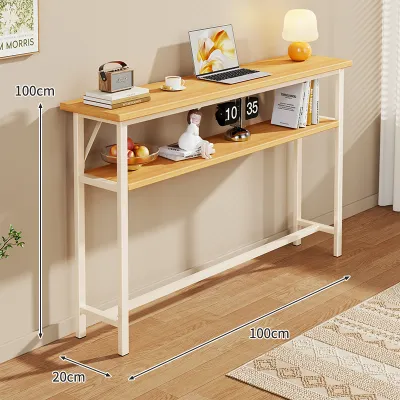
Prices are valid at publication and may change. Please refer to the product page for the latest price.
Finally, locate the nearest wall outlet and measure the distance to where the table will stand. Built-in charging tables require their own power source, so verify that the integrated power cord can reach the outlet safely without stretching tight. Avoid relying on daisy-chained extension cords or running cables under rugs, as these setups pose significant tripping and fire hazards. If the outlet is directly behind the bed or the table, look for a unit with a flat, low-profile wall plug that allows your furniture to sit flush against the wall.
Determine Your Charging Needs and Specifications
Modern bedside tables often double as power hubs, but their utility depends entirely on how well their electrical components match your personal device ecosystem. To avoid buying a piece of furniture with obsolete or redundant ports, take a quick inventory of the electronics you charge overnight. Consider your smartphone, tablet, smartwatch, wireless earbuds, and even specialized items like e-readers. Identifying these devices beforehand helps you determine the exact combination of wired ports and wireless surfaces you need.

Wired Charging Ports (USB-A and USB-C)
When evaluating wired connections, look closely at the mix of USB-A and USB-C ports built into the table’s power strip. USB-A ports remain useful for older accessories and low-power devices, but modern smartphones and tablets increasingly rely on USB-C cables for optimal power delivery. Choosing a table that offers both port types ensures compatibility with your current cables and future-proofs your bedroom setup as you upgrade your personal electronics over time.
Count the number of available ports to ensure they can accommodate your primary devices simultaneously. Relying on external multi-port adapters defeats the purpose of an integrated charging table and reintroduces visual clutter. Additionally, check the manufacturer’s specification label—often located on the underside of the tabletop—for the output current and wattage of each port. Some built-in ports only provide basic low-wattage charging, which can result in extremely slow charging times for larger devices like tablets. Look for ports that explicitly state higher wattage outputs if you require fast-charging capabilities.
Wireless Charging Pads
Wireless charging pads integrated directly into the tabletop offer a clean, cable-free aesthetic, but they require careful compatibility checks. Before prioritizing this feature, confirm that your smartphone or wireless earbud case supports standard wireless charging protocols, such as Qi. If your devices do not have built-in wireless charging coils, you will still have to rely on traditional cables, rendering the wireless pad redundant.
While dropping your phone onto a designated spot on your table is highly convenient, consider the practical trade-offs of wireless charging. Your device must remain stationary on the pad to charge, which prevents you from comfortably using your phone in bed while it powers up. Furthermore, wireless charging naturally generates more heat than wired charging, and slight misalignment can stop the charging process entirely. If you tend to toss and turn or bump your bedside table in your sleep, a physical cable might still be the more reliable option.
Lastly, review the manufacturer’s guidelines regarding the tabletop materials and construction. If the wireless charger is embedded beneath a wood or composite veneer, verify the recommended placement zone. Thick phone cases, especially those with metal plates or ring holders, can block the electromagnetic field, requiring you to remove the case every night before charging.
Evaluate Storage Configurations for Your Habits
Storage needs vary wildly from person to person, making it essential to analyze your bedtime habits before choosing a configuration. Some people prefer a minimalist setup with nothing but a lamp and a book, while others need a command center to hold medications, journals, glasses, and personal care items. By listing the items you realistically keep by your bed, you can select a layout that balances accessibility with visual order.
Drawers vs. Open Shelves
The choice between drawers and open shelves comes down to how you prefer to organize and access your belongings. Drawers provide excellent concealed storage, making them ideal for hiding personal items, medications, or loose clutter that would otherwise collect dust. They keep your bedroom looking tidy and protect sensitive items from exposure to light and humidity, which is particularly important in tropical climates.
Open shelves, on the other hand, offer immediate visibility and quick access. They are perfect for storing your currently reading books, a decorative plant, or items you might need to grab quickly in the dark. When choosing a table with drawers, inspect the glide mechanisms in the product specifications. Look for smooth-rolling metal drawer slides rather than simple wood-on-wood tracks, and check for built-in drawer stoppers or anti-tip features that prevent the drawer from pulling completely out of the frame.
Hidden Compartments and Surface Area
For specialized storage, look for bedside tables that feature hidden compartments or lower cabinets. Some modern designs include flip-top compartments that conceal power strips and excess cord length, keeping the main tabletop completely clear of wire clutter. Lower cabinets with doors are excellent for bulkier items like tissue boxes, CPAP machines, or even a laptop that you want to store securely out of sight when not in use.
Regardless of the internal storage, ensure the primary tabletop surface area is large enough to meet your daily needs. You should be able to place a bedside lamp, a glass of water, and your phone on the surface without crowding. If the table surface is too small, you risk knocking items over in the dark. Look for integrated cable management holes or grommets that allow you to route cords from the tabletop down to the lower compartments or wall outlets, keeping the visible surface clean and organized.
Check Material, Build Quality, and Safety Features
Because a charging bedside table combines furniture with electrical components, evaluating build quality and safety is paramount. Start by checking the manufacturer’s stated weight capacity for both the tabletop and the individual drawers. A sturdy table should easily support a heavy ceramic lamp, a stack of books, and the weight of your hands as you lean on it to get out of bed. Avoid tables that do not specify weight limits, as they may use flimsy joinery that sags over time.
Do not rely solely on material names like “solid wood” or “engineered wood” to judge durability. Instead, look for specific surface treatments and care instructions. In humid environments, untreated wood can warp, and cheap laminates can peel at the edges. Look for water-resistant topcoats or melamine finishes that protect the surface from condensation rings left by water glasses. Check the product details for sturdy joint construction, such as dowels or metal reinforcement brackets, rather than simple glue-and-staple assembly.
Since the table houses live electrical components, verify that the built-in charging module carries recognized safety certifications or labels indicating built-in protection against overheating, overcurrent, and short circuits. The power strip should also feature surge protection to safeguard your expensive electronics from sudden voltage spikes. Finally, assess the overall structural stability of the unit. If the table is tall, narrow, or top-heavy due to heavy drawers, plan to use the included anti-tip anchoring hardware to secure it to the wall, especially if you have young children or pets who might climb on the furniture.
Step-by-Step Selection Checklist
To make your final purchasing decision easier, use this step-by-step checklist to verify that your chosen bedside table meets all your physical, technical, and safety requirements:
- Space & Ergonomics: Confirm the tabletop height is level with or slightly below your mattress top. Verify that the table's width and depth leave ample clearance for walkways, closet doors, and drawers. Ensure the built-in power cord comfortably reaches your wall outlet without tension.
- Power Specifications: Check that the available USB-A and USB-C ports match your current device cables. Verify that the output wattage on the specification label supports fast charging if needed. Confirm your devices are compatible with the wireless charging pad if the table includes one.
- Storage Layout: Ensure the ratio of drawers to open shelves matches your storage habits. Verify that the tabletop surface area is large enough to hold a lamp, water glass, and daily essentials. Look for integrated cable management holes to keep cords organized.
- Safety & Build: Check the manufacturer's weight capacity ratings for the tabletop and drawers. Look for water-resistant surface finishes to prevent damage from spills or condensation. Verify that the electrical module has safety labels for surge and overheat protection, and confirm the unit's physical stability.
Frequently Asked Questions (FAQ)
Can I use a bedside table with built-in charging for high-wattage laptops?
Most built-in USB ports on bedside tables are designed primarily for low- to medium-power mobile devices like smartphones, smartwatches, and tablets. These integrated ports typically offer lower wattage outputs (often between 5W and 15W) which are insufficient to charge a modern laptop efficiently. To determine compatibility, compare the maximum output wattage listed on the table’s electrical specification label with the power requirements of your laptop’s charger. If the built-in ports do not meet your laptop’s needs, it is best to plug your laptop’s original power adapter directly into a standard AC outlet on the table’s power strip or a wall outlet.
How do I clean and maintain a bedside table with electronic components?
Before performing any cleaning or maintenance on a bedside table with integrated electronics, always unplug the main power cord from the wall outlet to eliminate the risk of electrical shock. To clean the surfaces, use a soft, dry, or slightly damp microfiber cloth to wipe away dust and fingerprints. Strictly avoid letting any liquid or moisture enter the USB ports, AC outlets, or wireless charging zones. Do not use harsh chemical solvents, abrasive scrubbing pads, or corrosive cleaners, as these can degrade both the protective wood finishes and the sensitive electronic components. Regularly inspect the power cord for any signs of wear or fraying, and vacuum dust from drawer tracks to keep them sliding smoothly.

Community discussion
Share your experience or ask a question. Comments are reviewed before publication.