
To find the ideal mini laptop table foldable for a small condo, prioritize a compact folded footprint of under 6 cm, robust height and tilt adjustability, a stable base design, and moisture-resistant materials. In space-constrained condo units, every square meter counts. A high-quality foldable desk allows you to establish a functional work-from-home setup on your bed, sofa, or floor, and then tuck it away completely when your workday ends. By selecting a table with the right physical dimensions, weight limits, and structural integrity, you can maximize your productivity without cluttering your limited living area.
Quick Guide: Essential Specs for Small Condos
When space is at a premium, you cannot afford to guess on furniture specifications. A mini foldable desk must balance compact physical dimensions with practical daily utility. Keep these key baseline metrics in mind as you evaluate your options:
- Tabletop Dimensions: Aim for a width of 50 to 60 cm and a depth of 30 to 40 cm. This provides enough surface area for a standard 13-inch to 15-inch laptop, a mouse, and a small notebook without taking up unnecessary space.
- Weight Capacity: Look for a certified load capacity of at least 10 kg. This ensures the frame can easily handle your computer, peripheral devices, and the natural downward pressure of your hands while typing.
- Folded Profile: Choose a model with a folded thickness of 5 cm or less. An ultra-slim profile is essential for sliding the table into narrow gaps, such as under a low bed frame or behind a wardrobe.
- Ergonomic Adjustability: Select a table that offers a tilt range of 0 to 36 degrees and at least four height settings. This flexibility is non-negotiable for maintaining proper posture when working on a soft sofa or a mattress.
Matching Table Dimensions to Your Condo Layout
Before purchasing a mini laptop table foldable, take precise measurements of your primary working areas. Start by measuring the clearance of your favorite seating spots. If you plan to use the table while sitting on a sofa, measure the distance between the armrests to ensure the table legs can span that width comfortably. For bed use, measure the height of your mattress relative to your lap to determine how much vertical clearance you will need.
Products mentioned in this guide
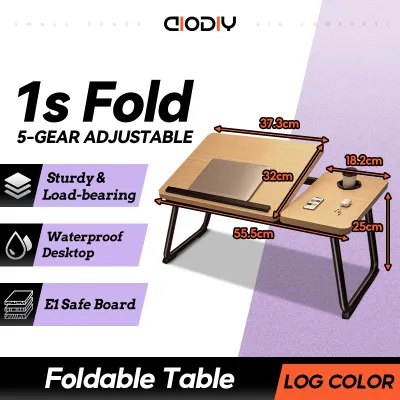
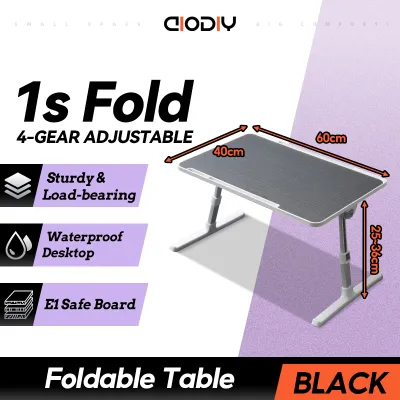
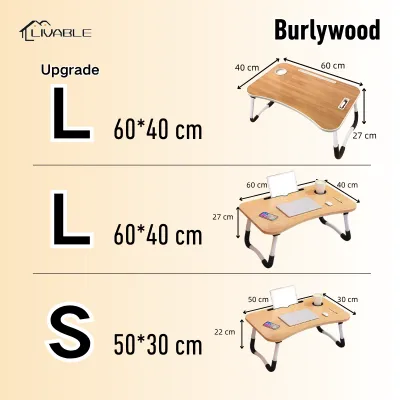
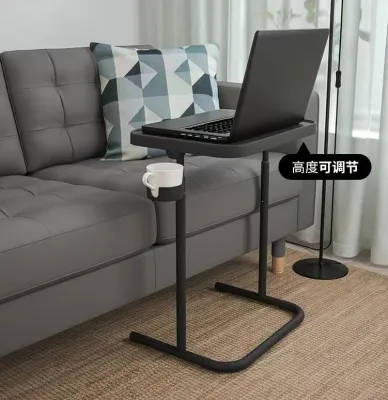
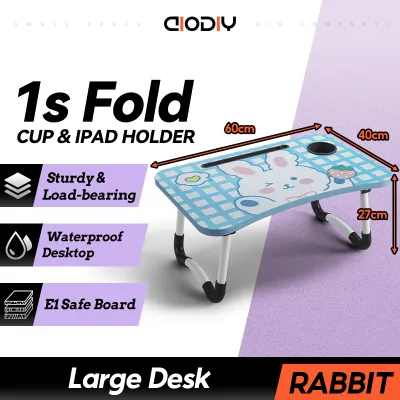

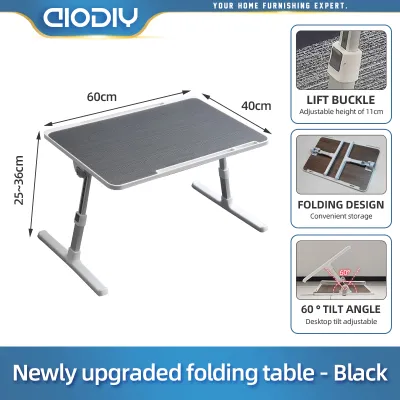
Prices are valid at publication and may change. Please refer to the product page for the latest price.

Defining the “mini” footprint is about finding the sweet spot between usability and space economy. The tabletop should accommodate your laptop with a few centimeters of breathing room on either side. If you rely on an external mouse, ensure the table features a dedicated mouse pad area or has a minimum width of 60 cm. If you exclusively use a trackpad, a narrower 50 cm model will save valuable space and be much easier to handle.
Next, check the folded dimensions of the table against your designated storage spots. Measure the height of the gap beneath your bed, sofa, or TV console. Many condo owners assume any folding table will fit under their furniture, only to find that protruding adjustment brackets or leg hinges make the folded unit too thick. If you plan to store the table vertically in a utility closet or hang it on a wall hook, check the overall folded height and width to ensure a clean fit.
Finally, do not forget to account for the physical paths within your condo. Even though a mini table is highly portable, you will frequently carry it between rooms. Ensure the folded unit is compact enough to navigate narrow doorways, tight hallway corners, and compact bathroom or kitchen entries without bumping into walls or delicate home decor.
Functional Features That Maximize Compact Living
Maximizing comfort and productivity in a small condo requires a table that adapts to your body, rather than forcing your body to adapt to the furniture. The mechanical design of your foldable desk directly impacts your physical comfort and the safety of your devices.
Adjustability and Ergonomics
Working from non-traditional surfaces like a bed, sofa, or floor places unique physical demands on your neck, back, and wrists. A high-quality mini laptop table foldable should feature independent tilt adjustments for the tabletop surface. A tilt range of 0 to 36 degrees allows you to position your keyboard at an angle that keeps your wrists in a neutral position, minimizing the risk of repetitive strain injuries.
Height adjustability is equally critical for preventing slouching. Look for legs that can be adjusted to multiple discrete heights, typically ranging from 24 cm to 32 cm. This ensures the table can clear your thighs comfortably, even when you are sitting on a plush mattress topper or a deep sofa cushion.
Always inspect the locking mechanisms on the adjustable joints before buying. Look for spring-loaded buttons, auto-locking clamps, or heavy-duty safety pins rather than simple friction knobs. Secure locks prevent the table from collapsing unexpectedly when you apply pressure to the tabletop, protecting your expensive laptop from sudden drops.
Weight Capacity and Stability
Do not rely on vague marketing claims of “unmatched sturdiness.” Instead, verify the manufacturer’s exact weight capacity specifications. A reliable mini table should explicitly state its load limit, which typically ranges from 10 kg to 20 kg for premium lap desks.
The design of the table’s base determines its stability on different surfaces. If you plan to work primarily on soft, uneven surfaces like a mattress or a plush couch, choose a table with a continuous U-shaped or sled-style base. This design distributes weight evenly across a larger surface area, preventing the legs from sinking or tipping over when you shift your sitting position.
Additionally, look for non-slip protective elements on the bottom of the legs. High-quality tables feature rubberized feet, silicone sleeves, or dense foam padding. These elements prevent the table from sliding around on smooth surfaces and protect your condo’s hardwood, laminate, or vinyl flooring from scratches and scuffs.
Folding Mechanism and Portability
In a small condo, a table that is difficult to fold and store will quickly become permanent clutter. Look for a user-friendly folding mechanism that allows you to open and close the table in seconds. Some models feature simple spring-loaded legs that fold flat with a single motion, while others require releasing manual safety latches.
The net weight of the table itself is a critical factor in its daily usability. A good portable desk should weigh between 1.5 kg and 3 kg. If the table is lighter than 1.5 kg, it may feel flimsy and wobble excessively while you type; if it is heavier than 3.5 kg, it becomes cumbersome to fold, lift, and carry around your condo daily.
Finally, check for safety locks or latches that keep the legs securely closed when folded. A secure folding lock prevents the legs from swinging open unexpectedly while you are carrying the table or pulling it out of a narrow storage gap, reducing the risk of accidental damage or injury.
Choosing Materials for Humid Climates
The tropical climate in the Philippines presents unique challenges for furniture durability. High relative humidity can cause low-quality wood composites to swell, warp, or delaminate over time. When selecting a mini laptop table foldable, you must carefully evaluate the materials used for both the tabletop and the structural frame.
Look for tabletops made from high-density medium-density fiberboard (MDF) or high-grade particleboard that is completely sealed with a water-resistant laminate or PVC coating. Unsealed edges are highly vulnerable to moisture absorption, which can cause the wood fibers to expand and ruin the flat surface. Check that the edge banding is seamlessly applied without visible gaps where humid air or accidental coffee spills could seep in.
The structural frame and legs require equal attention to prevent rust and corrosion. Untreated iron or low-grade steel will quickly degrade in high-humidity environments, especially in coastal areas or non-air-conditioned condo units. Opt for legs made from powder-coated steel, anodized aluminum, or naturally moisture-resistant materials like treated bamboo. Powder coating provides a thick, protective barrier that shields the metal from oxidation.
Always verify the manufacturer’s care instructions, material specifications, and warranty conditions regarding moisture exposure. Avoid assuming that a material name alone guarantees long-term durability. To maximize the lifespan of your table, wipe down the surfaces regularly with a dry microfiber cloth, avoid leaving cold drinks with condensation rings directly on the tabletop, and store the table in a well-ventilated area of your condo.
Common Sizing and Selection Mistakes to Avoid
One of the most frequent errors when buying compact furniture online is ignoring the “folded thickness” specification. Many buyers measure the width and height of their storage gap but forget to check if the folded table’s joints, adjustment knobs, or leg brackets exceed that space. A table that is even 1 cm too thick to slide under your sofa will end up leaning against a wall, adding visual clutter to your living space.
Another common mistake is overlooking the table’s own net weight. It is easy to assume that a heavier table is always better, but a bulky, heavy table is difficult to fold and move daily. Conversely, an ultra-lightweight table may wobble with every keystroke, causing screen shake and eye strain during long working sessions.
Do not assume that terms like “mini” or “adjustable” mean a table will automatically fit your body or your furniture. A table with a fixed height may be too low to clear your knees when sitting on a thick mattress topper, or its legs may be too narrow to fit comfortably around your thighs. Always compare the table’s interior leg clearance width with your own hip measurements.
Finally, always check the return and exchange policies of the online merchant before completing your purchase. Returning bulky furniture can be expensive and complicated if you discover the dimensions do not match your condo layout. Verifying these policies beforehand protects your investment and ensures a hassle-free shopping experience.
Frequently Asked Questions (FAQ)
Can a mini foldable table hold a dual-monitor setup?
No, mini foldable tables are generally not suitable for dual-monitor setups. Their compact surface areas (typically 50 to 60 cm wide) do not offer enough physical space to place two monitors side by side safely. Additionally, dual monitors and their heavy stands often exceed the safe weight limits of lightweight folding frames, which can lead to structural instability or a sudden collapse. Always check the manufacturer’s exact weight capacity and tabletop dimensions before attempting to place multiple screens on a portable desk.
How do I prevent the table from scratching my hardwood or laminate floors?
To protect your condo’s flooring, ensure the table legs are equipped with high-quality rubber stoppers, silicone feet, or dense foam padding. If your table has bare plastic or metal feet, you can easily apply aftermarket adhesive felt pads or silicone caps to the contact points. Additionally, make it a habit to regularly wipe down the bottom of the table legs. Dust, grit, and small dirt particles can accumulate on the feet over time, acting like sandpaper and scratching your laminate or hardwood floors whenever the table is moved.
Community discussion
Share your experience or ask a question. Comments are reviewed before publication.