
Finding the right musso ergonomic chair for your home office or study space requires balancing your budget with your physical comfort and daily sitting habits. With the rise of hybrid work and online learning in the Philippines, investing in proper lumbar support is no longer a luxury but a health necessity. The Musso lineup offers a variety of options across different price points, meaning you can find a suitable model whether you have a strict budget or are ready to invest in premium features.
To make the best choice, you must understand what features are realistic at each price tier. At the entry-level (₱3,000–₱6,000), your focus should be on basic safety certifications and foundational back support. Moving to the mid-range (₱6,000–₱10,000) unlocks essential adjustability, such as multi-position recline locks and adjustable armrests. Finally, the upper tier (₱11,000–₱15,000) introduces advanced mechanical engineering, premium high-elasticity mesh, and highly customizable support systems designed for long-term durability.
Understanding the Musso Lineup Across the ₱3K–₱15K Range
Musso has established a prominent position in the local furniture market by offering modern, ergonomic seating solutions that cater to diverse budgets. The brand is particularly well-regarded for providing functional designs that help prevent back strain without the premium price tags of high-end international designer brands. By structuring their product catalog into distinct budget tiers, they allow buyers to choose a chair that matches their specific daily usage patterns.
Products mentioned in this guide
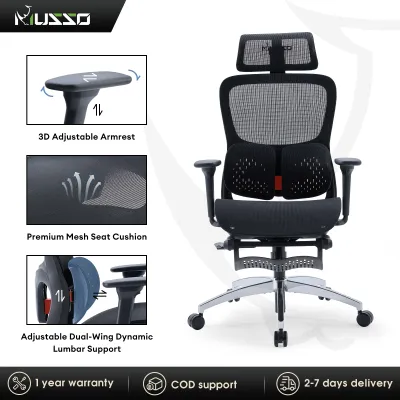
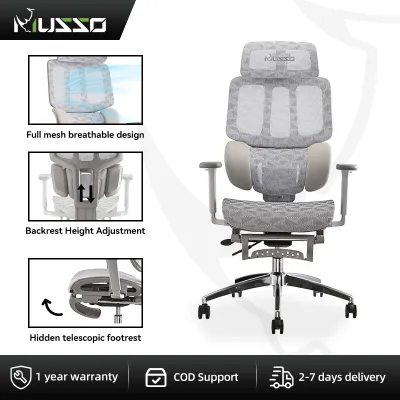
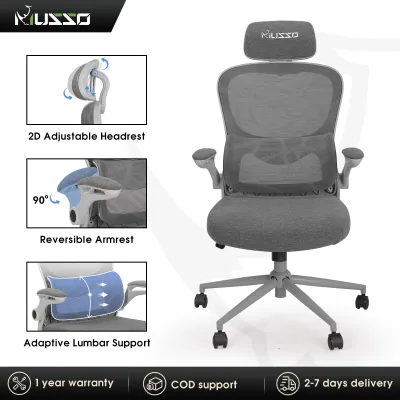
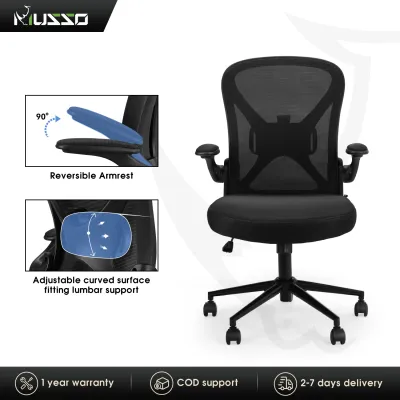
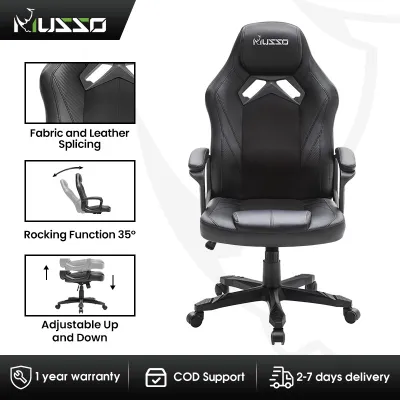
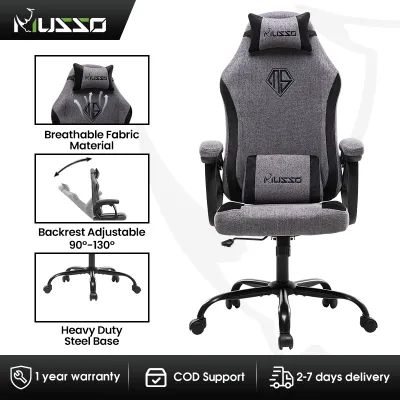
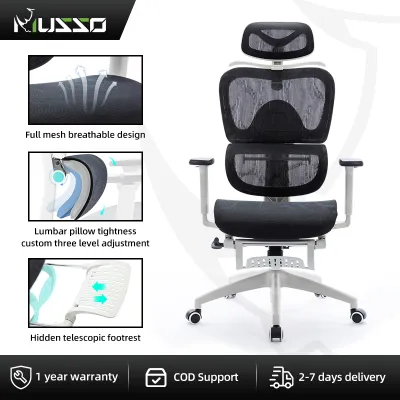
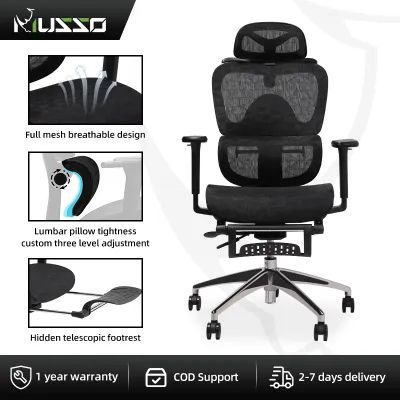
Prices are valid at publication and may change. Please refer to the product page for the latest price.
The ₱3,000 to ₱15,000 price range covers everything from basic task chairs to highly adjustable executive models. In the lower end of this spectrum, you will find straightforward designs intended for casual, short-duration sitting. As you move toward the ₱15,000 limit, the chairs incorporate more complex tilt mechanisms, robust frame materials, and highly responsive mesh fabrics that distribute body weight more evenly.
Living in a tropical climate like the Philippines also means that material choice is highly critical. High humidity and warm temperatures can make solid foam or PU leather chairs uncomfortably warm, leading to sweat buildup during long working hours. Musso addresses this by incorporating breathable mesh backrests across most of their models, making them highly suitable for local workspaces.
Because product availability, specific model names, and pricing can fluctuate due to import costs and seasonal promotions, it is important to treat these price tiers as general guides. Before making a final purchase, always verify the current listings, exact technical specifications, and seller ratings on authorized e-commerce platforms or official brand flagship stores. This ensures you receive the latest version of the model with all its intended features.
Entry-Level (₱3,000–₱6,000): Prioritizing Safety and Basic Ergonomics
When shopping within the entry-level ₱3,000 to ₱6,000 budget tier, you must prioritize structural safety and foundational physical support over advanced, flashy adjustments. It is easy to be swayed by aesthetic designs, but a chair’s primary job is to keep you safe and reasonably aligned. At this price point, look for a clean, sturdy build that covers the absolute essentials of ergonomic sitting.

Core Priorities
- Gas Lift Safety: The pneumatic gas lift cylinder is the most critical safety component of any ergonomic chair. Upon delivery, physically inspect the cylinder for laser-etched safety certification marks such as SGS or BIFMA. These certifications verify that the cylinder has undergone rigorous pressure and durability testing, reducing the risk of sudden failure.
- Foundational Support: Look for a model that features a breathable mesh backrest to allow air circulation, paired with built-in, fixed lumbar support. Even if the lumbar support cannot be adjusted, it should sit at a height that naturally matches the inward curve of your lower spine.
Acceptable Compromises
- Fixed or 1D Armrests: To keep manufacturing costs low, entry-level chairs typically feature fixed armrests or basic 1D (height-only) adjustable armrests. These will not allow you to customize the angle or depth, so you must adapt your seating position accordingly.
- Limited Recline Angles: Expect a basic tilt mechanism that allows you to rock back slightly, but without the ability to lock the backrest at multiple reclined angles. You will generally only be able to lock the chair in an upright, 90-degree working position.
- No Seat Depth Adjustment: The seat pan is fixed to the frame, meaning you cannot slide the seat forward or backward to accommodate different thigh lengths.
Actionable Alignment Advice
Because you cannot adjust many parts of an entry-level chair, you must carefully match the chair’s fixed dimensions to your body and workspace. Before purchasing, measure your popliteal height—the distance from the floor to the crease behind your knees when sitting flat-footed. Ensure the chair’s minimum and maximum seat height range allows your feet to rest flat on the floor while keeping your thighs parallel to the ground. Additionally, measure the height of your desk to ensure the fixed armrests can slide underneath it when the chair is not in use, which prevents you from sitting too far back from your keyboard.
Mid-Range (₱6,000–₱10,000): The Sweet Spot for Daily Adjustability
Stepping up to the ₱6,000 to ₱10,000 mid-range tier brings you into the sweet spot of ergonomic value. If you spend six to eight hours a day at your desk, the added adjustability in this tier is highly recommended to prevent chronic muscle fatigue. These models transition from static support to active, customizable ergonomics that adapt to your body’s movements.
Key Upgrades to Look For
- Adjustable Lumbar Support: Look for models that offer height-adjustable or adaptive lumbar support. This allows you to slide the lumbar pad up or down to target the exact area of your lower back (the L1 to L5 vertebrae) that needs the most reinforcement.
- 2D or 3D Armrests: Armrests in this tier should adjust in at least two dimensions (height and angle) or three dimensions (height, angle, and depth). This adjustability allows you to position the armrests to support your forearms comfortably, reducing strain on your shoulders and wrists while typing.
- Multi-Position Recline Lock: Unlike entry-level models, mid-range chairs usually feature a tilt-lock mechanism that lets you secure the backrest at several different angles. This is highly beneficial if you like to recline slightly during video calls or reading tasks, and then lock the chair upright for intense typing sessions.
Material and Build Checks
At this price level, you should inspect the quality of the mesh and the overall frame stability. High-density woven mesh is crucial; it should feel firm and springy to the touch rather than soft and loose. Lower-quality mesh can sag over months of continuous use, especially in the humid Philippine climate, which gradually destroys the chair’s ergonomic support. Additionally, look for models that upgrade from standard nylon bases to reinforced steel or heavy-duty aluminum alloy bases, which offer superior stability and higher weight capacities.
Decision Framework
To determine if this tier is the right fit for your needs, evaluate your daily habits. If your work requires you to switch frequently between active typing, relaxed reading, and virtual meetings, the multi-position recline lock and 3D armrests will provide immediate, noticeable relief. However, if your workspace lacks continuous air conditioning, prioritizing a model with a full mesh seat and backrest—rather than a thick foam seat cushion—will keep you much cooler and more comfortable throughout the day.
Upper-Tier (₱11,000–₱15,000): Evaluating Advanced Mechanisms and Materials
At the ₱11,000 to ₱15,000 price point, you are investing in advanced mechanical engineering and premium materials. These chairs are designed for power users, remote professionals, and anyone who sits for eight or more hours daily and requires highly precise physical alignment. At this level, the focus shifts to how seamlessly the chair integrates with your body’s natural biomechanics.
Advanced Features
- Synchro-Tilt Mechanisms: Premium models often feature a synchro-tilt chassis, where the backrest and the seat pan recline at a synchronized ratio (typically 2:1). This keeps the seat relatively level as you tilt back, keeping your feet flat on the floor and maintaining proper blood circulation in your legs.
- Wire-Controlled Chassis: Instead of reaching awkwardly under the seat to find plastic tension knobs, upper-tier chairs frequently use wire-controlled levers built into the sides of the seat or integrated into the armrests. This allows you to adjust seat height, tilt lock, and tension with minimal effort.
- 4D Armrests: These armrests adjust in four directions: height, depth, angle, and width. Adjusting the width is particularly useful for matching the chair to your shoulder width, preventing your elbows from flaring out or squeezing in too tightly.
Material Upgrades
Expect premium, highly elastic mesh fabrics that offer superior pressure distribution. These meshes are designed to contour precisely to your body shape while maintaining their tension over years of use. The structural frame of the chair often incorporates fiberglass-reinforced plastics or polished aluminum alloy joints, which greatly increase structural rigidity and eliminate the squeaks and wobbles common in cheaper plastics. Always check the manufacturer’s technical specifications for weight capacity; upper-tier models are typically rated to support heavier loads, often up to 150 kg, reflecting their robust construction.
Value Assessment
Before spending up to ₱15,000, ask yourself if your daily usage justifies the premium. If you can visit a physical retail partner or showroom in the Philippines, take the time to test the smoothness of the tilt mechanism. The transition from upright to recline should feel smooth, quiet, and controlled, without any sudden drops or resistance. Furthermore, verify the official warranty terms; a premium chair should be backed by a comprehensive warranty that covers key moving parts, the gas lift, and the mesh fabric for at least two to three years, protecting your investment over the long term.
Essential Pre-Purchase Checks and Hidden Costs
Before you finalize your order and proceed to checkout, it is essential to perform a few practical checks to ensure the chair fits both your physical body and your physical workspace. Skipping these steps can lead to frustrating return processes or an uncomfortable setup that does not deliver the ergonomic benefits you expect.
Space and Clearance
- Desk Height: Measure the distance from the floor to the underside of your desk. Compare this to the maximum height of the chair's armrests to ensure they can slide under the desk when you want to tuck the chair away.
- Recline Path: Check the clearance behind your desk. A fully reclined chair with an extended footrest can require up to 130 cm of clear floor space. Ensure the recline path does not collide with wall shelves, cabinets, or nearby doors.
- Access Routes: If you live in a high-rise condominium or apartment building, verify that the shipping box dimensions can easily fit through your building's elevators, narrow hallways, and your apartment's front door.
Hidden Costs
- Shipping Fees: Because ergonomic chairs are bulky and heavy (often weighing between 15 kg and 25 kg), shipping fees can be substantial. If you live outside Metro Manila, such as in provincial areas of Luzon, Visayas, or Mindanao, check the calculated shipping cost before completing your order, as it can add a significant amount to your total bill.
- Assembly Services: Most chairs are delivered flat-packed in a large box and require self-assembly. If you are uncomfortable using basic hand tools or lack the time, check if the seller offers an optional pre-assembled delivery service, and factor that additional fee into your budget.
- Return Shipping Policies: In the event that the chair is physically uncomfortable or does not fit your body shape, you may want to return it. Always read the seller's return policy to see who covers the cost of return shipping for bulky items, as shipping a heavy box back can be highly expensive.
Warranty Verification
Do not assume that a blanket warranty covers the entire chair equally. Read the manufacturer’s warranty card or product description carefully. It is common for manufacturers to offer a longer warranty period (e.g., three years) on the main structural frame, while limiting the warranty on the gas lift cylinder to one year, and offering no coverage at all for normal wear and tear on the mesh or fabric. Confirming these details with the official seller before purchasing will prevent unexpected out-of-pocket repair costs down the road.
Frequently Asked Questions (FAQ)
How do I verify the authenticity of a Musso ergonomic chair bought online?
To ensure you are purchasing a genuine product, only buy from official brand flagship stores or authorized dealers that carry verified seller badges on major online marketplaces. Upon delivery, inspect the shipping box for official Musso branding, logos, and factory tape. Check the product itself for serial numbers, official product tags, and user manuals. Most importantly, physically inspect the metal casing of the gas lift cylinder; genuine, safe chairs will have safety certification stamps (such as SGS, BIFMA, or TUV) engraved directly into the metal surface.
Is a headrest necessary for a Musso chair in this price range?
Whether you need a headrest is highly subjective and depends on your primary working postures. If you spend most of your day sitting upright, actively typing, your head will rarely make contact with a headrest, making it an unnecessary feature. However, if you frequently recline to read documents, watch videos, or take short rests, an adjustable headrest is highly recommended to support your neck and cervical spine. If you decide you want one, ensure the specific Musso model you choose features a height- and angle-adjustable headrest that can be customized to align perfectly with the curve of your neck.
Community discussion
Share your experience or ask a question. Comments are reviewed before publication.