
Choosing the right side bed table with built-in charging and storage requires balancing electrical utility with physical furniture design. A practical bedside companion must not only match your bed’s height and room’s aesthetic but also safely power your daily devices—such as smartphones, tablets, smartwatches, and e-readers—without creating a cluttered tangle of cords. To make a smart purchase, you need to evaluate the specific types of charging ports, the layout of drawers and shelves, the durability of materials under local climate conditions, and critical electrical safety features.
By focusing on how you use your devices at night and what you need to store within arm’s reach, you can select a piece of furniture that enhances both your bedroom’s organization and your daily routine. A well-designed charging nightstand eliminates the frustration of reaching behind heavy furniture to find a wall outlet, keeping your essential electronics powered up and ready for the day ahead.
Assess Your Charging and Power Needs
To find a bedside table that truly simplifies your nightly routine, start by auditing the electronics you plug in before sleep. Different devices require different power delivery methods, and choosing a table with the wrong port configuration can lead to slow charging speeds or a reliance on bulky adapters. Modern bedside tables often feature a mix of traditional AC outlets, USB-A ports, and newer USB-C ports.
Products mentioned in this guide
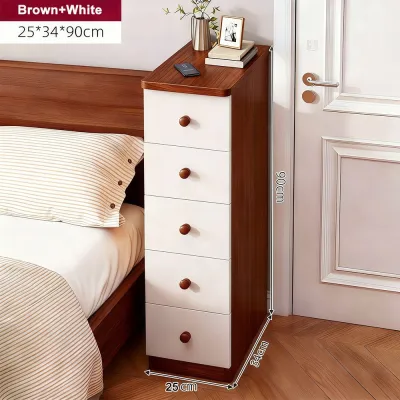
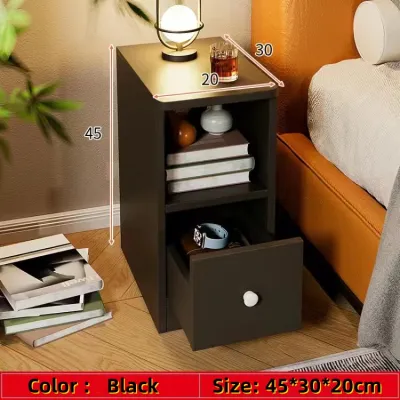

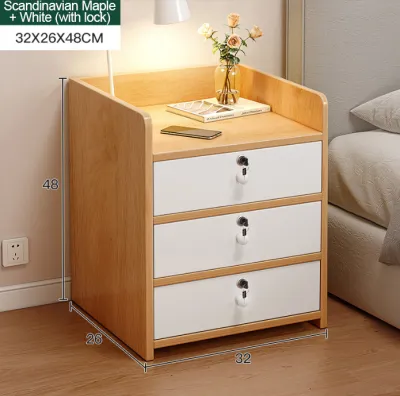
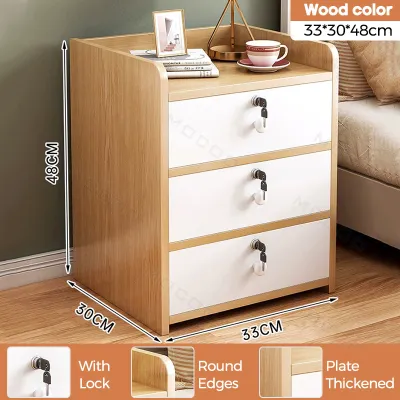
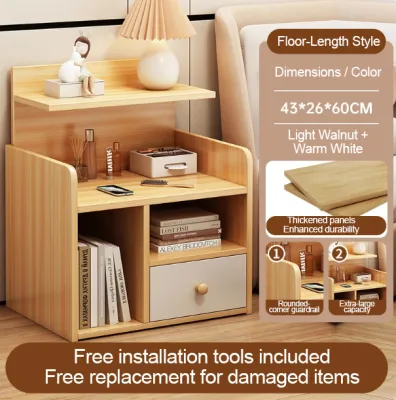
Prices are valid at publication and may change. Please refer to the product page for the latest price.
USB-C has rapidly become the standard for modern smartphones, tablets, and wearable tech. When reviewing a table’s specifications, check if the USB-C ports support Power Delivery (PD). High-wattage USB-C ports can charge compatible devices significantly faster than standard ports, which is especially useful if you need to quickly boost your phone’s battery before heading out. Traditional USB-A ports remain useful for older accessories or smartwatches.
Standard AC outlets are still essential for items that cannot run on USB power, such as bedside lamps, alarm clocks, humidifiers, or medical equipment like CPAP machines. Look for a table where the AC outlets are spaced widely enough to accommodate larger power bricks without blocking adjacent plugs. Having at least two standard outlets alongside your USB ports ensures you will not have to choose between lighting your room and powering your devices.
The physical connection between the bedside table and your wall outlet is just as important as the ports on the table itself. Measure the distance from your bed to the nearest wall outlet before purchasing. A power cord that is too short will limit your furniture placement or force you to use extension cords, which can create safety hazards and look untidy. Look for a table equipped with a heavy-duty power cord of at least two meters, preferably with a flat, angled plug. An angled plug sits flush against the wall, allowing you to push your bedside table close without damaging the cord.
Finally, evaluate how the table manages cables. Efficient designs feature recessed power strips, built-in grommets, or dedicated channels that guide cords neatly down the back or inside of the furniture. This prevents cables from slipping behind the table when unplugged and keeps your tabletop free from a chaotic web of wires. Some models offer integrated wireless charging pads on the top surface, allowing you to charge compatible smartphones simply by laying them down, eliminating tabletop cable clutter.
Define Your Storage and Space Requirements
Once you have mapped out your power needs, turn your attention to the physical structure of the side bed table. The right balance of drawers, open shelves, and overall dimensions will ensure the piece fits seamlessly into your bedroom layout while keeping your personal items organized.

Begin by analyzing how you prefer to store your belongings. If you like a clean, minimalist look, a table with multiple drawers is ideal for concealing clutter, personal journals, medications, and charging cables. Drawers keep dust off your items and provide privacy. Conversely, open-shelf configurations are well-suited for those who want quick, unobstructed access to books, glasses, or a glass of water. Many homeowners find that a hybrid design—featuring a single drawer at the top for small essentials and an open cubby below—offers excellent flexibility for daily use.
Before browsing online marketplaces, take precise measurements of your bedroom. The height of your bedside table is crucial for comfort and ergonomics. Ideally, the top of the table should align within five centimeters of the top of your mattress. If the table is too tall or too low, reaching for your phone or a glass of water in the dark becomes awkward.
Additionally, consider the clearance around your bed. Measure the width of the available floor space between your bed and the adjacent wall or wardrobe. Ensure that opening drawers or cabinet doors will not block walkways or strike other furniture. If space is exceptionally tight, look for compact designs or tables with sliding doors rather than swing-out doors.
Do not forget to verify the internal dimensions of the drawers or storage compartments. If you plan to store and charge a tablet, an e-reader, or a laptop inside a drawer, make sure the internal space is wide and deep enough to hold the device comfortably while the charging cable is plugged into its port. Some tables feature a dedicated charging drawer with a rear cutout, keeping electronics out of sight while they power up.
Verify Build Quality, Safety, and Stability
Because a charging bedside table combines wooden or metal furniture with active electrical components, evaluating build quality and safety is critical. A poorly constructed table can become a safety hazard, while durable materials ensure your investment lasts for years.
Start by inspecting the surface materials and finishes. In tropical climates with high humidity, moisture resistance is a key consideration. Cold drinks placed on a bedside table can leave condensation rings that damage untreated wood or cause cheap particleboard to swell and warp. Look for tables with water-resistant top coatings, durable laminates, or tempered glass surfaces that are easy to wipe clean. Check care labels to ensure the finish can withstand daily wear and occasional spills.
Electrical safety should be your top priority when choosing a table with integrated power. Because the table will remain plugged into your wall constantly, the built-in power strip must feature robust safety mechanisms. Look for models that explicitly list surge protection to shield your connected devices from sudden voltage spikes. Overheating prevention and short-circuit protection are also vital, particularly if you plan to charge devices inside enclosed drawers where heat can build up. Always check product specifications for recognized electrical safety certifications.
Structural stability is another essential factor, especially if you plan to place a heavy ceramic lamp on top or if the table will be used in a home with young children or pets. A top-heavy table can easily tip over if a heavy drawer is pulled out fully. Look for a sturdy, wide base, solid wood legs, or a reinforced metal frame. If the table is tall or narrow, check if the manufacturer includes wall-anchoring hardware. This secures the unit firmly, preventing accidental tip-overs. While a basic table might save you a few pesos initially, investing in a stable, certified model is worth the extra ₱ in the long run.
Frequently Asked Questions (FAQ)
Can I replace the built-in charging module if it stops working?
Whether you can replace the charging module depends entirely on the table’s design. Many budget-friendly models feature integrated, non-removable power strips that are glued or screwed permanently into the frame; if the ports fail on these units, replacing the electrical component can be extremely difficult without damaging the furniture. However, higher-quality tables often utilize modular, plug-in power units that can be easily unscrewed and replaced with a standard, matching module from the manufacturer. Before purchasing, check the product description to see if the power strip is removable. If the table features hardwired components rather than a plug-and-play module, consult a qualified electrician for repairs and check the manufacturer’s warranty.
How do I clean and maintain a side bed table with electronic ports?
Cleaning a bedside table with active electrical components requires extra caution to prevent damage and avoid electrical shocks. Always unplug the table’s main power cord from the wall outlet before you begin cleaning. Use a slightly damp, non-abrasive microfiber cloth to wipe down the wooden, metal, or laminate surfaces, and immediately follow with a dry cloth to remove any residual moisture. Never spray liquid cleaners directly onto the surface near charging ports or AC outlets, as moisture can cause short circuits. For the ports themselves, use a dry, soft-bristled brush or a can of compressed air to gently blow away accumulated dust and lint, ensuring the connections remain clean and clear.

Community discussion
Share your experience or ask a question. Comments are reviewed before publication.