
A bedside table is no longer just a static surface for a lamp and a glass of water. Modern bedroom setups require a multi-functional hub that keeps devices powered, cables organized, and nighttime essentials within arm’s reach. Selecting the right side table with built-in charging and storage requires balancing physical dimensions, electrical safety, storage configurations, and material durability. By focusing on certified power outputs, ergonomic bedroom alignment, and humidity-resistant construction, you can find a piece that enhances both your bedtime routine and your room’s organization.
Measure Your Space and Bed Alignment for Your Side Table
Before comparing charging ports or drawer styles, you must establish the physical boundaries of your bedroom layout. The most critical ergonomic factor is the height of the side table relative to your bed. For comfortable access, measure from the floor to the top of your mattress; your bedside table should ideally sit level with or up to 5 to 10 centimeters below this surface. A table that is too tall or too short makes reaching for a phone, glasses, or a glass of water awkward and increases the risk of knocking items over in the dark.
Next, measure the available floor width and depth next to your bed frame. Be sure to account for baseboards, the swing radius of nearby wardrobe doors, and the clearance needed for curtains or walking paths. If space is tight, a compact profile is essential, but it must still offer enough surface area to hold your daily essentials alongside any integrated charging docks.
Products mentioned in this guide
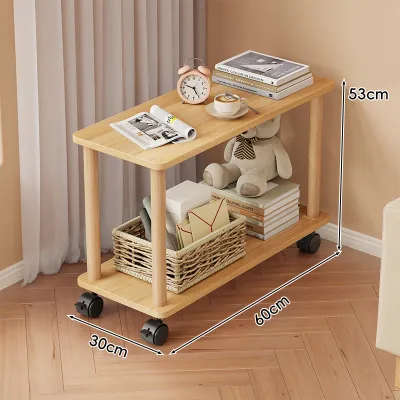
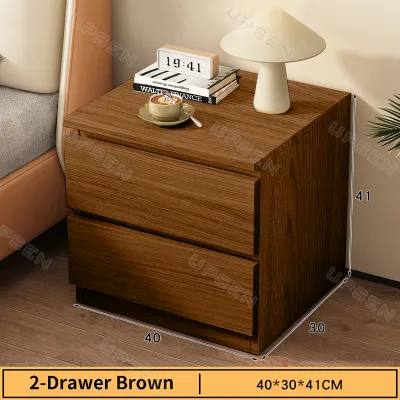
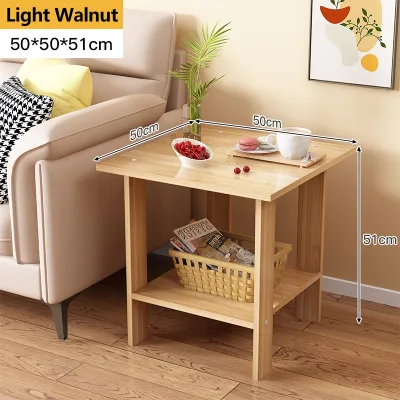
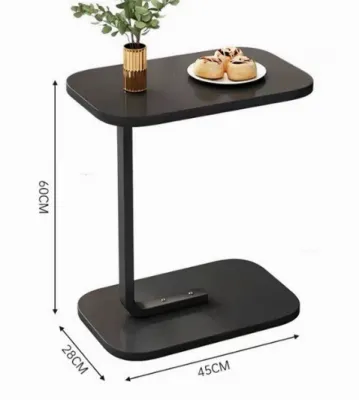
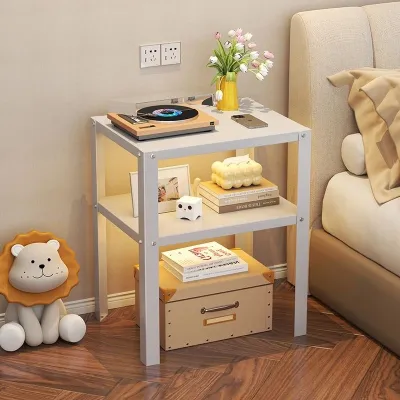
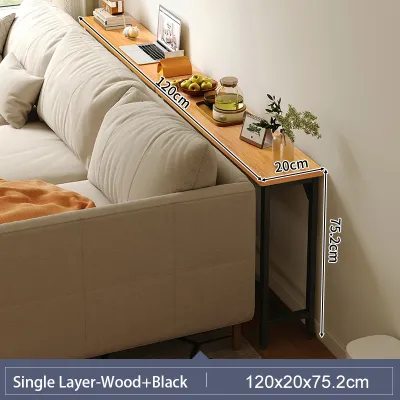
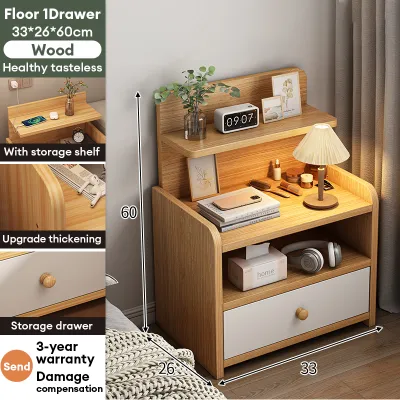
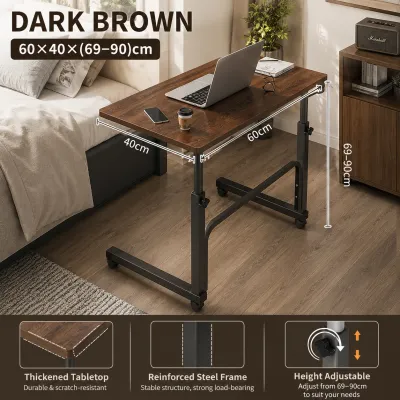
Prices are valid at publication and may change. Please refer to the product page for the latest price.
Do not overlook the path the furniture must take to reach your bedroom. Measure the width and height of your front door, narrow hallways, staircases, and elevator doors. Whether the side table arrives fully assembled or as a flat-pack box, verifying these clearances beforehand prevents the frustration of a delivery that cannot physically enter your home.
Finally, locate the nearest wall outlet and measure the distance to your proposed bedside setup. Integrated charging tables rely on an external power cord that must plug into the wall. Ensure this cord can reach the outlet safely without being stretched tight, running under rugs, or requiring daisy-chained extension cords, which pose a distinct electrical hazard.
Evaluate the Built-In Charging Safety and Utility
Integrated electronics add immense convenience, but their utility depends entirely on the types of ports provided and their power delivery. Review the charging panel to identify the mix of USB-A ports, USB-C ports, and standard AC outlets. Modern smartphones, tablets, and smartwatches increasingly rely on USB-C connections, so choosing a side table equipped with these newer ports reduces the need for bulky adapters.

Do not assume all USB ports charge at the same speed. Check the manufacturer’s specification sheet for the exact wattage or amperage output of each port. Many standard integrated USB-A ports only deliver a slow 5W or 10W trickle charge, which is insufficient for fast-charging modern devices or powering larger tablets. For efficient charging, look for ports that support Power Delivery (PD) or Quick Charge (QC) standards with outputs of 18W, 30W, or higher.
Cluttered cords defeat the purpose of built-in charging, making smart cable management a vital feature. Look for designs that feature recessed power strips, built-in routing holes, or hidden channels that guide cords neatly out of sight. This keeps your tabletop clean and prevents cables from slipping behind the table or becoming tangled tripping hazards.
Electrical safety is paramount, particularly for devices left charging overnight near your bed. Ensure the integrated power strip or charging module carries recognized safety certification marks, such as the Philippine Standard (PS) mark or the Import Commodity Clearance (ICC) sticker, or international equivalents like UL, CE, or FCC. These certifications verify that the electrical components have been tested to withstand voltage fluctuations and reduce the risk of short circuits, overheating, or electrical fires.
Additionally, examine the physical design of the charging compartment for proper heat dissipation. Power adapters and wireless charging pads naturally generate heat during operation. If the charging module is enclosed within a drawer or a hidden compartment, the furniture must feature ventilation slots or an open-back design to prevent heat from building up to dangerous levels.
Match the Storage Layout to Your Bedtime Routine
Your storage needs should dictate the physical layout of the side table. A balanced combination of open shelves and enclosed drawers generally offers the most versatility. Enclosed drawers are ideal for concealing personal items, protecting electronics from dust, and keeping clutter out of sight, which contributes to a calmer, more restful bedroom environment.
Conversely, open shelves provide immediate access to items you grab frequently throughout the night or morning, such as books, e-readers, or a glass of water. When evaluating a potential purchase, check the internal dimensions of the drawers rather than relying solely on external measurements. Ensure the drawers are deep and wide enough to accommodate your specific items, whether those are thick novels, tablet devices, or medication bottles.
For smaller items, specialized organization features can make a significant difference. Some tables offer shallow top drawers with built-in dividers, felt-lined trays, or hidden compartments. These are highly practical for organizing small accessories like earbuds, watches, rings, or spare charging cables, preventing them from rolling around and getting lost in a deeper drawer.
The quality of the moving parts directly affects daily usability. Test or research the drawer glides; high-quality metal ball-bearing slides offer smoother, quieter operation than simple wood-on-wood runners or cheap plastic tracks. Additionally, look for soft-close mechanisms, which prevent drawers from slamming shut and waking up a sleeping partner during late-night or early-morning use.
Verify Build Quality, Stability, and Surface Finishes
A side table must be structurally sound and durable enough to handle daily wear. Avoid relying purely on generic material descriptions like “solid wood” or “engineered wood” as a blanket guarantee of quality. Instead, inspect the construction details, such as the use of sturdy joinery like dovetail joints or reinforced corner blocks, which provide superior stability and prevent the frame from wobbling over time.
In tropical environments with high humidity, such as the Philippines, moisture resistance is a critical factor for longevity. Untreated wood or poorly sealed engineered boards can absorb moisture from the air, leading to warping, swelling, or mold growth. Look for surfaces treated with protective polyurethane coatings, water-resistant sealants, or high-pressure laminates that can withstand both ambient humidity and accidental spills from a water glass.
Always verify the manufacturer’s stated weight capacity for both the top surface and the individual shelves or drawers. A sturdy bedside table should easily support a heavy ceramic lamp, books, and other personal items without sagging. If you plan to place heavy items on the table, a solid, wide-base design is inherently more stable than a top-heavy model with thin, tapered legs.
Household safety should also guide your choice, particularly in homes with young children or active pets. A tall, narrow side table can become top-heavy when drawers are fully extended, posing a tip-over risk. Check if the manufacturer includes anti-tip hardware or wall-anchoring kits, and look for rounded corners on the tabletop to minimize injury risks from accidental bumps.
Finally, review the assembly requirements before purchasing. Flat-pack furniture often requires self-assembly, so check if specialized tools are needed and whether the instructions are clear. Most importantly, verify if the electrical charging module comes pre-installed in the frame or if you must wire it yourself; always follow the manufacturer’s instructions and local electrical codes to ensure a safe setup.
Complete Your Pre-Purchase Verification Checklist
Before finalizing your purchase from an online marketplace or physical furniture showroom, run through a final verification checklist to ensure the product meets your exact needs.
- Dimensions: Confirm the height aligns with your mattress, and verify that the footprint fits comfortably within your measured floor space.
- Power Specifications: Ensure the port types match your devices and the wattage output supports your charging speed requirements.
- Warranty Coverage: Read the warranty details carefully. Verify if the electrical components—such as the USB ports and power outlets—are covered under the same warranty period as the wooden frame, as electronic parts often have shorter coverage windows.
- Return and Shipping Policies: Check the retailer's return policy, particularly for bulky items. Ensure you can return or exchange the table if the electrical module arrives defective or if the unit is damaged during transit.
- User Feedback: Scan customer reviews for recurring complaints. Pay close attention to mentions of premature port failure, misaligned drawer tracks, easily scratched finishes, or unstable frames.
Frequently Asked Questions (FAQ)
Is it safe to leave devices charging on a nightstand overnight?
Yes, overnight charging is generally safe provided the side table’s electrical module carries recognized safety certifications (such as the PS or ICC marks) and your device’s battery is in good condition. However, you must ensure proper heat dissipation. Avoid covering the charging ports or your devices with pillows, blankets, or books, as trapped heat can degrade batteries or cause overheating. If the charging module lacks an automatic power-cutoff feature, it is best practice to unplug high-draw devices once they reach a full charge.
How do I manage cables if the side table lacks built-in routing?
If your chosen table does not have integrated cable management, you can easily retrofit it with simple accessories. Use adhesive cable clips or silicone cord organizers attached to the back or sides of the table legs to keep wires tucked out of sight. Velcro ties are excellent for bundling excess cord lengths together. Additionally, using a low-profile, right-angle power adapter where the main cord plugs into the wall allows you to push the side table closer to the wall without crimping the cable.
Community discussion
Share your experience or ask a question. Comments are reviewed before publication.