
Choosing a side table with integrated charging ports and storage requires balancing electrical safety, physical dimensions, and material durability. In a tropical climate where high humidity can affect both wood joints and electronic components, selecting the right bedside companion involves checking specific product labels, measuring your space carefully, and verifying the layout of both drawers and power outlets. A well-chosen table keeps your devices powered and your bedroom clutter-free without compromising on safety or style. Whether you are investing ₱3,000 or ₱15,000 in a new bedroom setup, understanding what features to prioritize ensures your furniture remains functional and safe for years to come.
Assess Your Space and Size Requirements
Before browsing online marketplaces or local furniture showrooms, you must accurately measure the physical space next to your bed. Start by measuring the width and depth of the available floor area, taking into account the projection of baseboards, wall trim, and the swing of nearby wardrobe doors or bedroom entryways. Ensure there is enough clearance to walk comfortably around the bed and to pull any drawers or cabinet doors on the side table fully open without obstruction.
The height of the side table is equally critical for daily comfort and ergonomic reach. Ideally, the tabletop should sit level with or slightly above the top of your mattress, allowing you to reach for a glass of water, a book, or your phone without straining your back or shoulders while lying down. A table that is too tall can block your view and pose a bumping hazard, while one that is too low makes accessing the charging ports and storage compartments awkward and uncomfortable.
Products mentioned in this guide
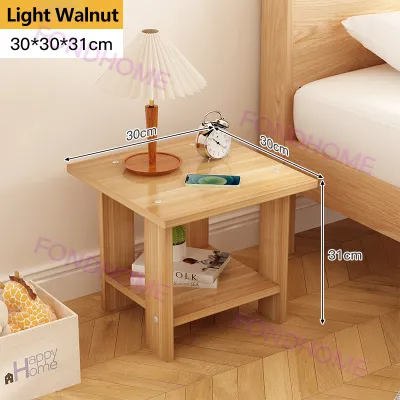
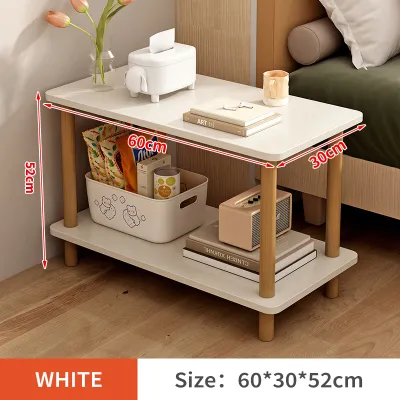
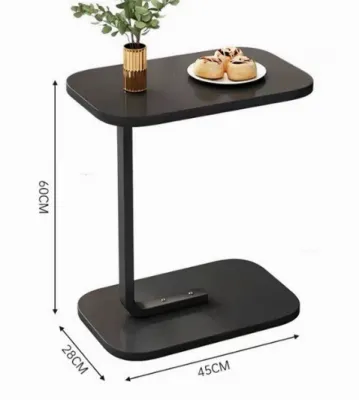
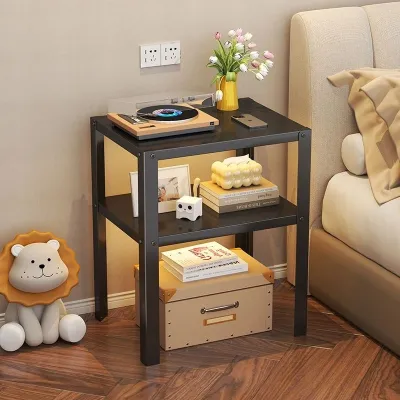


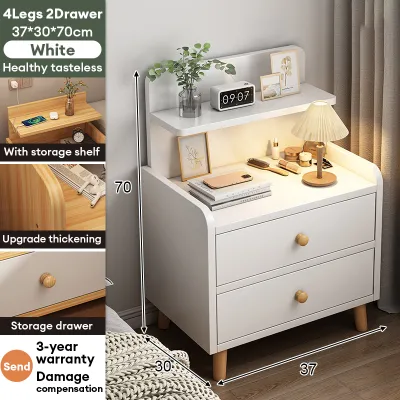
Prices are valid at publication and may change. Please refer to the product page for the latest price.
Additionally, plan for the delivery and assembly process by measuring your home’s entry points. Verify the width and height of your doorways, hallways, stairwells, and elevator cabins to ensure the furniture package can pass through safely. If the side table arrives flat-packed, check the manufacturer’s specifications to see what tools are required for assembly and whether the instructions recommend a two-person setup for heavier solid wood or metal frames.
Evaluate the Charging Station Features
The integration of power outlets directly into your furniture offers unparalleled convenience, but the utility depends entirely on the types of ports provided. Look for a side table that features a versatile mix of standard AC outlets, USB-A ports, and modern USB-C ports. This combination ensures you can plug in traditional bedside lamps or alarm clocks while simultaneously fast-charging modern smartphones, tablets, and smartwatches without relying on bulky adapters.

Do not overlook the power output specifications, which are typically printed on the product label or the charging module itself. Ensure the USB ports deliver sufficient wattage—such as 18W or higher for USB-C Power Delivery—to support the fast-charging capabilities of your specific devices. Low-amperage ports will charge modern electronics at a frustratingly slow pace, which can be particularly inconvenient if you need a quick battery boost before leaving the house.
The physical placement of the charging hub also plays a major role in both aesthetics and safety. Tabletop-recessed ports offer the most direct access but can collect dust, lint, and hair, and they present a higher risk of damage if you accidentally spill a glass of water. Side-mounted or back-mounted charging stations keep the tabletop clean and visually uncluttered, though they may require you to reach around the side of the table to plug in your devices.
Check Storage Capacity and Layout
A great bedside table must balance its electronic features with practical storage that matches your daily habits. Decide whether you prefer open shelves, closed drawers, or a combination of both to manage your bedside essentials. Open shelves are ideal for quick-access items like books, magazines, or decorative pieces, while closed drawers are essential for hiding visual clutter and keeping personal items, medications, and valuables out of sight.
When evaluating drawers, look beyond the exterior dimensions and check the internal drawer depth and width. Ensure the drawers are spacious enough to accommodate your specific items, such as e-readers, tablet devices, or thick novels, without jamming the drawer mechanism. Smooth-gliding drawers that pull out fully allow you to utilize the entire storage space without having to reach blindly into the dark back corners of the cabinet.
Finally, verify the manufacturer’s stated weight capacity for both the tabletop and the individual storage compartments. Overloading a side table can lead to structural sagging, misaligned drawers, or even tip-over hazards if the unit becomes top-heavy. Choosing a model with a robust load capacity ensures that your heavy books, lamps, and electronic devices are supported safely without compromising the table’s structural integrity.
Inspect Build Quality and Materials
The structural stability of your side table is paramount, especially when it houses delicate electronic devices and power connections. Examine the joint construction and the overall base design to ensure the table does not wobble when touched or when drawers are opened. Look for reinforced joints, such as mortise-and-tenon woodwork or heavy-duty metal brackets, and check if the legs feature adjustable levelers to compensate for uneven bedroom floors.
In humid tropical climates, the choice of materials and surface finishes requires careful scrutiny. High humidity can cause untreated solid wood to warp or swell, while low-quality particle board may degrade or bubble if exposed to moisture. Review the manufacturer’s care instructions and check for water-resistant laminates, sealed veneers, or protective polyurethane coatings that can withstand daily wear, scratches, and the inevitable condensation rings left by cold drinks.
The quality of the moving hardware is another reliable indicator of overall build quality. Inspect the drawer slides to ensure they operate smoothly and quietly; metal ball-bearing slides are generally more durable and quieter than plastic or wooden runners. Sturdy, well-secured handles and knobs that do not wiggle or loosen over time will prevent frustration and extend the lifespan of your furniture.
Plan for Cable Management and Safety
An integrated charging station is only convenient if the associated cables are kept neat and organized. Look for side tables that feature built-in cable management solutions, such as routing holes, hidden channels, or integrated clips. These design elements allow you to guide charging cords neatly from the power hub to your devices, preventing a tangled mess of wires on your tabletop and reducing the risk of cords falling behind the table.
Measure the distance from your bedside to the nearest wall outlet before finalizing your purchase. The side table’s main power cord must be long enough to reach the wall outlet comfortably without being stretched tight or suspended in the air. Avoid using thin household extension cords or placing the table’s power cord under rugs or heavy furniture, as this can cause friction, wear down the insulation, and create a serious fire hazard.
Electrical safety should always be your top priority when buying furniture with built-in electronics. Verify that the charging module carries recognized safety certification markings, which indicate that the components have been tested for electrical safety and heat resistance. Additionally, make it a strict rule to avoid plugging high-draw appliances, such as hair dryers, curling irons, or space heaters, into the table’s built-in outlets, as these devices can easily overload the circuit and damage the integrated wiring.
Frequently Asked Questions (FAQ)
Can I leave my devices plugged into the side table overnight?
Yes, modern smartphones and tablets are equipped with advanced battery management systems that automatically stop drawing power once they reach a full charge. However, to ensure maximum safety, always use high-quality, manufacturer-approved charging cables that are free from fraying or damage. Avoid placing charging devices under pillows, blankets, or heavy books while they are plugged in, as trapped heat can cause the battery to overheat and degrade. If you notice the table’s charging module or your device becoming unusually hot to the touch, unplug it immediately and inspect the ports for dust or damage.
How do I clean a side table with built-in charging ports?
Before cleaning your side table, always unplug its main power cord from the wall outlet to eliminate any risk of electrical shock. Use a slightly damp, soft microfiber cloth to wipe down the wooden, laminated, or metal surfaces of the table, and immediately follow up with a dry cloth to remove any remaining moisture. Strictly avoid spraying liquid cleaners, water, or aerosol polishes directly onto or near the charging ports, outlets, or electrical housing. To clean dust and lint out of the ports themselves, use a dry, soft-bristled brush or a can of compressed air while the unit is completely powered off.
Community discussion
Share your experience or ask a question. Comments are reviewed before publication.