
Finding a practical slim storage table with integrated USB charging for a small bedroom in the Philippines requires balancing a narrow footprint with functional vertical storage, verifying electrical safety, and selecting materials that can withstand local humidity. In compact urban spaces, such as condominiums and townhouses, every centimeter of floor space counts. A well-chosen bedside table not only keeps your daily essentials organized but also serves as a centralized charging hub for your devices, eliminating messy extension cords.
Core Selection Criteria for Compact Bedside Tables
When space is limited, selecting a bedside table involves a direct trade-off between a slim profile and practical storage capacity. Standard nightstands are often too wide, blocking pathways or preventing wardrobe doors from opening. A slim storage table, typically measuring between 20 and 35 centimeters in width, solves this spatial issue but naturally offers less tabletop surface and drawer volume. To maximize utility, you must look for designs that utilize vertical space, incorporating multiple tiers, open cubbies, or deep drawers.
Another critical factor is the specification of the built-in USB charging ports. Many compact nightstands feature integrated power strips, but the charging speed and port types vary significantly. It is essential to verify whether the ports match your specific device requirements, especially if you use modern smartphones or tablets that require fast-charging capabilities. Choosing a unit with outdated or low-amperage ports may result in frustratingly slow charging times.
Products mentioned in this guide
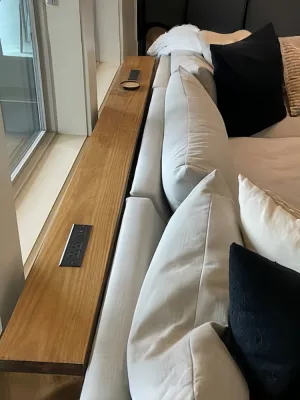
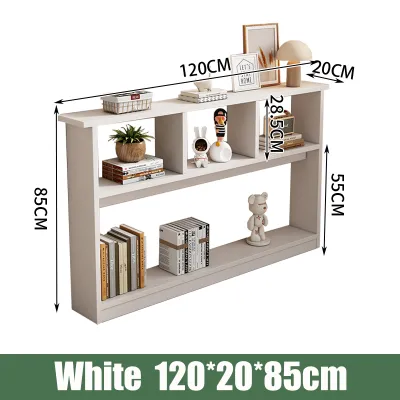
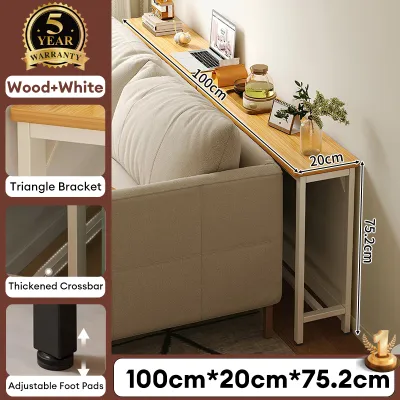
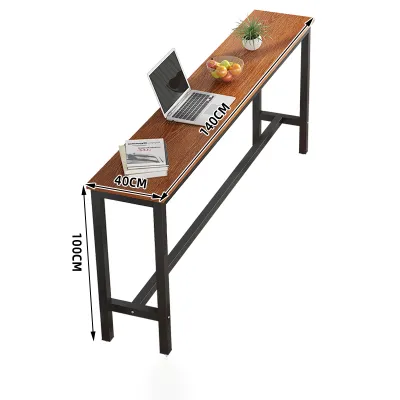
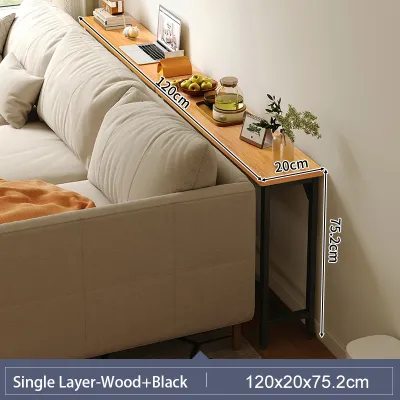
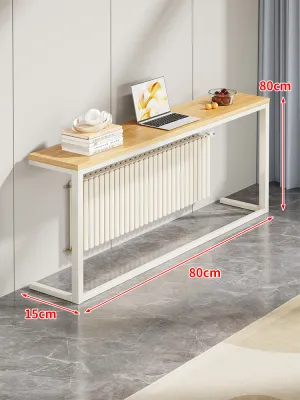


Prices are valid at publication and may change. Please refer to the product page for the latest price.
Finally, spatial constraints and traffic flow must dictate your choice. In a small bedroom, the area beside the bed is often a high-traffic zone. A nightstand that protrudes too far can lead to stubbed toes and restricted movement. By prioritizing a narrow depth and width, you can maintain a clear, safe walking path while keeping your phone, glasses, and a glass of water within arm’s reach.
Space and Dimension Checks for Small Bedrooms
Before browsing online marketplaces or visiting local furniture showrooms, you must conduct precise physical measurements of your bedroom. Use a reliable metal tape measure rather than relying on visual estimation. Measure the exact width of the gap between your bed frame and the adjacent wall or wardrobe. Be sure to account for any baseboards, wall outlets, or light switches that might affect how flush the table can sit against the wall.

Clearance for existing furniture is equally vital. If you have a wardrobe with swing doors or drawers next to the bed, measure the clearance required to open them fully without striking the new nightstand. Similarly, consider the overhang of your mattress and bed sheets, which can sometimes drape over the sides and cover a portion of a very narrow table.
Do not overlook the logistics of delivery and assembly. Measure your home’s entryways, including front doors, hallway corners, and stairwells. If you live in a high-rise condominium, check the dimensions of the passenger and service elevators. Even a slim, flat-packed nightstand requires sufficient clearance for the delivery box to be transported safely into your unit without damaging walls or the product itself.
Lastly, evaluate the visual weight and proportion of the slim table relative to your bed. A nightstand that is significantly taller or shorter than your mattress can look unbalanced and prove uncomfortable to use. Ideally, the tabletop should sit level with or up to five centimeters lower than the top of your mattress. This height alignment ensures that reaching for your phone or turning off an alarm remains natural and ergonomic.
Evaluating Storage Configurations and USB Charging
The internal configuration of a slim storage table determines how effectively you can organize your bedside essentials. Drawers are highly beneficial for keeping personal items out of sight and protecting them from dust, which can accumulate quickly in urban environments. However, drawers require clearance to pull open fully. If your bedside clearance is extremely tight, open shelves or cubbies may be a more practical choice, as they offer immediate access without requiring extra physical space to open.
When evaluating the integrated charging features, look closely at the types of USB ports provided. Many budget-friendly models only feature older USB-A ports, which typically deliver lower power output. If you own modern devices, look for a nightstand that includes at least one USB-C port. Check the manufacturer’s specifications for the power output ratings, usually measured in watts (W) or amperes (A). A port rated at 5V/2.4A or higher, or one that supports Power Delivery (PD), will charge your devices much faster than a standard 1A port.
Cable management is another essential consideration for maintaining a clean, organized look. High-quality slim tables often feature dedicated routing holes, recessed charging stations, or hidden compartments to keep power cords and charging cables neatly tucked away. This prevents a tangled mess of wires from cluttering your limited tabletop space.
Additionally, inspect the length and placement of the main power cord that connects the nightstand to your wall outlet. The cord should be long enough to reach the nearest outlet comfortably without being stretched tight or draped across a walkway, which creates a serious trip hazard. If the cord is too short, you may be forced to position the table awkwardly or rely on external extension cords, defeating the purpose of a built-in charging station.
Material, Stability, and Assembly Considerations
Because slim storage tables have a narrow footprint and a relatively tall profile, their stability and center of gravity require careful assessment. A top-heavy design can easily tip over, especially when top drawers are fully extended or loaded with heavy items. When evaluating a product, check the base design. Models with a wider base, weighted bottom shelves, or solid metal frames generally offer better stability than those with thin, tapered legs.
For ultra-slim units, wall-anchoring is highly recommended to prevent accidental tipping. Check the manufacturer’s product description to see if wall-anchoring hardware and instructions are included. If you live in a rental property where drilling into walls is restricted, you must prioritize models with a lower center of gravity and a highly stable, self-supporting frame.
Material selection is particularly important in the Philippines due to the tropical climate and high relative humidity. Engineered woods, such as medium-density fiberboard (MDF) or particleboard, are common in budget furniture but can absorb moisture from the air, leading to swelling, warping, and joint failure over time. If choosing engineered wood, verify that all edges are fully sealed and covered with a high-quality melamine laminate or water-resistant finish.
Solid wood and powder-coated metal frames generally offer superior durability and resistance to humidity-related damage, though they may come at a higher price point. Regardless of the material, inspect the care instructions provided by the manufacturer. Look for finishes that are easy to wipe clean with a dry or slightly damp microfiber cloth, and avoid using harsh chemical cleaners that could degrade the protective surface coating or damage the nearby electrical components.
Building Your Shortlist: Pre-Purchase Verification
When you are ready to build your shortlist and make a purchase, a systematic verification process will help you avoid buyer’s remorse. Start by cross-referencing the exact dimensions of the candidate nightstands with your physical room measurements. Do not rely solely on promotional images, which can sometimes use forced perspective to make a table appear larger or more spacious than it actually is.
Next, review the retailer’s policies and customer service offerings. Confirm the return policy, especially regarding electronic components. Built-in USB hubs can occasionally experience manufacturing defects, so having a clear warranty that covers both the structural furniture and the electrical parts is crucial. Additionally, check if the retailer offers professional assembly services, which can save you time and ensure the unit is put together correctly and stably.
Finally, spend time reading user feedback on online marketplaces and furniture forums. Pay close attention to reviews that mention the alignment of drawers, the ease of assembly, and the long-term reliability of the USB ports. Look for comments regarding structural wobble on uneven floors, which is a common issue on tiled or older concrete surfaces. If multiple reviews highlight a specific defect or poor stability, it is wise to remove that model from your shortlist and consider alternative options.
Frequently Asked Questions (FAQ)
Can I use a standard power strip with a built-in USB nightstand?
Connecting a nightstand with built-in USB ports to a standard power strip is possible, but it requires caution to avoid electrical hazards. Daisy-chaining—plugging one power strip or multi-outlet device into another—can overload your home’s electrical circuit and increase the risk of short circuits or electrical fires. Always check the maximum power rating of both the nightstand and the power strip. For optimal safety, it is highly recommended to plug the nightstand’s main power cord directly into a grounded wall outlet.
How do I clean and maintain the USB ports on a bedside table?
To keep the integrated USB ports functioning safely and efficiently, regular, low-risk maintenance is necessary. Before performing any cleaning, always unplug the nightstand’s main power cord from the wall outlet to eliminate the risk of electrical shock. Use a can of compressed air or a dry, soft-bristled brush to gently blow out or sweep away dust, lint, and debris from inside the ports. Never insert metal objects, such as paperclips or pins, into the ports, and avoid using liquid cleaners, damp cloths, or chemical sprays, as moisture can permanently damage the internal circuitry.

Community discussion
Share your experience or ask a question. Comments are reviewed before publication.