
Finding the right smart table with a charger for a compact condo or apartment in the Philippines requires balancing functional power integration with strict spatial constraints. In modern urban living, where studio and one-bedroom layouts dominate major metropolitan areas, every piece of furniture must earn its place. A smart table serves as a multi-functional solution, consolidating surface area, storage, and device charging into a single footprint. By eliminating the need for bulky power strips, tangled cables, and separate charging docks, these innovative pieces help maintain a clean, organized, and spacious feel in limited quarters. However, choosing the right model involves more than just picking an attractive design; you must carefully evaluate dimensions, electrical specifications, material durability, and safety features to ensure it fits your lifestyle and home environment.
Why Smart Tables Work for Compact Living Spaces
Multi-functional furniture is a cornerstone of efficient small-space design. In a compact apartment, clutter accumulates quickly when multiple devices require dedicated charging stations, side tables, and cable organizers. A smart table addresses this challenge by integrating power outlets, USB ports, and wireless charging pads directly into its structure. This consolidation allows you to replace several individual items—such as a traditional end table, a multi-port charging hub, and an extension cord—with one streamlined piece of furniture.
Visual weight is another critical factor when furnishing a small room. Heavy, solid, and dark furniture can make a small living room feel cramped and dark. Many smart tables are designed with a modern, minimalist aesthetic, featuring slender metal legs, open shelving, or glass tops. These design choices reduce the visual footprint of the table, allowing light to pass through and creating the illusion of a larger, more open space. Choosing a table with a light wood finish or a slim profile helps maintain an airy atmosphere while still providing the utility you need.
Products mentioned in this guide
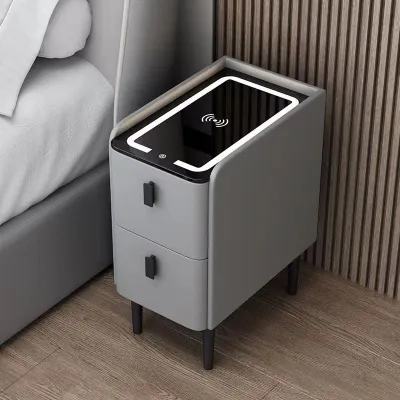
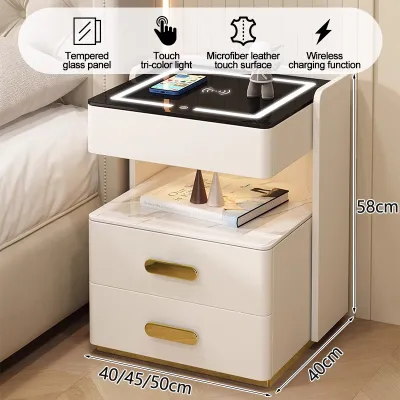
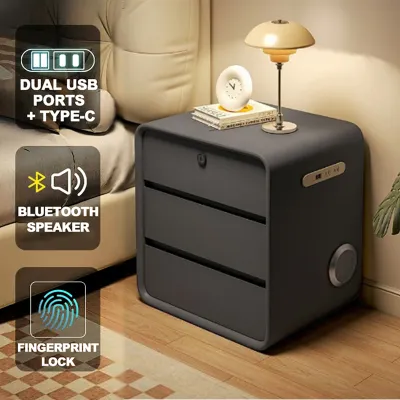
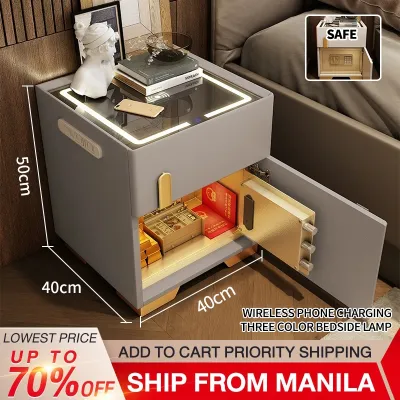
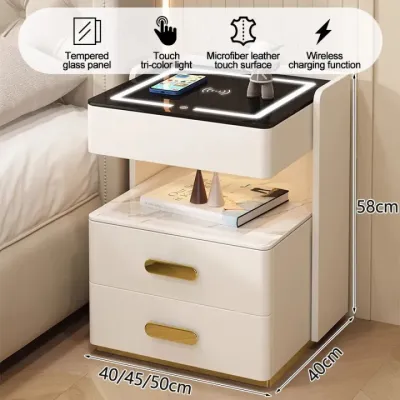
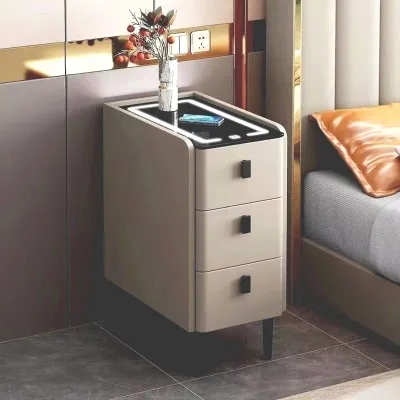
Prices are valid at publication and may change. Please refer to the product page for the latest price.
Integrating these tables into your existing layout requires a clear understanding of traffic flow. In a typical condo, the living area often serves multiple purposes, acting as a relaxation space, a home office, and an entertainment zone. A smart table can be positioned strategically next to a sofa, between two accent chairs, or even in a corner to serve as a transition piece. Because it keeps charging cables contained, it minimizes the risk of tripping hazards in high-traffic pathways, making your living space safer and more navigable.
How to Measure Your Space for a Smart Table
Before browsing online catalogs or visiting local showrooms, accurate measurements are essential to ensure your new furniture fits comfortably. Start by measuring the exact area where you plan to place the table. You must account for walking pathways and seating access around the piece. As a general rule, leave at least 50 to 60 centimeters of clearance between the table and other furniture, such as a sofa or media console, to allow for comfortable movement. If the table features drawers or cabinet doors, ensure there is enough clearance for them to open fully without hitting nearby obstacles.

Matching the height of the smart table to your existing seating is crucial for both comfort and accessibility. For a side table or end table, the surface should ideally sit within 5 centimeters of your sofa’s armrest height. This alignment ensures that you can easily reach your phone, a cup of coffee, or the charging ports without straining. If you are selecting a smart coffee table, it should typically be the same height as your sofa cushions or slightly lower, usually ranging between 40 and 50 centimeters from the floor.
Evaluating the physical footprint versus the actual usable surface area is another important step. A round smart table often has a smaller physical footprint and is easier to navigate around in tight spaces, but it may offer less usable surface area than a square or rectangular model. Consider what items you plan to place on the table daily, such as a laptop, books, or a table lamp, and ensure the surface dimensions can accommodate them alongside the designated wireless charging zone.
Finally, do not overlook the logistics of delivery and assembly. Measure your condo’s doorway width, hallway corners, and elevator dimensions to guarantee the packaged table can be safely transported to your unit. Many high-rise developments in the Philippines have strict guidelines regarding delivery sizes and elevator usage, so verifying these dimensions beforehand can prevent unexpected delivery headaches.
How to Evaluate Built-In Charging Specifications
The primary appeal of a smart table is its ability to power your devices, making it essential to understand the electrical specifications before purchasing. Begin by checking the types of wired ports available. A practical smart table should offer a mix of USB-A and USB-C ports to accommodate both older and newer devices. Look closely at the manufacturer’s product label or specification sheet to verify the power delivery (PD) ratings. Standard USB ports may only offer 5W or 10W of power, which can result in very slow charging times for modern smartphones and tablets. For faster charging, look for ports that support 18W, 20W, or higher power outputs.
Wireless charging pads built into the tabletop offer excellent convenience, but they require careful evaluation. Check the placement of the charging coil, which is usually indicated by a subtle icon or a textured ring on the surface. Verify the maximum wireless output wattage, which typically ranges from 5W to 15W. Keep in mind that wireless charging efficiency depends heavily on alignment; your device must be centered directly over the coil to charge effectively. Additionally, check the manufacturer’s guidelines regarding phone case thickness, as thick plastic, leather, or metal cases can block the wireless signal entirely.
Cable management is another critical aspect of a smart table’s design. Because the table itself must be plugged into a wall outlet to power its built-in chargers, you need to plan how the main power cord will run. Check the length of the table’s power cord in the product specifications to ensure it can reach your nearest wall outlet without stretching tightly across a walkway. Some tables feature clever built-in channels or hollow legs to hide the main cord, keeping your space looking neat and preventing tripping hazards.
Lastly, review the total wattage limits of the table’s internal power strip or control hub. Charging multiple high-draw devices simultaneously, such as a laptop, a tablet, and a smartphone, can strain the table’s electrical system. Ensure the table has built-in safety features such as surge protection, overcurrent protection, and short-circuit prevention. Verifying these safety certifications on the manufacturer’s label helps protect your expensive personal electronics from unexpected power fluctuations.
What to Check for Build Quality and Stability
A smart table is an investment in both furniture and technology, meaning build quality and structural stability are paramount. Start by verifying the weight capacity directly from the manufacturer’s specifications. Because these tables house delicate electronic components, they must be sturdy enough to handle daily use without wobbling. A table with a weak frame or loose joints can vibrate when devices are plugged in or when you place items on the surface, which may eventually damage the internal wiring. Look for frames constructed from robust materials like powder-coated steel, solid wood, or high-quality engineered wood with reinforced joints.
In the tropical climate of the Philippines, humidity and temperature fluctuations can affect furniture materials over time. High humidity can cause untreated wood to warp or swell, while condensation from cold drinks can damage cheap laminates and seep into the electronic components. To prevent this, check the surface treatment of the table. Look for water-resistant finishes, sealed edges, or tempered glass tops that are easy to wipe clean. Always review the manufacturer’s care instructions to understand how to maintain the surface and whether the use of coasters is highly recommended to protect the finish and the underlying electronics.
Tip-over risks are a serious consideration, especially in compact spaces where furniture is easily bumped. A smart table with a narrow base or a top-heavy design can easily tip over if you accidentally catch a charging cable or bump into it while walking past. Look for tables that feature a weighted base, wide-set legs, or adjustable leveling feet that ensure stability on uneven floors. If you have a modular seating arrangement that moves frequently, a stable, heavy-set table is even more critical to prevent accidental spills and damage to your devices.
How to Build Your Shortlist and Shop Safely
Finding the right smart table requires a systematic shopping approach, especially when browsing online marketplaces and local furniture retailers. Start by using the search filters on ecommerce platforms to narrow down your options. Filter by specific dimensions to ensure the candidates fit your measured space, and use precise keywords like “smart side table with USB” or “wireless charging coffee table” to bypass unrelated furniture. This helps you focus only on products that meet both your spatial and functional requirements.
Once you have a shortlist of potential tables, analyze verified user reviews carefully. Pay close attention to feedback regarding the real-world performance of the electronic components. Look for reviews that mention whether the wireless charging pad generates excessive heat, if the USB ports maintain a stable connection, or if the charging speed matches the manufacturer’s claims. User photos and videos can also provide valuable insights into the actual color, finish quality, and stability of the table, which may differ from polished promotional images.
Before finalizing your purchase, confirm the retailer’s return policies, warranty coverage, and after-sales support. Because smart tables combine furniture with consumer electronics, they are more susceptible to technical issues than standard tables. A reliable retailer should offer a clear warranty period—ideally covering both the structural frame and the electrical components for at least several months. Verify how to contact their customer service team and check if they have a straightforward return process in case the table arrives damaged or with non-functional ports.
Frequently Asked Questions (FAQ)
Can I leave my devices on the wireless charging pad overnight?
While most modern smartphones and smart tables are equipped with built-in overcharge protection and automatic power-off features, it is important to check the user manuals for both your device and the table. Continuous charging over many hours can generate moderate heat. In a warm, humid room, this heat accumulation can gradually degrade your device’s battery health over time. To ensure safety and prolong battery life, it is best to use the wireless charging pad primarily during waking hours when you can monitor the device, or ensure the room has adequate ventilation to help dissipate any heat generated during charging.
Do smart tables require a dedicated wall outlet?
Most smart tables are designed to operate on standard household voltage and do not require a dedicated high-amperage wall outlet. However, because they consolidate multiple charging ports, you should plug the table’s main power cord directly into a reliable, grounded wall outlet rather than daisy-chaining multiple extension cords or cheap power strips. This practice ensures a stable power supply to all integrated ports and minimizes the risk of overloading your home’s electrical circuits, especially if you plan to charge high-wattage devices like laptops alongside your mobile phones.
Community discussion
Share your experience or ask a question. Comments are reviewed before publication.