
Selecting a TV cabinet with drawer storage requires balancing aesthetic appeal with practical functionality. The most effective entertainment units do not just hide media accessories; they feature dedicated routing pathways, recessed back panels, and strategic drawer configurations that prevent wires from tangling or blocking mechanical tracks. When you choose a cabinet designed with integrated cable management, you ensure that power strips, media players, and gaming consoles connect to power outlets cleanly, without forcing you to jam cords behind heavy wooden frames. In tropical climates like the Philippines, where high humidity and ambient heat can affect both electronic performance and wooden furniture stability, selecting a cabinet with built-in ventilation and smart cable routing is essential for protecting your home entertainment investment.
To find the right cabinet with drawer units, you must look beyond surface aesthetics. Evaluating how the piece manages cables, supports weight, and fits into your living space will save you from the frustration of messy cords and overheated electronics. By focusing on specific design elements, drawer layouts, and physical measurements, you can select a media console that keeps your living room organized, safe, and visually clean.
Essential Cable Management Features to Look For
When shopping for a cabinet with drawer storage, the presence of pre-drilled grommets and cutouts is the first feature to verify. These access points, typically located on the back panel of open shelves or inside drawer compartments, allow you to pass power cords and HDMI cables directly to the wall outlet. Look for cutouts lined with plastic, rubber, or metal grommets. These protective rings prevent the sharp, unfinished edges of the cabinet backing from chafing or cutting into cable insulation over time.
Products mentioned in this guide
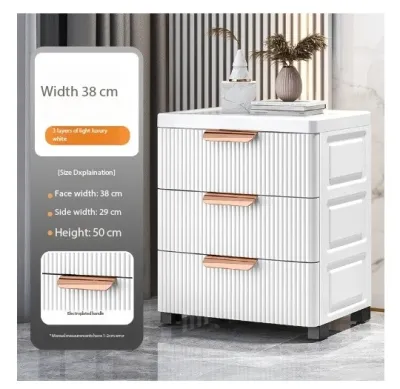
Prices are valid at publication and may change. Please refer to the product page for the latest price.
Another highly effective design element is a recessed back panel. In standard furniture, the back panel sits flush with the rear edge of the frame, leaving no space for cables if the cabinet is pushed flat against a wall. A recessed back panel is set forward by two to three inches, creating a hidden vertical cavity. This cavity acts as a dedicated channel where you can run thick power cables, coaxial wires, and surge protectors horizontally and vertically without pinching them against the concrete or plaster walls of your home.
Raised bases and recessed toe kicks also play a crucial role in cable routing. A cabinet supported by legs or a recessed plinth provides a hidden runway underneath the main body of the furniture. This lower clearance allows you to route thick extension cords or place low-profile power strips completely out of sight. Keeping cables elevated off the floor is particularly beneficial in humid environments, as it prevents dust bunnies and moisture from accumulating around electrical connections, making daily sweeping and mopping much safer and easier.
Finally, look for cabinets that feature open-back shelving sections situated directly adjacent to the drawer units. These open areas provide a direct path for cables to exit the cabinet while allowing maximum airflow around heat-generating devices like cable boxes and streaming devices. By combining closed drawer storage for small accessories with open-back compartments for active electronics, you achieve a clean front profile without sacrificing cable organization.
Evaluating Drawer Configurations and Storage Layouts
The internal structure of the drawers and how they sit within the cabinet frame directly impact your ability to route cables cleanly. Full-extension drawers utilize ball-bearing glides that allow the drawer box to pull completely out of the cabinet frame. While this provides excellent access to stored items, deep full-extension drawers often leave zero clearance between the back of the drawer box and the cabinet’s rear panel when closed. If you run cables behind these drawers, the drawer box can crush or sever the wires when pushed shut.

To avoid this issue, look for cabinets designed with partial-depth drawers. These drawer boxes are intentionally shorter than the overall depth of the cabinet frame, leaving a generous physical void at the rear. This empty space serves as a safe drop zone for cables, ensuring that power bricks and bundled wires can hang freely behind the drawers without interfering with the drawer’s opening and closing path. Always check the manufacturer’s interior drawer specifications to confirm this rear clearance.
Split-drawer designs offer another excellent layout for managing media equipment. These cabinets feature drawer units on the outer left and right flanks, leaving a central column of open shelving. This configuration allows you to place your primary media consoles in the center, where they can connect directly to the TV and wall outlets through central back-panel cutouts. The cables remain concentrated in the middle of the cabinet, completely isolated from the moving mechanical glides of the drawers on either side.
Before finalizing your purchase, check the internal depth of the drawers to ensure your stored items will not cause structural issues. If a drawer is packed too tightly, items can protrude from the back of the drawer box, pressing against the cabinet’s thin backing material. In humid conditions, this pressure can bow or detach the back panel, exposing your hidden cables and ruining the cabinet’s clean aesthetic. Choosing drawers with solid wood or reinforced engineered wood backings helps maintain structural integrity under load.
Pre-Purchase Measurements and Safety Checks
Before purchasing a cabinet with drawer storage, you must take precise physical measurements of your living space. Measure the width, depth, and height of the designated wall area, taking care to account for baseboards, wall trim, and protruding electrical outlets. A cabinet should never block access to your wall outlets; instead, measure the height of your outlets to ensure they will align with the cabinet’s open shelving or recessed back panel for easy plug access.
Delivery and assembly access must also be verified prior to purchase. In many residential buildings and condominiums, narrow doorways, tight stairwells, and compact elevator cabins can prevent the delivery of fully assembled furniture. Check whether the cabinet is delivered flat-packed for on-site assembly or as a single, pre-assembled unit. If it is pre-assembled, compare the package dimensions against your home’s entry points to avoid delivery day complications.
Verifying the manufacturer’s stated weight capacity is a critical safety step, especially if you plan to place a large television directly on top of the cabinet. Heavy screens, soundbars, and multi-channel receivers require a stable, sag-free surface. Look for cabinets constructed with robust joinery, such as dowels or cam-locks, and check for the presence of a center support leg. A center leg prevents the middle of the cabinet from bowing under the weight of your electronics, which can bind the drawers and prevent them from sliding smoothly.
In warm, tropical climates, heat dissipation is a primary concern for home electronics. Enclosed wooden cabinets can trap heat, causing gaming consoles and media receivers to run hot and fail prematurely. Ensure your selected cabinet has adequate ventilation gaps, slatted doors, or breathable back panels. Avoid placing high-performance electronics inside completely sealed drawer compartments; instead, reserve drawers for physical media, controllers, and cables that are not currently in use.
Workarounds for Cabinets Lacking Built-In Routing
If you find a cabinet with drawer storage that fits your style perfectly but lacks built-in cable management, you can implement several effective aftermarket workarounds. Adhesive cable clips and hook-and-loop straps are invaluable tools for securing loose wires along the underside or back of the cabinet frame. By mounting these clips systematically, you can guide cables along the solid wooden rails of the furniture, keeping them suspended and completely hidden from view.
For power strips and heavy power adapters, consider mounting an under-desk wire basket or cable tray to the back panel of the cabinet. These trays can be screwed directly into the solid wood frame, providing a sturdy platform to hold your surge protector and excess cable slack off the floor. This setup keeps all your primary power connections consolidated in one neat bundle behind the cabinet, requiring only a single main power cord to run down to the wall outlet.
If you are comfortable with basic tools, you can drill custom access holes into the back panel of a wooden cabinet. Before doing so, always check the manufacturer’s warranty terms, as structural modifications will void your return privileges. Use a power drill equipped with a hole saw attachment to cut clean, circular openings. To prevent the wood veneer or laminate from splintering, apply a layer of masking tape over the designated drilling area and drill at a steady, moderate speed.
When routing cables inside a modified cabinet, you must keep all wires strictly away from the moving drawer tracks. Loose cords can easily drift into the path of metal drawer glides, where they can be pinched, stripped of their insulation, or severed. Use spiral cable wraps or braided sleeves to bundle multiple cords into a single, rigid trunk. Anchor this trunk securely to the stationary interior frame of the cabinet using screw-in cable clamps, ensuring the drawer boxes have clear, unobstructed travel.
Frequently Asked Questions (FAQ)
Can I drill my own cable holes in a wooden TV cabinet?
Yes, you can drill custom cable holes in a wooden cabinet, provided you verify the material and warranty guidelines first. Solid wood and high-quality plywood are excellent candidates for drilling, whereas thin particleboard or low-grade engineered wood can crumble or splinter if not handled carefully. Always use a sharp hole saw attachment on your power drill to ensure a clean, circular cut. To protect the finish, place a piece of masking tape over the spot you plan to drill, and drill from the finished side inward. In humid environments, it is highly recommended to apply a quick coat of clear wood sealant or lacquer to the newly exposed raw wood edges inside the hole to prevent moisture absorption, swelling, and structural weakening.
How do I prevent cables from getting caught in the drawer tracks?
To prevent cables from interfering with moving drawer glides, you must eliminate all cable slack behind the drawer boxes. Start by bundling your cables together using flexible, braided cable sleeves or spiral wraps, which consolidate multiple loose wires into a single, manageable line. Next, use heavy-duty adhesive cable tie mounts or screw-in clamps to anchor the bundled cables directly to the stationary interior frame of the cabinet. Ensure that the path of the drawer box and its metal tracks is completely clear of any hanging wires. Test the drawer movement slowly several times after installation to confirm that no part of the drawer mechanism contacts or rubs against the secured cable bundle.
Community discussion
Share your experience or ask a question. Comments are reviewed before publication.