
Finding a reliable ergonomic office chair in the Philippines within a ₱3,000 to ₱15,000 budget is highly achievable if you know which features directly support your posture and which are merely marketing gimmicks. In this price range, you do not need to settle for a basic plastic stool or an unsupportive gaming chair. Instead, your focus should be on securing verified mechanical safety, adjustable lumbar support, and breathable materials that can withstand tropical humidity.
By understanding how to evaluate build quality and navigate online marketplaces, you can make an informed investment that protects your spine and matches your physical workspace. This guide breaks down the essential features, material trade-offs, and purchasing strategies to help you select the best chair for your specific budget.
Understanding Your Budget: What to Expect Between ₱3,000 and ₱15,000
When shopping for an ergonomic office chair in the Philippines, the ₱3,000 to ₱15,000 price range represents the transition from basic task seating to fully adjustable, highly durable office furniture. Understanding what each sub-tier offers prevents unrealistic expectations and helps you target the models that offer the highest utility for your money.
Products mentioned in this guide
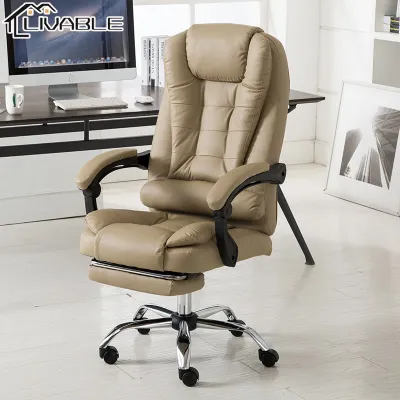
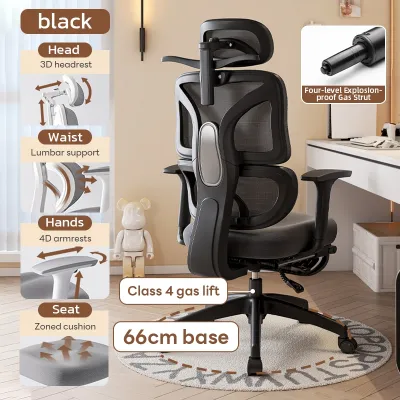
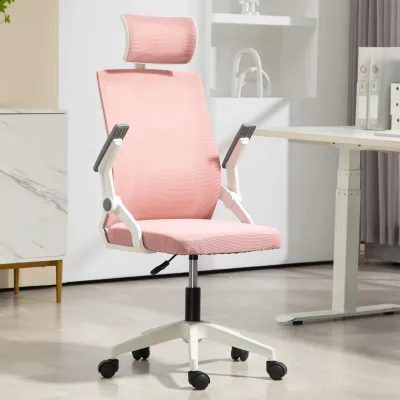
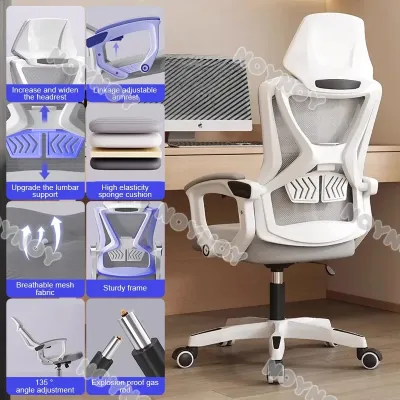
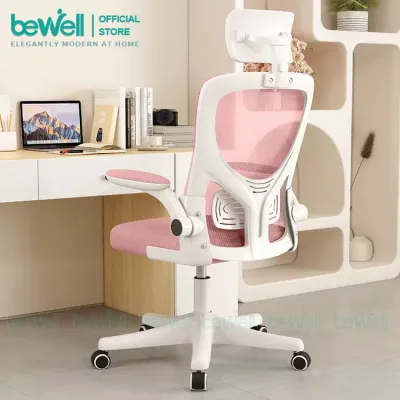
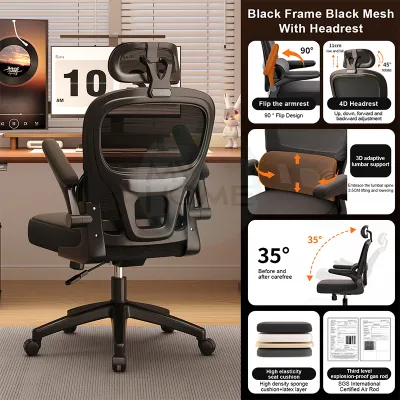
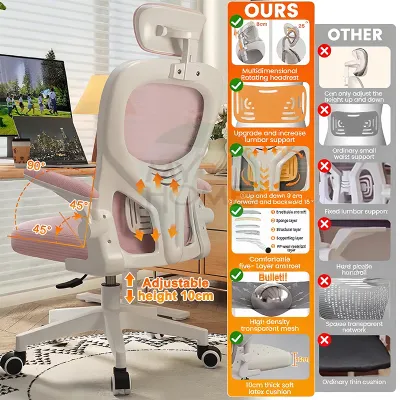
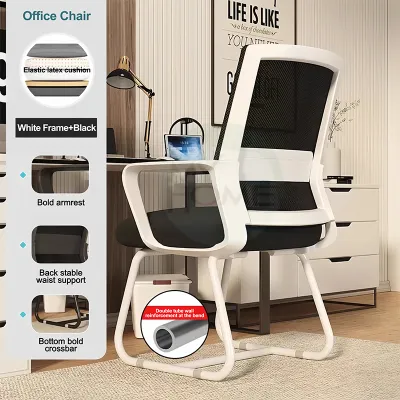
Prices are valid at publication and may change. Please refer to the product page for the latest price.
The entry-level tier, spanning ₱3,000 to ₱5,999, typically features basic task chairs. These models generally offer pneumatic height adjustment, a fixed or slightly adjustable lumbar pad, nylon star bases, and simple mesh backrests. While adjustment options are limited, these chairs provide a major ergonomic upgrade over standard dining chairs or wooden stools by supporting the natural curve of your lower back.
The mid-range tier, from ₱6,000 to ₱9,999, introduces more robust customization. In this bracket, you will find chairs with 2D adjustable armrests, dedicated tilt-tension controls, thicker molded seat foam, and adjustable lumbar support systems. The structural components are often reinforced with heavy-duty nylon or steel inserts, offering greater stability and higher weight capacities.
The premium mid-range tier, from ₱10,000 to ₱15,000, approaches commercial-grade office standards. Here, the budget allows for advanced mechanical features like synchro-tilt mechanisms, 3D or 4D armrests, adjustable seat depth, and polished aluminum bases. The mesh used in these models is typically more resilient, maintaining its tension over years of daily use without sagging.
Regardless of which tier you choose, compromise is inevitable. A lower budget means accepting simpler plastics, fewer adjustment levers, and basic fabric finishes. However, you must never compromise on fundamental structural safety, base stability, or a certified gas lift.
Additionally, always factor in the total landed cost before finalizing your purchase. A bulky office chair package can weigh between 15 to 25 kilograms, and shipping fees from major distribution centers to provincial areas in Visayas or Mindanao can add ₱500 to ₱2,000 to your final bill. Keep this buffer in mind so you do not accidentally exceed your ₱15,000 limit.
Essential Ergonomic Features to Prioritize
To get the most value out of your budget, you must distinguish between features that actively protect your musculoskeletal health and those that are purely aesthetic. Focusing on mechanical adjustments ensures your chair adapts to your body rather than forcing your body to adapt to the chair.

Non-Negotiable Adjustments
Every chair in this budget range must feature a reliable pneumatic gas lift for seat height adjustment. To ensure safety and longevity, verify that the gas lift is certified as Class 3 or Class 4 by looking at the manufacturer’s technical specifications. Class 4 gas lifts have thicker steel walls and offer superior durability, preventing the frustrating “sinking chair” phenomenon over time.
Proper lumbar support is equally critical to prevent slouching and reduce lower back pressure. At a minimum, the chair should have a contoured backrest that mimics the natural S-curve of the spine. If the lumbar support is fixed, check the dimensions to ensure the curve aligns with your lower back; if adjustable, look for systems that allow you to shift the support vertically to match your lumbar region.
Finally, pay close attention to the seat pan design. A high-quality ergonomic chair features a contoured “waterfall” front edge that slopes slightly downward. This curve reduces pressure on the back of your thighs, maintaining healthy blood circulation to your lower legs during long working sessions.
Worth the Upgrade (If Budget Allows)
If your budget stretches toward the higher end of the ₱15,000 limit, prioritize adjustable armrests. Fixed armrests often force your shoulders into a shrugged position or prevent you from pulling your chair close to your desk. Look for at least 2D armrests, which adjust for height and angle, allowing your elbows to rest comfortably at a 90-degree angle while keeping your shoulders relaxed.
Another upgrade worth the investment is a high-quality tilt mechanism, specifically a synchro-tilt system. Unlike simple tilt-lock mechanisms that rock the entire chair back as a single unit, synchro-tilt moves the backrest and the seat pan in a coordinated ratio (usually 2:1). This keeps your feet flat on the floor and maintains proper pelvic alignment as you recline, encouraging dynamic movement throughout the day.
When choosing between mechanical upgrades and comfort accessories, always prioritize the mechanics. Features like built-in pull-out footrests or heavily padded headrests often add weight and mechanical complexity without improving your sitting posture. In a tight budget, these accessories are frequently made of cheap materials that break easily, so redirecting those funds toward a better tilt mechanism or a sturdier base is a smarter choice.
Material and Build Quality: Making Smart Trade-offs
In the warm, humid climate of the Philippines, material selection directly affects both your daily comfort and the lifespan of your office chair. A material name alone does not guarantee performance; instead, you must evaluate how different textiles and structural components behave in your specific home or office environment.
Mesh upholstery is highly recommended for tropical climates because it allows air to circulate freely, keeping you cool even in rooms without continuous air conditioning. However, cheap mesh can stretch and sag within a few months, causing you to bottom out against the seat frame. When selecting a mesh chair, check verified user reviews for mentions of mesh tension and look for double-woven or elastomeric mesh fabrics.
Fabric upholstery with foam padding offers a soft, traditional feel, but it requires regular maintenance. Fabric traps sweat, dust, and humidity, which can lead to odors and staining over time. If you select a fabric chair, look for high-density molded foam rather than cheap cut foam, as molded foam retains its shape and supportive qualities for years. Plan to vacuum the seat regularly and address spills immediately according to the manufacturer’s care instructions.
Polyurethane (PU) leather is often featured on budget gaming chairs to mimic a premium executive look. However, PU leather is highly susceptible to cracking and peeling when exposed to sweat and high humidity. Unless your workspace is constantly air-conditioned, avoid cheap PU leather chairs, as the outer layer will likely begin to delaminate within a year, leaving unsightly flakes on your floor.
For the structural frame and base, you will generally choose between reinforced nylon and metals like steel or aluminum. Reinforced nylon is an excellent, rust-proof option for humid environments, provided it is heavy-duty. Check the manufacturer’s stated maximum weight capacity, which should ideally be at least 120 kilograms to ensure structural safety under daily dynamic loads.
Ensure the chair utilizes a stable five-point star base paired with smooth-rolling casters. If you have hard floors like tile, vinyl, or hardwood, look for polyurethane-coated casters to prevent scratching. Do not assume a metal base is automatically superior; look for structural warranties of at least one to three years, and check user feedback regarding joint squeaking or frame wobble to verify overall construction quality.
Navigating E-Commerce Platforms and Avoiding Pitfalls
Buying an office chair online requires a strategic approach to avoid misleading listings, incorrect sizing, and unexpected delivery issues. Because you cannot sit in the chair before purchasing, you must rely on precise technical data rather than marketing buzzwords.
When searching online marketplaces, avoid generic search terms like “office chair” or “ergonomic chair,” which tend to surface thousands of low-quality, non-adjustable models. Instead, use highly specific search filters such as “synchro-tilt ergonomic,” “Class 4 gas lift,” or “adjustable seat depth.” This filters out basic dining and folding chairs, pointing you directly to models engineered for long-term desk work.
Be alert to common red flags in product listings. A major warning sign is the absence of a detailed dimension diagram showing seat height, seat width, backrest height, and armrest adjustments. Avoid listings that make grand ergonomic claims but show no visible adjustment levers, adjustment knobs, or lumbar support mechanisms in their product photos. Suspiciously low prices for chairs claimed to have premium aluminum bases or advanced multi-functional mechanisms are also a sign of low-grade materials.
Always calculate the total landed cost before clicking the buy button. Shipping heavy, oversized furniture boxes can be expensive, and some platforms do not display the final shipping fee until you reach the checkout screen. Additionally, check the assembly requirements; while most budget chairs require self-assembly, verify if the package includes the necessary hex keys and clear instructions, or if you will need your own tools.
To protect your investment, prioritize official brand stores, flagship stores, or highly rated specialty furniture sellers on major online platforms. These sellers are far more likely to honor product warranties, provide responsive customer service, and stock replacement parts like replacement casters or upgraded gas lifts if a component fails down the road.
Final Pre-Purchase Checklist
Before you complete your purchase, take a few minutes to run through this final verification checklist to ensure your chosen ergonomic chair fits your body, your physical workspace, and your budget:
- Desk Clearance: Measure the distance from your floor to the underside of your desk. Compare this to the maximum height of the chair's armrests to ensure the chair can slide fully under the desk when not in use.
- Gas Lift Specification: Double-check the product description or ask the seller directly to confirm that the chair uses a certified Class 3 or Class 4 gas lift.
- Dimension Match: Compare the chair's seat height range with your lower leg length (measured from the back of your knee to the floor while wearing your typical footwear) to ensure your feet can rest flat on the ground.
- Weight Capacity: Confirm that your body weight falls well within the manufacturer's recommended weight limit, leaving a safe buffer for dynamic movement.
- Warranty Terms: Verify that the seller provides a clear warranty covering structural parts, the gas lift, and the tilt mechanism for at least 12 months.
If the ideal chair that meets all your physical requirements slightly exceeds your ₱15,000 budget limit, consider waiting for major monthly online sales campaigns (such as 9.9, 10.10, or 11.11). Official brand stores frequently offer substantial platform vouchers, store discounts, and reduced shipping rates during these events. It is always better to wait a few weeks for a discount on a structurally sound chair than to rush into buying an unsafe, non-adjustable model.
Once your new chair arrives, unbox it carefully and inspect all parts for shipping damage before assembly. Keep your digital order receipt, the printed warranty card, and the assembly manual in a safe place. Tighten the structural bolts periodically—about once every six months—to maintain joint stability and ensure your ergonomic investment continues to support your posture for years to come.
Frequently Asked Questions (FAQ)
How do I know if an ergonomic office chair will fit my height and weight?
To determine if a chair fits your body without trying it in person, you must match your physical measurements against the manufacturer’s detailed dimension diagram. Measure your lower leg length from the back of your knee to the sole of your foot while sitting; the chair’s seat height range must allow your feet to rest completely flat on the floor with your knees at a 90-degree angle. Next, check the seat depth: when sitting fully back against the lumbar support, there should be a two-to-three-finger gap between the front edge of the seat pan and the back of your knees to prevent circulation issues. Finally, check the maximum weight capacity and ensure your weight is well below this limit to prevent premature wear on the gas lift and tilt mechanisms.
Are second-hand or refurbished ergonomic chairs a good way to stretch my budget?
Buying a second-hand or refurbished office chair can be an excellent way to access premium, commercial-grade brands that normally retail far above ₱15,000. However, this approach carries distinct risks, such as compressed seat foam that has lost its supportive qualities, worn-out gas lifts that sink over time, and voided manufacturer warranties. If you decide to buy used, prioritize local, in-person transactions where you can physically inspect the chair. Before paying, test the gas lift multiple times, check the tension of the mesh for any sagging or tears, ensure all adjustment levers lock securely into place, and listen closely for excessive squeaking or wobbling in the frame joints.
Community discussion
Share your experience or ask a question. Comments are reviewed before publication.