
To choose the right bedside side table with built-in charging and storage, you must balance physical dimensions, electrical safety, and storage configuration. The ideal table fits your available bedroom space, aligns with your wall outlets, offers a mix of open and closed storage to manage clutter, and provides safe, compatible charging ports (like USB-A, USB-C, and AC outlets) that handle your daily devices. In tropical climates like the Philippines, where humidity can affect both wood joints and electronic components, checking the durability of the finish and the ventilation of the power hub is equally essential.
Assess Your Space and Power Layout
Before browsing designs, measure the exact floor area next to your bed frame. Ensure you account for the swing of wardrobe doors, the opening of the bedside table’s own drawers, and comfortable walking clearance around the bed. A table that is too wide can crowd your sleeping area, while one that is too tall or short will make reaching your phone or a glass of water awkward.
Additionally, match the height of the bedside table to the top of your mattress. A table that sits roughly level with or a few inches above your mattress makes it much easier to reach for your phone, turn off an alarm, or grab a glass of water in the dark. If the table is too low, you may find yourself straining your back or shoulders when reaching down from a high mattress.
Products mentioned in this guide

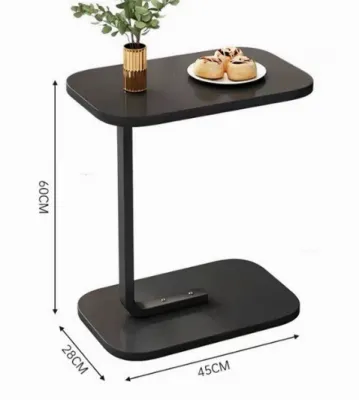
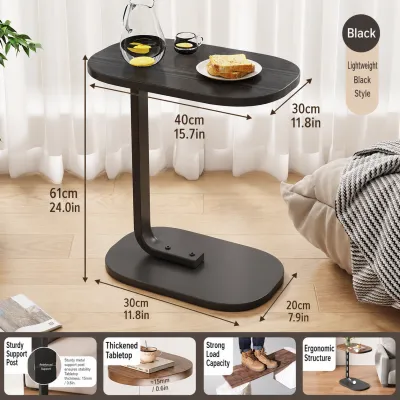
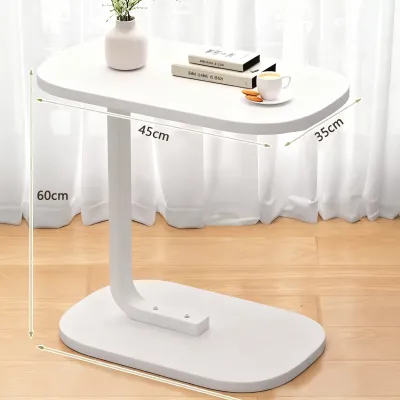
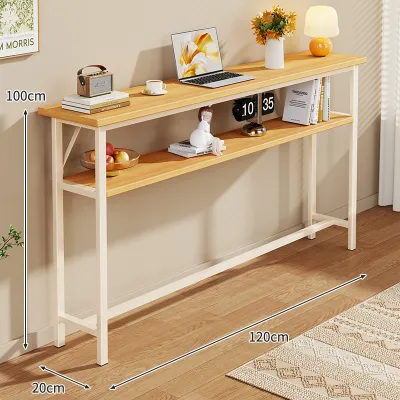
Prices are valid at publication and may change. Please refer to the product page for the latest price.
Next, locate the nearest wall outlet. Measure the distance from the outlet to where the table will sit to ensure the integrated power cord can reach comfortably. Avoid stretching cords tightly across walkways or relying on daisy-chained extension cords, which can pose tripping hazards and electrical risks in busy household spaces.
You will also need to decide between a standard plug-in model and a hardwired option. Plug-in models are highly versatile, allowing you to simply insert the table’s main cord into an existing wall socket. Hardwired options offer a seamless, cord-free look but typically require professional installation by a licensed electrician to connect directly to your home’s electrical wiring.
Evaluate Storage Configurations for Daily Use
Your storage needs depend heavily on your nighttime habits and how much clutter you prefer to keep out of sight. Closed drawers are excellent for concealing personal items, medications, and loose cables, maintaining a clean and organized bedroom aesthetic. Open shelving, on the other hand, provides quick access to books, tablets, or decorative items that you want within arm’s reach.

When evaluating options, inspect the drawer glide mechanisms and internal dimensions. Look for smooth-rolling metal glides or sturdy wooden tracks that prevent the drawers from sticking or jamming when loaded with heavier items. Verify that the drawer depth and width can comfortably accommodate your specific devices, such as e-readers or tablets, without forcing them into tight angles.
Consider the weight capacity of the drawers as well. If you plan to store heavy books, multiple tablets, or personal organizers, check that the drawer bottoms are reinforced and won’t sag over time. High-quality joinery, such as dovetail joints, often indicates a more durable drawer construction that can handle daily wear and tear.
Effective cable management is another critical feature of a well-designed bedside table. Look for models with built-in rear cutouts, grommets, or internal routing channels. These design elements allow you to run charging cables from the power strip directly to your devices without creating a tangled mess of wires on top of the table surface.
Verify Charging Port Specifications and Safety
The utility of a smart bedside table depends on its power hub configuration. Check the product specifications to identify the types of ports provided, such as standard AC outlets, USB-A ports, and modern USB-C ports. Ensure the port types match your current devices and any upgrades you plan to make in the near future.
Review the total wattage and individual port output ratings on the manufacturer’s label. A low-wattage USB port may charge a smartphone slowly and fail to power a tablet or laptop altogether. Confirm that the power hub is rated to support simultaneous charging across multiple ports without overheating or dropping power to individual devices.
Some modern bedside tables also feature integrated wireless charging pads on the tabletop surface. While highly convenient for cable-free charging, ensure your smartphone is compatible with the specific wireless standard used by the table. Keep in mind that wireless charging can generate more heat than wired connections, making surface ventilation and material heat resistance even more critical.
Safety is paramount when integrating electronics into wooden or composite furniture. Look for power modules equipped with built-in surge protection and overload switches to protect your expensive electronics from voltage spikes. Additionally, verify that the electrical components carry recognized safety certification marks applicable in the Philippines, indicating they have been tested for fire and shock resistance.
Inspect Build Quality and Surface Durability
A bedside table must be structurally sound to support both heavy decorative items and your daily electronics. Examine the base structure and leg design, prioritizing wide, stable bases or solid legs that prevent the table from wobbling when you open a drawer. If you plan to place a heavy ceramic lamp or multiple books on top, check the manufacturer’s specified load capacity to avoid structural sagging.
Because the tabletop will host charging devices that naturally generate mild heat, the surface finish must be highly durable. Look for materials treated with heat-resistant, scratch-resistant, and moisture-resistant coatings. In humid tropical environments, a high-quality sealant is crucial to prevent water rings from condensation glasses and to protect composite woods from swelling.
Pay close attention to the joints and assembly points of the furniture. Bedside tables made from solid wood or high-density fiberboard with reinforced corner blocks offer superior stability compared to lightweight particleboard models. In tropical climates, look for finishes that are specifically rated to resist moisture absorption, which helps prevent the wood from warping or expanding during the rainy season.
Do not overlook the quality of the hardware. Test the drawer pulls, handles, and hinges to ensure they are securely fastened and made of durable metals rather than flimsy plastics. High-quality hardware ensures the table remains fully functional through years of daily opening and closing.
Plan for Delivery, Assembly, and Placement
Before finalizing your purchase, verify the fully assembled dimensions of the table against your home’s entry points. Measure your doorways, narrow hallways, and stairwells to ensure the delivery team or you can easily transport the furniture to your bedroom. This is especially important for pre-assembled units that cannot be flat-packed.
If the table requires home assembly, review the manufacturer’s instructions beforehand. Note whether you will need specialized tools to secure the charging module or reinforce the structural joints safely. Ensure all electrical housing components are mounted securely according to the manual to prevent loose wiring or unstable connections.
If you live in a multi-story home or an apartment building without an elevator, check the package weight before delivery. Some solid wood or fully assembled smart tables can be surprisingly heavy, requiring multiple people to carry them safely up stairs. Planning your delivery route ahead of time prevents accidental damage to both your new furniture and your home’s walls.
Finally, plan the placement of the table to maintain adequate ventilation around the integrated power strip. Avoid pushing the table flush against the wall or heavy drapes, which can trap heat generated by charging adapters. Leave a small gap to allow air to circulate freely and to prevent the main power cord from being pinched or bent at sharp, damaging angles.
Frequently Asked Questions (FAQ)
Can I replace the charging module if it stops working?
Whether you can replace the charging hub depends on the table’s design. Some models feature modular power strips that can be unscrewed and swapped out if a port fails, while others have permanently integrated electronics. Always check the manufacturer’s warranty terms and consult a qualified electrician for any hardwired repairs or complex electrical troubleshooting to avoid voiding your warranty or creating safety hazards.
How do I clean the surface without damaging the charging ports?
To clean a bedside table with integrated electronics safely, always unplug the main power cord from the wall outlet first. Use a slightly damp, lint-free microfiber cloth to wipe down the wood or composite surfaces, and avoid spraying liquid cleaners or water directly near the electrical ports. Allow the surface to dry completely before plugging the unit back in and resuming use.

Community discussion
Share your experience or ask a question. Comments are reviewed before publication.