
Selecting the ideal bedside side table with integrated charging and storage requires balancing physical dimensions, power needs, and organization. A well-chosen nightstand keeps your essential devices powered overnight while keeping daily items within arm’s reach and free from clutter. By evaluating your bedroom’s layout, your specific device requirements, and the structural quality of the furniture, you can find a piece that enhances both your room’s aesthetic and your nightly routine.
Assess Your Space and Surface Dimensions
Before browsing online marketplaces, measure your available floor space. Start by checking the height of your mattress. Ideally, the top surface of your bedside table should sit level with or slightly above your mattress, typically within a range of two to three inches, to allow you to reach items easily without straining.
Next, measure the clearance between the bed frame and the nearest wall or wardrobe. Ensure there is enough room for a comfortable walking path, especially in compact bedrooms where space is at a premium. You should also verify the door swing of nearby closets and the clearance needed to pull drawers fully open without blocking the walkway.
Products mentioned in this guide

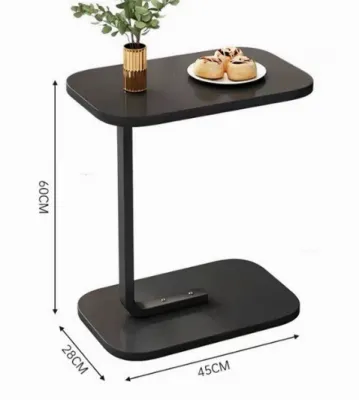
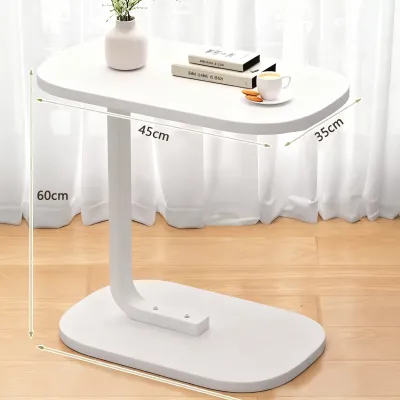
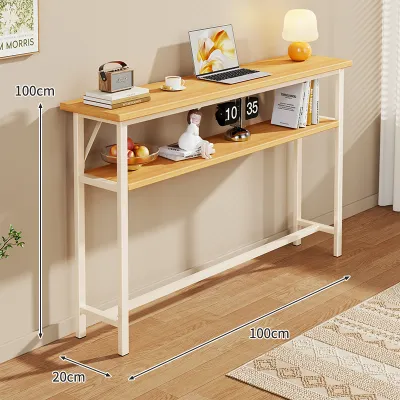
Prices are valid at publication and may change. Please refer to the product page for the latest price.
Consider what you plan to place on the tabletop. If you use a large bedside lamp, a physical book, and a glass of water, a narrow surface will quickly feel overcrowded. Map out the footprint of these daily essentials against the manufacturer’s specified surface dimensions to ensure everything fits comfortably without risking accidental spills near your electronics.
Additionally, think about doorway and lift access when ordering pre-assembled furniture. If you live in a high-rise condominium, verify that the packaged dimensions can fit through your building’s elevator doors and narrow hallways. For self-assembly units, ensure you have a clear, flat area in your room to assemble the pieces safely.
Evaluate Integrated Charging Configurations
Modern bedside tables often feature built-in power strips, but the specific port configuration determines how useful they are for your daily devices. Look for a combination of standard AC outlets, USB-A ports, and USB-C ports. USB-C ports are increasingly important for fast-charging newer smartphones and tablets, while standard AC outlets are necessary for lamps, alarm clocks, or humidifiers.

Pay close attention to the placement of these ports. Recessed power strips on the top surface keep plugs accessible but can expose the outlets to dust or accidental liquid spills. Alternatively, power hubs mounted inside an open shelf or on the back panel offer a cleaner look and keep cords tucked away, though they may be slightly harder to reach.
Cable management is another critical factor. Look for tables with built-in cord channels, grommets, or dedicated rear cutouts that allow you to route charging cables neatly down to the wall outlet. This prevents a tangled mess of wires behind your bed and keeps your sleeping area looking tidy.
Always check the manufacturer’s specifications for the total power output of the USB ports, usually measured in watts or amperes. Ensure the unit features built-in surge protection to safeguard your expensive electronics from sudden voltage spikes. An integrated on/off switch for the power strip is also a valuable safety feature, allowing you to cut power to all connected devices when they are not in use.
If you plan to charge multiple high-draw devices simultaneously, such as a laptop and a tablet, verify that the built-in power strip can handle the combined load. Some basic models only support low-voltage charging, which can result in extremely slow charging times for larger electronics.
Determine Storage Layout and Accessibility
The right balance of open and closed storage depends on your personal habits and organizational needs. Enclosed drawers are excellent for hiding clutter, protecting items from dust, and keeping personal belongings private. If you prefer a minimalist look, a table with two or three drawers can keep your bedside completely clear.
Open shelving, on the other hand, provides quick access to items you grab frequently, such as books, tablets, or slippers. Many homeowners find that a hybrid design—featuring a single drawer at the top for small items and an open shelf below—offers the best of both worlds.
When evaluating drawers, check the quality of the glide mechanisms. Smooth metal drawer slides are generally more durable and easier to operate than simple wood-on-wood grooves, which can stick or squeak in humid tropical climates. Look for drawers with sufficient depth to hold your specific items, such as journals, glasses cases, or medication organizers.
Do not overlook the weight capacity of the internal shelves and drawers. If you plan to store heavy books, tablets, or multiple electronic devices, verify that the bottom panels are structurally reinforced. A sagging drawer bottom can ruin the functionality of the furniture over time.
Consider how internal dividers can help organize smaller items. Some bedside tables come with built-in compartments or shallow trays inside the top drawer, which are perfect for keeping charging cables, pens, and reading glasses from rolling around.
Verify Build Quality, Materials, and Safety
Because these tables house electrical components, structural stability and material safety are paramount. Inspect the base design and weight distribution of the table. A top-heavy unit with narrow legs can easily wobble or tip over when you pull a drawer open or plug in a device, so look for sturdy construction or included anti-tip anchoring hardware.
The choice of surface material affects both durability and maintenance. In humid environments, engineered wood with a high-quality laminate or veneer finish can resist warping, but you must check the care instructions regarding moisture. Look for finishes that specify resistance to water rings from condensation glasses and heat generated by charging devices.
Ensure all integrated electrical components carry recognized safety certifications and labels. The assembly instructions should clearly outline how to route the main power cord safely without pinching it under the table legs. If the unit requires extensive assembly, verify that the electrical module comes pre-assembled and sealed to prevent accidental contact with live wires.
Pay attention to the joints and hardware used in the construction. High-quality cam locks, dowels, and reinforced corner blocks indicate a more durable build than simple glue-and-nail construction. A sturdy frame ensures that the table remains stable even when fully loaded with books and electronics.
Finalize Your Selection Checklist
To make your final decision, create a simple comparison matrix of your shortlisted bedside tables. Cross-reference your measured bedroom dimensions with the exact product specifications to guarantee a perfect physical fit.
Next, validate that the charging port types and storage configurations align with your actual daily routine. If you primarily charge a laptop and a phone, ensure the table has at least one AC outlet and a high-output USB-C port.
Finally, review the retailer’s return policies and warranty terms. Pay close attention to whether the warranty covers the integrated electrical components separately from the wooden frame, as electronic parts are more prone to wear than the furniture itself. Ensure that any budget you set, whether it is ₱2,000 or ₱10,000, accounts for both the furniture quality and the safety of the electrical components.
Frequently Asked Questions (FAQ)
Can I replace the built-in charging module if it stops working?
Whether you can replace the charging module depends on the table’s design. Some models use standard, modular power strips that are screwed into a recessed compartment and can be easily unscrewed and replaced with a similar unit. However, many budget-friendly options feature hardwired, custom-shaped modules that cannot be easily swapped out. Always check the manufacturer’s warranty before attempting any repairs, and consult a qualified electrician if you need to replace internal wiring to avoid safety hazards.
How do I clean the surface without damaging the charging ports?
Cleaning a bedside table with integrated electronics requires extra caution to prevent electrical shorts or damage. Always unplug the table’s main power cord from the wall outlet before cleaning. Use a slightly damp microfiber cloth to wipe down the wooden or laminated surfaces, and avoid spraying liquid cleaners or water directly near the charging ports or outlets. If moisture accidentally enters any of the ports, allow the unit to dry completely for several hours before plugging it back into the wall.
Community discussion
Share your experience or ask a question. Comments are reviewed before publication.