
A nightstand table with integrated charging ports offers a practical solution to bedside cable clutter, keeping your smartphones, tablets, and smartwatches powered overnight. In the Philippines, where high humidity and tropical conditions can affect both wooden furniture and electronic components, selecting the right bedside table requires balancing structural durability with safe electrical integration. Rather than buying a standard table and running messy extension cords, choosing a dedicated charging nightstand streamlines your bedroom layout while protecting your valuable devices.
Evaluating these specialized furniture pieces involves looking closely at both the physical construction and the electrical specifications. Because these tables remain plugged into your wall outlets constantly, understanding how to verify safety certifications, port configurations, and material heat resistance is essential. This guide provides a comprehensive framework to help you select a safe, functional, and durable charging nightstand that fits your bedroom space and daily routine.
Essential Charging Specs to Evaluate in a Nightstand Table
When assessing a nightstand table with built-in power, the configuration of the charging ports determines which devices you can support and how quickly they will charge. Older or budget-friendly furniture models often feature standard USB-A ports, which are suitable for low-power accessories like smartwatches, e-readers, or basic bedside lamps. However, modern smartphones and tablets require USB-C ports to utilize fast-charging protocols, making a mix of both port types the most versatile choice for future-proofing your bedroom setup.
Products mentioned in this guide
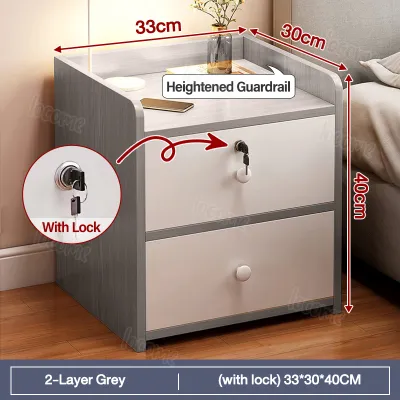
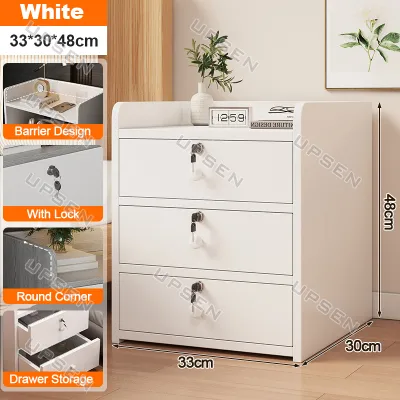
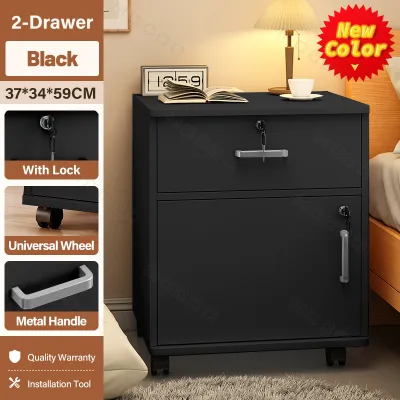
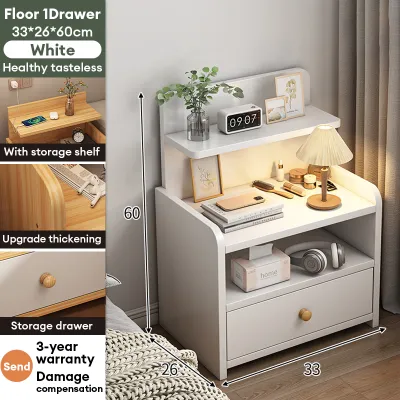
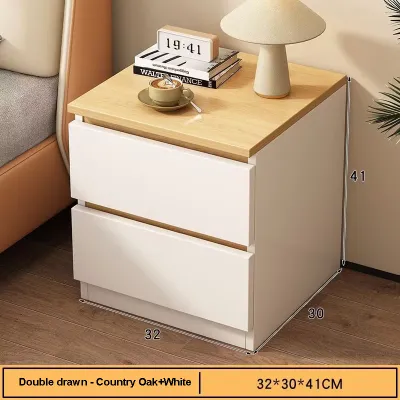
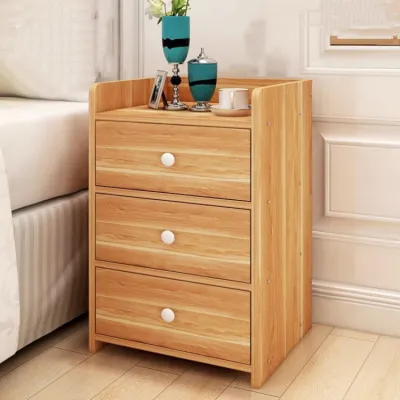
Prices are valid at publication and may change. Please refer to the product page for the latest price.
Wattage ratings are the key indicator of charging speed. Many integrated furniture ports only output 5 watts or 10 watts, which results in very slow charging times. For efficient overnight power or quick top-ups, look for integrated modules that specify at least 18 watts to 20 watts on their USB-C ports. If you plan to charge larger devices like laptops or tablets directly from your bedside table, verify if the USB-C port supports Power Delivery (PD) with an output of 45 watts or higher.
Wireless charging pads built directly into the tabletop surface offer a clean, cable-free aesthetic, but they require careful evaluation. Ensure the wireless pad is compatible with the universal Qi standard so it works seamlessly with various phone brands. Keep in mind that wireless charging naturally generates more ambient heat than wired connections, which can be amplified in warm tropical climates, so look for pads that feature automatic temperature regulation.
Physical port placement significantly impacts daily usability and cable management. Ports mounted on the top surface of the nightstand are highly accessible but expose the connections to dust, debris, and accidental liquid spills from a bedside glass of water. Recessed ports located inside an open cubby or within a drawer keep cables hidden and protected, though they require you to check if there is sufficient clearance to plug in larger power adapters without bending the cords.
Finally, consider the total power budget of the integrated module. Many multi-port charging hubs share their total wattage across all active connections; plugging in a second device may drop the charging speed of the first port. Check the manufacturer’s specifications to see if the wattage ratings are dedicated per port or shared across the entire module when multiple devices are connected simultaneously.
Electrical Safety and Certification Checks for Integrated Ports
Because a charging nightstand connects directly to your home’s electrical system, verifying safety certifications is the most critical step in preventing electrical hazards. Look for recognized international safety marks printed directly on the power module or the product manual, such as CE, FCC, RoHS, or UL certifications. In the Philippines, electrical components should ideally carry local safety compliance indicators or import clearance marks to ensure they have been tested for safe residential use.

Inspect the quality and specifications of the main power cable and plug. The cable should feature thick, heavy-duty insulation that resists pinching behind heavy furniture, and it should be long enough to reach your wall outlet without being stretched tight or requiring an extra extension cord. The plug must match standard Philippine wall outlets, which typically accommodate Type A or Type B flat two-pin or three-pin plugs, ensuring a secure and grounded connection.
Given the voltage fluctuations and occasional power surges common in many local power grids, built-in electrical safeguards are highly recommended. Verify if the integrated power strip includes surge protection, overcurrent protection, and short-circuit prevention. These safety features act as a barrier, protecting your expensive personal devices from sudden electrical spikes while you sleep.
Be prepared to reject products that show warning signs of poor electrical integration. Avoid nightstands that feature unbranded, generic power strips with no visible technical specifications or safety labels. Loose-fitting USB ports that wiggle when a cable is inserted, exposed wiring beneath the drawer panels, or modules that emit a high-pitched buzzing sound or excessive heat during operation are clear indicators of substandard manufacturing and should be avoided.
Balancing Storage, Design, and Bedside Space
Before purchasing a nightstand table, you must measure your available bedside clearance to ensure a proper fit. Compare the height of the nightstand to your mattress; ideally, the tabletop should sit level with or slightly below the top of your mattress for comfortable reach. Be sure to account for drawer pull distances and door swing paths, ensuring they do not collide with your bed frame, wardrobe doors, or nearby walls.
Consider the delivery and assembly conditions of the furniture. If you live in a multi-story building or condominium, verify the packaged dimensions of the nightstand to ensure it can easily pass through doorways, narrow hallways, and lift doors. For self-assembly models, check if the package includes clear instructions and all necessary hardware, and verify that the pre-drilled holes for the electrical cords align properly without compromising the structural stability of the frame.
Storage configuration plays a major role in managing visual clutter. Open shelving units provide excellent ventilation for charging devices, allowing heat to dissipate freely into the room. Closed drawers keep your personal items private and dust-free, but if you plan to charge devices inside a drawer, verify that the nightstand features dedicated cable routing holes or ventilation slots in the back panel to prevent heat buildup inside the enclosed space.
Material selection is particularly important in tropical climates where humidity levels fluctuate. Solid wood is beautiful but can expand or warp if not properly sealed, while low-grade particle board (MDF) without high-quality edge banding can swell and degrade if exposed to moisture or accidental spills. Check the finish of the tabletop; because wireless charging pads and power adapters generate mild heat, the surface finish must be heat-resistant to prevent bubbling, discoloration, or peeling over time. Inspect the joints and hardware to ensure the table remains stable and wobble-free when drawers are fully extended.
Building Your Shortlist Based on Device and Lifestyle Needs
To narrow down your options, match the nightstand’s features to your specific technology habits and bedroom layout. If you are a heavy tech user who charges a laptop, tablet, smartphone, and smartwatch overnight, prioritize a nightstand with a robust power hub. Look for models that offer at least one high-wattage USB-C Power Delivery port alongside standard AC outlets to accommodate larger power bricks, and choose designs with dedicated cable management channels to keep multiple cords organized.
For minimalist bedrooms where visual clutter is a primary concern, focus on nightstands with flush-mounted wireless charging pads integrated seamlessly into the tabletop. These designs allow you to charge your phone simply by placing it on the wood or glass surface, eliminating visible cables entirely. To maintain this clean look, look for tables that feature hidden routing channels running down the back of the legs to keep the main power cord completely out of sight.
If you are selecting furniture for a shared bedroom, consider how the nightstand’s layout affects both sides of the bed. Symmetrical setups with identical charging nightstands on either side of the bed provide equal access to power. If you share a single central nightstand, look for models with dual-sided port access or independent power switches, allowing one partner to plug in a device or turn off an integrated nightlight without reaching over or disturbing the other person.
For budget-conscious shoppers, balancing cost and safety is key. While basic nightstands with integrated power can be found for under ₱3,000, premium models featuring solid wood construction, tempered glass tops, and certified smart-charging modules often exceed ₱8,000. Focus your budget on verifying the safety and certification of the electrical components first, as a cheaper, uncertified power module can end up costing more in potential device damage or safety hazards.
Purchasing Channels and Pre-Checkout Verifications
When shopping for a charging nightstand table in the Philippines, choosing the right purchasing channel is essential for ensuring product safety and authenticity. While general online marketplaces offer a wide variety of designs and competitive pricing, purchasing directly from official brand stores or authorized local furniture retailers provides greater assurance. Official channels are more likely to supply products with certified electrical components and accurate technical specifications.
Review the retailer’s return policy carefully before finalizing your purchase. Electronic components integrated into furniture can occasionally experience defects that are not immediately visible upon unboxing. Ensure the seller offers a clear return or exchange window—typically 7 to 14 days—specifically covering electronic component failures, which may be handled differently than standard structural furniture returns.
Finally, verify the warranty terms to understand what is covered and for how long. Standard furniture warranties often only cover structural defects, such as cracked wood, broken drawer slides, or loose joints. A reliable charging nightstand should offer a warranty that explicitly covers both the physical furniture frame and the integrated electronic module, protecting you against premature failure of the USB ports, wireless charging pads, or internal wiring.
Frequently Asked Questions (FAQ)
Can I replace the charging module if it stops working?
Whether you can replace the charging module depends entirely on the nightstand’s design. Some tables use a modular, plug-and-play system where a standard power strip or wireless pad is fitted into a pre-cut grommet on the tabletop or back panel. In these designs, you can easily pop the old module out and replace it with a compatible off-the-shelf unit. However, other models feature custom-shaped, hardwired electrical integrations built directly into the wooden panels. If a hardwired module fails, do not attempt a DIY electrical repair; instead, contact the manufacturer for authorized replacement parts or consult a qualified electrician to ensure any repairs are completed safely.
Does leaving devices on the wireless charging pad overnight damage the battery?
Modern smartphones and tablets are designed with advanced battery management systems that automatically regulate power intake. Once your device reaches a 100% charge, it stops drawing high current and switches to a trickle charge, which prevents overcharging. However, wireless charging naturally generates more ambient heat than traditional wired charging, and prolonged exposure to heat can gradually degrade battery health over time. To minimize this risk, ensure the nightstand’s wireless pad is certified and features foreign object detection (FOD), which automatically cuts off power if metal items like coins or keys are placed on the pad, preventing dangerous overheating.

Community discussion
Share your experience or ask a question. Comments are reviewed before publication.