
Finding the right wood organizer for your home office desk setup depends on matching your daily workflow with the physical limits of your workspace. A well-chosen organizer keeps essential tools within arm’s reach, clears valuable surface area, and withstands the challenges of your local environment. Rather than choosing a piece solely for its aesthetic appeal, the most effective approach is to evaluate your specific storage needs, verify the structural limits of the material, and select a configuration that supports your daily tasks.
In tropical climates like the Philippines, where high humidity can affect natural materials, choosing the right wood type and finish is especially critical. A smart selection prevents warping and mold while keeping your documents, pens, and devices neatly arranged. By focusing on physical dimensions, material specifications, and ergonomic placement, you can create a highly functional workspace that remains organized and durable over time.
Assess Your Desk Space and Daily Storage Needs
Before browsing online marketplaces or local furniture shops, establish the physical boundaries of your workstation. Measure the exact footprint of your desk, paying close attention to the depth and the vertical clearance beneath any overhead shelves or wall-mounted monitors. Knowing these maximum dimensions prevents you from purchasing an organizer that crowds your keyboard or blocks your natural line of sight.
Products mentioned in this guide
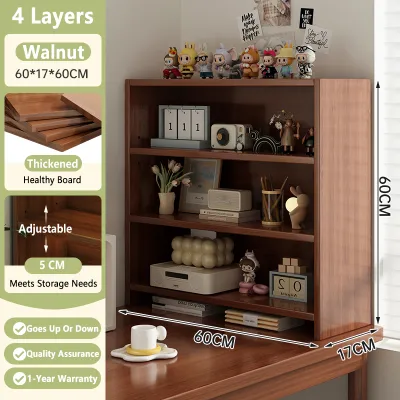
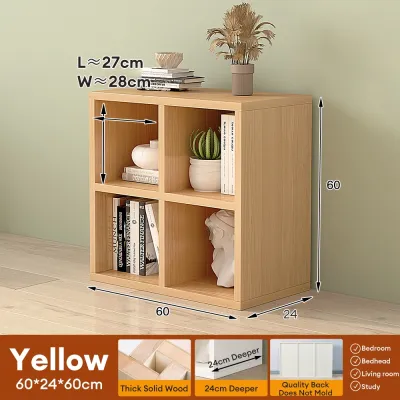
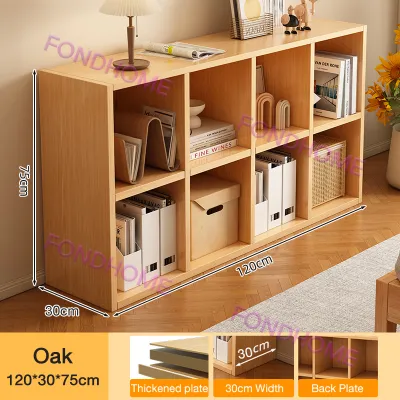
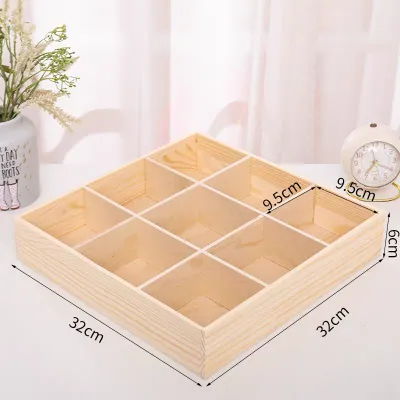
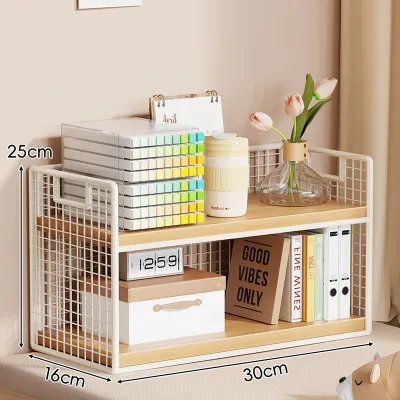
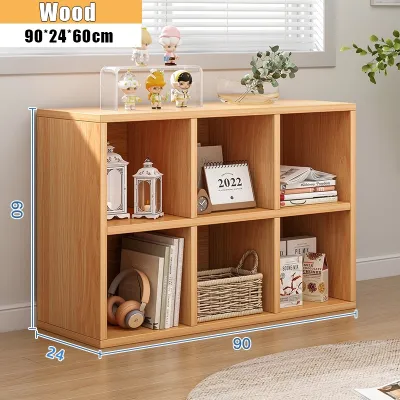
Prices are valid at publication and may change. Please refer to the product page for the latest price.
Next, take inventory of the items that currently clutter your desk and categorize them by how often you use them. Group your belongings into active documents that require quick access, daily writing tools, and small electronic accessories like chargers or USB drives. This categorization determines whether you need deep vertical slots, shallow horizontal trays, or small divided compartments.
Ergonomics should also dictate your layout decisions. Your primary reach zone—the area you can easily access without leaning forward—should remain clear for your keyboard, mouse, and immediate tasks. Placing an organizer just outside this primary zone but within secondary reach ensures that frequently used items are accessible without causing repetitive muscle strain.
Finally, consider how your electronic devices connect to power sources. An organizer that blocks wall outlets or lacks built-in routing paths can lead to a tangled mess of cables across your desk. Look for designs that allow cords to pass through the back or underneath the structure, keeping your charging cables organized and out of sight.
Match Wood Organizer Styles to Your Specific Items
Different desk organizer configurations are engineered to solve distinct storage challenges. Selecting the right style requires matching the physical shape and tier layout of the organizer to the specific items you use throughout the workday.

File Sorters and Document Trays
If your daily tasks involve handling physical paperwork, contracts, or reference manuals, dedicated document storage is essential. Look for file sorters with slot widths and depths that comfortably accommodate standard paper sizes, such as letter, A4, or legal folders, without bending the edges.
When choosing between vertical file sorters and horizontal stacking trays, consider your available desk depth and how you prefer to view your documents. Vertical sorters keep folders upright and highly visible, making them ideal for deep desks where you can place them toward the back. Horizontal trays stack documents flat, which works well for shallower desks but may require more vertical clearance to access lower trays easily.
Desktop Caddies and Small Accessory Holders
For desks cluttered with pens, sticky notes, paper clips, and mobile devices, a compact desktop caddy offers targeted storage. Look for models with varied compartment sizes, including deep cups for writing instruments and shallow, open trays for smaller items that are otherwise difficult to grab.
Before finalizing your choice, verify the base footprint of the caddy against your actual desk space. The holder should provide enough compartments to organize your stationery while leaving ample room for your hands to move freely around your keyboard and mouse.
Multi-Tier Shelves and Monitor Risers
When desk surface area is limited, utilizing vertical space with multi-tier shelves or a monitor riser can double your usable storage. A monitor riser elevates your screen to a comfortable viewing height while creating a valuable storage cavity directly underneath.
This lower clearance space is ideal for sliding your keyboard, notebook, or drawing tablet out of the way when you need open desk space for offline tasks. When evaluating these options, review whether the shelf heights are fixed or adjustable, ensuring you can maintain proper ergonomic alignment where the top of your screen sits at or slightly below eye level.
Verify Wood Material, Finish, and Weight Limits
The durability and performance of a wood organizer depend heavily on its construction materials and surface treatment. Rather than relying on visual appearance alone, always check the manufacturer’s product specifications to understand what you are buying.
- Solid Wood: This material offers high structural strength and a classic appearance, but it can be sensitive to extreme humidity fluctuations. If you select solid wood, look for species known for stability and check if the wood has been properly seasoned to prevent warping in humid environments.
- Bamboo: Known for its rapid growth and natural moisture resistance, bamboo is a lightweight yet durable option. Its dense grain structure makes it less prone to swelling or shrinking when exposed to seasonal humidity changes.
- Engineered Wood Composites: Materials like medium-density fiberboard (MDF) or particleboard with a wood veneer are highly stable and budget-friendly. However, they must be completely sealed on all sides, as exposed edges can swell permanently if they absorb moisture from spills or high humidity.
Regardless of the material, read the manufacturer’s care instructions to identify the type of surface finish used. A high-quality lacquer, polyurethane, or oil finish helps protect the wood from moisture, heat, and minor scratches. If the product description does not explicitly state that the finish is water-resistant, you must take extra precautions to protect the surface.
Finally, always verify the manufacturer’s stated weight capacity limits before placing heavy items on the organizer. This is especially critical for monitor risers or multi-tier shelves that will support heavy screens, printers, or large stacks of reference books. Overloading an organizer can cause the wood to sag, weaken the joints, or tip over, potentially damaging your expensive equipment.
Arrange Your Setup and Maintain the Wood Finish
Once you have selected the right wood organizer, proper placement and regular maintenance will extend its lifespan and keep your workspace comfortable. Position the organizer within your secondary reach zone, allowing you to grab files or tools with a simple arm extension rather than twisting your torso or straining your back.
To preserve the natural beauty of the wood, establish a routine cleaning schedule based on the manufacturer’s guidelines. For daily maintenance, a soft, dry microfiber cloth is usually sufficient to remove dust. Avoid using harsh chemical cleaners, abrasive pads, or excessive water, which can strip the protective finish and dry out or discolor the wood.
In tropical climates, managing moisture is the most important factor in wood care. If you enjoy hot coffee, tea, or iced drinks at your desk, always use coasters or protective desk mats. Condensation from cold glasses can quickly penetrate weak finishes, leaving permanent white water rings or causing the wood fibers to swell. If a spill occurs, wipe it up immediately with a dry cloth to prevent the liquid from soaking into the joints or grain.
Frequently Asked Questions (FAQ)
Can a wood desk organizer support the weight of a dual monitor setup?
To determine if a wood organizer can safely support dual monitors, you must check the manufacturer’s explicit weight capacity rating in the product manual or specification sheet. Never assume that an organizer is strong enough simply because the wood looks thick or feels heavy. Calculate the combined weight of both monitors, including their stands or mounting arms, and compare this total against the organizer’s stated limit. If the manufacturer does not provide a clear weight capacity, avoid using the organizer as a monitor support to prevent structural failure.
How do I prevent water rings from coffee mugs on a wood desk organizer?
The most effective way to prevent water rings is to use coasters, silicone mats, or desk pads under all beverage containers. You should also check the product’s care label to see if the wood has a water-resistant sealant or if it requires periodic reapplication of protective oils or wax. If water or condensation spills onto the surface, wipe it away immediately using a soft, dry cloth as recommended by the manufacturer, rather than letting the moisture sit and penetrate the finish.
Community discussion
Share your experience or ask a question. Comments are reviewed before publication.