
Finding the right Diodiy folding table for a compact condominium in the Philippines requires balancing your daily work equipment needs with the physical realities of limited square footage. The ideal choice depends on your specific layout, how often you need to reclaim your floor space, and the weight of your work setup. By matching the table’s footprint and folding mechanism to your room’s traffic flow, you can create a highly productive work-from-home (WFH) station that easily tucks away when the shift ends.
Measure Your Condo Space Before Choosing a Table
Before ordering a new desk, map out the exact area where your workspace will live. Measure the floor width and depth of your designated WFH zone using a tape measure. Do not rely on visual estimates; even a few centimeters of error can prevent a folding table from opening fully or block a nearby closet door. Account for baseboards, wall outlets, and the swing radius of nearby doors or cabinet drawers.
Next, calculate the clearance required for your seating. A comfortable WFH setup requires enough space to pull your chair back and stand up without bumping into walls. Allow at least 60 to 75 centimeters of open space behind the desk edge for your chair. If your workspace is in a high-traffic hallway or a shared living room, ensure there is still a clear walking path when the chair is occupied.
Products mentioned in this guide

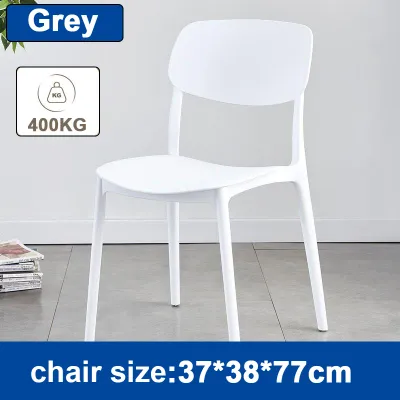
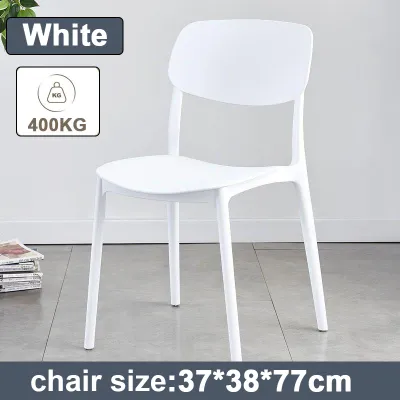
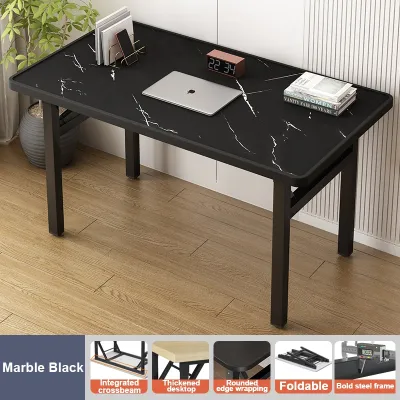


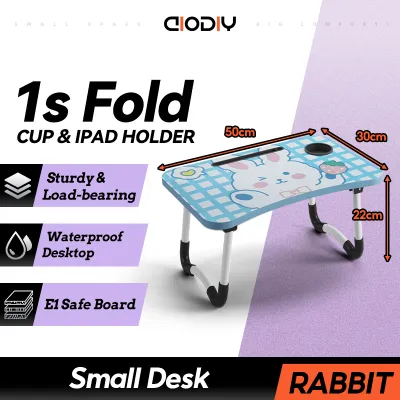
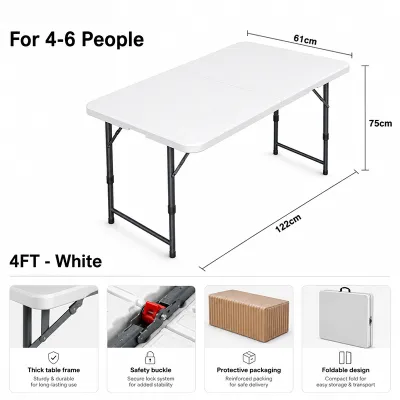
Prices are valid at publication and may change. Please refer to the product page for the latest price.
Finally, consider the logistics of getting the table into your unit. Measure the width of your condo unit’s main door, the clearance of tight hallway turns, and the interior dimensions of the building’s elevator. Folding tables often arrive in flat, wide boxes that can be awkward to maneuver through narrow spaces. Verifying these entry points beforehand prevents delivery issues.
Match Diodiy Folding Table Styles to Your Layout
Diodiy folding tables come in various configurations, each suited to different spatial constraints and work habits. Freestanding fold-in-half desks are highly versatile because they require no permanent installation. They can be set up in the middle of a room, near a window, or tucked into a corner, and then folded flat and stored under a bed or inside a closet when not in use. However, they do require dedicated floor space during your working hours.

If floor space is exceptionally tight, a wall-mounted folding desk or a drop-leaf style might be a more efficient alternative. These styles mount directly to the wall and fold down flat when your workday is over, leaving your floor completely clear. Before choosing this style, verify the structural integrity of your condo walls. Concrete or solid brick walls can easily support anchored desks, but drywall partition walls require locating the wooden or metal studs to ensure the desk remains securely attached under load.
Mobility is another key factor to evaluate. If you live in a multi-use studio unit, you may want to move your desk throughout the day to chase natural light or avoid household distractions. Check the manufacturer’s specifications to see if your preferred model features lockable casters. These wheels make repositioning effortless, but they must lock securely to prevent the table from shifting while you type. Additionally, review the folding mechanism’s design; a simple, smooth hinge system is essential if you plan to set up and pack down your desk every single day.
Determine the Ideal Dimensions for Your WFH Setup
The dimensions of your folding table directly impact both your daily productivity and your physical comfort. To determine the ideal surface width, take inventory of your work equipment. If you work solely on a single laptop, a compact width of 80 to 100 centimeters is usually sufficient. However, if your job requires a dual-monitor setup, a separate keyboard, or a desktop PC tower, you will need a wider surface—typically 120 centimeters or more—to prevent your workspace from feeling cluttered and cramped.
Desk depth is equally critical for maintaining proper ergonomics. A depth of at least 60 centimeters is recommended to ensure a safe viewing distance from your screen, which helps reduce eye strain during long shifts. This depth also provides ample room to rest your forearms while typing and leaves space for a mousepad and reference documents. Shallow desks may force your keyboard too close to the screen, leading to awkward wrist angles and neck discomfort.
Lastly, check the table’s height against your existing office chair. Standard desk heights range between 72 and 76 centimeters. To maintain proper posture, your elbows should rest at a 90-degree angle when typing, and your feet should sit flat on the floor. If your folding table does not feature adjustable legs, ensure your chair can be adjusted to match the table’s fixed height comfortably.
Verify Stability, Weight Capacity, and Safety Features
A folding table must be sturdy enough to protect your expensive work equipment. Before purchasing, check the manufacturer’s stated weight capacity on the product label, manual, or official listing. Calculate the total weight of your laptop, external monitors, monitor arms, desk organizers, and any heavy books you keep nearby. Ensure your total equipment weight remains well below the table’s maximum limit to prevent structural bowing or sudden collapse.
Examine the structural design of the table legs and support frame. Look for models that feature steel frames, crossbar reinforcements, and robust locking pins. These components prevent the table from swaying or wobbling when you type vigorously or lean on the surface. A stable frame is especially important in high-humidity tropical environments, where materials can experience subtle shifts over time.
Safe placement of your gear is just as important as the table’s build quality. Avoid placing heavy items, such as heavy desktop towers or clamp-on dual-monitor mounts, near the folding hinges or the extreme outer edges of the table. Concentrating weight on the edges can create a leverage effect, increasing the risk of the table tipping over or placing undue stress on the folding joints. Distribute your equipment evenly across the center of the desk surface to maintain optimal balance.
Common Sizing and Placement Mistakes to Avoid
One of the most common mistakes condo dwellers make is forgetting to measure the space needed for their office chair when the desk is in use. A table might fit perfectly into a small nook, but if there is no room to slide your chair completely under the desk or pull it back to sit down, the setup becomes unusable. Always measure the clearance between the desk legs to ensure your chair’s armrests and base can slide underneath smoothly.
Another frequent error is placing the desk in a location that disrupts your condo’s climate control or natural flow. Avoid positioning your table directly under an air conditioning unit where condensation might drip onto your electronics, or in front of balcony doors and narrow pathways where it blocks foot traffic. Additionally, placing a desk directly facing a bright window can cause severe screen glare, making it difficult to work during midday hours.
Finally, do not assume that a table described as “compact” or “space-saving” will automatically fit through your building’s tightest spots. Always compare the packaged shipping dimensions against your condo’s narrowest corridors, stairwells, and elevator doors. Taking a few minutes to verify these measurements beforehand saves you from the logistical headache of a failed delivery.
Frequently Asked Questions (FAQ)
Can I use a folding table as a permanent WFH desk?
Yes, you can use a folding table as a permanent workspace, provided you choose a model designed for heavy-duty use. However, standard folding tables are generally engineered for temporary setups, meaning their hinges, joints, and locking mechanisms may wear out faster under continuous, daily loads compared to solid, fixed-leg desks. From an ergonomic standpoint, many basic folding tables lack height-adjustability, which can lead to posture issues over time if not paired with a highly adjustable office chair. Additionally, check the manufacturer’s warranty terms, as some brands do not cover structural wear if the table is kept permanently loaded with heavy office equipment.
How do I clean and maintain the folding joints?
To keep the folding mechanisms operating smoothly, regularly inspect the joints for dust, debris, or signs of rust, which can accumulate quickly in humid tropical climates. Always consult the manufacturer’s specific care instructions before applying any lubricants or cleaning agents. For general maintenance, wipe the metal hinges and wooden joints with a dry or slightly damp microfiber cloth to remove dust. Avoid using harsh, corrosive chemical cleaners or excessive water, as moisture can trap itself inside the folding joints, leading to rust or wood swelling. If the hinges begin to squeak or feel stiff, apply a small amount of a recommended silicone-based lubricant, wiping away any excess to prevent attracting more dust.
Community discussion
Share your experience or ask a question. Comments are reviewed before publication.