
Quick Answer: Which IKEA Desk Type Fits Your WFH Setup?
Selecting the right ikea computer table for your work-from-home (WFH) setup is not about finding a single, universally perfect desk. Instead, it is about matching your specific spatial constraints, daily work habits, and physical comfort requirements with the right design category. The ideal choice balances how you interact with your devices and how much physical space you can dedicate to your home office.
To make an immediate decision, you can evaluate your needs using this conditional guide:
- Choose a standing desk if you prioritize ergonomics, experience physical fatigue from prolonged sitting, and want to incorporate consistent movement into your daily work routine.
- Choose a foldable desk if you live in a compact apartment or a shared multi-use room where the workspace must disappear at the end of the day to reclaim living space.
- Choose an L-shaped desk if you manage a heavy workload, operate multi-monitor setups, or require distinct physical zones for digital and analog tasks.
Before finalizing any purchase, remember that every option requires verifying your specific room dimensions, doorway clearances, and building access routes to ensure a smooth delivery and assembly process.
Products mentioned in this guide
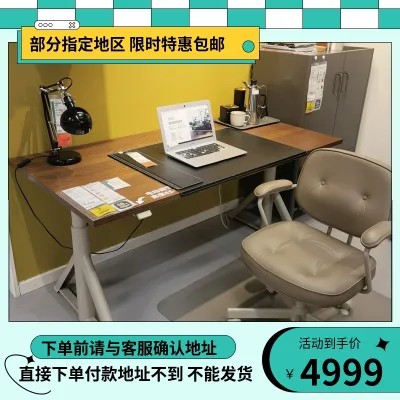
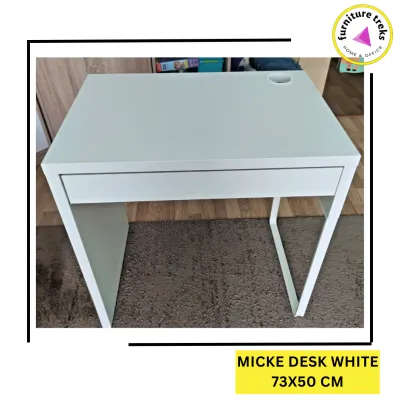
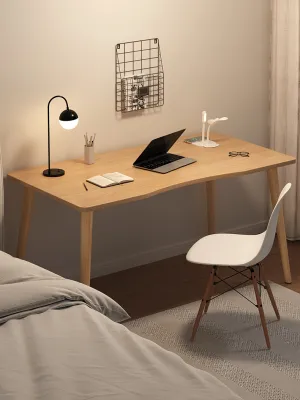
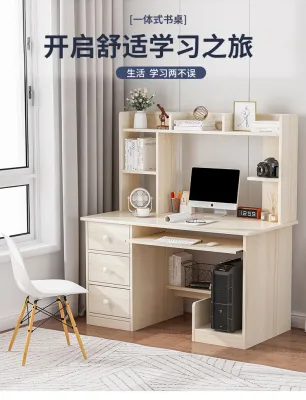
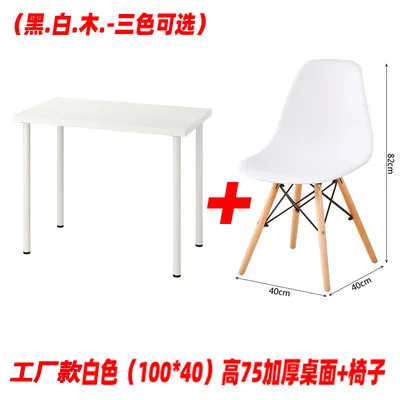
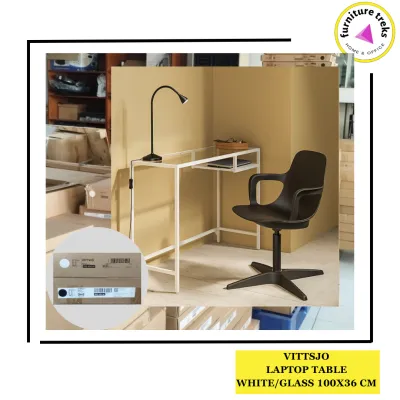
Prices are valid at publication and may change. Please refer to the product page for the latest price.
Assessing Your Space, Access, and Workflow Needs for an IKEA Computer Table
Investing in a home office desk requires careful preparation long before you add an item to your cart. Failing to measure your physical environment can lead to significant delivery headaches, especially when dealing with larger furniture pieces.

Space and Access Checks
When planning your layout, you must measure the exact footprint of the intended floor space. However, the path to that space is just as critical. In the Philippines, high-rise condominiums and multi-story townhouses often feature narrow corridors, tight stairwells, and small elevator cabs.
Before ordering a large L-shaped desk or a heavy motorized standing desk, measure the height and width of every doorway, elevator entrance, and stairwell turn. A desk frame that cannot clear a tight corner in a condominium hallway will result in a costly and frustrating return process.
Workflow Analysis
Your daily tasks dictate the surface area you require. Take a detailed inventory of the equipment you use every day.
- Minimalist Setup: A single laptop, a mouse, and a notebook require very little depth and width.
- Heavy Tech Setup: Dual monitors, a dedicated keyboard, a printer, a drawing tablet, or external storage drives demand a deep, wide surface with robust load-bearing capabilities.
- Mixed Media Setup: If you transition between typing and sketching or reviewing physical documents, you will need separate zones on your desktop to prevent clutter from stalling your productivity.
Floor and Wall Conditions
Your physical building materials influence which desk types are safe and stable. Standing desks and L-shaped desks require a perfectly level floor to prevent wobbling and mechanical strain on adjustable legs. Use a bubble level to check your floor before assembly.
If you are considering a wall-mounted foldable desk, you must identify your wall type. Concrete and solid masonry walls can support significant weight when paired with heavy-duty masonry anchors. Hollow concrete blocks or drywall partitions require locating internal studs or using specialized toggle bolts. Mounting a heavy desk directly into weak drywall without proper structural support will lead to structural failure and property damage.
Material and Surface Care
The tropical climate in the Philippines introduces high humidity and ambient heat, which can affect furniture materials over time. Many modern desks utilize particleboard or fiberboard finished with paper foil, veneer, or acrylic paint. These surfaces are highly functional but are not completely impervious to moisture or scratches.
Always check the manufacturer’s care instructions for your specific desk model. To prevent water rings from condensation on cold drinks or sweat from your forearms, use wide desk mats and protective coasters. Wipe away spills immediately with a dry cloth to prevent the underlying wood fibers from swelling and warping.
Standing Desks: Best for Movement and Ergonomics
Standing desks are designed to combat the physical toll of sedentary work by allowing you to transition smoothly between sitting and standing throughout the day.
Ergonomic Benefits
Alternating your posture helps distribute physical stress across different muscle groups, reducing lower back strain and neck fatigue. To maximize these benefits, you must adjust the desk to your precise anatomical measurements.
When sitting or standing, your elbows should rest at a 90-degree angle on the desktop, and your shoulders should remain relaxed. The top of your computer monitor should sit at or slightly below eye level to prevent neck strain. A quality height-adjustable desk allows you to fine-tune these positions down to the centimeter.
Manual vs. Motorized Desks
When choosing a standing ikea computer table, you will generally choose between manual crank mechanisms and motorized lifting systems. Each has distinct operational trade-offs:
- Motorized Desks: These models offer effortless height adjustments at the press of a button, and some include programmable memory presets. They are ideal if you plan to change positions multiple times a day. However, they require proximity to a stable power outlet, contain more complex electrical components that could require troubleshooting, and generally sit at a higher price point.
- Manual Crank Desks: These desks use a physical hand crank to raise and lower the surface. They do not require electricity, making them highly versatile for placement anywhere in a room. They are highly reliable and budget-friendly, but the physical effort required to turn the crank can discourage some users from changing positions as often as they should.
Stability and Weight Limits
All standing desks experience a shift in their center of gravity as they rise. At maximum height, minor lateral movement or aggressive typing can cause the desk to wobble. Highly stable frames feature heavy steel legs and wide foot feet to ground the structure.
Before placing heavy equipment on your desk, verify the manufacturer’s exact weight capacity on the product label. Exceeding this limit can strain or burn out electric motors, strip manual crank gears, and compromise the overall stability of the frame.
Cable Management
A height-adjustable desk requires a dynamic approach to cable routing. Because the desktop moves vertically, your power cords, HDMI lines, and monitor cables must have enough slack to stretch to their highest point without pulling tight or disconnecting.
Use under-desk cable trays, flexible cable spines, and hook-and-loop wraps to bundle your cords neatly. Ensure that no cables can catch on the frame, surrounding furniture, or window sills as the desk moves up and down.
Foldable Desks: Best for Compact Spaces and Flexibility
Foldable and wall-mounted desks provide an elegant solution for multi-use rooms, guest bedrooms, or small studio apartments where a dedicated desk would crowd the living space.
Space Optimization
When floor space is at a premium, a foldable desk allows you to establish a temporary office without permanently losing square footage. Wall-mounted drop-leaf tables fold completely flat against the wall when not in use, leaving the floor entirely clear. Freestanding folding tables can be tucked away behind a wardrobe or under a bed when your workday ends, allowing your bedroom or living area to return to its original purpose.
Installation and Safety for Wall-Mounted Models
Installing a wall-mounted drop-leaf desk demands strict attention to structural safety. These desks rely entirely on the strength of the wall and the mounting hardware to support both the weight of the desk and the downward pressure of your arms.
- Identify the Wall Material: Determine if you are mounting into solid concrete, hollow concrete blocks, or drywall.
- Use the Right Anchors: Never use standard plastic wall plugs in drywall or hollow blocks for a load-bearing desk. Use heavy-duty toggle bolts or expansion anchors designed specifically for your wall material.
- Locate Structural Studs: If mounting on drywall, you must secure the mounting bracket directly into the wooden or metal studs.
- Consult a Professional: If you are unsure of your wall's structural integrity or do not own the proper masonry drills, hire a qualified professional installer to prevent the desk from pulling out of the wall.
Stability Trade-offs
Because foldable desks rely on hinges, joints, and lightweight frames to remain portable, they naturally sacrifice some rigidity compared to solid, fixed-leg desks. You may experience slight movement or vibration while typing vigorously.
Before purchasing, examine the hinge locks and support brackets. Look for robust locking pins or heavy-duty brackets that secure the surface firmly in place. Testing a floor model in-store can give you a clear sense of how much lateral play the desk has under active use.
Daily Friction
While a foldable desk offers excellent space savings, it introduces a daily chore: you must completely clear the desktop of your laptop, mouse, paperwork, and coffee mug before you can fold it away. If your setup involves multiple monitors, external keyboards, and power bricks, the physical effort of packing and unpacking your workspace every morning and evening can become tedious. If this routine feels too cumbersome, the desk may end up permanently unfolded, defeating its primary purpose.
L-Shaped Desks: Best for Multi-Monitor and Heavy Workloads
L-shaped desks, also known as corner desks, are built for professionals who require maximum workspace and have the physical room to accommodate a larger furniture footprint.
Workflow Zoning
The primary advantage of an L-shaped design is its dual-surface layout. This configuration allows you to establish distinct functional zones within your workspace:
- The Digital Zone: Dedicate one side of the "L" to your computer, dual monitors, keyboard, and mouse.
- The Analog Zone: Keep the adjacent side completely clear for reviewing physical documents, sketching, taking handwritten notes, or placing reference books.
This physical separation helps keep your primary computer area clean and organized, reducing cognitive clutter and boosting your focus.
Corner Utilization and Room Footprint
L-shaped desks are highly efficient at turning underutilized corners into productive work areas. By fitting snugly into a corner, they maximize your usable desktop space without extending directly into the center of the room.
However, these desks have a substantial physical presence. They are best suited for dedicated home offices or spacious bedrooms. In a shared living room or a small condo, an L-shaped desk can easily dominate the space, making the room feel cramped and unbalanced.
Assembly and Modularity
Because of their size, L-shaped desks consist of multiple large tabletop panels, a complex supporting frame, and numerous legs. This makes the assembly process significantly longer and more physically demanding than assembling a standard rectangular desk.
When shopping, verify if the desk model is modular. Some designs allow you to mount the longer side of the “L” on either the left or the right. This flexibility is incredibly valuable, as it allows you to adapt the desk to different room layouts if you move to a new home in the future.
Cable Routing
Managing cables on an L-shaped desk can be challenging due to the sheer volume of electronics typically placed on them. The corner joint where the two desktop panels meet can easily become a chaotic tangle of power strips and cords.
To keep your setup clean, look for models that feature built-in cable grommets or under-desk cable trays. If your chosen model does not include these, plan to install adhesive cable clips and neoprene sleeves along the underside of the frame to route your cords cleanly down the desk legs to your power outlets.
Quick Comparison: Standing vs. Foldable vs. L-Shaped IKEA Computer Tables
To help you visualize how these three desk categories compare across key practical dimensions, review the summary table below.
| Desk Type | Ideal For | Space Requirement | Setup Complexity | Key Verification Check |
|---|---|---|---|---|
| Standing Desk | Active workflows, ergonomic adjustments, and reducing physical fatigue. | Moderate floor space; requires proximity to a power outlet if motorized. | Moderate to High (motorized calibration and cable slack planning). | Verify the manufacturer's weight limit and check frame stability at max height. |
| Foldable Desk | Ultra-compact spaces, studio apartments, and multi-use shared rooms. | Minimal floor space; folds flat against the wall or tucks away. | Low (freestanding) to High (wall-mounted structural installation). | Verify wall anchor compatibility and test hinge lock stability under active typing. |
| L-Shaped Desk | Multi-monitor setups, heavy equipment, and dual-zone workflows. | Large dedicated corner space; dominates small rooms. | High (multiple large panels, heavy frame, and precise alignment). | Verify doorway/elevator access clearances and left/right modular options. |
Please note that product prices, material finishes, and specific model availability fluctuate over time. To view the most current specifications, pricing in Philippine Pesos (₱), and real-time stock status, consult the official IKEA Philippines online catalog or visit your nearest local store.
Final Decision Framework
To make your final decision with confidence, match your personal circumstances against this structured checklist.
Choose a Standing Desk if:
- You experience physical discomfort, back stiffness, or poor posture during long work hours.
- You want to easily transition between sitting and standing throughout your shift.
- You have a dedicated workspace with a level floor and accessible wall outlets for a motorized model.
Choose a Foldable Desk if:
- You live in a studio apartment or a compact condominium where floor space is limited.
- Your workspace must double as a dining area, bedroom, or living room.
- You use a highly portable laptop setup and do not mind clearing your desk surface at the end of every day.
Choose an L-Shaped Desk if:
- You run a multi-monitor system, use heavy desktop peripherals, or need space for physical paperwork.
- You have a dedicated room or a large, open corner that can comfortably fit a substantial piece of furniture.
- Your home has wide doorways, hallways, and elevator access to accommodate the delivery of large furniture panels.
Verify First if:
- You are renting your home: Many rental agreements strictly prohibit drilling deep holes into concrete or drywall, which rules out wall-mounted foldable desks. In this scenario, a freestanding folding desk or a compact standing desk is a much safer, damage-free alternative.
- Your building has strict access limits: If your condominium elevator is exceptionally small or your stairwell has low clearances, a massive L-shaped desk may be impossible to transport to your unit. Measure these common areas before committing to a purchase.
Before making your final investment, consider visiting a local physical showroom, such as the flagship store in Pasay City. Physically testing a desk allows you to feel the stability of a standing frame at its maximum height, assess the rigidity of a folding mechanism, and examine the surface textures in person. This hands-on evaluation ensures that your chosen desk will perfectly support your productivity and comfort for years to come.
Community discussion
Share your experience or ask a question. Comments are reviewed before publication.