
Choosing the right desk is a critical decision that directly affects your daily productivity, physical comfort, and home layout. When browsing the popular IKEA desk catalog, the decision often comes down to two distinct philosophies: the space-saving efficiency of a foldable desk versus the active ergonomic support of an adjustable standing desk. The correct choice is not about finding an objectively superior design, but rather identifying which option aligns with your physical workspace limits and your daily work patterns.
Foldable desks are built for adaptability, allowing you to reclaim valuable floor space in shared living areas or tight residential units once the workday ends. On the other hand, standing desks demand a permanent footprint but reward you with the ability to transition between sitting and standing postures, which is essential for maintaining physical comfort during grueling, multi-hour screen sessions. To make an informed investment, you must evaluate several practical dimensions: the physical footprint of your room, your ergonomic needs, structural stability requirements, and the effort involved in daily operation and assembly.
Space and Layout: Evaluating Footprint and Clearance
In many modern homes, especially compact urban condominiums or shared family apartments, floor space is at a premium. Before committing to any furniture purchase, it is vital to measure your room’s dimensions, doorway clearances, and elevator access routes. A flat-pack box that is too long for a residential elevator or too wide to turn a tight hallway corner can stall your home office setup before it even begins.
Products mentioned in this guide
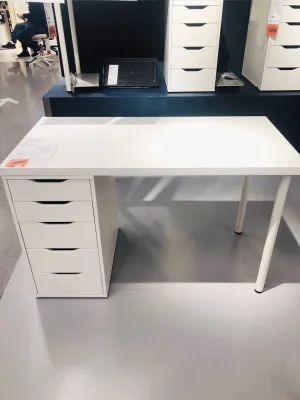
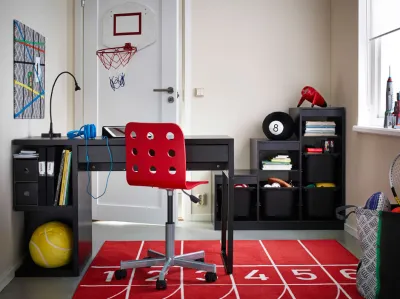
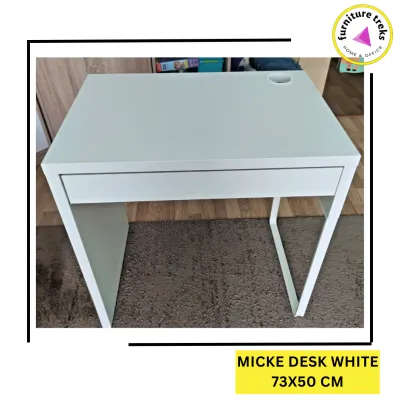
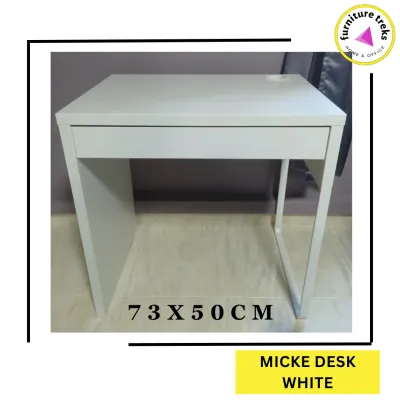

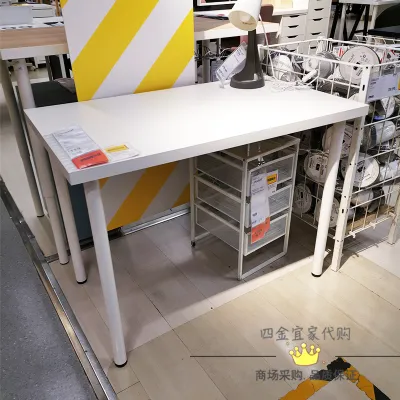
Prices are valid at publication and may change. Please refer to the product page for the latest price.
Foldable desks offer a distinct advantage in multi-use spaces. When collapsed, these desks occupy minimal floor space, sometimes folding down to a depth of just a few centimeters. This low-footprint characteristic allows them to blend seamlessly into a living room or bedroom, serving as a console table or disappearing entirely behind a door or sofa when not in use. This flexibility is perfect for WFH professionals who do not have a dedicated spare room and must share their working environment with family members or housemates.
In contrast, a standing desk demands a dedicated, permanent footprint. Even when lowered to its minimum height, the steel frame and solid desktop occupy a fixed portion of your room. When planning for a standing desk, particularly a motorized model, you must verify not only the floor footprint but also the vertical and lateral clearances. The desk must have enough space to rise and lower without scraping against walls, hitting window sills, or colliding with adjacent shelving. Furthermore, cable routing requires careful planning; motorized desks must have sufficient cable slack to prevent power cords, monitor cables, and charger wires from pulling taut or getting pinched in the lifting columns during height adjustments.
Spatial Verification Checklist
To ensure a seamless fit, perform these spatial checks before purchasing:
- Maximum Extended Footprint: Measure the desk's fully open width and depth against your floor space, leaving at least 50 centimeters of clearance behind your chair for comfortable movement.
- Vertical Travel Path: Ensure a clear vertical zone of at least 130 centimeters from the floor to prevent the desktop or mounted monitors from striking overhead cabinets or wall art.
- Power Outlet Proximity: For motorized models, verify that a grounded wall outlet is within reach of the desk's power cord at its maximum height, avoiding the use of loose extension cords that create tripping hazards.
Workflow and Ergonomics: Aligning Desk Type with Daily Tasks
Your daily work routine should dictate the physical form of your workspace. In tropical climates where heat and humidity can exacerbate physical fatigue, maintaining an ergonomic posture is crucial for long-term health and focus.

Standing desks are specifically engineered to support dynamic working habits. The primary health benefit of an adjustable standing desk is the ability to alternate between sitting and standing throughout the day. This physical transition helps relieve pressure on the lumbar spine, reduces muscle tension in the neck and shoulders, and stimulates blood circulation. If your daily routine involves continuous typing, video conferencing, or data analysis for eight or more hours, a standing desk provides the flexibility to change positions whenever you feel physical discomfort. Always check the manufacturer’s product label to verify the exact height adjustment range, ensuring the desk can lower enough to keep your elbows at a 90-degree angle while sitting and rise high enough to maintain that same comfortable angle while standing.
Foldable desks, by comparison, are generally fixed-height surfaces designed for seated use only. While highly functional, they do not offer the postural variety of a standing desk. They are best suited for WFH professionals with lighter workloads, casual laptop users, or those who already own a highly adjustable ergonomic chair that can compensate for a fixed-height table. If your routine consists of short, intermittent tasks—such as checking emails, reviewing physical documents, or attending brief virtual meetings—a foldable desk offers more than enough utility without the added complexity of a motorized frame.
Analyzing Your Daily Task Requirements
Consider how your specific tools and daily tasks align with each desk type:
- Hardware and Screen Setup: If you use dual monitors, heavy desktop towers, or specialized drawing tablets, a sturdy standing desk provides the spacious surface and structural support needed for complex hardware configurations.
- Laptop-Centric Workflows: If your sole work tool is a compact laptop or a tablet, a foldable desk offers a clean, minimal surface that can be cleared and tucked away in seconds, keeping your living space free of work-related clutter.
- Creative and Manual Tasks: For activities that involve writing, sketching, or light crafting, the solid, non-moving frame of a heavy sitting desk or a robust standing desk is preferable to prevent the minor surface vibrations that can occur with folding hinges.
Stability and Weight Limits: Verifying IKEA Desk Capacity
A desk’s stability directly impacts your focus and the safety of your expensive work equipment. When typing vigorously or adjusting monitor positions, any structural wobble can be highly distracting and, in worst-case scenarios, pose a risk of damage to your devices.
Foldable desks rely on mechanical joints, hinges, and swing-out support legs to maintain their upright position. While these components are engineered to be secure, they naturally introduce more points of potential movement than a solid, welded frame. Foldable desks often have lower maximum weight capacities, which are clearly stated in the manufacturer’s product manual. Users must respect these limits and avoid placing heavy, concentrated loads—such as heavy desktop computers or clamp-on dual-monitor mounts—on the folding leaves. Overloading these outer sections can strain the hinges, causing the surface to sag or wobble over time.
Standing desks, especially when extended to their maximum heights, face different structural challenges. As the desktop rises, the center of gravity shifts upward, making the entire assembly more sensitive to lateral movement. High-quality standing desks counteract this by using heavy steel bases, wide leveling feet, and precision-engineered lifting columns. When evaluating a standing desk, check the product specifications for structural design details, such as the presence of a crossbar or the thickness of the steel legs, which contribute to a solid, wobble-free experience even at standing heights.
Structural Integrity and Load Checks
Before making your decision, perform these critical structural verifications:
- Verify Dynamic vs. Static Load Limits: For motorized standing desks, check the product label for the dynamic weight capacity, which represents the maximum weight the motor can lift safely. This is typically lower than the static weight capacity of the frame when stationary.
- Inspect Hinge and Joint Materials: For foldable desks, look for robust metal hinges and secure locking pins rather than plastic components. Ensure all joints are tight and show no signs of play or flexing under moderate pressure.
- Assess Floor Evenness and Leveling: Uneven flooring, common in older apartments or tiled rooms, can severely compromise stability. Always choose a desk equipped with adjustable leveling glides on the feet to ensure the surface remains perfectly level, preventing uneven wear on motorized lifting columns or folding hinges.
Assembly and Daily Operation: Setup Effort and Maintenance
The ease of initial assembly and the effort required for daily operation are practical considerations that are often overlooked during the buying process.
Initial assembly of flat-pack furniture can vary widely. Foldable desks, while containing numerous wooden panels and mechanical hinges, are generally straightforward to assemble. They can typically be put together by a single person using standard hand tools, following the step-by-step instructions provided by the manufacturer. Motorized standing desks, however, are significantly more complex. They feature heavy steel underframes, electronic control units, and motorized legs that must be aligned with high precision. Due to the weight of the steel components and the delicate nature of the electronic wiring, assembling a motorized standing desk often requires two people, particularly when flipping the heavy, fully assembled desk upright to avoid damaging the lifting columns.
Daily operation and maintenance also present distinct workflows. Operating a foldable desk requires manual effort; you must clear the desktop, release the locking mechanisms, and physically fold down the leaves. If you need to pack up your workspace every evening and set it up every morning, this manual process can quickly become a tedious chore. Motorized standing desks offer push-button convenience, often featuring digital control panels with memory presets. This allows you to transition between your preferred sitting and standing heights effortlessly in a matter of seconds.
Long-Term Care and Maintenance Routines
To ensure your chosen desk remains safe and functional over years of daily use, implement these routine maintenance checks:
- Tighten Hardware Periodically: In high-humidity environments, wooden panels can expand and contract slightly. Check and tighten all screws, bolts, and hinge fasteners on foldable desks every six months to prevent joint looseness and wobble.
- Clean Lifting Columns: For motorized standing desks, keep the telescoping lifting columns clean and free of dust, pet hair, or debris. Wipe them down with a dry, lint-free cloth to prevent particles from entering the motor housing and causing premature wear.
- Protect Sensitive Electronics: Protect the electronic control box and motor of your standing desk from power surges and voltage fluctuations by plugging the power cord into a high-quality surge protector rather than directly into the wall outlet.
- Consult the Manufacturer's Manual: Always refer to the official care instructions and manual for your specific model before applying any lubricants, cleaning agents, or attempting to troubleshoot electronic error codes.
Decision Framework: When to Choose Foldable, Standing, or Neither
To help you finalize your purchase, use this structured decision framework to match your specific home environment and WFH routine to the correct desk type.
Your WFH Desk Selection Guide
Choose an IKEA foldable desk if:
- Your available floor space is highly restricted, and your desk must share a room with dining, sleeping, or living areas.
- You want the psychological benefit of "closing" your workspace at the end of the day, helping to establish a clear boundary between work and personal life.
- Your daily tasks are light, laptop-centric, and do not require heavy external monitors, desktop towers, or clamp-on accessories.
- You prefer a straightforward, single-person assembly process and a budget-friendly price point (typically under ₱10,000).
Choose an IKEA standing desk if:
- You have a dedicated home office room or a permanent corner that does not need to be cleared for other activities.
- Your WFH routine involves long, intensive hours of screen time where alternating between sitting and standing is essential for physical comfort and focus.
- You use multiple monitors, heavy hardware, or clamp-on monitor arms that require a high dynamic weight capacity and a highly stable steel frame.
- You value the convenience of motorized height adjustments with memory presets and are comfortable with a more complex, two-person assembly process and a higher price band (typically ranging from ₱15,000 to over ₱35,000).
Neither may fit if:
- You require a specialized drafting table with a tilting top for physical drawing, painting, or architecture work.
- Your home cannot accommodate the delivery of large, heavy flat-pack boxes, or lacks access to reliable, grounded electrical outlets near the workspace.
- You need commercial-grade stability for high-vibration equipment, heavy industrial tools, or heavy-duty crafting setups that exceed residential furniture standards.
Always cross-reference your room measurements, equipment weight, and electrical access with the specific product specifications on the official product label before finalizing your purchase.
Frequently Asked Questions (FAQ)
Can I add a monitor arm to an IKEA foldable desk?
Compatibility depends entirely on the specific desk’s edge thickness, surface material, and overall weight capacity. Many foldable desks utilize lightweight particleboard or hollow-core construction for the folding leaves, which can easily crush or crack under the concentrated clamping force of a heavy monitor arm. Before attempting to mount a monitor arm, check the manufacturer’s product manual for material specifications and structural limits. If the surface is suitable, ensure that the combined weight of the monitor and the clamp-on arm does not exceed the desk’s rated load capacity, and position the mount as close to the main structural legs as possible to maintain proper balance and prevent tipping.
Do motorized standing desks consume a lot of electricity?
No, motorized standing desks are highly energy-efficient and draw minimal electricity. Significant power is only consumed during the active height-adjustment process, which typically takes about 10 to 15 seconds per transition. When stationary, the desk enters a low-power standby mode that draws a negligible amount of electricity, similar to a television in standby mode. To find the exact energy consumption and wattage figures, check the technical specifications printed on the product’s electronic control box or listed in the manufacturer’s user manual. In regions prone to power fluctuations, plugging the desk’s power cord into a surge protector is highly recommended to protect the sensitive electronic control board from electrical damage.
Community discussion
Share your experience or ask a question. Comments are reviewed before publication.