
A foldable desk is a highly effective, space-saving solution if you work on a laptop in a compact room and need to reclaim your living space after hours. However, it is rarely the right choice if you use heavy multi-monitor setups, require absolute rock-solid stability for typing, or have a dedicated home office where a permanent desk can remain undisturbed. To determine if a foldable table fits your daily routine, you must evaluate your physical space, your hardware weight, and your tolerance for daily setup friction.
Quick Diagnosis: Is a Foldable Desk Right for Your Space?
The ideal candidate for a foldable table lives in a compact studio apartment, a shared condo, or a multi-purpose room where the workspace must disappear when the workday ends. This user typically works on a lightweight laptop, uses minimal external peripherals, and values spatial flexibility over heavy-duty stability. Having the ability to pack away the desk allows a single room to serve as an office by day and a relaxing living area or bedroom by night.
Conversely, you should avoid a foldable desk if your setup includes multiple heavy monitors, a desktop tower, or sensitive external hardware that requires permanent wiring. If you have a dedicated home office room or struggle with the physical discipline of packing away your workspace every evening, a fixed desk is a far more practical and ergonomic choice. Forcing yourself to use a temporary table when you have the space for a permanent one often leads to unnecessary physical strain and a cluttered, disorganized room.
Products mentioned in this guide
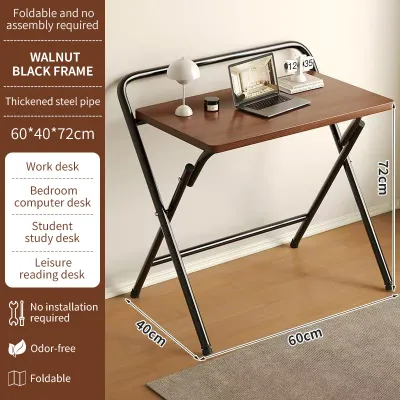


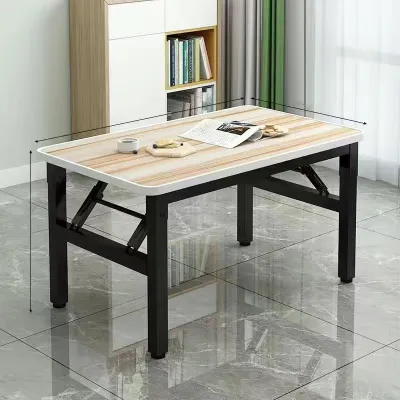
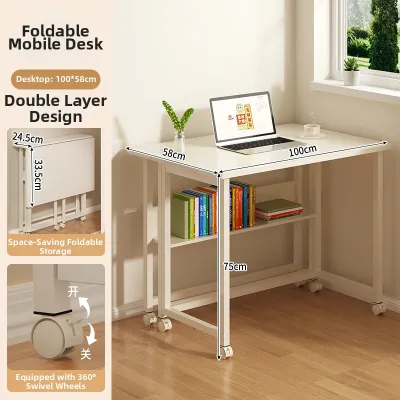

Prices are valid at publication and may change. Please refer to the product page for the latest price.
This diagnostic guide will walk you through a physical space audit, a hardware compatibility check, and a direct comparison with fixed alternatives to help you make an informed decision. By evaluating these key areas, you can avoid the common mistake of buying a desk that does not fit your physical environment or your daily work habits.
Space Audit: Does Your Room Demand a Foldable Table?
Before buying any furniture, especially in high-density urban living spaces like Manila, you must conduct an objective audit of your physical floor area. High humidity and compact room layouts mean every square meter must be utilized efficiently without blocking vital airflow. A desk that looks small on an online marketplace can easily overwhelm a bedroom or living room once you factor in the clearance needed for a desk chair and daily foot traffic.

Additionally, consider how the desk will enter your home. In many Philippine condominium buildings, tight elevator cabins, narrow corridors, and sharp turns in stairwells can make transporting fully assembled furniture incredibly difficult. A foldable table offers a significant advantage here, as its flat-packed or collapsed state allows it to slip easily through standard doorways, service lifts, and narrow hallways without risking damage to your walls or the furniture itself.
Measuring Available Footprint and Clearance
To begin, measure the exact floor area where you plan to work. Use a physical tape measure to map out the width and depth of the proposed workspace, making sure to account for door swings, wardrobe doors, and active walkways. If you must squeeze the desk into a corner, ensure that it does not block access to power outlets, light switches, or air conditioning units.
Remember to calculate the chair clearance zone behind the desk. A standard office chair requires at least 75 to 90 centimeters of clear space behind the edge of the tabletop to allow you to sit down, stand up, and roll back comfortably. Neglecting this measurement is a common error that can leave you trapped against a wall or constantly bumping into nearby furniture.
Next, compare the desk’s deployed footprint with its folded dimensions. If a foldable table folds down to a depth of 10 centimeters, verify where it will be stored when collapsed—such as under a bed, inside a closet, or flat against a wall—and ensure that storage path is completely clear of obstructions. If the storage spot is difficult to reach, you are far less likely to pack the desk away.
Multi-Purpose Room Dynamics
Working and sleeping in the same room can blur the boundaries between professional stress and personal relaxation. A permanent desk cluttered with work accessories serves as a constant visual reminder of your job, which can disrupt your rest in a shared bedroom or living area. This psychological clutter can contribute to burnout, making it difficult to fully disconnect at the end of the day.
Collapsing your workspace at the end of the day offers a powerful psychological boundary, signaling the transition from work mode to personal time. By physically hiding the desk, you reclaim your home as a sanctuary for relaxation, which is especially valuable in studio apartments where spatial separation is impossible.
However, you must be honest about your daily habits and physical willingness to assemble and pack away your setup. If the process of folding the table, organizing the cables, and storing the unit feels like a chore, the desk will likely remain permanently deployed, defeating its space-saving purpose while retaining all the structural compromises of a temporary table. If you suspect you will leave it open, a compact fixed desk is a more stable and practical choice.
Hardware and Habits: Can a Foldable Desk Support Your Work?
A desk’s primary job is to provide a stable, safe platform for your expensive work equipment. Foldable tables are engineered for mobility and compact storage, which inherently limits their structural rigidity compared to heavy, solid-wood fixed desks. Understanding these physical limitations is crucial to preventing damage to your electronics.
Weight Capacity and Stability Check
Start by calculating the total weight of your daily work gear. A standard laptop weighs between 1.5 and 2.5 kilograms, while a 27-inch external monitor can weigh anywhere from 4 to 8 kilograms, and adding a printer, keyboard, and heavy desk accessories can quickly push the total load over 15 kilograms. Compare this total weight against the manufacturer’s specified weight limit to ensure a safe margin.
While many foldable tables claim to support high weight limits, their actual structural stability during active typing or writing is a different matter. The multiple hinges, folding joints, and locking pins that enable portability introduce tiny gaps where movement can occur, leading to a noticeable wobble when you type heavily or lean on the surface. This continuous micro-movement can be highly distracting during long work hours.
To ensure safety, check the manufacturer’s official weight capacity rating and tabletop thickness rather than relying solely on generic material descriptions like “engineered wood” or “steel frame.” Look for tables with reinforced crossbars, locking diagonal braces, and a tabletop thickness of at least 15 millimeters to minimize flexing under load. A sturdy frame with manual locking pins is always preferable to simple gravity-fit joints.
Furthermore, in tropical environments with high humidity, a material name like “MDF” or “particle board” does not guarantee durability. You must verify that the tabletop has a high-quality, moisture-resistant laminate finish and sealed edges to prevent the wood fibers from swelling and weakening the hinge attachment points over time. Exposed wood composite can absorb airborne moisture rapidly, leading to warping and structural failure at the joint connections.
Cable Management and Daily Setup Friction
The hidden cost of a daily-folded workspace is the time and effort spent managing power cables, display cords, and peripheral connections. If you must unplug your monitor, laptop charger, mouse, and keyboard every evening and re-route them every morning, you add significant friction to your daily routine. This repetitive task can easily eat up 10 to 15 minutes of your day.
This setup friction can quickly become frustrating, leading many remote workers to abandon the folding routine entirely within the first few weeks. If your cables end up in a tangled mess on the floor, the visual clutter of the wires can offset any aesthetic benefits gained by folding the desk away.
If you are committed to a foldable setup, you can mitigate this friction by transitioning to wireless peripherals, such as a Bluetooth keyboard and mouse, to eliminate cord clutter. Wireless devices reduce the number of physical connections you must manage, making the teardown process significantly faster and less tedious.
Additionally, mount a single, heavy-duty power strip directly to the underside of the desk frame or use quick-release hook-and-loop cable sleeves so that only one main power cable needs to be unplugged when collapsing the table. Keeping your chargers and power bricks bundled and attached to the desk frame ensures they stay organized and move as a single unit when the desk is stored.
Comparing Your Options: Foldable vs. Fixed and Standing Desks
To determine if a foldable table is truly your best option, you must weigh it against other common home office alternatives. Each desk type represents a different set of trade-offs between space efficiency, structural stability, and long-term ergonomic health. Choosing the wrong type can lead to physical discomfort or a workspace that does not fit your daily workflow.
The following matrix compares these options across four critical performance dimensions to help you identify the right balance for your home environment.
| Desk Type | Space Efficiency | Stability & Wobble | Daily Setup Effort | Ergonomic Adjustability |
|---|---|---|---|---|
| Foldable Desk | Excellent (Can be stored completely flat) | Low to Moderate (Prone to minor wobble) | High (Requires daily unfolding and cable routing) | Low (Fixed height, requires external risers) |
| Compact Fixed Desk | Moderate (Small, permanent footprint) | High (Solid frame, minimal to no wobble) | None (Always ready for immediate use) | Low (Fixed height, relies on chair adjustments) |
| Adjustable Standing Desk | Low (Requires a permanent, dedicated space) | High (Sturdy motorized or manual columns) | None (Always ready, quick height transitions) | Excellent (Easily transitions between sitting and standing) |
If you require high stability for precise typing, drawing, or supporting multiple heavy monitors, a compact fixed desk with a slim profile (such as a 90×45 centimeter writing desk) is often a superior alternative. It occupies only a slightly larger permanent footprint than a deployed foldable table but eliminates the daily setup hassle and structural wobble entirely. This option is ideal if you have a small, unused nook in your living room that can be permanently dedicated to work.
On the other hand, if ergonomic flexibility is your primary concern to combat long hours of sitting, an adjustable standing desk is the gold standard. However, these desks rely on heavy motorized legs and a permanent power connection, making them completely incompatible with foldable mechanisms and unsuitable for rooms that must be cleared out daily. If you choose a standing desk, you must be prepared to allocate a permanent, unmovable space in your home for it.
Next Steps: When to Buy, Compromise, or Keep Your Current Desk
Now that you have assessed your physical space, hardware requirements, and daily habits, you can confidently choose the best path forward for your work-from-home setup.
Path 1: Buy a foldable desk Proceed with buying a foldable table if your living space is highly constrained, your work equipment is limited to a lightweight laptop setup, and you are committed to the daily routine of packing away your workspace. When shopping on online platforms, look for options categorized under budget bands (typically ranging from ₱1,500 to ₱4,000 for sturdy models). Prioritize models that feature robust manual locking pins, thick metal frame tubes, and moisture-resistant tabletop finishes that can withstand high tropical humidity without warping.
Path 2: Opt for a compact fixed desk Choose this path if your room can accommodate a small permanent footprint and you prioritize a solid, wobble-free typing experience. A compact fixed desk allows you to keep your monitors and cables permanently positioned, saving you valuable time every morning while providing a more professional, stable work surface. This is the recommended route if you use an external monitor and want to avoid the daily hassle of cable management.
Path 3: Keep and optimize your current setup If your self-assessment reveals that your current table is structurally adequate but feels cluttered, avoid buying new furniture. Instead, optimize your existing setup by installing under-desk cable management trays, utilizing vertical wall shelving for storage, or adding a clamp-on keyboard tray to free up valuable desktop surface area. Often, a few simple organization accessories can make a standard table feel twice as large without the cost of a full replacement.
Frequently Asked Questions (FAQ)
Can I use a monitor arm with a foldable desk?
Using a clamp-on monitor arm with a foldable desk is generally not recommended. Most standard monitor arms require a robust, solid tabletop thickness of at least 2 to 3 centimeters to safely distribute the concentrated downward pressure of the C-clamp. Because many foldable tables use thin, lightweight, or hollow-core tabletops (such as thin MDF or plastic), the intense pressure of a tightened clamp can easily crack, bend, or puncture the surface. If you must raise your screen on a foldable desk, a freestanding desktop monitor stand with a wide, flat base is a much safer alternative that distributes the weight evenly across the table surface.
Are foldable tables durable enough for full-time work?
The long-term durability of a foldable table depends heavily on the quality of its moving parts and how frequently it is collapsed. Daily folding and unfolding put significant stress on the hinges, locking joints, and spring-loaded pins, which can loosen over time and increase the desk’s wobble. If you plan to use the desk for full-time work (eight or more hours a day), avoid ultra-budget plastic utility tables. Look for models specifically designed for home office use that feature powder-coated steel frames, reinforced metal joints, and clear manufacturer warranty coverage to ensure the folding mechanism can withstand hundreds of cycles of daily deployment.
Community discussion
Share your experience or ask a question. Comments are reviewed before publication.