
An L-shaped desk is a highly functional choice if you manage a multi-monitor setup, require separate physical zones for digital and analog work, or need to maximize corner space. However, if your workspace is confined to a small bedroom, if you operate on a strict budget, or if you prefer a simple single-monitor setup, a standard rectangular desk is often a more practical and cost-effective alternative. When evaluating an l shape table for computer setups, finding the right balance between physical room dimensions and daily workflow habits is essential.
To determine if this configuration is right for you, it helps to run through a systematic self-assessment. By analyzing your physical space, your hardware requirements, and your daily ergonomic patterns, you can avoid a costly purchasing mistake and build a workspace that truly supports your productivity.
Step 1: Measure Your Space and Room Layout
Before committing to a new desk, you must conduct a thorough spatial diagnostic. L-shaped desks occupy a substantial footprint, and their two-sided design makes them far less forgiving than standard rectangular tables when placed in tight corners or awkwardly shaped rooms.
Products mentioned in this guide

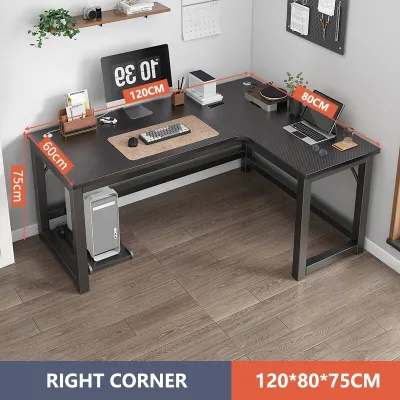
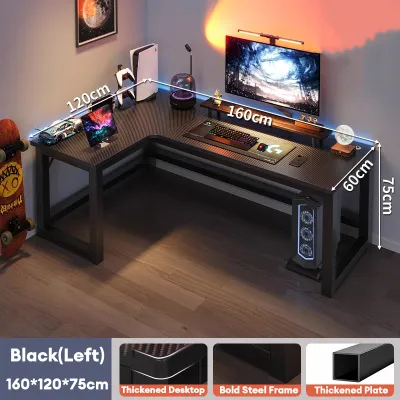
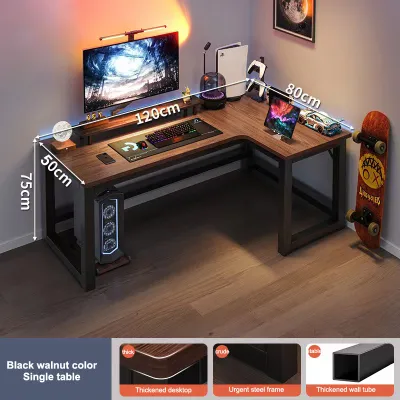
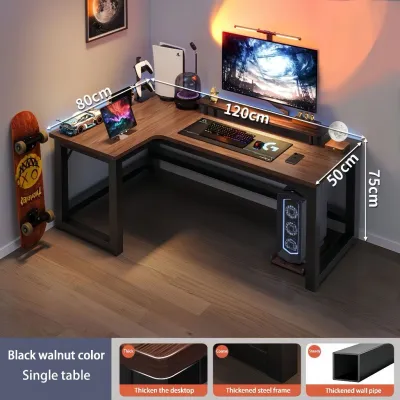
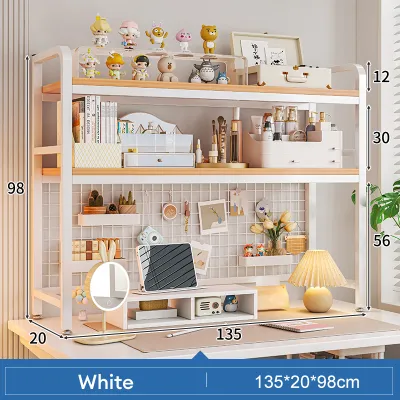
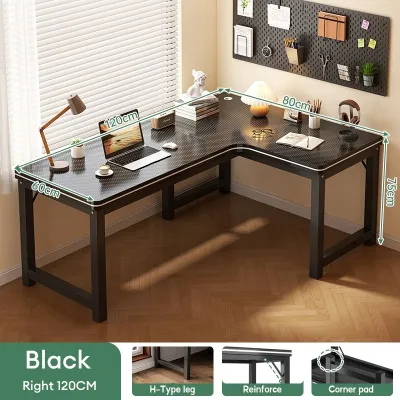
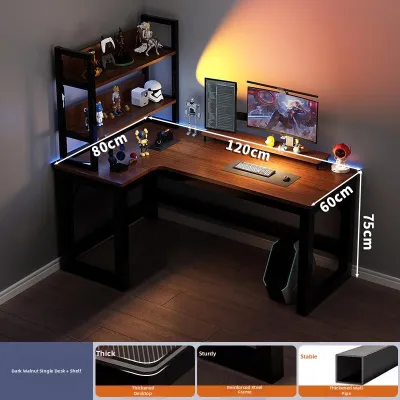
Prices are valid at publication and may change. Please refer to the product page for the latest price.
Checking Corner and Wall Clearance
To ensure a proper fit, start by measuring the finished dimensions of the exact corner where you plan to place the desk. You must measure along both walls: the wall that will accommodate the primary desk section and the wall that will host the return, or secondary, section. Do not rely solely on the desk’s length; you must also measure its depth. A desk that is too deep can protrude into the room, restricting your movement.
When taking these measurements, look for physical obstructions that could prevent the desk from sitting flush against the wall. Baseboards can add several centimeters to the bottom clearance, while low window sills, wall outlets, and internet ports must remain accessible. Additionally, check the clearance for door swings, wardrobe doors, and your desk chair. You need at least 90 to 100 centimeters of open space behind the desk to comfortably push your chair back and stand up without hitting a wall or furniture.
Navigating Small Rooms and Tight Spaces
In compact spaces, such as typical apartments or condominiums in urban areas of the Philippines, the visual weight of an L-shaped desk can quickly overwhelm a room. Because these desks occupy two walls, they can make a small bedroom or study feel cramped and closed off. You must carefully evaluate the natural traffic flow of the room. If the desk blocks a walkway or forces you to squeeze past it, it is likely the wrong choice for your space.
Some users prefer to “float” an L-shaped desk in the middle of a room, using the return side as a physical room divider. While this layout can look highly professional, it requires a significantly larger room. In a smaller room, floating the desk restricts air circulation—a critical factor in hot, humid tropical climates—and can leave unsightly cables exposed to the rest of the living space.
Step 2: Audit Your Computer Workflow and Gear
Your daily tasks and the hardware you use should dictate your desk selection. An L-shaped desk offers a vast amount of surface area, but this space is only useful if your workflow actually demands it.

Multi-Monitor and Heavy Hardware Setups
If you work with multiple monitors, an L-shaped desk offers a distinct advantage over a straight desk. Instead of lining up three screens in a single, wide row—which forces you to turn your head far to the left and right—the 90-degree angle of an L-desk allows you to wrap the monitors around your field of view. This layout keeps all screens at a more consistent focal distance, reducing eye strain.
However, complex hardware setups bring significant cable management challenges. The corner crease of an L-desk is notoriously difficult to manage, as cables from both sides must converge. When selecting a desk, verify if it includes built-in cable grommets or under-desk routing trays. Additionally, consider where you will place a heavy PC tower. Placing a tower on the floor can restrict your legroom, while placing it on the desktop requires a sturdy frame with a high load capacity. You must check the manufacturer’s specifications to ensure the desk can support your monitors, tower, and accessories without sagging.
Hybrid Workflows and Task Separation
An L-shaped desk excels at “zoning”—the practice of dividing your workspace into distinct functional areas. For example, you can dedicate the primary side of the desk entirely to your computer, keyboard, and mouse. The return side can remain completely clear of technology, serving as a dedicated space for writing, reviewing physical documents, sketching, or managing a secondary hobby.
Before buying, ask yourself if you actually engage in these analog tasks. If your workflow is 100% digital, a massive return side may simply become a magnet for clutter, collecting empty mugs, unread mail, and miscellaneous paperwork. If you rarely do analog work, the extra surface area of an L-shaped desk may go unused, meaning a simpler, more compact rectangular desk would serve you just as well.
Step 3: Compare an L Shape Table for Computer Setups Against Alternatives
To help you visualize how an L-shaped desk stacks up against other common options, consider the primary trade-offs in footprint, task separation, and ergonomics.
| Desk Type | Best Workflow Match | Space Footprint | Task Separation | Ergonomic Reach |
|---|---|---|---|---|
| L-Shaped Desk | Corner utilization, dual-zone digital and analog workflows | Moderate to large; requires a clear corner | Excellent; distinct 90-degree work zones | Good; items are within arm's reach when swiveling |
| Straight Desk | Single-focus tasks, simple computer setups, tight budgets | Minimal; fits easily against any flat wall | Poor; requires stacking items or overlapping tasks | Excellent; everything is directly in front of you |
| U-Shaped Desk | Executive setups, heavy multi-tasking, maximum storage | Massive; requires a large, dedicated room | Outstanding; three distinct work surfaces | Moderate; requires extensive physical swiveling |
| Standing Desk | Active movement, health-conscious users, single-monitor setups | Minimal to moderate; easily adjustable | Poor to moderate; mostly limited to straight tops | Excellent; optimized for forward-facing posture |
By analyzing this comparison, you can rule out options that do not align with your physical constraints. For instance, if your primary goal is to improve your posture and stand during the day, you should note that L-shaped standing desks are relatively rare and significantly more expensive than straight standing desks. If your room lacks a clear corner, a straight desk paired with a small side table or filing cabinet may offer a more practical layout.
Step 4: Check Ergonomics and Daily Comfort
Ergonomics should be a primary consideration when choosing any office furniture. While an L-shaped desk offers excellent reach, it also introduces unique ergonomic risks if not configured correctly.
A common mistake is placing the primary computer monitor directly in the inner corner crease of the L-shape. This positioning forces you to sit deep in the corner, which increases the viewing distance to your screen and often causes you to hunch forward. It also limits your legroom, as your knees can easily bump into the desk’s corner support legs. Instead, you should place your primary monitor on the flat, straight section of the desk directly in front of you. Use the return side for secondary tasks, reference materials, or a secondary monitor.
To maximize comfort, ensure that the side of the desk you choose for your main computer setup offers ample legroom clearance. You need enough under-desk space to stretch your legs and change positions throughout the day. Additionally, an L-shaped desk requires a high-quality office chair with smooth-rolling casters and a full 360-degree swivel. This allows you to transition smoothly between your primary and secondary work zones without twisting your spine or straining your lower back.
Final Verdict: Your Action Plan
Now that you have assessed your space, workflow, and ergonomic needs, you can confidently choose your next step.
Path A: Proceed with an L-Shaped Desk Choose this path if you have a clear, unobstructed corner, a workflow that requires distinct digital and analog zones, and a budget that allows for a stable, high-quality frame. When purchasing in the Philippines, keep in mind that high humidity can cause low-quality engineered wood or MDF to warp or swell over time. Prioritize desks with a protective, water-resistant laminate finish, well-sealed edge banding, and robust joint construction. Before ordering, double-check your doorway and lift access to ensure the flat-packed boxes can easily reach your room.
Path B: Optimize Your Current Straight Desk If your space is tight or your budget is limited (for example, under ₱5,000), a straight desk is often the smarter choice. You can simulate the benefits of an L-desk by using monitor arms to clear up desk space, adding an under-desk keyboard tray, or placing a small, mobile filing cabinet next to your desk to act as a secondary work surface.
Path C: Reconfigure Your Existing L-Desk If you already own an L-shaped desk but suffer from neck strain or clutter, it is time to reconfigure. Move your primary monitor out of the corner crease and onto a straight section. Clear the return side of unnecessary items, and establish a strict rule: the primary side is for active digital work, while the return side is reserved for offline tasks or temporary storage.
Frequently Asked Questions (FAQ)
Should the longer side of the L-desk be on the left or right?
Choosing the orientation of your L-shaped desk depends largely on your dominant hand and your room’s layout. Right-handed users typically prefer the return (the shorter side) to be on their left. This setup keeps the main desk surface clear for mouse movement and allows the dominant hand to write comfortably on the primary side. Left-handed users often prefer the opposite configuration. However, physical room constraints—such as the location of wall outlets, window glare, or door placement—often override handedness preferences. Many modern L-shaped desks feature a reversible design, allowing you to assemble the return on either side as needed.
Is it bad to put my computer monitor directly in the corner of an L-desk?
Yes, placing your primary monitor directly in the corner crease is generally bad for ergonomics. Sitting deep in the corner forces you to push your chair further back, which can cause you to overreach for your keyboard and mouse, leading to shoulder and upper back strain. It also limits your legroom, as your knees will face the corner joint where support legs or storage drawers are often located. For the best ergonomic posture, place your primary monitor on the flat, straight section of the desk directly in front of you, and use the corner space for secondary screens, speakers, or decorative items.
Community discussion
Share your experience or ask a question. Comments are reviewed before publication.