
Quick Answer: Manual vs Electric Sit-Stand Desks
Choosing between a manual crank and an electric sit stand desk depends primarily on your budget, access to power outlets, and how frequently you plan to adjust your working height throughout the day. A manual crank desk is a budget-friendly, highly reliable option that requires no electricity, making it perfect for minimalist setups, rooms with limited outlets, or spaces prone to power fluctuations. However, adjusting it requires physical effort and takes more time. An electric sit stand desk offers effortless, push-button convenience and customizable memory presets that allow you to transition between sitting and standing in seconds. While electric models represent a larger initial financial investment and require a nearby power outlet, they are ideal for those who transition frequently or share their workspace with others.
Key Differences Between Manual and Electric Standing Desks
To make an informed decision for your home office, it is essential to look beyond the surface and understand how these two lifting mechanisms function in daily use. While both options allow you to break up long periods of sitting, they offer vastly different user experiences, mechanical complexities, and spatial requirements.

Lifting Mechanism and Convenience
The manual crank desk relies on a purely mechanical gear system, typically a worm gear, to translate rotational hand force into vertical lift. To adjust the height, you must manually turn a fold-away hand crank located beneath the desktop. This mechanical process is inherently slow, often requiring 5 to 8 full rotations of the crank to raise or lower the desktop by a single inch. If you need to transition from a standard sitting height of 75 centimeters to a standing height of 110 centimeters, you may find yourself turning the handle up to 100 times. For many users, this physical effort becomes a barrier over time. If the adjustment process feels tedious, you are far more likely to leave the desk in a fixed position, which defeats the ergonomic purpose of purchasing a height-adjustable workspace.
Products mentioned in this guide
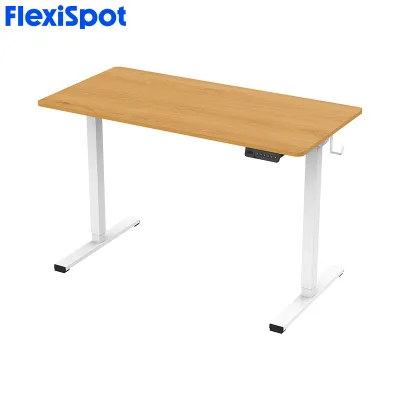
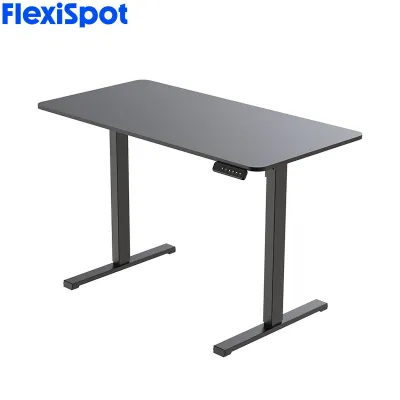
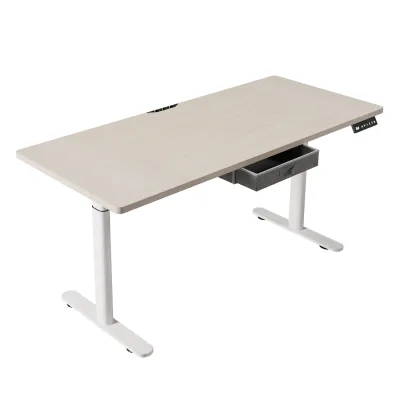
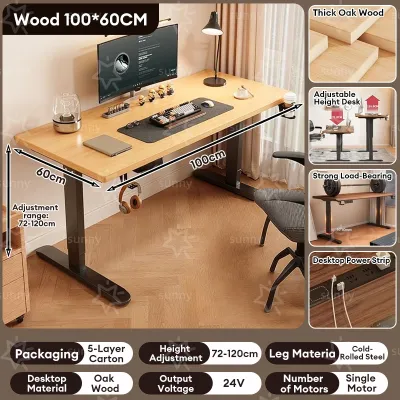

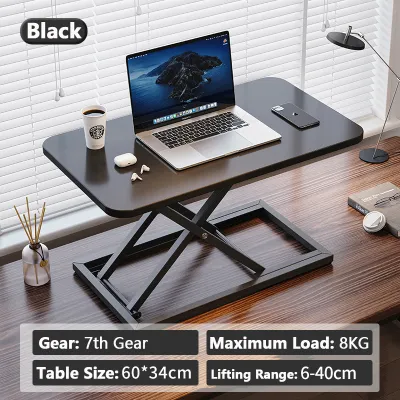
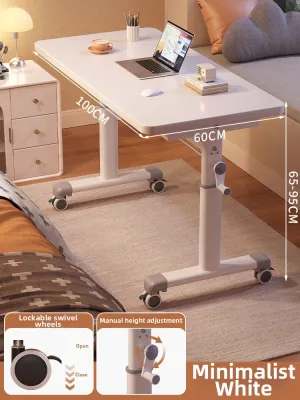
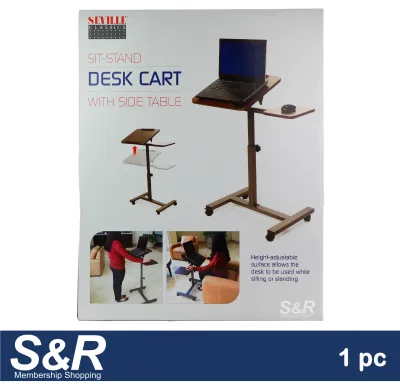
Prices are valid at publication and may change. Please refer to the product page for the latest price.
In contrast, an electric sit stand desk uses one or two electric motors integrated directly into the lifting columns of the frame. Controlled by a small electronic keypad mounted on the edge of the desktop, these motors do all the heavy lifting at the touch of a button. The movement is rapid, smooth, and quiet. More importantly, most electric models feature digital control panels with memory presets. This allows you to program your precise sitting and standing heights into the system’s memory. Once saved, transitioning between heights is a matter of pressing a single button, allowing you to remain focused on your work without manual distraction. This ease of use actively encourages regular movement throughout the workday, helping you maintain better posture and blood circulation.
Price and Long-Term Value
Budget is often the deciding factor when outfitting a home office. Manual crank desks represent the entry-level tier of the sit stand desk market. Because they lack expensive electronic components, motors, and control boards, they are significantly cheaper to manufacture. In the Philippines, a high-quality manual crank frame can often be found in a highly accessible price band, typically under ₱10,000. This makes manual models an excellent choice for remote workers, freelancers, or students who want the health benefits of a standing desk without a heavy upfront financial commitment.
Electric desks, on the other hand, require a more substantial initial investment. Prices typically start around ₱12,000 for basic single-motor models and can easily exceed ₱25,000 for heavy-duty dual-motor frames with advanced control features and premium desktop materials. When evaluating this price gap, it is important to consider the long-term value and your personal workflow. If you plan to use the desk for several years, the daily convenience and time saved by an electric motor can easily justify the higher upfront cost. An electric desk that is easy to adjust will be utilized constantly, whereas a manual desk that is tedious to crank may end up being used as a standard fixed-height desk, reducing its long-term value.
Power Access and Workspace Constraints
The physical layout of your home office can heavily influence which desk type is practical. Electric standing desks are entirely dependent on a continuous source of electricity. The control box and motors must be plugged into a standard wall outlet to function. In many residential layouts in the Philippines, especially in older homes or rental apartments, electrical outlets may be sparse or poorly positioned. Placing an electric desk far from an outlet requires the use of extension cords, which can create tripping hazards and clutter your workspace. Furthermore, electric desks demand meticulous cable management. Because the desktop moves up and down, all cables running from your computer, monitors, and peripherals to the wall or floor must have enough slack to accommodate the maximum height without pulling or snapping.
Manual crank desks offer total freedom from electrical constraints. Because they require no power, you can place them anywhere in your home. You can position your workspace in the middle of a room, next to a window to maximize natural light, or even on a covered veranda or balcony to enjoy a breeze without worrying about extension cords or electrical safety. This makes manual desks exceptionally versatile for dynamic household layouts or rental properties where you cannot easily modify the electrical setup. They are also lighter and easier to relocate if you decide to rearrange your living space.
Feature Comparison at a Glance
To help you quickly evaluate the trade-offs between these two mechanisms, the following table summarizes the key features, performance metrics, and ideal user profiles for each type of sit stand desk.
| Feature | Manual Crank Desk | Electric Sit-Stand Desk |
|---|---|---|
| Adjustment Method | Manual hand crank (folding or retractable) | Electric motor(s) with push-button control panel |
| Speed and Effort | Slower; requires physical turning and manual effort | Fast and effortless; automated smooth lifting |
| Power Requirement | None; fully mechanical and off-grid | Requires continuous connection to a standard power outlet |
| Memory Presets | Not available; must be visually adjusted each time | Yes; typically stores 2 to 4 height profiles |
| Typical Price Tier | Budget-friendly (lower entry cost) | Mid to high-end investment (higher entry cost) |
| Ideal User Profile | Occasional height changers, off-grid setups, strict budgets | Frequent height changers, shared workspaces, convenience-focused users |
How to Choose the Right Sit-Stand Desk for Your Needs
Selecting the perfect desk requires a realistic assessment of your daily habits, your physical workspace, and your budget. By matching your specific needs to the strengths of each mechanism, you can avoid buyer’s remorse and build an ergonomic setup that supports your productivity.
Choose a Manual Crank Desk If…
A manual crank desk is the ideal choice if you are working with a strict budget and want to keep your home office setup costs under ₱10,000. It is also the perfect solution if your designated workspace lacks convenient access to wall outlets, or if you prefer a clean, minimalist aesthetic without the clutter of power bricks and cords.
From a behavioral standpoint, a manual desk works best if you only plan to change your working position once or twice a day. For example, if you prefer to sit during your focused writing or coding blocks but want to stand during a morning team meeting or immediately after lunch to combat midday fatigue, the minor effort of cranking the desk twice a day is highly manageable. Additionally, because manual desks have fewer moving parts and no sensitive electronics, they are highly durable and less vulnerable to damage from power surges, making them reliable options for areas with unstable electrical grids.
Choose an Electric Motor Desk If…
You should invest in an electric sit stand desk if you plan to transition between sitting and standing frequently throughout the day. If you follow an ergonomic routine that encourages standing for 15 minutes out of every hour, the effortless push-button adjustment of an electric model is essential to keeping you on track.
Electric models are also highly recommended if you share your home office desk with a partner, spouse, or child. Because different family members require different ergonomic heights for sitting and standing, manual adjustment can quickly become a source of daily frustration. With an electric desk’s memory presets, each user can save their preferred heights and adjust the desk to their exact specifications in seconds. Furthermore, if you have physical limitations, joint pain, or back issues that make manual cranking uncomfortable, the automated lift of an electric desk ensures you can maintain an ergonomic workspace without physical strain.
Verify First: Space, Weight, and Stability
Regardless of which lifting mechanism you choose, there are several critical physical checks you must perform before making a purchase to ensure the desk fits your home and supports your equipment.
- Measure Available Floor Space: Start by measuring the physical footprint of your designated office area. Ensure there is enough clearance around the desk for your chair, and verify that the desk can rise to its maximum height without hitting wall-mounted shelves, window frames, or overhead cabinets.
- Check Doorway and Lift Access: Sit-stand desks are often shipped in heavy, flat-packed boxes, and the solid desktop can be quite large. If you live in a condominium or apartment building, measure the dimensions of the elevator, narrow corridors, and your front door frame. Ensure that a desktop measuring 120cm to 160cm in length can be safely delivered and maneuvered into your home.
- Assess Frame Weight Capacity: Calculate the total weight of your work equipment, including monitors, dual-monitor arms, laptop, keyboard, mouse, desktop PC tower, and desk accessories. Compare this total to the manufacturer's specified maximum weight capacity. Electric desks generally offer higher load capacities, but you must verify that the frame can handle your specific gear without straining the motor or mechanical gears.
- Evaluate Stability and Wobble: All sit-stand desks experience some degree of lateral movement or wobble when extended to their maximum standing heights. To ensure a stable typing surface, look for frames constructed from heavy-duty industrial steel. Check user reviews or manufacturer specifications regarding the thickness of the steel legs and the design of the feet. Desks with adjustable leveling glides are essential for stabilizing the frame on uneven tile or wooden floors.
- Consider Climate and Materials: In the humid tropical climate of the Philippines, moisture can affect desktop materials. Engineered woods like MDF (medium-density fiberboard) or particleboard can swell or warp if exposed to high humidity or accidental liquid spills, especially if the protective laminate finish is compromised. When selecting your desktop, check the quality of the edge banding and finish. If your budget allows, a solid wood desktop or a high-pressure laminate (HPL) surface offers superior long-term resistance to humidity and wear.
Installation and Daily Maintenance Tips
Proper setup and regular maintenance are vital to ensuring your sit stand desk operates smoothly and lasts for years. Because manual and electric desks rely on different engineering principles, they require distinct care routines.
For manual crank desks, the primary maintenance task is keeping the mechanical gear system clean and free of debris. Over time, household dust and pet hair can settle into the crank socket and the internal gears, increasing friction and making the desk harder to turn. Periodically inspect the gear housing and clean it with a dry microfiber cloth. If the crank mechanism begins to feel stiff, apply a small amount of silicone-based lubricant to the gears as recommended by the manufacturer. Never force the crank handle if you encounter sudden resistance. Forcing the mechanism can strip the gears or bend the internal drive rod. Instead, check the telescoping legs for physical obstructions, ensure the desk is not overloaded beyond its weight limit, and verify that the frame is level.
For electric sit-stand desks, cable management is the single most important factor for safe operation. Because the desk moves vertically, any cable running from your equipment to a wall outlet can easily become snagged, stretched, or unplugged. To prevent damage to your devices or the desk’s motor, install an under-desk cable tray or basket to house your power strips and device power bricks. This ensures that only one main power cable needs to travel from the desk to the wall outlet. Use a flexible cable spine or mesh sleeve to protect this main cable, leaving plenty of slack so the desk can reach its maximum height without pulling on the wall outlet.
Additionally, protect the sensitive electronic control box and motor from electrical damage. In areas prone to voltage fluctuations or power surges, plug your desk’s power cable into a high-quality surge protector or an uninterruptible power supply (UPS). Always respect the motor’s rated duty cycle—typically 2 minutes of continuous operation followed by 18 minutes of rest—to prevent overheating. Finally, before using your desk for the first time, read the specific assembly instructions carefully, perform a manual reset of the control box if required by the manufacturer, and register your product warranty to protect your investment.
Frequently Asked Questions (FAQ)
Can I convert my existing desk into a sit-stand desk?
Yes, desktop converters or risers are a popular alternative to purchasing a full sit-stand desk. These units sit directly on top of your existing writing desk or table and feature a built-in keyboard tray and monitor platform that can be raised or lowered manually or via a small electric motor. While they are highly convenient and require no complex assembly, they do have trade-offs. Desktop converters reduce your overall usable desk surface and add significant static weight to your existing desk frame. Before purchasing a converter, verify that your current desk is sturdy enough to support both the weight of the converter itself and all your office equipment.
Do electric standing desks use a lot of electricity?
No, electric standing desks are highly energy-efficient and will not noticeably impact your monthly household electricity bill. The motor only draws significant electrical power during the brief seconds when the desk is actively moving up or down. When stationary, the desk’s control panel enters a low-power standby mode, consuming a negligible amount of electricity—typically less than 1 to 2 watts. Over a year of normal daily use, the cost of operating an electric standing desk is minimal, making it a highly cost-effective addition to any home office setup.
Community discussion
Share your experience or ask a question. Comments are reviewed before publication.