
A bedside table that integrates storage drawers and built-in power outlets is a practical upgrade over a basic mini cabinet organizer. In many homes in the Philippines, bedside space is limited, and managing multiple chargers for phones, tablets, and smartwatches often leads to a tangle of extension cords and adapters. By transitioning to a dedicated smart nightstand, you consolidate your storage and power needs into a single footprint. This setup not only keeps your daily essentials organized but also protects your electronics from dust and accidental spills.
Evaluating Storage Layouts and Charging Capabilities
When transitioning from a simple mini cabinet organizer to an integrated nightstand, the first step is evaluating how the storage layout aligns with your daily habits. Drawers provide concealed storage that keeps personal items, medications, and reading glasses out of sight, which is particularly helpful for maintaining a clean, minimalist aesthetic. Open shelves, on the other hand, offer quick access to items you reach for frequently, such as books or a glass of water. A balanced combination of both allows you to tuck away clutter while keeping active items within arm’s reach.
The charging capabilities of modern nightstands vary significantly, making it essential to match the built-in ports with your specific devices. Standard USB-A ports are common and suitable for older accessories, but newer smartphones and tablets often require USB-C ports to support fast charging. Some advanced nightstands also feature integrated wireless charging pads directly on the top surface. If you prefer wireless charging, verify that the charging pad is compatible with your phone model and that your phone case is thin enough to allow the power transfer to work efficiently.
Products mentioned in this guide
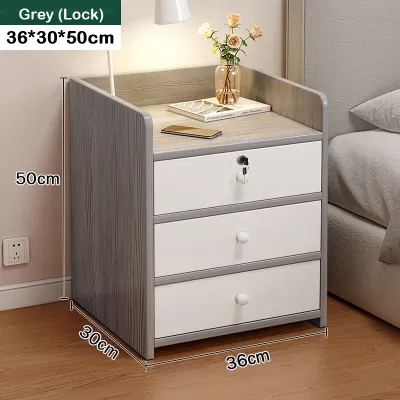

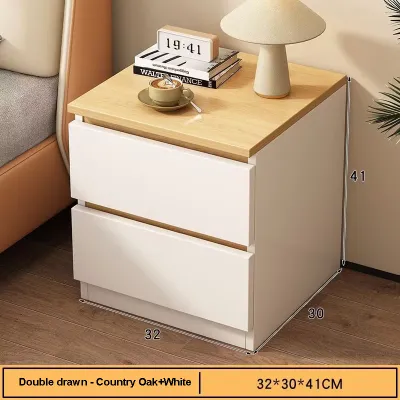

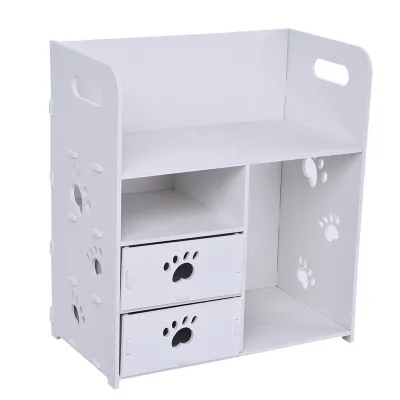
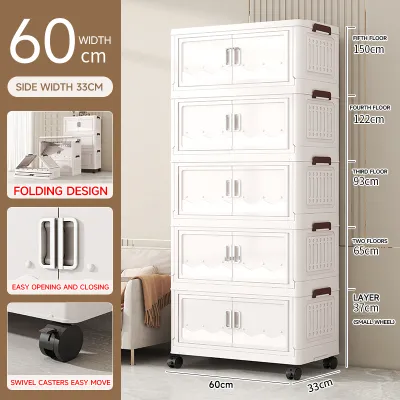
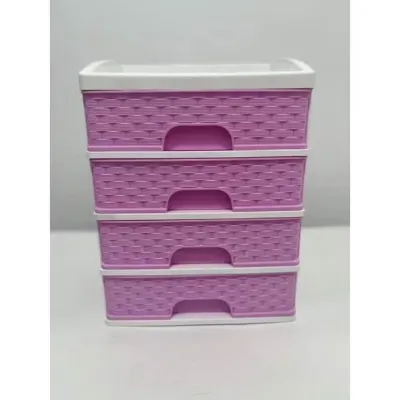

Prices are valid at publication and may change. Please refer to the product page for the latest price.
Cable management is another critical feature that separates a well-designed smart nightstand from a basic table with a power strip thrown on top. Look for units that feature built-in cable channels, rear grommets, or dedicated compartments that hide cords from view. This design prevents cords from tangling behind the furniture, reduces dust accumulation, and ensures that your bedside area remains tidy and easy to clean.
Finally, always check the product specifications for the maximum power output of the integrated ports. Power output is typically measured in watts or amperage. A port with low wattage may charge your devices very slowly, which can be frustrating if you need a quick battery boost before heading out. Ensuring the nightstand’s ports deliver sufficient power for your specific devices will help you avoid the need to plug in additional wall adapters.
Measuring Space and Bedside Clearances
Before purchasing a new nightstand, taking precise measurements of your bedroom layout is essential to ensure a comfortable fit. Start by measuring the available floor space beside your bed frame, keeping in mind that the nightstand should not crowd the room or block natural walking paths. Be sure to account for baseboards or wall moldings, which can prevent the furniture from sitting completely flush against the wall and may slightly alter the total footprint.

Drawer clearance is a frequently overlooked dimension that can cause significant inconvenience if miscalculated. You must ensure there is enough open space in front of the nightstand to fully extend the drawers without hitting the bed frame, wardrobe doors, or other nearby furniture. If your bedroom has a tight layout, a nightstand with sliding doors or open shelving might be a more practical choice than one with deep, pull-out drawers.
The height of the nightstand is equally important for both comfort and visual balance. Ideally, the top surface of the bedside table should be level with or slightly above the top of your mattress. This alignment allows you to easily reach for your phone, a book, or a glass of water without having to strain your arm or sit up uncomfortably in bed. A table that is too high or too low can disrupt the flow of the room and make daily use awkward.
Additionally, consider the swing paths of nearby doors, closet doors, and window treatments. A deep nightstand placed too close to a wardrobe can prevent the wardrobe doors from opening fully, while a unit placed near a window might interfere with hanging curtains or blinds. In compact bedrooms, carefully assessing these clearances ensures that your new furniture integrates seamlessly into the space without creating physical obstructions.
Verifying Material Quality and Electrical Safety
Because the Philippines experiences high relative humidity throughout the year, verifying the material quality and construction of your nightstand is crucial for long-term durability. Rather than relying solely on generic material names like “engineered wood,” inspect the quality of the surface finishes and edge banding. Well-sealed laminates and robust edge banding protect the inner core of the furniture from moisture absorption, which can otherwise cause the material to swell, warp, or peel over time.
Structural stability is another key factor, especially if you plan to place heavier items like table lamps, books, or decorative pieces on the nightstand. Check the manufacturer’s specified weight capacity for both the top surface and the individual drawers. Look for furniture with a wide, stable base or sturdy legs, and consider using anti-tip hardware to anchor the unit to the wall, particularly if you have a taller model or live in an area prone to minor seismic activity.
Since these nightstands feature integrated electrical components, verifying safety certifications is paramount to protect your home and devices. Review the product label and user manual for recognized electrical safety marks, which indicate that the built-in power strip or charging module has undergone rigorous testing. Ensure the unit includes built-in surge protection to safeguard your expensive electronics from sudden voltage fluctuations, which can occur during local power interruptions or storms.
Pay close attention to the design of the charging area and its proximity to potential liquid hazards. Since many people keep a glass of water on their bedside table, look for nightstands where the electrical outlets and USB ports are recessed, elevated, or equipped with protective sliding covers. This design minimizes the risk of accidental spills coming into direct contact with active electrical components, significantly reducing the hazard of short circuits.
Lastly, examine the condition, thickness, and length of the main power cord that connects the nightstand to your wall outlet. The cord should be heavy-duty, rated for continuous use, and long enough to reach the nearest outlet without being stretched tight or requiring the use of an additional extension cord. A strained or improperly rated cord can overheat over time, presenting a serious safety hazard in your bedroom.
Building Your Shortlist and Making the Final Choice
Once you understand your space constraints and safety requirements, you can begin building a shortlist of potential nightstands. Start by filtering options based on your non-negotiable criteria, such as the exact maximum width that will fit beside your bed and the specific types of charging ports your devices require. This initial filtering helps you quickly eliminate models that do not meet your practical needs, saving you time during the decision-making process.
When comparing different models, carefully review the warranty terms and return policies offered by the manufacturer or retailer. It is common for furniture warranties to cover structural defects in the wood or frame for a longer period while offering much shorter coverage—or none at all—for the integrated electronic components. Understanding these distinctions beforehand ensures you know what to expect if a charging port or power strip experiences issues down the line.
User reviews on online marketplaces and furniture forums can provide valuable insights into the long-term reliability of a nightstand. Look for specific feedback regarding drawer alignment, the durability of the drawer glides, and how well the surface finish resists scratching from daily use. Pay close attention to reviews that mention the longevity of the charging ports, as this will give you a realistic idea of the electronic components’ quality.
Finally, confirm the delivery and assembly requirements for your chosen nightstand. Some models arrive fully assembled with the electrical components pre-installed, while others require complete DIY assembly. If assembly is required, check whether the electrical module is pre-wired or if you must install it yourself. Following the manufacturer’s assembly instructions precisely is essential to ensure the unit is structurally sound and that you do not accidentally void the warranty during setup.
Frequently Asked Questions (FAQ)
Can I replace the charging module if a port stops working?
Integrated charging modules in smart nightstands are often proprietary and designed specifically for that particular piece of furniture. Because of this, they are generally not user-replaceable without voiding the manufacturer’s warranty or risking electrical hazards. If a port stops functioning, it is best to consult the manufacturer’s troubleshooting guide or contact their authorized service center for assistance rather than attempting a DIY repair.
How do I clean a nightstand with built-in charging ports safely?
To clean a nightstand with integrated electronics safely, always begin by unplugging the main power cord from the wall outlet to eliminate any risk of electrical shock. Use a slightly damp, lint-free microfiber cloth to wipe down the wood or laminate surfaces, and immediately follow with a dry cloth to remove any residual moisture. Avoid spraying liquid cleaners or water directly near the charging ports, outlets, or wireless pads, as moisture entering these areas can damage the circuitry and create safety hazards.
Community discussion
Share your experience or ask a question. Comments are reviewed before publication.