
Selecting the perfect standing desk is one of the most critical decisions you will make when designing an ergonomic work-from-home setup. As remote work becomes a permanent fixture for many professionals in the Philippines, finding a balance between comfort, productivity, and physical health is paramount. The debate between pneumatic desks and electric standing desks often centers on how you prefer to transition from sitting to standing, your budget constraints, and the specific demands of your daily workflow.
To make an informed choice, you must look beyond the surface aesthetics of these desks and evaluate how their distinct height-adjustment mechanisms will function in your specific workspace. A pneumatic desk relies on a pressurized gas cylinder to assist with manual lifting, offering high portability and independence from power outlets. In contrast, an electric standing desk utilizes motorized lifting columns to automate the transition, providing precise height presets and superior weight capacities.
Your ultimate decision will depend on how frequently you plan to adjust your desk, the total weight of your computer equipment, and your tolerance for manual physical effort. If you have a lightweight setup, value mobility, and want a budget-friendly option that remains functional during power outages, a pneumatic desk is an excellent fit. However, if you use multiple heavy monitors, require precise height memory presets, and want effortless transitions at the press of a button, investing in an electric standing desk is the more practical path.
Products mentioned in this guide

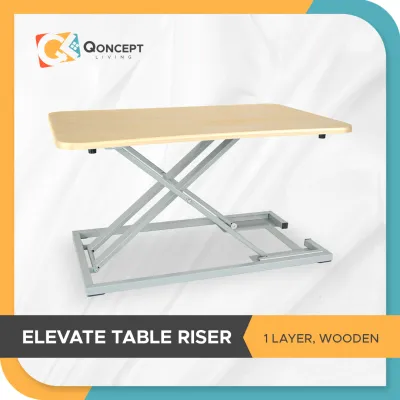
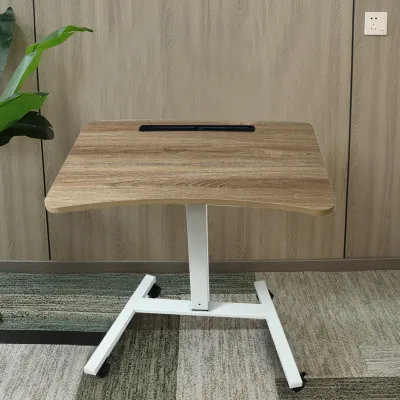
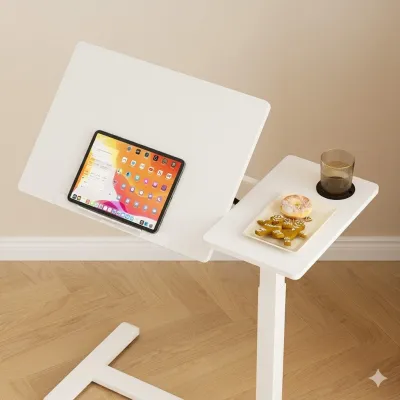
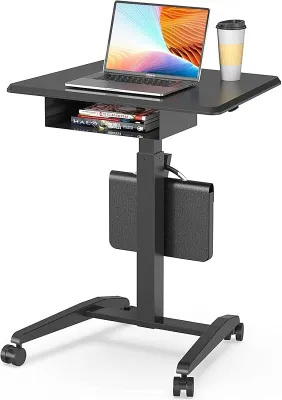
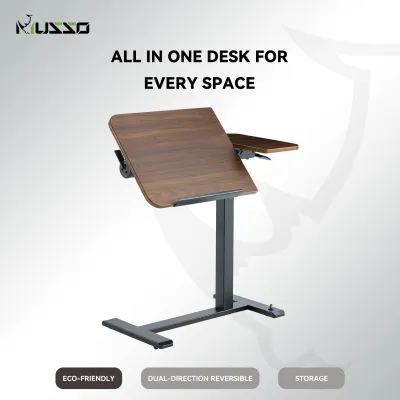
Prices are valid at publication and may change. Please refer to the product page for the latest price.
How Pneumatic and Electric Mechanisms Actually Work
To understand how these desks differ in daily use, it is helpful to examine the physical mechanisms that drive their height adjustments. A pneumatic desk operates on a system of compressed gas cylinders, very similar to the gas struts used to lift the hatchback of a car or adjust the height of a standard office chair. When you pull the hand lever, you release a mechanical brake, allowing the pressurized nitrogen gas inside the cylinder to expand and push the telescoping legs upward. Because this system relies on counterbalanced pressure, you must actively guide the desktop with your hands. If the desk is lightly loaded, you may need to apply downward force to lower it; if it is heavily loaded, you will need to lift upward to assist the gas spring.
An electric standing desk, on the other hand, replaces manual effort with motorized automation. These desks feature one or two electric motors integrated directly into the lifting columns of the desk frame. When you press a button on the digital control panel, an electronic signal activates the motors, which turn internal lead screws or spindle drives to raise or lower the legs. Dual-motor configurations place a motor in each leg, allowing for synchronized, highly stable movement that can easily handle heavy loads. This motorized system requires a continuous connection to an electrical outlet, turning electrical energy into precise mechanical height adjustments without requiring any physical lifting or pushing from you.
Key Differences That Impact Your Daily Workflow
Speed, Smoothness, and Noise
The physical experience of raising or lowering your desk can significantly impact your focus and willingness to change postures throughout the workday. Electric standing desks are engineered for smooth, linear transitions. When you press the adjustment button, the motors ramp up gradually, ensuring that your coffee cup, monitors, and desk accessories glide upward without sudden jerks. The speed of electric desks is highly consistent, typically moving at a rate of 2.5 to 3.8 centimeters per second.

The noise generated by these motors is a key consideration, especially if you frequently participate in video calls or share your workspace with family members. High-quality electric frames operate at a relatively quiet volume, usually between 45 and 55 decibels, which is comparable to the low hum of a modern refrigerator. Before purchasing, it is wise to check product reviews or manufacturer specifications for decibel ratings to ensure the motor won’t be a distraction.
Pneumatic desks offer a completely different adjustment dynamic. Because they rely on gas pressure, the transition can be incredibly rapid—often taking less than two seconds to go from sitting to standing height. However, this speed comes at the cost of precise control. When you release the hand brake, the desk can experience a sudden upward “bounce” or surge, particularly if the desktop is not heavily loaded. This rapid movement requires you to keep a firm grip on the desk surface to prevent items from shifting. On the positive side, pneumatic desks are virtually silent during operation. Aside from the mechanical click of the lever and the faint hiss of escaping air or gas within the sealed cylinder, there are no noisy motors to worry about, making them exceptionally quiet additions to any home office.
Weight Capacity and Stability at Maximum Height
A stable work surface is essential for maintaining focus, preventing screen shake while typing, and protecting your expensive tech equipment from accidental falls. Electric standing desks are the undisputed leaders in weight capacity. Even entry-level single-motor frames can typically support between 70 kg and 80 kg of weight, while heavy-duty dual-motor frames routinely handle loads of 100 kg to 125 kg or more. This substantial capacity allows you to mount multiple large monitors, heavy desktop PC towers, studio speakers, and desk organizers without worrying about straining the mechanism. Furthermore, the robust steel construction and wider foot designs of electric frames provide excellent stability, minimizing lateral wobble even when the desk is fully extended to its maximum standing height.
Pneumatic desks operate under much stricter weight constraints. Because the gas cylinder is calibrated to assist with a specific range of weight, these desks have a narrow “sweet spot” for optimal performance. If your total equipment weight is too light, the desk will resist being pushed down, requiring significant physical effort to lower. If your setup is too heavy—exceeding the typical pneumatic capacity limit of 15 kg to 40 kg—the gas spring will fail to assist, forcing you to lift the heavy load manually. This makes pneumatic desks ill-suited for complex setups with multiple monitors or heavy desktop computers.
Additionally, because pneumatic frames are often designed to be lightweight and portable, they may exhibit more noticeable wobble or flexing when extended to high standing positions. To ensure a safe and stable setup, always calculate the combined weight of your monitors, mounts, and accessories, and verify the manufacturer’s stated weight capacity and stability ratings before making a purchase.
Power Requirements and Portability
Your physical home environment and layout flexibility are crucial factors when choosing between these two desk types. Pneumatic desks require no electrical power whatsoever. This complete independence from wall outlets gives you unparalleled freedom in placing your desk. You can position a pneumatic desk in the center of a room, next to a window far from an outlet, or even move it to a different room as your household needs change. This level of portability is highly advantageous for renters in the Philippines who may move frequently, or for those living in compact apartments where multi-functional spaces require furniture to be easily rearranged.
Electric standing desks, conversely, are tethered to the wall. They require a continuous power source to function, which immediately introduces cable management challenges. You must carefully route the desk’s main power cable alongside the cables for your computer, monitors, and peripherals. This requires using cable trays, spine organizers, or adhesive clips to ensure that no cords are pinched, stretched, or disconnected when the desk transitions between sitting and standing heights.
Furthermore, if you live in an area prone to power fluctuations or rotational brownouts during the typhoon season, an electric desk will lose its adjustment capability entirely during a power outage. While it will remain locked safely at its current height, you will not be able to change positions until power is restored unless you invest in an uninterruptible power supply (UPS) or surge protector to safeguard the desk’s delicate electronic control box.
Budget and Long-Term Value Considerations
When evaluating the financial aspect of your purchase, you must weigh the upfront cost against the long-term durability and warranty coverage of each desk type. Generally, pneumatic desks represent a more budget-friendly entry point into the world of standing desks. Because they lack complex electronic components, motors, and digital control panels, manufacturing costs are lower. You can find high-quality, reliable pneumatic desks starting under ₱10,000 in the local market, making them an attractive option for budget-conscious remote workers or students.
Electric standing desks span a much wider pricing spectrum. Entry-level, single-motor electric desks typically start around ₱12,000 to ₱15,000, while premium dual-motor models featuring solid hardwood desktops, advanced anti-collision sensors, and multi-user memory keypads can easily exceed ₱30,000 to ₱40,000. While the upfront investment for an electric desk is higher, it delivers significant value in terms of convenience, precise ergonomics, and automated ease of use.
However, long-term value is also dictated by maintenance and component lifespan. Electric desks contain multiple complex electronic parts, including the motor, control box, and keypad. In tropical climates like the Philippines, high relative humidity can sometimes accelerate the wear of electronic components, making robust warranty coverage essential. If an electric motor or control board fails outside of the warranty period, finding compatible replacement parts can be challenging and costly.
Pneumatic desks, with their purely mechanical designs, have fewer components that can fail unexpectedly. However, the gas cylinders themselves are subject to gradual wear. Over several years of continuous use, the seals within the cylinder can slowly degrade, leading to a loss of gas pressure. When this occurs, the desk’s lifting assistance will decrease, and you may eventually need to replace the gas strut. To protect your investment, always review the manufacturer’s warranty terms specifically for the lifting mechanisms—whether they are electric motors or gas springs—before finalizing your purchase.
Side-by-Side Comparison Table
To help you quickly compare the key specifications and practical capabilities of both options, the table below outlines the core differences between pneumatic and electric standing desks.
| Feature | Pneumatic Desk | Electric Standing Desk |
|---|---|---|
| Lifting Mechanism | Pressurized gas spring cylinder | Single or dual electric motors |
| Power Source | Manual effort assisted by gas pressure | Standard AC electrical outlet |
| Adjustment Control | Hand lever or brake | Push-button digital keypad |
| Portability | High (cordless, lightweight frames) | Low (requires power outlet, heavier frames) |
| Typical Weight Capacity | Moderate and strict (typically 15 kg – 40 kg) | High and consistent (typically 70 kg – 120+ kg) |
| Operation Noise | Virtually silent (soft mechanical click/hiss) | Low hum (typically 45 – 55 decibels) |
| Best Suited For | Laptop users, frequent movers, tight budgets | Multi-monitor setups, frequent adjusters, precise height needs |
How to Decide: The WFH Buyer's Framework
Choosing the right desk requires a systematic evaluation of your daily work habits, physical space, and equipment needs. Use the following framework to guide your decision-making process.
Choose a Pneumatic Desk if:
- Your budget is limited: You want an ergonomic standing setup without spending a large sum upfront on motorized frames.
- You prioritize mobility and flexibility: You frequently rearrange your home office, work in different rooms, or want a desk that can be easily rolled away when not in use.
- Your tech setup is minimal: You work primarily on a laptop, perhaps with a single lightweight external monitor, and do not need to support heavy desktop towers or multiple screen arms.
- You want a low-maintenance, cordless workspace: You prefer to avoid the hassle of routing power cables and want a clean, minimalist look that does not depend on proximity to wall outlets.
- You want reliable operation during power outages: You need a desk that remains fully adjustable even when local power grids fail.
Choose an Electric Desk if:
- You have a heavy or complex setup: You use multiple monitors, heavy articulating monitor arms, large studio speakers, or a heavy desktop computer tower that requires a high weight capacity.
- You adjust your height frequently: You transition between sitting and standing multiple times a day and want to do so effortlessly without interrupting your workflow.
- You share the desk with others: You require precise, repeatable height settings that can be saved into memory presets for different users.
- You want maximum stability: You need a heavy, robust frame that minimizes monitor shake and desk wobble when extended to standing heights.
Verify First Before Buying:
- Measure your available space: Before placing an order, measure the exact floor area where the desk will sit, as well as the width of your doorways, hallways, and stairwells to ensure the delivery packages can safely reach your workspace.
- Calculate your equipment weight: Weigh your monitors, mounts, computer, and accessories to confirm they fall within the safe operating limits of your chosen desk mechanism.
- Check safety features: If you have children or pets, verify that the electric desk has an active anti-collision sensor to prevent pinching or damage to objects underneath the desk.
Frequently Asked Questions (FAQ)
Can I convert a manual or pneumatic desk to an electric one later?
It is generally not feasible or cost-effective to convert an existing pneumatic or manual desk into an electric standing desk. The structural frames, leg columns, and mounting brackets are engineered specifically for their respective lifting mechanisms. Attempting to swap a gas cylinder for an electric motor would require extensive custom fabrication, which often voids any existing warranties and compromises the structural integrity of the desk. If you anticipate needing motorized adjustments in the future, it is highly recommended to purchase an electric standing desk frame from the start, or buy a complete standalone electric desk.
Do pneumatic desks lose their lifting pressure over time?
Yes, pneumatic desks rely on sealed gas spring cylinders that can slowly lose pressure over several years of continuous use. This gradual loss of pressure is a natural wear-and-tear characteristic of gas struts, similar to the shocks on a vehicle or the cylinder in an office chair. As the pressure slowly decreases, the gas spring will provide less lifting assistance, making it feel heavier to raise the desk. To maximize the lifespan of your pneumatic desk, avoid exceeding the manufacturer’s recommended weight capacity and check the specific warranty coverage terms for the pneumatic components before purchasing.
Are electric standing desks safe to use around children or pets?
Electric standing desks introduce potential safety risks due to the powerful motorized movement of the heavy frame. The space beneath the desk and the joints of the telescoping legs can act as pinch points for curious children or pets. To mitigate these risks, many modern electric desks are equipped with built-in anti-collision sensors that automatically stop and reverse the desk’s movement if it encounters resistance. However, you must verify the presence of this safety feature in the product specifications. Additionally, always keep the digital control panel locked or out of reach of young children, and supervise the desk’s operation to ensure a safe home environment.
Community discussion
Share your experience or ask a question. Comments are reviewed before publication.