
Finding a reliable chair for computer use that supports your body without breaking the bank is a common challenge, especially with the rise of remote work and home study setups. When shopping with a budget of under ₱5,000, it is crucial to understand exactly what your money can buy. At this point, you can realistically expect a stable seat height adjustment, a basic upright tilt-and-lock mechanism, and fixed lumbar contouring. However, premium features like dynamic synchro-tilt, multi-directional adjustable armrests, and high-density molded foam are generally absent. By aligning your expectations with the physical realities of budget manufacturing, you can select a chair that protects your posture while avoiding common durability pitfalls.
Setting Realistic Expectations for a ₱5,000 Budget
When browsing online marketplaces or local furniture showrooms in the Philippines, the term “ergonomic” is often used as a broad marketing label rather than a certification of advanced adjustability. In the sub-₱5,000 price tier, buyers are primarily looking at entry-level task chairs rather than highly customizable ergonomic models. A true high-end ergonomic chair is designed to map to your specific body proportions through multiple articulation points, whereas a budget chair offers a standardized frame with a few essential adjustment options.
To make a smart purchase, you must prioritize core structural integrity and basic physical support over flashy, secondary features. It is easy to be swayed by chairs that feature built-in leg rests, wide racing-style designs, or vibrant color schemes. However, at this price point, adding complex mechanisms like extendable footrests often means the manufacturer had to cut corners on more critical components, such as the thickness of the seat cushion, the quality of the gas lift cylinder, or the strength of the base. Focusing on a simple, well-built chair with reliable core adjustments will yield far better long-term comfort and safety than choosing a feature-heavy model made from substandard materials.
Products mentioned in this guide
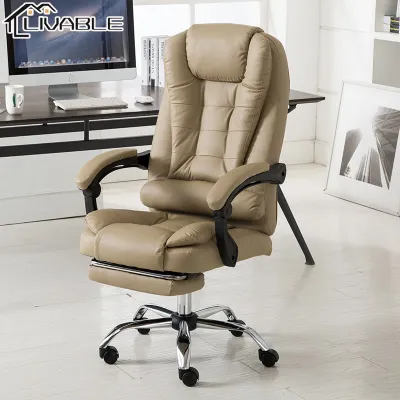
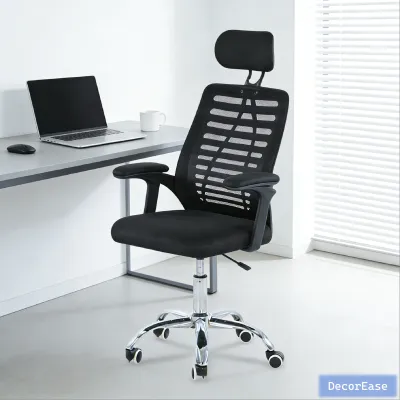
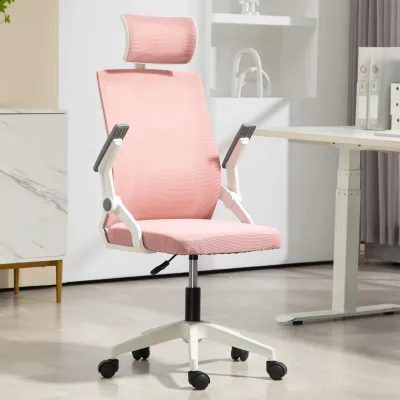
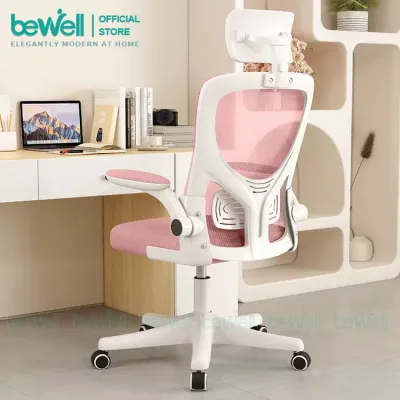
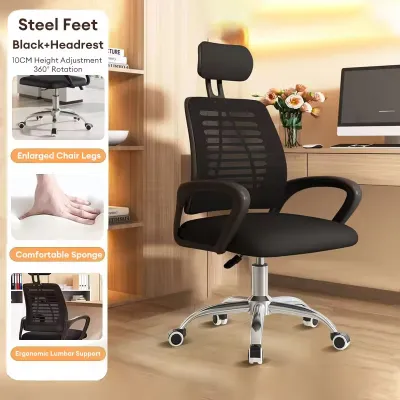
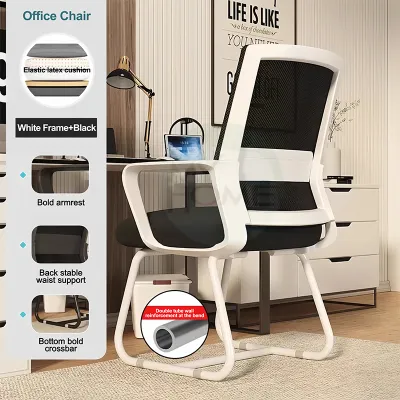
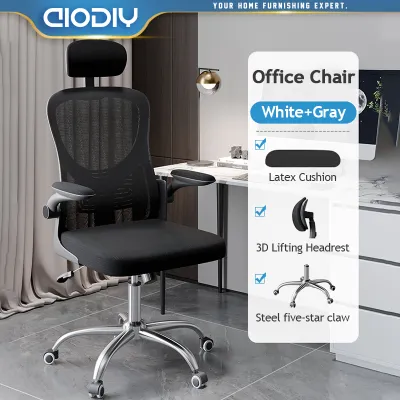
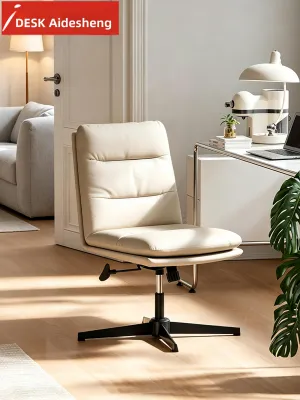
Prices are valid at publication and may change. Please refer to the product page for the latest price.
Must-Have Ergonomic Features You Can Actually Find
While you will not get a fully customized seating experience for under ₱5,000, several baseline features are non-negotiable for maintaining physical health during long hours of computer work. These features form the foundation of proper sitting posture and should be the primary focus of your evaluation.

Adjustable Seat Height and Basic Tilt Mechanism
The ability to adjust your seat height is the single most important ergonomic feature of any chair for computer tasks. A standard pneumatic gas lift allows you to align your feet flat on the floor while keeping your thighs parallel to the ground, which minimizes pressure on the back of your legs. When shopping, always verify the manufacturer’s stated minimum and maximum seat heights. Compare these measurements to your desk height—typically around 73 to 75 centimeters in standard Philippine home offices—to ensure your forearms can rest comfortably on the desk surface at a 90-degree angle without forcing you to slouch.
In this budget range, the tilt mechanism is usually a simple center-tilt or upright-tilt lock system. This allows you to rock backward slightly to relieve spinal pressure, but the chair can only be locked securely in the fully upright, 90-degree position. To make the most of this basic tilt, look for a tension control knob located beneath the front of the seat pan. Turning this knob adjusts the resistance of the backrest based on your body weight, preventing you from feeling like you are falling backward when reclining or having to push too hard to lean back.
Lumbar Support and Backrest Contouring
Proper lower back support is essential to prevent the slouching that leads to chronic lumbar strain. In chairs priced under ₱5,000, highly adjustable lumbar support—such as independent depth or height dials—is exceedingly rare. Instead, you should look for a backrest that features a pronounced, built-in S-shaped curve that naturally mirrors the human spine.
Many entry-level chairs utilize a fixed, plastic lumbar pad attached to the back of a mesh frame. When evaluating these models, check the overall dimensions of the backrest to ensure the curve aligns with your natural waistline. If a backrest is too short or too tall for your torso, the fixed lumbar support may press uncomfortably against your mid-back or pelvis rather than your lower spine. A well-positioned, fixed contour should provide gentle forward pressure that helps you maintain a natural upright posture without restricting your shoulder movement.
Features You Will Likely Need to Compromise On
To avoid disappointment, it is helpful to identify the premium ergonomic features that are simply not feasible for manufacturers to include in a sub-₱5,000 price bracket. Understanding these limitations prevents you from falling for low-quality imitations that are prone to mechanical failure.
First, you will need to compromise on advanced reclining mechanisms like synchro-tilt. In a premium chair, synchro-tilt allows the backrest to recline at a faster rate than the seat pan (typically a 2:1 ratio), which keeps your feet flat on the floor and maintains proper ergonomic alignment throughout the movement. Budget chairs rely on simple tilt, meaning the entire seat bucket tilts backward as a single unit, lifting your knees and potentially straining your thighs.
Second, seat depth sliders are virtually non-existent in this price tier. The seat pan is fixed to the frame, meaning you cannot adjust the distance between the front edge of the seat and the backrest. This can make the chair unsuitable for exceptionally tall users, whose thighs will lack support, or shorter users, whose calves may rub against the edge of the seat.
Finally, armrests in this category are highly simplified. They are typically fixed plastic loops or T-arms that offer, at best, basic height adjustment (known as 1D adjustability). You will not find 3D or 4D armrests that slide forward, backward, or pivot inward. Additionally, the armrest padding is often hard plastic or thin foam that can cause discomfort over long sessions. Cheaply made, highly adjustable armrests on budget chairs tend to wobble and loosen quickly, so opting for sturdy, fixed armrests is often the more durable choice.
How to Evaluate Build Quality and Safety on a Budget
Because budget-friendly chairs are manufactured with cost-effective materials, conducting a thorough quality check is essential to ensure your safety and protect your investment. A poorly constructed chair can become unstable, squeak excessively, or even collapse under normal use.
Begin by verifying the manufacturer’s stated weight capacity, which should ideally be at least 100 to 120 kilograms to ensure a safe margin of structural integrity. Examine the base of the chair, which is typically made of either reinforced nylon plastic or steel. In the humid tropical climate of the Philippines, cheap chrome-plated steel bases are highly susceptible to rust and corrosion over time. A high-quality, heavy-duty reinforced nylon star base is often a superior choice for budget buyers, as it resists moisture, remains lightweight, and provides excellent stability without the risk of unsightly rusting.
The materials used in the seat and backrest also require close inspection. If you choose a mesh backrest, ensure the mesh fabric is tightly woven and secured to a thick, rigid outer frame; thin, loose mesh will sag within a few months, rendering the back support useless. For the seat cushion, look for high-density molded foam rather than cheap cut sponge. Molded foam retains its shape and supportive properties for years, whereas low-density sponge quickly flattens out, leaving you sitting directly on the hard wooden or plastic seat pan.
Lastly, consider the physical dimensions of the chair and how it fits into your home. Measure your available floor space and compare it to the chair’s base diameter, which usually ranges from 55 to 65 centimeters. Ensure the armrests can clear the underside of your desk so the chair can be pushed in fully when not in use. Additionally, check the type of casters provided. Standard hard nylon casters are suitable for carpet or smooth concrete, but if you have delicate wooden or laminate flooring common in some modern apartments, you may need to purchase aftermarket polyurethane (PU) casters to prevent scratching and reduce rolling noise.
Smart Shopping Strategies for Entry-Level Office Chairs
Navigating the vast selection of budget chairs on online marketplaces requires a strategic approach to avoid hidden costs and poor-quality products. When comparing prices, always factor in the cost of shipping. Because computer chairs are bulky and heavy, shipping fees to provincial areas or even within Metro Manila can add an extra ₱500 to ₱1,500 to your total expenditure, potentially pushing a “budget” chair past your actual limit.
Before finalizing your purchase, read user reviews carefully, paying close attention to comments regarding assembly. Most budget chairs are shipped flat-packed and require self-assembly. Verify that the package includes all necessary assembly tools, such as an Allen key, along with clear, illustrated instructions. If the assembly process looks overly complex or reviews mention misaligned screw holes, it may indicate poor quality control.
It is also vital to review the seller’s return and warranty policies. Returning a heavy, fully assembled or partially assembled chair due to a change of mind is often logistically difficult and prohibitively expensive for the buyer. Look for sellers who offer a clear warranty on critical moving parts, such as the gas lift cylinder and the tilt mechanism, for at least 6 to 12 months.
Finally, be honest about your physical needs. If you suffer from pre-existing chronic back pain, herniated discs, or other orthopedic conditions, an entry-level chair under ₱5,000 may not provide the precise adjustments needed to alleviate your discomfort. In such cases, settling for a budget model can sometimes worsen your posture. It is often wiser to delay your purchase and save for a mid-tier ergonomic chair in the ₱8,000 to ₱15,000 range, where features like adjustable lumbar depth, synchro-tilt, and multi-directional armrests become standard.
Frequently Asked Questions (FAQ)
Is a gaming chair a better ergonomic option under ₱5,000?
Generally, no. Budget gaming chairs under ₱5,000 typically prioritize racing-style aesthetics, thick bucket seats, and synthetic PU leather over genuine ergonomic support. In the warm and humid climate of the Philippines, cheap synthetic leather traps heat and sweat, leading to peeling and discomfort within a few months. Furthermore, these chairs often rely on loose, elastic-banded pillows for lumbar and neck support rather than a properly contoured frame. A dedicated office chair with a breathable mesh backrest is a much cooler, more supportive, and ergonomically sound choice for long hours of computer work.
How long should a budget computer chair last?
A computer chair priced under ₱5,000 typically has a lifespan of 1 to 3 years with daily use. This duration depends heavily on the user’s weight, daily usage hours, and how well the chair is maintained, such as periodically tightening the structural screws. Most warranties in this budget tier are limited, often covering only the gas lift or base for 6 months to a year, while completely excluding normal wear and tear on the seat foam, armrests, and mesh fabric.
Community discussion
Share your experience or ask a question. Comments are reviewed before publication.