
Selecting the right work-from-home (WFH) setup requires balancing your daily productivity needs with the physical realities of your living space. In the Philippines, where home offices range from dedicated rooms in suburban houses to compact corners in high-rise condominiums, finding a versatile desk is essential. The Sanyang computer desk table lineup offers three distinct configurations—standing, foldable, and L-shaped—each designed to address specific spatial constraints and work habits. Choosing between them involves evaluating how you interact with your equipment, how much floor space you can permanently allocate, and how the local climate might influence your furniture maintenance.
To make an informed decision, you must look beyond aesthetics and focus on structural specifications, assembly conditions, and daily usability. A desk that looks ideal online might present delivery challenges if it cannot fit through your doorway or lift, or it might fail to support your multi-monitor setup if the load capacity is insufficient. By analyzing the unique features of standing, foldable, and L-shaped configurations, you can identify the exact model that supports your workflow while preserving the comfort and flow of your home.
Assessing Your Space and Workflow Needs
Before browsing specific desk designs, you must conduct a thorough assessment of your physical environment. Start by measuring the exact footprint of the area where you plan to place the desk, keeping in mind that you also need adequate clearance behind the desk for your office chair. Additionally, map out the delivery path from your building’s entrance to your room. Measure doorway widths, hallway turns, and elevator or stairwell clearances to ensure that larger, non-disassembled components can be transported safely without damaging your walls or the furniture itself.
Products mentioned in this guide
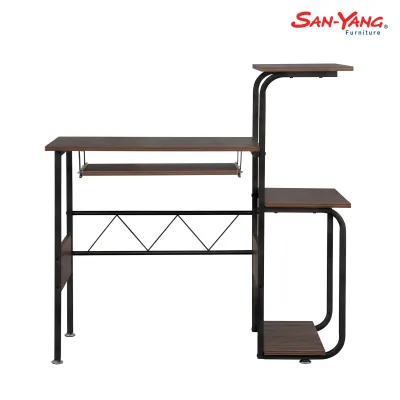
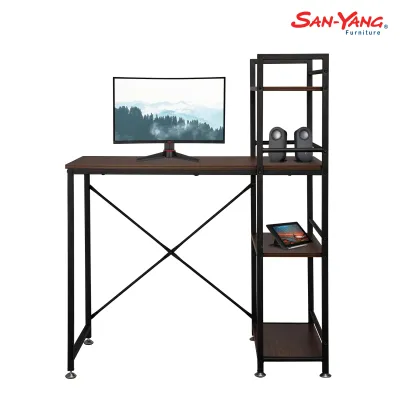
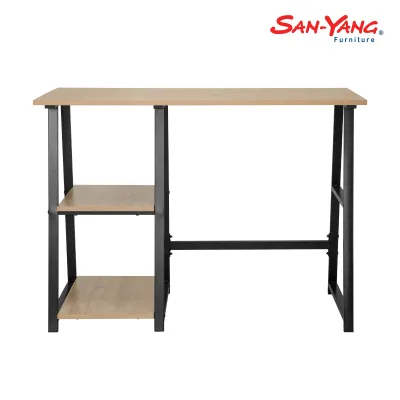
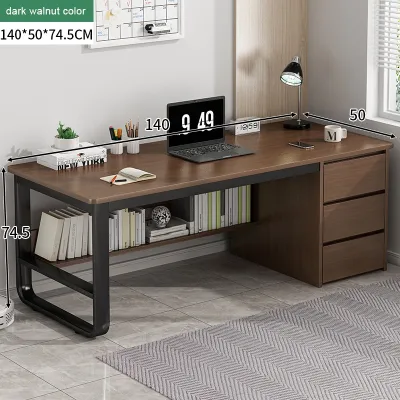
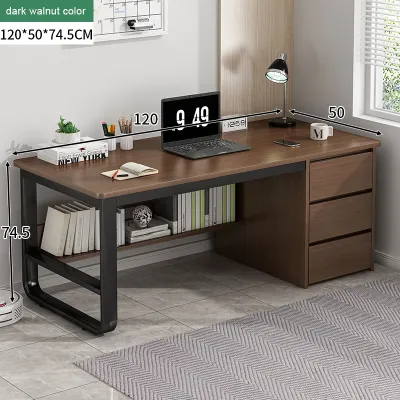
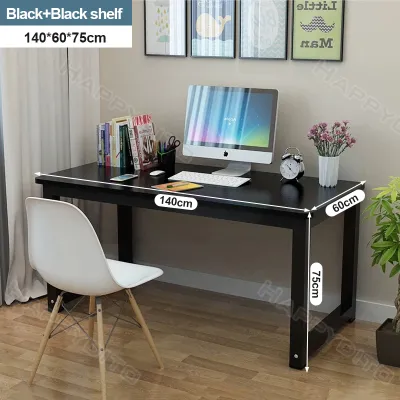
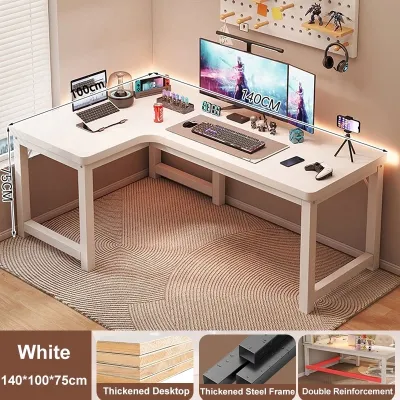
Prices are valid at publication and may change. Please refer to the product page for the latest price.
Next, catalog your daily equipment load to determine your surface area and weight capacity requirements. A simple laptop setup requires minimal depth, but if you use multiple external monitors, a heavy desktop tower, a dedicated keyboard, and peripheral devices, you will need a deeper, more robust surface. Do not forget to account for auxiliary items like uninterruptible power supplies (UPS), which are common in local setups to safeguard against power fluctuations. These items add significant weight and require strategic placement to maintain structural stability.
Finally, reflect on your primary work style and how it affects your physical comfort throughout the day. If your tasks require you to remain at your desk for long, uninterrupted stretches, an active setup that encourages movement might be beneficial. Conversely, if your work involves handling physical documents, sketching, or managing multiple distinct projects simultaneously, a larger, static surface with dedicated zones will likely serve you better. Understanding these habits prevents you from purchasing a desk that conflicts with your daily routine.
Sanyang Standing Desks: Ergonomics and Movement
Sanyang standing desks are engineered for users who want to incorporate more movement into their workday to combat a sedentary lifestyle. When evaluating these height-adjustable models, the primary consideration is the adjustment mechanism. Motorized models offer convenient, push-button transitions, while manual crank mechanisms require physical effort but operate independently of electrical outlets. Whichever you choose, verify the manufacturer’s specified weight capacity to ensure the mechanism can smoothly lift your monitors, mounts, and accessories without straining.

Stability at maximum height is a critical quality check for any standing desk. As the desk extends upward, its center of gravity rises, which can introduce wobble during typing or writing if the frame is not sufficiently rigid. Before purchasing, check the structural specifications of the desk frame and look for wide steel feet and heavy-duty crossbars. Additionally, verify if the model includes safety features such as an anti-collision sensor, which automatically stops the motor if the desktop encounters an obstacle like a chair armrest or a windowsill during adjustment.
Cable management requires extra planning when using a height-adjustable desk. Because the desktop moves up and down, your power strips and device cables must have enough slack to reach their highest point without pulling or disconnecting. Look for models that offer integrated cable trays under the desktop, or plan to install flexible cable spines. This prevents cords from tangling, catching on nearby furniture, or creating a safety hazard in your workspace.
Sanyang Foldable Desks: Flexibility and Space Saving
For those living in shared spaces, studio apartments, or multi-purpose rooms, Sanyang foldable desks offer a highly flexible solution. These desks are designed to be set up quickly when duty calls and folded flat for storage when the workday ends, allowing you to reclaim your living space. When inspecting a foldable model, pay close attention to the folding joints, hinges, and locking pins. These moving parts must be robust enough to withstand repeated daily transitions without loosening or losing alignment.
While foldable desks excel at space optimization, they do come with inherent trade-offs regarding surface area and weight capacity. Because the legs must fold flat against or beneath the desktop, these models typically feature thinner profiles and lighter frames. Consequently, they are generally not suitable for heavy desktop towers or complex multi-monitor mounts. If you use a laptop, a tablet, and a notebook, a foldable desk provides ample support, but you must check the manufacturer’s load limits before attempting to mount clamp-on monitor arms.
Another factor to consider is the daily setup and takedown routine. If you must completely clear your desk, unplug your devices, and store them away every evening, the transition can become tedious over time. However, if you view this routine as a helpful boundary that clearly separates your professional hours from your personal life, a foldable desk can serve as an excellent psychological tool for maintaining work-life balance in a compact home.
Sanyang L-Shaped Desks: Multitasking and Corner Optimization
Sanyang L-Shaped desks are designed for power users who require maximum surface area and want to utilize corner spaces that might otherwise go unused. The primary advantage of an L-shaped configuration is the ability to create distinct functional zones. For example, you can dedicate one side of the desk to your computer setup and the other side to paperwork, physical reading, or secondary devices. This layout keeps everything within arm’s reach without cluttering your primary digital workspace.
When planning for an L-shaped desk, you must carefully review the footprint dimensions and determine if the configuration is reversible. Some models feature a fixed left- or right-hand return, while others allow you to assemble the longer side on either hand to match your room’s layout. Additionally, inspect the structural support beneath the inner corner joint. Because this joint is often where users naturally lean or place heavy equipment, it requires a sturdy frame or an extra support leg to prevent sagging over time.
Monitor placement on an L-shaped desk requires careful ergonomic planning to avoid neck strain. While it is tempting to place your primary screen directly in the deep corner, this can sometimes force you to sit at an awkward angle relative to the keyboard. Alternatively, positioning your main monitor on one of the straight runs and using the adjacent side for secondary tasks often provides a more natural viewing angle. Ensure your chair can glide smoothly between both sides of the desk without hitting the inner support legs.
Feature and Specification Comparison
To help you visualize how these three configurations compare, the table below outlines their key physical and functional characteristics. Always verify the exact dimensions and material finishes on the official retail channels before finalizing your purchase.
| Desk Type | Footprint Requirement | Assembly Complexity | Ideal Setup Load | Primary Benefit |
|---|---|---|---|---|
| Standing Desk | Moderate | Moderate to High | Medium (Laptop + Dual Monitors) | Encourages movement and improves posture |
| Foldable Desk | Low (Temporary) | Low (Often Pre-assembled) | Light (Laptop or Tablet only) | Maximizes space in multi-purpose rooms |
| L-Shaped Desk | High (Permanent) | High | Heavy (Multiple Monitors + PC Tower) | Maximizes corner space and surface area |
When reviewing these options, remember that material finishes play a significant role in long-term durability. In tropical climates with high humidity, composite wood materials can be sensitive to moisture if the protective laminate or veneer is compromised. Always check the manufacturer’s care instructions, keep the desk away from direct sunlight and open windows where rain might splash, and use coasters to protect the surface from condensation from cold drinks.
Final Decision Framework: Which Sanyang Desk Fits You?
To choose the right Sanyang computer desk table for your home, apply these conditional decision rules based on your space, equipment, and daily habits:
- Choose a Standing Desk if your primary goal is to reduce sedentary hours, you have a dedicated floor space of moderate depth, and your equipment consists of a standard laptop or dual-monitor setup that falls well within the motorized frame's rated lifting capacity.
- Choose a Foldable Desk if you live in a compact apartment or shared space, need to pack your workspace away at the end of the day, and rely on a lightweight laptop setup that does not require permanent mounting hardware.
- Choose an L-Shaped Desk if you have a dedicated corner in a spacious room, manage a heavy equipment load with multiple monitors or a desktop tower, and require separate physical zones for different tasks.
- Verify first if your floor can support the concentrated weight of a fully loaded L-shaped desk, or if your walls require anchoring for specific tall or heavy configurations. Always consult the official product manual to confirm weight limits and assembly steps before purchasing.
Frequently Asked Questions (FAQ)
How do I maintain the moving parts of a standing desk?
To maintain the moving parts of a height-adjustable standing desk, start by consulting the manufacturer’s manual for specific cleaning and lubrication guidelines. Regularly wipe down the lifting columns with a dry, lint-free cloth to prevent dust and debris from accumulating in the tracks, which can cause friction and strain the motor. Avoid overloading the desk beyond its rated capacity, and ensure that cables are routed with enough slack so they do not pull against the motor housing or control box during height transitions.
Can I assemble an L-shaped desk by myself?
While it is possible to assemble an L-shaped desk alone, it is highly recommended to have a second person assist you. L-shaped desks typically feature heavy, multi-piece desktops and complex steel frames that require precise alignment. Having an extra set of hands makes it much easier to hold the heavy panels in place while securing the corner joints, reducing the risk of stripping the pre-drilled screw holes or dropping components during the assembly process.
Community discussion
Share your experience or ask a question. Comments are reviewed before publication.