
Quick Answer: Matching Desk Types to Your Work Style
Finding the right work-from-home (WFH) desk is essential for maintaining productivity, comfort, and physical health during long working hours. The ideal choice depends on your daily tasks, available floor space, and how much physical movement you prefer throughout your shift.
Standing desks are best for professionals who prioritize posture variation, active work, and adjustable ergonomics. They allow you to transition between sitting and standing seamlessly, helping to reduce physical fatigue.
Foldable desks are designed for compact spaces, multi-purpose rooms, renters, or anyone who needs a temporary workspace. These desks can be quickly folded and stored away when your workday ends, keeping your living area clutter-free.
Products mentioned in this guide
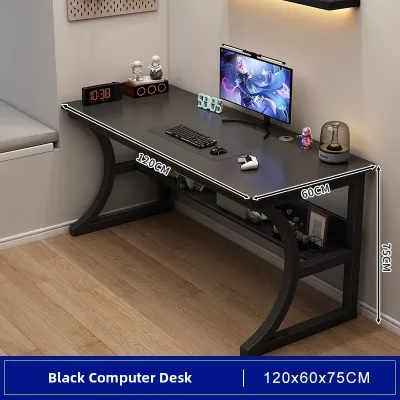
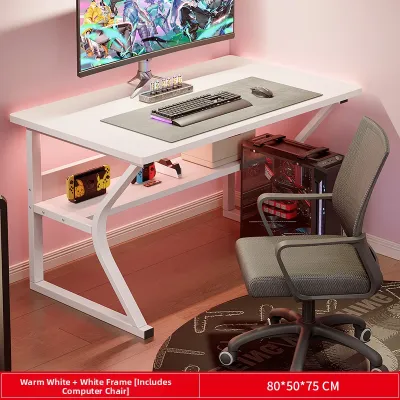
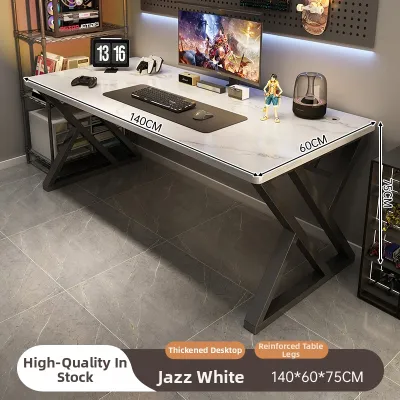
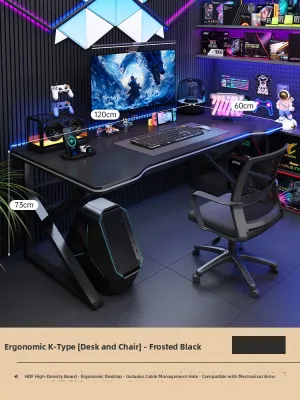
Prices are valid at publication and may change. Please refer to the product page for the latest price.
L-shaped desks are built for heavy multitaskers who require maximum surface area and dedicated equipment zones. They utilize corner spaces efficiently, making them perfect for setups with multiple monitors, paperwork, and creative tools.
Space and Layout: Measuring Your Home Office for a Perfect Fit
Before purchasing any office furniture set, you must carefully evaluate your physical environment to ensure a safe and functional fit. Start by measuring the exact floor space where you plan to position the desk. Use masking tape to outline the desk’s dimensions on the floor, allowing you to visualize how much room remains for your chair and daily movement.

Do not forget to measure the delivery path. Check the width and height of your doorways, hallways, stairwells, and elevator doors to ensure the packaged desk can reach your room without getting stuck. This is especially important for large L-shaped desks, which often come in bulky, heavy boxes.
For L-shaped desks, pay close attention to your wall configurations and corner angles. Most walls are not perfectly square, so check if baseboards or wall trim will prevent the desk from sitting flush against the corner. Look for nearby wall outlets, internet ports, and light switches to ensure the desk does not block access to essential connections.
If you are considering a standing desk, vertical clearance is a critical factor. Measure the height of your ceiling, overhead cabinets, wall-mounted shelves, and hanging light fixtures. Ensure that when the desk is raised to its maximum height, your monitors and accessories will not collide with any overhead obstacles.
Additionally, consider the local climate when planning your layout. In tropical environments with high humidity, placing a desk directly against a concrete wall can trap moisture, leading to mold growth on the back panel. Leave a small gap of about two to five centimeters between the desk and the wall to allow for proper air circulation.
Finally, verify your floor’s stability and load capacity. Heavy office setups, including multiple monitors and computer towers, require a level surface to prevent wobbling. If your floor has uneven tiles or warped wooden planks, look for desks equipped with adjustable leveling feet to stabilize the frame.
Work Habits and Ergonomics: Aligning With Your Daily Routine
Your desk should adapt to your specific work habits rather than forcing you to adjust your body to the furniture. Begin by assessing your daily equipment needs. If your workflow relies on a single laptop, a compact foldable desk provides sufficient space without overwhelming your room.
If you use multiple monitors, external keyboards, drawing tablets, or physical documents, you will need a deeper and wider surface. An L-shaped desk offers distinct zones, allowing you to keep your computer setup on one side while leaving the other side clear for writing, sketching, or organizing physical files.
Ergonomic adjustability is crucial for preventing long-term physical strain. When sitting or standing, your desk height should allow your elbows to rest comfortably at a 90-degree angle while typing. Your eyes should align naturally with the top third of your monitor screen to prevent neck strain.
If you choose a standing desk, check the manufacturer’s height adjustment range to ensure it accommodates both your lowest sitting position and your highest standing position. Some desks have limited ranges that may not suit exceptionally tall or short users, so verifying these specifications is essential.
Weight capacity is another critical factor to check before buying. Heavy desktop towers, monitor arms, and professional audio gear can put significant stress on a desk frame. Always check the manufacturer’s manual for the maximum weight limit, and ensure your equipment does not exceed this rating to prevent structural bowing or motor failure.
Assembly, Stability, and Long-Term Maintenance Checks
A high-quality office furniture set requires proper assembly and regular maintenance to ensure safety and longevity. Assembly complexity varies significantly between desk types. Foldable desks generally require no assembly or only minor attachment of leveling feet, making them ideal for quick setups.
In contrast, motorized standing desks and L-shaped desks feature complex frames, electronic control boxes, and multiple structural joints. Review the assembly manual online before purchasing to determine if you will need specialized tools or an extra pair of hands to lift heavy steel components safely.
Stability is a common concern, particularly for standing desks extended to their maximum height. Check the manufacturer’s specifications regarding frame materials and crossbar designs, which help minimize side-to-side wobble. For foldable desks, inspect the locking hinges and leg braces to ensure they remain secure under daily pressure.
Tropical climates present unique maintenance challenges for home office furniture. High humidity can cause cheap particle board to swell, warp, or peel at the edges. When shopping, check if the desktop features high-pressure laminate (HPL) or a sealed finish, and verify that the edge banding is securely glued to protect the inner core from moisture.
Metal frames are also susceptible to rust in humid conditions. Look for powder-coated steel frames that resist corrosion, and wipe down metal parts periodically with a dry microfiber cloth. If your standing desk has a motorized lifting mechanism, check the manual to see if the gears require periodic lubrication or dust removal.
During assembly, if you notice missing hardware, misaligned pre-drilled holes, or unclear instructions, stop immediately. Forcing screws into misaligned holes can permanently damage the desktop material or strip the threads. Contact the manufacturer’s customer support to request replacement parts or professional guidance.
Side-by-Side Comparison Matrix
The table below provides a general comparison of the three desk types across key decision-making dimensions. Keep in mind that specific dimensions, weight capacities, and features depend entirely on individual manufacturer specifications.
| Desk Type | Space Footprint | Ideal User Profile | Setup Complexity | Equipment Capacity |
|---|---|---|---|---|
| Standing Desk | Moderate | Active workers, posture-conscious users | Moderate to High | Medium to Heavy |
| Foldable Desk | Minimal | Renters, small-space residents, laptop users | Very Low | Light |
| L-Shaped Desk | Large | Multitaskers, gamers, creative professionals | High | Heavy |
Use the blank checklist below to record your home office measurements and equipment requirements before browsing online marketplaces:
My WFH Space Checklist:
- Available Floor Space (Width x Depth): ______ cm x ______ cm
- Doorway / Elevator Clearance Width: ______ cm
- Nearest Wall Outlet Distance: ______ cm
- Total Weight of My Equipment (Monitors, PC, Accessories): ______ kg
- Maximum Desired Desk Height: ______ cm
Final Decision Framework: Choosing Your Ideal WFH Desk
To make your final decision, align your spatial constraints and daily work habits with the unique advantages of each desk type.
Choose a Standing Desk if:
- You want to actively alternate between sitting and standing throughout your workday to reduce physical stiffness.
- You have sufficient vertical clearance and easy access to a wall outlet to power the motorized lifting mechanism.
- Your budget in ₱ accommodates the investment required for high-quality motorized frames and electronic control panels.
Choose a Foldable Desk if:
- You live in a compact apartment or use a shared room that must transition back to a living space after office hours.
- Your daily work setup is minimal, consisting primarily of a laptop, a mouse, and a notebook.
- You prioritize portability, easy storage, and a setup that requires zero assembly or technical maintenance.
Choose an L-Shaped Desk if:
- You require a massive surface area to accommodate multiple monitors, heavy computer towers, and physical paperwork.
- You have an unused corner in a dedicated room and want to maximize your floor layout.
- You prefer a permanent, highly stable workstation that does not require electrical power or moving parts to function.
Verify first if:
- Before finalizing your purchase on any online marketplace, verify the seller's return policy, warranty terms for structural or electronic parts, and the exact shipping dimensions to ensure a smooth delivery and setup process.
Frequently Asked Questions (FAQ)
Can I convert a standard desk into a standing desk later?
Yes, you can use a tabletop desk converter as a budget-friendly alternative to a dedicated standing desk. These units sit directly on top of your existing desk and use manual levers or gas springs to raise your monitor and keyboard. Before purchasing, verify that your current desk’s weight capacity can safely support both the converter and your computer equipment without tipping or bowing.
How do I ensure an L-shaped desk fits my specific corner?
Measure both walls extending from the corner to ensure the desk will not block doorways, windows, or cabinet doors. Check if the desk design is reversible, which allows you to assemble the longer return on either the left or the right side depending on your room layout. Additionally, ensure that wall outlets and internet ports remain accessible and are not completely blocked by the desk’s support panels.
Are foldable desks stable enough for dual monitor setups?
Most foldable desks are designed for lightweight setups and may not offer the structural stability required for dual monitors. Before attempting this setup, check the manufacturer’s explicit weight capacity and surface dimensions. Avoid using heavy clamp-on monitor arms on foldable desks unless the desktop is made of solid wood or reinforced metal, as thin engineered wood can crack under concentrated clamping pressure.
Community discussion
Share your experience or ask a question. Comments are reviewed before publication.