
Choosing a computer table for laptop use in your work-from-home (WFH) setup comes down to balancing your physical space, daily working hours, and ergonomic needs. A standing desk serves as a dedicated, robust workstation designed for long-term comfort and posture transitions, whereas a foldable laptop table offers flexibility and space-saving convenience for multi-purpose rooms or smaller living areas. By evaluating how you work and where you work, you can select the table type that integrates into your home.
Neither option is a universal solution for every remote worker. A standing desk requires a permanent commitment of floor space but supports a healthier mix of sitting and standing throughout the day. A foldable table, while limited in its ergonomic adjustments, allows you to pack your workspace away entirely when the workday ends, helping you maintain a clear boundary between professional and personal life in a shared household.
Core Differences in Design and Space Requirements
A standing desk requires a dedicated floor area, typically ranging from 100 centimeters to 160 centimeters in width, and must remain in place as a permanent fixture. This means you need a clear, dedicated zone in your room where the desk can sit without blocking walkways, doors, or built-in cabinets. Because of its solid construction and heavy steel frame, moving a standing desk to another room is not a casual daily task.
Products mentioned in this guide

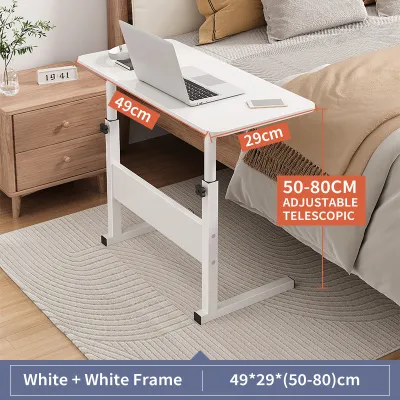
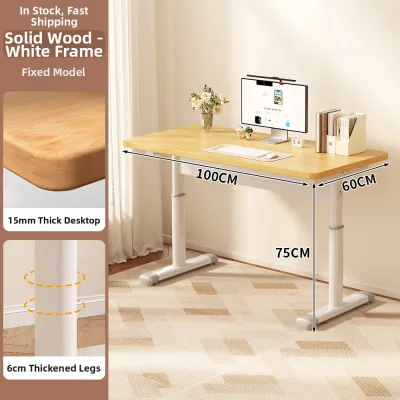
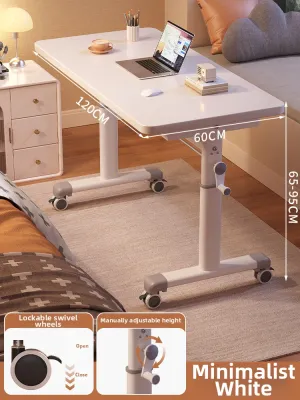

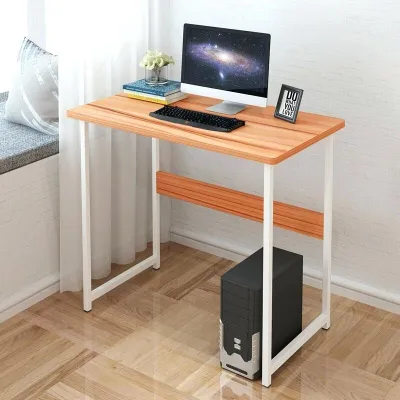
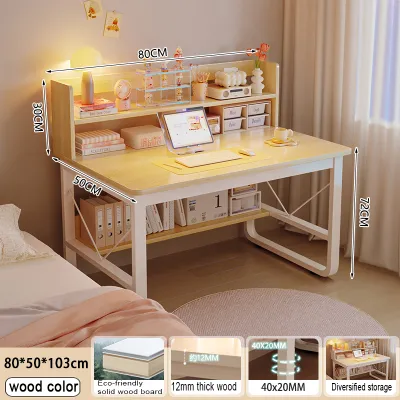
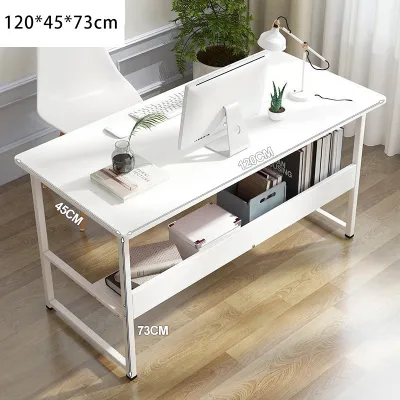
Prices are valid at publication and may change. Please refer to the product page for the latest price.
In contrast, a foldable laptop table has a highly collapsible design that prioritizes space efficiency. When folded, many models shrink to a thickness of just a few centimeters, allowing you to slide them under a bed, behind a sofa, or inside a closet. This makes them highly suitable for studio apartments, condominiums, or shared living spaces where a permanent desk would clutter the room and disrupt the household flow.
Before ordering a large standing desk, it is crucial to measure your home’s access points to ensure a smooth delivery. Check the width and height of your doorways, stairwells, and elevator cabins. Motorized standing desks often arrive in heavy, long boxes containing the steel frame and the desktop slab. Ensuring these packages can physically clear tight corners and narrow hallways prevents delivery-day complications and potential damage to your walls.
Stability and weight capacity are critical structural factors to evaluate before purchasing. When reviewing product specifications, look for the manufacturer’s certified weight limit to ensure the frame can support your equipment. Standing desks generally support heavier loads, but their stability can vary when fully extended to their maximum height. Check for heavy-duty steel frames and wide T-style or C-style leg bases, which help minimize wobbling when typing or using multiple monitors. Foldable tables, on the other hand, have much lower weight thresholds and can tip or flex if overloaded with heavy equipment or subjected to excessive typing pressure.
Ergonomics and Work Habit Compatibility
Ergonomics should guide your choice if you spend eight or more hours a day at your computer. Standing desks facilitate active movement through sit-stand transitions, allowing you to alternate between sitting and standing throughout your shift. You can choose between manual hand-crank mechanisms, which require physical effort to raise and lower, and electric motors that adjust the height at the press of a button. This adjustability allows you to shift positions throughout the day, reducing static muscle fatigue and promoting better posture.

Foldable laptop tables offer limited or fixed height adjustments. While some models feature adjustable legs or tilting tops, they are primarily designed for short-term tasks rather than full-time office work. They rarely reach the height required for comfortable standing work for an average-sized adult, meaning they are best reserved for seated sessions on a standard chair, sofa, or bed. Using a foldable table for extended periods without proper height alignment can lead to neck strain and wrist discomfort.
A dedicated workstation also requires proper accessory integration to maintain an ergonomic posture. If you plan to use monitor arms, external keyboard trays, or extensive cable management systems, a standing desk is the practical choice. Its solid desktop can handle the clamping force of heavy monitor mounts. Foldable tables usually feature thin, lightweight tops that cannot support heavy clamps or under-desk cable trays, leading to cluttered cords and potential device damage.
To ensure a comfortable ergonomic fit, measure your personal elbow height before choosing a desk. Sit comfortably in your office chair with your shoulders relaxed and elbows bent at a 90-degree angle, then measure the distance from the floor to your elbows. Repeat this measurement while standing. Compare these two figures against the minimum and maximum height specifications of any desk you consider buying to ensure it can adjust to your exact physical requirements.
Setup, Mobility, and Daily Maintenance
The effort required to set up and maintain your table impacts your daily WFH experience. Assembling an electric standing desk is a multi-step process that involves aligning heavy steel legs, mounting the motor drive rod, and securing the control box. This task often requires basic tools like hex keys and screwdrivers, and having a second person assist with flipping the fully assembled desk upright is highly recommended to prevent injury or frame misalignment.
Foldable laptop tables require virtually zero assembly. Most arrive fully assembled and ready to use straight out of the box; you simply unfold the legs and secure the locking pins. This makes them highly mobile, allowing you to carry them from the living room to the bedroom or even out onto a shaded balcony when you want a change of scenery. Their lightweight construction makes them easy to transport, though this mobility comes at the cost of structural rigidity.
When moving any furniture, floor protection is a key consideration. If your foldable table has caster wheels, verify that the wheel material is soft polyurethane or rubber rather than hard plastic, which can scratch delicate wood, laminate, or vinyl flooring. For stationary standing desks, adding felt pads to the feet or placing a protective chair mat underneath can prevent permanent scuffs and indentations on your floors over time.
Maintenance routines differ significantly between the two styles. For standing desks, you should periodically check and tighten the frame bolts, as the subtle vibrations from height adjustments can loosen them over time. For foldable tables, inspect the folding joints, hinges, and locking mechanisms regularly for signs of wear or play. In humid tropical climates, wipe down metal frames to prevent rust and choose moisture-resistant desktop finishes that resist warping or bubbling from humidity and cold drink condensation.
Decision Matrix: Which Computer Table Fits Your Setup?
To finalize your decision, evaluate your daily routine against a clear set of conditions. Choose a standing desk if you work full-time from home, require frequent posture changes to stay comfortable, have a dedicated corner or room for your office, and need a stable, spacious surface to support multiple monitors, a keyboard, and other peripherals.
Choose a foldable laptop table if you live in a compact apartment, prefer working from different areas of your home like the sofa or bed, need to pack your workspace away at the end of the day to reclaim your living area, or face strict rental rules that prevent you from setting up heavy, permanent furniture.
Before making a purchase, verify your specific living constraints. If you are renting, check your lease agreement regarding heavy furniture or potential floor marking. Additionally, balance your budget in Philippine Pesos (₱) carefully; if you have a set amount to spend, it may be wiser to purchase a high-quality foldable table and invest the remaining funds in an ergonomic office chair, rather than buying a cheap, unstable standing desk that lacks proper support.
Frequently Asked Questions (FAQ)
Can I use a foldable laptop table as a permanent standing desk?
While some foldable tables feature height-adjustable legs that allow you to raise the surface, they are generally not suitable as permanent standing desks. They lack the heavy, wide base required to remain stable when fully extended, making them prone to wobbling or tipping under typing pressure. Additionally, their lower weight capacities mean they cannot safely support heavy external monitors or multiple office accessories over long periods. Always check the manufacturer’s maximum load rating and stability warnings before attempting to use a portable table at standing height.
What measurements should I check before buying a standing desk?
Before purchasing a standing desk, verify the desktop’s total width and depth to ensure it fits comfortably within your designated room layout without blocking doors or walkways. Next, check the minimum and maximum height range of the frame to confirm it aligns with your seated and standing elbow heights. Finally, measure the distance from your nearest wall outlet to the desk’s planned location; because motorized desks require constant power, ensuring the cable can reach safely without stretching prevents tripping hazards and cord damage.
Community discussion
Share your experience or ask a question. Comments are reviewed before publication.