
Selecting the right adjustable computer table desk is a decision that directly shapes your daily productivity, physical comfort, and home environment. When allocating your budget in ₱ for a home office upgrade, the decision must stem from a realistic assessment of your physical workspace, the weight of your hardware, and how often you actually intend to change positions. A mismatch can lead to a desk that wobbles under the weight of your monitors, crowds your room, or remains permanently static because it is too cumbersome to adjust. By understanding the distinct operational profiles of standing, foldable, and L-shaped adjustable desks, you can select a configuration that integrates seamlessly into your daily routine.
Assessing Your Space and Workflow Needs
Before browsing online marketplaces or local furniture showrooms, you must establish the physical boundaries of your workspace. Begin by measuring the exact floor area where the desk will sit, ensuring there is ample clearance for your office chair to roll backward without hitting walls or storage units. It is equally important to measure the width of your doorways, hallways, and any tight stairwells or elevator doors to guarantee the desk components can actually be delivered into your room.
Next, take a detailed inventory of your daily work equipment. Count your monitors, note their sizes, and list all peripherals, including external keyboards, mousepads, docking stations, and speakers. A single laptop user has vastly different spatial and structural requirements than a creative professional managing multiple large displays and heavy audio interfaces.
Products mentioned in this guide
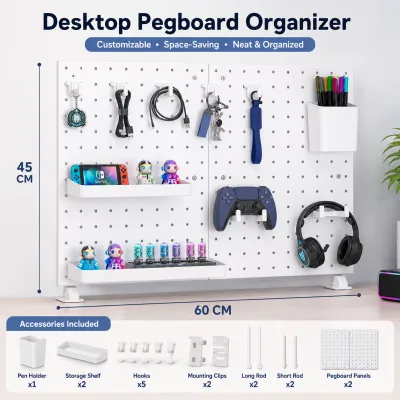
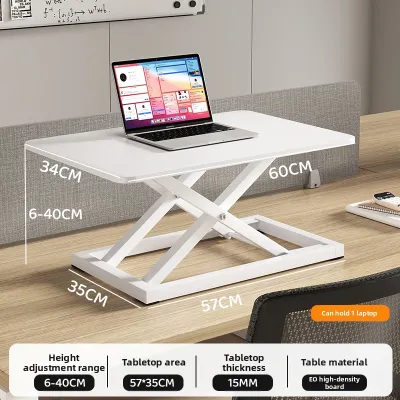
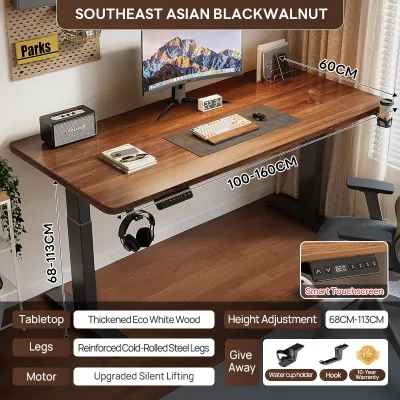
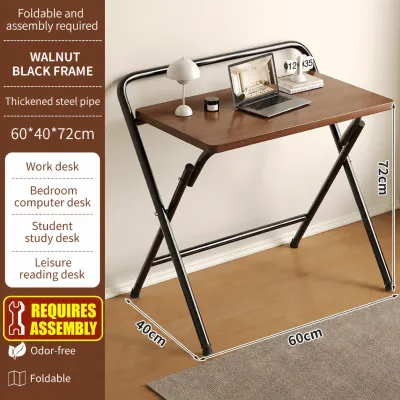
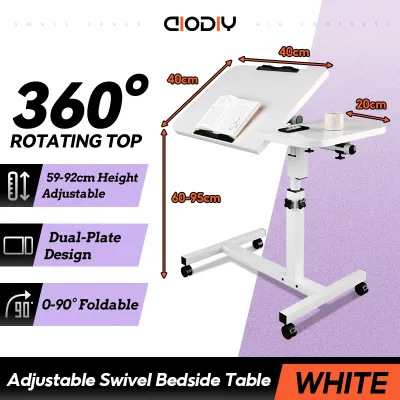
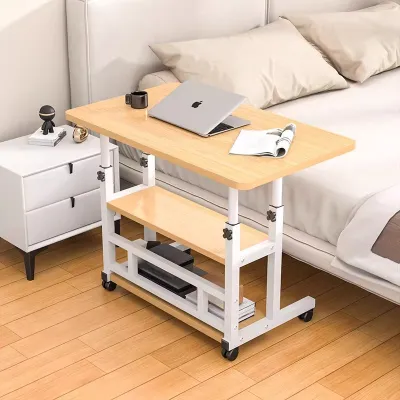
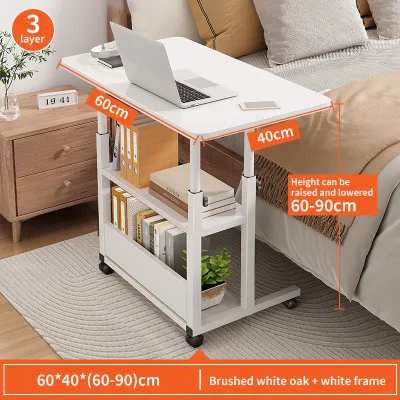
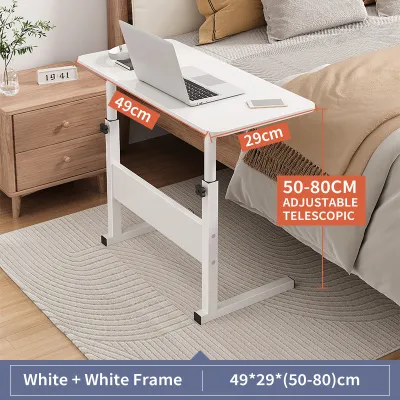
Prices are valid at publication and may change. Please refer to the product page for the latest price.
Finally, evaluate your living situation to determine if your workspace must be dynamic or permanent. If you rent a small condominium or share a multi-purpose room, you may need a desk that can be packed away or moved to a corner at the end of the day. Conversely, if you have a dedicated home office, a heavy, permanent workstation will provide the structural integrity needed for a complex, multi-monitor setup.
Standing Adjustable Desks for Fixed Workstations
Standard rectangular standing adjustable desks serve as the benchmark for dedicated home office setups. These desks are designed to facilitate smooth transitions between sitting and standing postures throughout the workday, helping to mitigate the physical fatigue associated with prolonged sedentary behavior. The rectangular top offers a straightforward, predictable surface area that easily accommodates standard single or dual monitor arms clamped to the rear edge.

When evaluating a standard standing desk, stability at maximum height is a critical factor to verify. As the telescoping legs extend to match a standing posture, the center of gravity rises, which can introduce a noticeable wobble during typing or mouse movement. You should check the manufacturer’s specifications for frame weight, leg stage design (three-stage columns generally offer more height range and stability than two-stage columns), and the presence of a crossbar or heavy steel base.
Additionally, these desks occupy a permanent footprint on your floor, meaning they cannot be easily tucked away when not in use. This permanence requires a dedicated cable management strategy. Because the desk surface moves up and down, all power cords, display cables, and peripheral wires must have enough slack to stretch to their highest point without pulling on outlets or damaging ports, necessitating under-desk cable trays or spine organizers.
Foldable Adjustable Desks for Small Spaces and Mobility
For professionals working in compact apartments or shared living areas, a foldable adjustable computer table desk offers a highly flexible, space-saving alternative. These desks are engineered to collapse into a flat profile, allowing you to slide them under a bed, behind a sofa, or inside a closet when your workday ends. This mobility is particularly useful in multi-purpose rooms where a permanent desk would disrupt the flow of daily household life.
However, the folding mechanism introduces specific safety and operational considerations that you must verify before use. Inspect the locking hinges and safety pins to ensure the desk cannot accidentally collapse while loaded with equipment. Be mindful of pinch points along the frame joints during setup and teardown, keeping fingers clear of moving metal parts.
Weight capacity is a major trade-off when choosing a foldable model. While a fixed standing desk can support heavy desktop towers, foldable frames are typically rated for lightweight laptop setups, a single monitor, and basic writing materials. Overloading a foldable desk can compromise its structural integrity, leading to bowing surfaces or frame failure.
Furthermore, the lightweight construction of foldable desks means they generally offer less surface stability and a more limited ergonomic height range compared to their heavy, motorized counterparts. They are ideal for temporary, highly mobile tasks but may not support the ergonomic needs of a full-time, eight-hour workstation.
L-Shaped Adjustable Desks for Multi-Tasking Setups
L-shaped adjustable desks are a comprehensive solution for power users, creative professionals, and multi-taskers who require expansive surface area. The dual-wing design allows you to segregate your tasks, keeping a primary computer setup on one side while leaving the adjacent wing free for physical paperwork, tablet drawing, or secondary devices. This configuration is highly efficient for corner placements, turning underutilized room corners into highly productive workstations.
The sheer size of an L-shaped desk demands a significant, permanent commitment of floor space. Unlike rectangular desks, floating an L-shaped desk in the middle of a room requires careful planning to ensure it does not block walkways or look visually overwhelming. The assembly process is also considerably more complex, often requiring multiple motors to lift the unevenly distributed weight of the two wings simultaneously.
When setting up an L-shaped desk, weight distribution is paramount. You must ensure that heavy monitors, desktop towers, and book stacks are distributed evenly across both wings to prevent straining the lifting columns or causing the frame to lift unevenly. Cable routing also becomes more challenging across the joint section, requiring longer cable runs and strategic placement of power strips to keep the workspace clean and safe.
Decision Framework: Choosing Your Suitable Configuration
To finalize your choice, apply this practical decision framework based on your daily workflow and space constraints:
- Choose a Standing Desk if you have a dedicated, permanent workspace, use one or two monitors, and want to transition easily between sitting and standing throughout the day without sacrificing stability.
- Choose a Foldable Desk if you live in a compact home, need to clear your workspace at the end of the day, use only a laptop, and prioritize mobility over heavy equipment capacity.
- Choose an L-Shaped Desk if you manage a complex multi-monitor setup, require separate zones for computer work and physical tasks, and have a dedicated corner space that can accommodate a large, permanent piece of furniture.
- Verify first if your flooring can support the concentrated weight of a heavy desk, and ensure your electrical outlets are positioned safely to accommodate moving power cords.
| Desk Type | Space Required | Workflow Profile | Equipment Capacity | Setup Permanence |
|---|---|---|---|---|
| Standing Desk | Moderate (Fixed footprint) | Standard WFH, frequent posture changes | Moderate to High (Dual monitors, arms) | Permanent |
| Foldable Desk | Minimal (Collapsible) | Temporary setups, laptop-only tasks | Low (Laptop, light accessories) | Highly Mobile |
| L-Shaped Desk | Large (Corner or dedicated area) | Multi-tasking, physical paperwork, triple monitors | Very High (Multiple screens, heavy gear) | Permanent |
In some cases, none of these standard configurations may fit your needs adequately. For instance, if your room has highly irregular architectural angles, or if you require a specific desk height that falls outside standard manufacturing ranges, you may need to explore custom-built frames or modular desktop solutions rather than off-the-shelf models.
Essential Specifications to Verify Before Purchase
Before finalizing your purchase of an adjustable computer table desk, you must verify several critical technical specifications to ensure long-term safety and performance. First, locate the manufacturer’s official product label and check the maximum load capacity. Calculate the combined weight of your monitors, mounts, computer tower, and desk accessories, ensuring this total sits comfortably below the rated limit to prevent motor burnout or structural warping.
Next, double-check the physical delivery logistics. Measure your stairwells, elevator doors, and apartment entryways against the packaged dimensions of the desk. Large L-shaped desktops or heavy steel frames can be incredibly difficult to maneuver through tight spaces, and verifying these clearances beforehand prevents costly return shipping fees.
If you are purchasing a motorized desk, review the warranty terms specifically covering the motor and control box. Look for models equipped with anti-collision sensors, which automatically stop the desk’s movement if it encounters an obstacle like a chair armrest or a filing cabinet, preventing damage to your equipment and the motor itself. For manual crank models, check user manuals or product specifications regarding the durability of the crank mechanism under daily use.
Finally, consider the environmental conditions of your workspace. In tropical climates with high humidity, such as the Philippines, surface materials are susceptible to moisture damage, swelling, or peeling. Inspect the product specifications for moisture-resistant finishes, such as high-pressure laminates or powder-coated surfaces, and ensure all structural connection points are reinforced with heavy-duty steel hardware rather than simple wood screws to maintain stability over time.
Frequently Asked Questions (FAQ)
Can I convert my existing regular desk into an adjustable one?
Yes, you can convert a standard desk using a desktop sit-stand converter, but you must carefully evaluate the structural limits of your existing furniture first. Desktop converters add significant concentrated weight to the center or rear of your desk surface. Before installing one, verify that your current desk frame is sturdy enough to handle this added dynamic load without bowing, tipping, or wobbling when you raise the converter to its standing height.
Do adjustable desks require special floor protection?
Heavy adjustable desks, particularly fully loaded L-shaped models or steel-framed standing desks, exert concentrated downward pressure through their leveling glides or casters. Over time, this pressure can leave permanent dents or scratches on hardwood, laminate, or soft vinyl flooring. To protect your floors, check the manufacturer’s guidelines and consider placing a dense, non-slip protective mat or heavy-duty caster cups beneath the desk legs to distribute the weight evenly.
Community discussion
Share your experience or ask a question. Comments are reviewed before publication.