
Selecting the right table for study adult routines is a critical decision that directly impacts your productivity, physical comfort, and home organization. Whether you are preparing for professional certifications, pursuing post-graduate studies, or managing a hybrid work-and-study schedule, your desk configuration shapes your daily focus. The ideal choice depends on how you balance your physical space, your equipment requirements, and your ergonomic needs.
To make an immediate decision, evaluate your primary constraints:
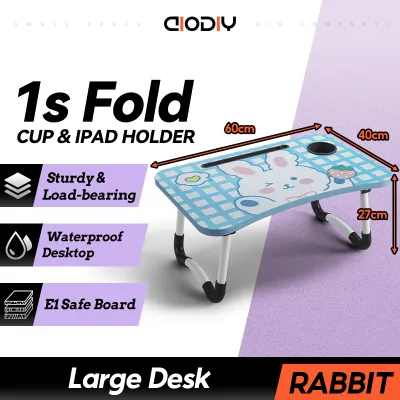
- Choose a foldable desk if your living space is highly constrained, you study in a multi-purpose room, and you need to clear the workspace daily to maintain room flow.
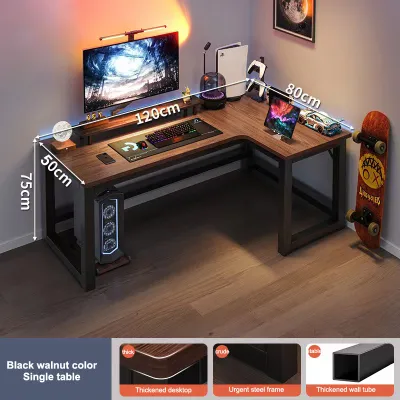
- Choose an L-shaped desk if your routine requires multiple monitors, heavy reference books, physical paperwork, or distinct zones for digital and analog tasks.
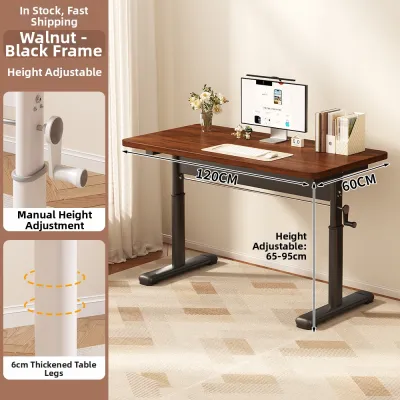
- Choose a standing or sit-stand desk if you prioritize physical movement, want to combat the fatigue of long sedentary sessions, and have a dedicated, permanent floor area.
While hybrid options—such as folding standing desks or L-shaped sit-stand frames—exist in the market, they require careful verification of their lifting mechanisms, joint stability, and weight capacities before purchase.
Products mentioned in this guide
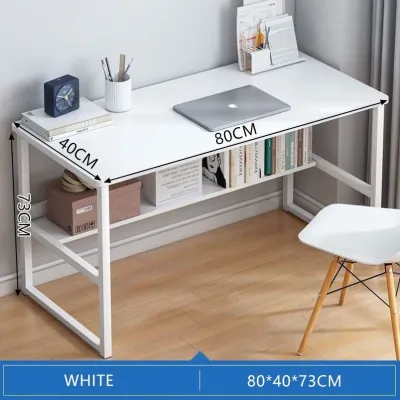
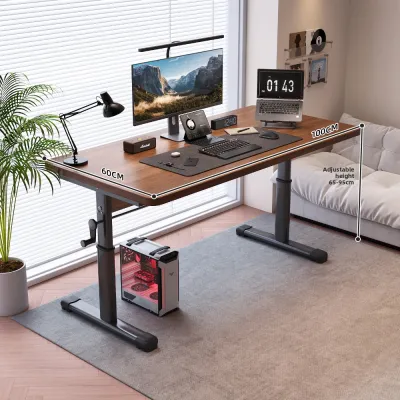
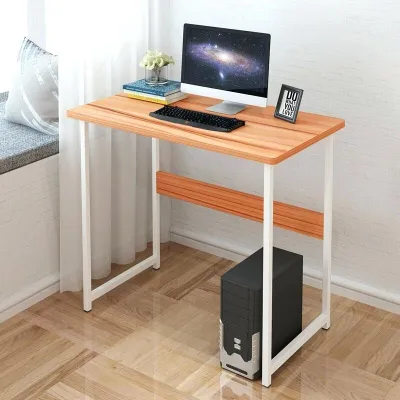
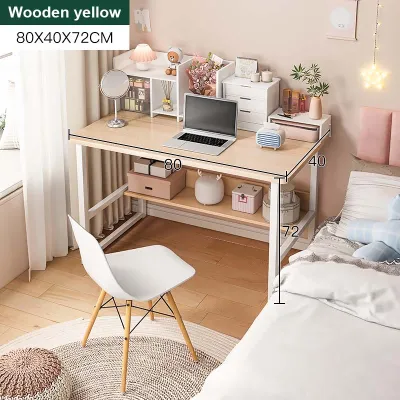
Prices are valid at publication and may change. Please refer to the product page for the latest price.
Evaluating Your Space and Room Layout
Before browsing online marketplaces or visiting local showrooms, you must accurately assess the physical boundaries of your room. A desk that looks perfectly proportioned online can easily overwhelm a compact bedroom or block essential pathways. Start by measuring the clear floor space, keeping in mind that you need to account for more than just the physical footprint of the desk itself.
Always calculate the clearance required for your study chair. A standard ergonomic office chair requires at least 75 to 90 centimeters of unobstructed space behind the desk to slide out comfortably. Additionally, map out door swing paths, wardrobe doors, and access to electrical outlets. In tropical climates where air circulation is vital to prevent mold and heat buildup, ensure the desk placement does not block windows, standing fans, or air conditioning vents.
If you are leaning toward a foldable desk, pay close attention to its mounting and storage style. Wall-mounted drop-leaf desks save significant floor space but demand a structurally sound wall. In many homes, concrete or solid brick walls provide excellent anchoring points, whereas light drywall partitions require locating internal studs or using specialized heavy-duty toggle bolts. For freestanding folding tables, verify where the desk will be stored when folded—such as behind a wardrobe or under a bed—and measure those storage gaps beforehand.
L-shaped desks present a different layout challenge. While they are highly efficient when tucked into an unused corner, they can also serve as floating room dividers in larger, open-plan spaces. If you plan to place the desk in a corner, measure both walls carefully to ensure the wings do not overlap with window frames or light switches. You should also check if the desk has a reversible configuration, allowing you to install the longer wing on either the left or right side depending on your room’s layout.
For standing or sit-stand desks, vertical clearance is just as critical as floor space. Ensure that when the desk is raised to its maximum height, it will not collide with wall-mounted shelving, picture frames, or air conditioning units. Cable length is another vertical constraint; power strips and device cables must have enough slack to stretch safely to the wall outlet without pulling or straining when the desktop rises.
Matching Desk Configuration to Study Habits
Your daily study habits should dictate the shape and functionality of your workspace. If your routine involves a mix of digital devices and physical materials, a small, cramped surface will quickly lead to frustration. Think about what you place on your desk simultaneously: a laptop, an external monitor, heavy textbooks, notebooks, and writing instruments.

An L-shaped desk excels at accommodating multi-tasking routines. The dual-surface design allows you to establish distinct functional zones. You can dedicate one wing entirely to your computer setup and the other wing to analog tasks like reading, sketching, or writing. This physical separation helps minimize cognitive clutter and allows you to transition between tasks without constantly moving your keyboard or stacking books on top of your laptop.
If your study sessions regularly extend for several hours, the ergonomic implications of your desk choice become paramount. Fixed-height foldable desks are highly convenient for short, occasional study sessions, but they rarely offer the precise height alignment needed for long-term comfort. Studying at an incorrect height can lead to rounded shoulders, neck strain, and lower back discomfort.
An adjustable standing desk addresses these ergonomic concerns by allowing you to alternate between sitting and standing throughout the day. This movement encourages circulation, reduces spinal compression, and helps maintain mental alertness during afternoon slumps. However, transitioning to a standing desk requires a commitment to active posture management, and you may need to budget for an anti-fatigue mat to support your feet and joints.
Cable management is another practical factor that varies wildly by desk type. Motorized standing desks require meticulous cable routing because the moving parts can easily pinch, pull, or disconnect cords. L-shaped desks, which often host complex multi-monitor setups, require robust under-desk trays or grommets to keep a large volume of cables organized and off the floor. Foldable desks, by contrast, offer very little built-in cable management, meaning you will need to manually unplug and wrap your cords every time you pack the desk away.
Stability is the final piece of the habit-matching puzzle. If your study routine involves vigorous typing, handwriting, or supporting heavy equipment like dual monitors on clamp-on arms, you need a rock-solid frame. L-shaped desks inherently offer excellent stability due to their wide, multi-directional footprint. Lightweight folding tables, while highly portable, are prone to slight wobbles under heavy typing or off-center loads, which can be highly distracting during intense concentration.
Feature and Specification Comparison Matrix
To help you compare your options at a glance, the matrix below outlines the core physical and functional differences between the three desk types. Use these categories as verification points when evaluating specific products.
| Desk Type | Footprint & Space Efficiency | Height Adjustability | Setup & Assembly Complexity | Ideal User Profile | Weight Capacity & Stability Check |
|---|---|---|---|---|---|
| Standing / Sit-Stand | Medium; requires dedicated floor space and vertical clearance. | High; manual or motorized adjustment options. | Medium to High; requires frame and motor assembly. | Active studiers prioritizing posture and long-term ergonomics. | High frame stability; verify motor weight limits for dual monitors. |
| Foldable | Minimal; easily stored or folded flat against the wall. | None; typically fixed at standard dining or writing height. | Low to None; often arrives pre-assembled or requires simple wall mounting. | Occasional studiers, renters, or those in highly compact spaces. | Lower capacity; check hinge locking mechanisms and wall anchor limits. |
| L-Shaped | Large; requires dedicated corner or open floor space. | None; fixed height, though some premium frames offer manual adjustment. | High; multiple panels and joint connections to assemble. | Multi-taskers, heavy book users, and multi-monitor setups. | High capacity; verify joint reinforcement and wing stability. |
Pre-Purchase Verification Checklist
Before finalizing your purchase, protect your investment by running through this practical verification checklist. These steps ensure the desk you choose is safe, compatible with your home, and built to last.
- Verify the Maximum Weight Capacity: Calculate the combined weight of your monitors, laptop, heavy textbooks, desk organizers, and any desk-mounted accessories. Compare this total against the manufacturer's certified weight limit. For standing desks, ensure the motor rating covers this weight with room to spare.
- Check the Wobble Factor: For standing desks, look for frames with thick steel legs, wide feet, and optional crossbars, which prevent side-to-side swaying when extended to maximum height. For foldable desks, inspect the locking hinges and leg braces to ensure they snap securely into place.
- Confirm Assembled Dimensions and Access: Double-check the exact width, depth, and height of the desk against your measured room space. Additionally, verify that the packaged boxes can fit through your doorways, narrow hallways, or condominium elevators during delivery.
- Assess Material Durability for Your Climate: In humid environments, engineered wood panels like MDF or particleboard can swell or warp if they are not properly sealed. Look for desktops with high-pressure laminate finishes and seamless edge banding to protect the core material from moisture and spills.
- Review Assembly and Warranty Terms: Determine if the desk requires complex tools or professional installation. For motorized standing desks, check the warranty coverage on the motor and electronic controller, and verify the retailer's return policy in case of shipping damage.
Frequently Asked Questions (FAQ)
Can I convert a standard L-shaped desk into a standing desk?
Converting a standard, fixed-height L-shaped desk into a standing desk carries structural risks. Placing a heavy desktop converter on one wing of an L-shaped desk can shift the center of gravity, potentially causing the desk to tip or the joint connecting the two wings to strain and crack, especially if the desktop is made of tempered glass or thin particleboard. If you want an L-shaped standing desk, it is highly recommended to purchase a purpose-built L-shaped sit-stand frame equipped with a synchronized multi-motor system. If you must use a converter, always check the manufacturer’s weight limits and place the converter directly over a main supporting leg rather than on an extended wing.
Are foldable desks stable enough for dual-monitor adult study setups?
Most standard foldable desks are not designed to support the weight and physical leverage of a dual-monitor setup. Heavy monitor arms clamped to the edge of a lightweight folding table can cause severe center-of-gravity shifts, increasing the risk of the table tipping forward. Furthermore, the concentrated clamping force of a dual-monitor mount can crush or warp thin hollow-core or plastic folding surfaces. If you must use a foldable desk for study, it is safer to use a single laptop or a lightweight freestanding monitor stand placed toward the center of the desk. Always inspect the hinge locking mechanisms and leg bracing specifications to ensure the table can handle your equipment without bowing.
How do I manage cables on a motorized standing desk?
Managing cables on a motorized standing desk requires planning to accommodate the desk’s vertical movement. The most critical step is to ensure that all power and data cables have sufficient slack when the desk is at its lowest point, so they do not stretch, pinch, or unplug when the desk rises to its maximum height. Use an under-desk cable management tray or a flexible cable spine organizer to bundle cords neatly beneath the desktop. Avoid routing cables tightly through desk grommets or wrapping them rigidly around the frame legs, as this restriction can damage the wires or strain the desk’s motor during height transitions.
Community discussion
Share your experience or ask a question. Comments are reviewed before publication.