
Choosing the right computer table is not just about aesthetics; it directly impacts your daily productivity, physical comfort, and room layout. The ideal desk type depends on how much space you have, how many monitors you use, and whether you prefer to sit, stand, or pack your workspace away at the end of the day. By matching your specific work habits and room constraints to a standing, foldable, or L-shaped desk, you can create a functional setup that supports your body and fits your home.
Measure Your Space and Layout Constraints
Before browsing online marketplaces or visiting local showrooms, you must understand the physical limits of your room. Start by measuring the available floor footprint where the computer table will sit, ensuring you leave at least 80 to 100 centimeters of clearance behind the desk for your office chair and comfortable movement. It is also crucial to measure the width of your doorways, hallways, and stairwells to guarantee that the flat-packed or pre-assembled furniture can actually reach its designated room.
Next, identify fixed structural obstacles in your space that could interfere with the desk’s placement. Look for wall outlets, light switches, windows, baseboards, and air conditioning units that might prevent a desk from sitting completely flush against the wall. In tropical climates like the Philippines, positioning your desk too close to a window can expose your computer equipment to direct sunlight and heat, while blocking ventilation pathways can make your workspace uncomfortable during humid afternoons.
Products mentioned in this guide

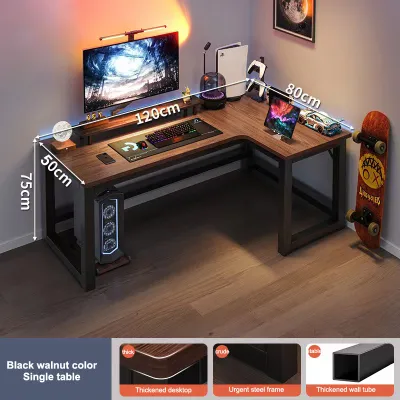
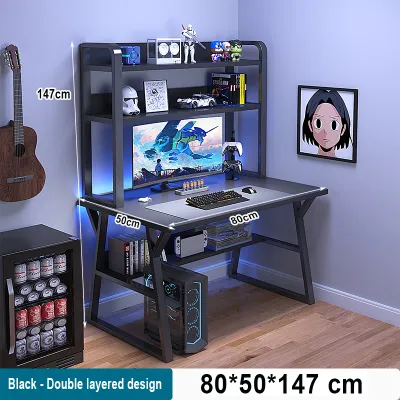
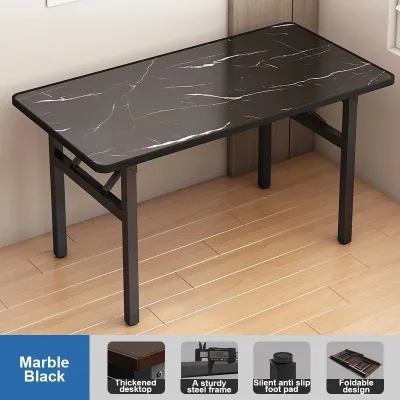
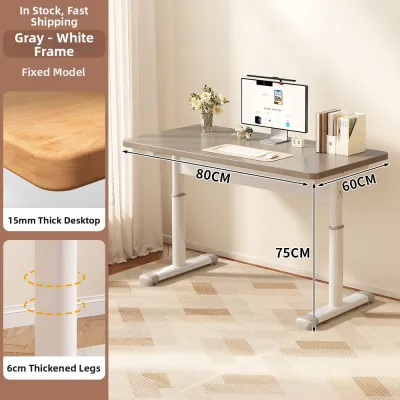
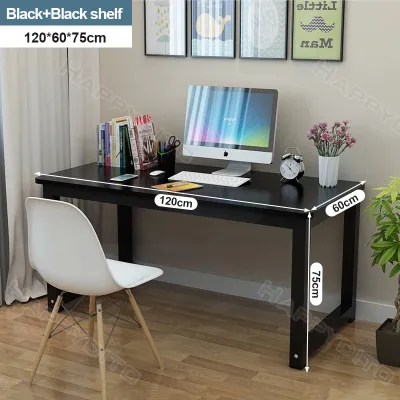
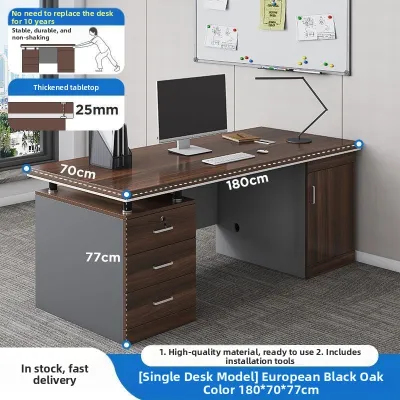
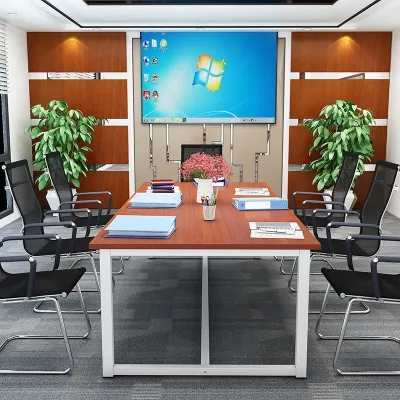
Prices are valid at publication and may change. Please refer to the product page for the latest price.
Finally, determine if your room needs to serve multiple purposes throughout the day. If your workspace is located in a shared bedroom or a busy living area, you might require a flexible setup where the computer table can be easily folded, moved, or integrated into existing furniture. Assessing these spatial constraints early prevents the frustration of purchasing a beautiful desk that crowds your room or blocks essential walkways.
Evaluate Your Work Habits and Physical Needs
Your daily routine and physical comfort should dictate the features of your computer table. Track your typical screen time and note how your body feels after several hours of continuous work. If you experience lower back stiffness or neck strain, a desk that allows you to alternate between sitting and standing can help you maintain energy and reduce physical fatigue throughout the day.

Next, take an inventory of your work equipment and digital habits. Count the number of monitors, laptops, keyboards, and external hard drives you use daily, as well as any physical documents, notebooks, or reference books that require flat surface area. A minimalist digital setup requires very little desktop depth, whereas a multi-monitor workflow or creative setup with drawing tablets demands a much larger, sturdier surface.
Storage is another critical factor that separates different desk designs. Decide whether you need integrated drawers and shelves for physical files, printers, and office supplies, or if you prefer a clean, open-frame desk paired with separate mobile pedestal drawers. If you rely entirely on cloud storage and digital tools, you can prioritize a streamlined desk surface without sacrificing valuable legroom for bulky built-in cabinets.
Match Desk Types to Your Diagnosed Needs
Once you have mapped out your space and work habits, you can compare the three primary computer table categories to find your ideal match.
Standing Desks
Standing desks are designed for users who prioritize posture variation and physical movement during long working hours. When choosing a standing desk, you must decide between manual hand-crank mechanisms and electric dual-motor systems, verifying the manufacturer’s specified weight capacity to ensure it can lift your equipment smoothly. It is also essential to check the desk’s stability at its maximum height, as some budget models may wobble when fully extended, which can disrupt your typing and monitor stability.
Foldable Desks
Foldable desks are the ultimate space-saving solution for tight apartments, temporary WFH setups, or multi-purpose rooms. Because these desks are designed to be packed away when not in use, you must carefully verify the durability of the hinges, the strength of the locking mechanisms, and the overall rigidity of the tabletop. Look for models with robust steel frames and secure latching systems that prevent the desk from shifting or collapsing under the weight of your laptop and daily accessories.
L-Shaped Desks
L-shaped desks are ideal for corner placements and demanding workflows that require extensive surface area. This configuration allows you to separate your tasks, keeping your computer screens on one side while leaving the other side free for writing, reviewing physical documents, or placing secondary devices. Before purchasing, check your corner clearance and verify if the desk has a reversible layout, which allows you to assemble the longer return on either the left or right side to match your room’s configuration.
To help you decide, the table below maps common work styles and space constraints to the most suitable computer table type:
| Desk Type | Best Suited For | Space Requirement | Equipment Capacity | Key Feature to Verify |
|---|---|---|---|---|
| Standing Desk | Active workers, posture variation | Medium | Moderate to Heavy | Motor smooth lifting & height stability |
| Foldable Desk | Small rooms, temporary setups | Minimal / Compact | Light (Laptop only) | Hinge durability & locking security |
| L-Shaped Desk | Multi-monitor setups, corner spaces | Large | Heavy (Multiple screens) | Corner clearance & modular assembly |
Final Pre-Purchase Checks for Fit and Stability
Before finalizing your purchase on any online marketplace, perform a final round of checks to ensure long-term satisfaction. Double-check the exact product dimensions against your measured room space, paying close attention to the depth of the desk to ensure your eyes sit at a comfortable distance from your monitors. Ensure there is ample legroom underneath, free from low-hanging crossbars or support beams that might restrict your knees or prevent your office chair from tucking in fully.
Next, compare the total weight of your computer tower, monitors, monitor arms, and desk accessories against the manufacturer’s stated maximum weight capacity. Overloading a computer table can cause the tabletop to sag over time, strain electric motors on standing desks, or compromise the structural integrity of foldable joints. If you plan to use clamp-on monitor arms, verify that the tabletop material is thick and sturdy enough to withstand concentrated pressure without cracking.
Finally, review the assembly requirements and the seller’s return policy for large furniture items. Some desks require complex assembly with specific tools, while others arrive partially pre-assembled. If you live in a high-rise condominium or a home with narrow stairwells, confirm whether the delivery service includes bringing the heavy boxes directly to your room. Additionally, consider adding felt pads or rubber casters to the desk legs to protect your flooring from scratches during installation or repositioning.
Frequently Asked Questions (FAQ)
Can I convert a standard desk into a standing desk later?
Yes, you can convert a standard computer table into a sit-stand workstation by using a desktop standing converter. These converters sit directly on top of your existing desk and use manual gas-spring or electric lifts to raise your monitor and keyboard to standing height. Before buying a converter, verify that your current desk has sufficient depth to accommodate the converter’s base and that its weight capacity can safely support both the converter itself and your computer equipment.
Are foldable desks stable enough for dual monitors?
Most standard foldable desks are designed for lightweight, temporary setups and may not offer the structural rigidity required for dual-monitor configurations or heavy clamp-on monitor arms. If you must use dual monitors on a foldable desk, look for heavy-duty models that feature reinforced steel crossbars, locking leg braces, and a high manufacturer-rated weight capacity. To maintain stability, distribute the weight of your monitors evenly across the center of the desk rather than concentrating it on a single edge.
Community discussion
Share your experience or ask a question. Comments are reviewed before publication.