
Selecting the ideal home office desk requires balancing your daily work habits with the physical realities of your living space. In the Philippines, where home offices are often carved out of shared living rooms, compact bedrooms, or high-humidity spaces, choosing between a standing desk, a foldable desk, and an L-shaped desk is not just about aesthetics. The right choice depends on whether you prioritize long-term physical ergonomics, space-saving flexibility, or expansive surface area for multi-device setups. By evaluating your specific workflow, equipment weight, and room layout, you can select a configuration that enhances your productivity without disrupting the flow of your home.
Assessing Your Workspace Constraints and Work Habits
Before browsing online marketplaces or visiting local showrooms, you must establish the physical boundaries of your potential workspace. Begin by measuring the exact floor space where the desk will sit, taking care to account for baseboards, wall outlets, and window clearances. It is equally critical to measure the clearance of your doorways, hallways, and stairwells to ensure the packaged or pre-assembled furniture can actually reach its designated room. Do not forget to map out the necessary walking paths around the desk; a workspace that blocks a high-traffic corridor or prevents a door from opening fully will quickly become a daily frustration.
Next, take a detailed inventory of the equipment you plan to place on the desk. Count your monitors, desktop towers, laptops, docking stations, and peripherals like printers or external hard drives. Note where the power cords, display cables, and charging lines must run, as this dictates your cable management requirements and proximity to wall outlets. Heavy setups with multiple monitors or large desktop towers require a desk with a robust load capacity and a deeper surface to maintain a safe viewing distance.
Products mentioned in this guide
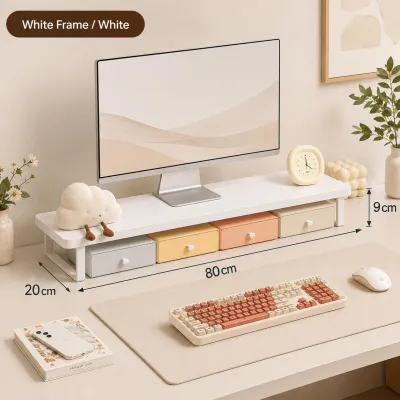
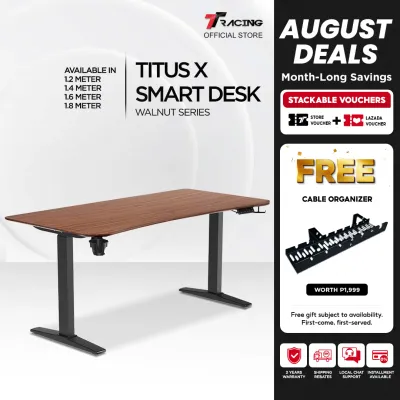
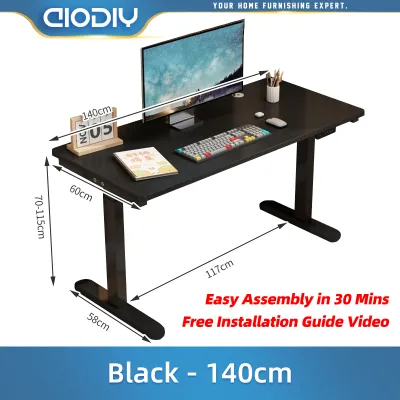
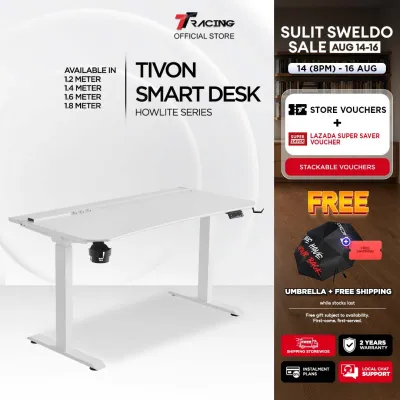
![[NEW] TTRacing Tacto Portable Standing Desk Ergonomic Height Adjustable Table](https://img.lazcdn.com/g/p/8f16283bc24f4912079347f44535040b.jpg_400x400q80.jpg_.webp)
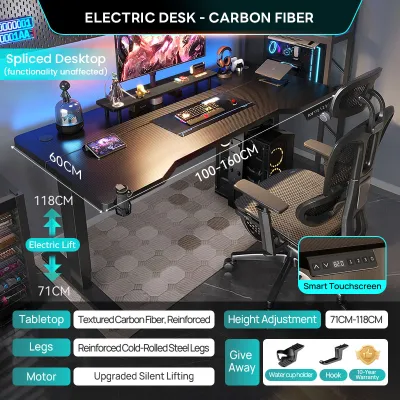
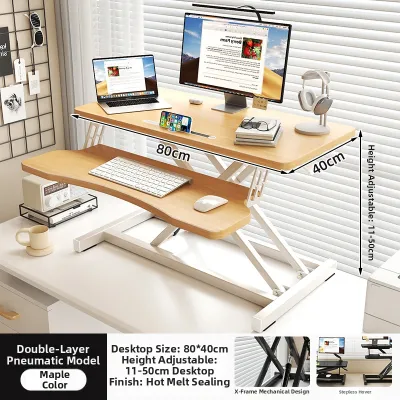
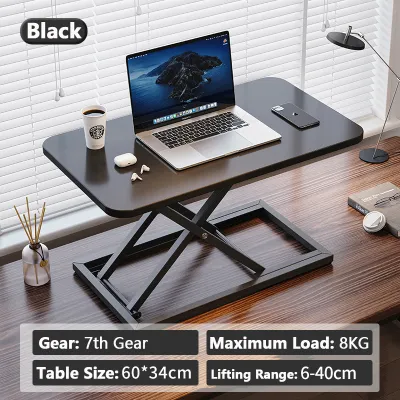
Prices are valid at publication and may change. Please refer to the product page for the latest price.
Finally, analyze your primary work modes and daily routines. Consider whether your job requires you to remain at your desk for eight or more hours continuously, or if you frequently step away for meetings and site visits. If you experience physical discomfort from prolonged sitting, a desk that facilitates posture changes is highly beneficial. Conversely, if your work is highly paper-based or involves physical sketching alongside computer tasks, you will need a layout that supports distinct physical zones.
Standing Desks: Evaluating Ergonomics and Equipment Needs
Standing desks have gained significant popularity for their ability to support active movement throughout the workday. Transitioning between sitting and standing positions helps mitigate the physical strain associated with static postures, promoting better circulation and reducing lower back discomfort during long shifts. However, integrating a height-adjustable desk into your home requires careful attention to both mechanical specifications and your existing hardware setup.

When evaluating a standing desk, the structural design of the frame is paramount. Height-adjustable desks generally feature a wider, heavier T-style or C-style leg base to maintain balance as the surface rises. You must choose between motorized models, which offer smooth transitions at the press of a button, and manual hand-crank models, which require physical effort but operate independently of electrical outlets. Keep in mind that motorized desks require reliable access to a power source, and their cables must have enough slack to move freely from the lowest to the highest height settings without pulling on wall sockets.
Stability is a common concern, particularly when the desk is extended to its maximum height. At higher settings, any inherent play in the leg joints can translate into noticeable wobble when typing or moving a mouse. To prevent this, check the manufacturer’s specifications for frame weight, leg stage design (three-stage legs generally offer more stability and range than two-stage legs), and crossbar reinforcement.
Before purchasing, verify the desk’s maximum weight capacity label against the combined weight of your monitors, mounts, computer, and desk accessories. Ensure the warranty terms explicitly cover the moving parts, including the motor, control box, and lifting columns, as these components experience the most wear and tear. In humid tropical climates, look for frames with rust-resistant powder coatings and desktop materials that resist moisture absorption to prevent warping over time.
Foldable Desks: Maximizing Flexibility in Tight Spaces
For those living in compact apartments or shared households where a dedicated room is unavailable, foldable desks offer an exceptionally practical solution. These desks are designed to provide a functional workspace during business hours and quickly fold flat for storage when the workday ends. This ability to reclaim your living space is invaluable for maintaining a healthy boundary between professional life and personal relaxation.
While foldable desks excel in space efficiency, they require clear trade-offs regarding surface area and structural rigidity. Because the legs and support braces must fold along hinges, these desks typically feature smaller, shallower tabletops that may not comfortably accommodate multiple large monitors or heavy desktop towers. The folding joints and locking pins are also potential points of wear; over time, frequent assembly and disassembly can lead to minor play in the joints, reducing the overall stability of the writing surface.
To ensure long-term durability, inspect the quality of the folding mechanisms and the thickness of the metal frame. Look for models with secure locking latches that prevent the legs from shifting or collapsing accidentally during use. The desktop material should be lightweight yet sturdy, such as high-density engineered wood with a protective laminate finish that resists scratches and spills.
Foldable desks are ideal for temporary setups, rented rooms, or multi-purpose spaces like dining areas and bedrooms. If your daily tasks are performed primarily on a single lightweight laptop or tablet, a foldable desk provides a stable, unobtrusive platform that can be tucked behind a sofa, under a bed, or inside a closet at a moment’s notice.
L-Shaped Desks: Optimizing Corners for Multitasking
If your daily workflow involves managing multiple devices, handling physical paperwork, or multitasking across different media, an L-shaped desk provides the expansive surface area you need. By utilizing corner spaces that often go unused in standard room layouts, these desks maximize your working footprint without encroaching excessively into the center of the room.
The primary advantage of an L-shaped configuration is its ability to create distinct, specialized work zones. You can dedicate one side of the “L” entirely to your computer monitors and keyboard, while reserving the adjacent return side for writing, reviewing physical documents, or housing secondary equipment like printers and scanners. This physical separation helps organize your tasks and reduces mental clutter by keeping unrelated items out of your direct line of sight.
However, the substantial physical footprint of an L-shaped desk introduces unique spatial challenges. These desks carry significant visual bulk, which can make a small room feel cramped if placed poorly. They can also obstruct the natural flow of foot traffic and are notoriously difficult to relocate once assembled. Before choosing this style, measure both intersecting walls carefully to ensure the desk will not block windows, built-in closets, or electrical outlets.
During assembly, pay close attention to the structural connections, particularly the corner joint where the two desktop sections meet. High-quality L-shaped desks utilize heavy-duty steel brackets and support plates underneath the seam to ensure the surface remains perfectly flush and stable. Verify that the leg placement allows for comfortable legroom as you pivot from one side of the desk to the other, and check for adjustable leveling feet to compensate for any unevenness in your home’s flooring.
Side-by-Side Comparison of Key Physical Attributes
To help you quickly evaluate which desk configuration aligns with your physical space and daily requirements, the following matrix outlines the key structural and functional differences between the three types.
| Attribute | Standing Desk | Foldable Desk | L-Shaped Desk |
|---|---|---|---|
| Usable Surface Shape | Rectangular, compact to medium | Rectangular, compact and shallow | Dual-surface corner configuration |
| Space Efficiency | Moderate footprint; utilizes vertical space | High efficiency; stows flat when not in use | High corner utilization; large footprint |
| Structural Stability | High at low heights; variable at full extension | Moderate; dependent on hinge wear | Very high; multiple contact points |
| Assembly Complexity | Moderate to high; requires motor/frame alignment | Minimal; often arrives pre-assembled | High; requires multi-panel alignment |
| Primary Compromise | Requires proximity to power; higher weight | Limited surface area; lower weight capacity | Difficult to move; high visual bulk |
When using this comparison, remember to verify specific product dimensions against your actual equipment. For example, if you plan to use a clamp-on monitor arm, check the underside clearance of your chosen desk to ensure the clamp can grip the frame securely without damaging the desktop edge.
Decision Framework: Which Desk Should You Choose?
To make your final decision, match your primary workspace constraints and work habits to the following conditional guidelines:
- Choose a standing desk if your priority is ergonomic flexibility, you plan to work long hours, and your budget and floor space allow for a heavier, motorized frame. Ensure you have a nearby wall outlet and that your monitor cables are long enough to accommodate the desk's full vertical range.
- Choose a foldable desk if you live in a compact or shared home, need to reclaim your living space after hours, and work primarily on a single laptop with minimal heavy accessories.
- Choose an L-shaped desk if you require maximum continuous surface area to support multiple monitors, paperwork, or creative tools, and you have an underutilized corner that can accommodate a permanent, bulky furniture piece.
Before finalizing any purchase, perform a final physical check. Verify that the packaged box dimensions can safely pass through your home’s entryways, stairwells, and doors. If you are opting for a heavy L-shaped desk or a motorized standing desk with a solid wood top, check your floor’s stability and ensure the assembly area has adequate ventilation and space to work safely.
Frequently Asked Questions (FAQ)
Can I convert a standard foldable desk into a standing desk?
While you can technically place a desktop riser or converter on top of a foldable desk, doing so carries significant safety and stability risks. Foldable desks are engineered with lightweight frames and hinged joints designed for standard sitting heights and moderate weight loads. Adding a heavy desktop converter, along with monitors and accessories, raises the center of gravity considerably. This elevated weight can cause the folding joints to wobble or fail, increasing the risk of the desk tipping over. Always check the manufacturer’s maximum load rating before attempting to add any heavy height-adjustable accessories.
Are L-shaped desks practical for small apartments?
L-shaped desks can be highly practical in small apartments, provided they are placed strategically. Tucking an L-shaped desk into an unused corner allows you to maximize your working surface while keeping the center of the room clear for foot traffic. However, because of their visual weight and rigid shape, they cannot be easily rearranged. You must measure both wall lengths accurately to ensure the desk does not block walkways, doors, or built-in cabinets. If your apartment layout is tight, look for compact L-shaped models with open metal frames rather than solid wood panels to maintain a sense of visual openness.
Community discussion
Share your experience or ask a question. Comments are reviewed before publication.