
Setting up a highly productive work-from-home space starts with choosing the right desktop table. The ideal choice is not simply the most popular model online, but the one that directly addresses your physical comfort, matches your daily work habits, and fits within your room’s physical boundaries. If you are struggling to choose between a standing desk, a foldable desk, or an L-shaped desk, the decision comes down to identifying your primary daily bottleneck.
For professionals operating in tight, multi-use rooms, a foldable desk offers the flexibility to reclaim valuable floor space when the workday ends. If you experience physical fatigue, lower back stiffness, or afternoon lethargy from sitting for eight hours, a standing desk introduces dynamic movement into your routine. Meanwhile, power users who manage multiple monitors, heavy paperwork, or complex hardware setups will find the expansive surface of an L-shaped desk indispensable. By evaluating your space, physical signals, and hardware requirements, you can select a workspace solution that enhances both your productivity and your long-term well-being.
Quick Diagnostic: Finding the Right Desktop Table for Your WFH Pain Point
To cut through the overwhelming number of options available on online marketplaces, start by identifying the single greatest friction point in your current work-from-home setup. This diagnostic approach ensures you invest in a desktop table that actively solves a daily problem rather than adding to your household clutter.
Products mentioned in this guide

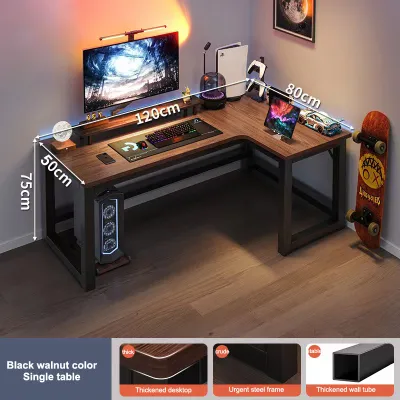
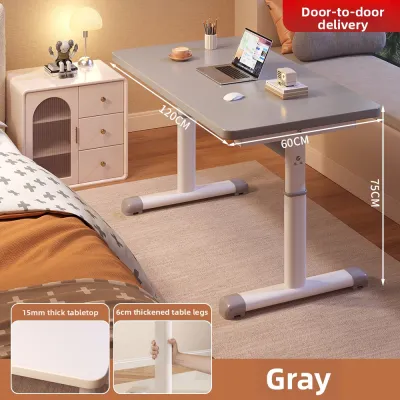
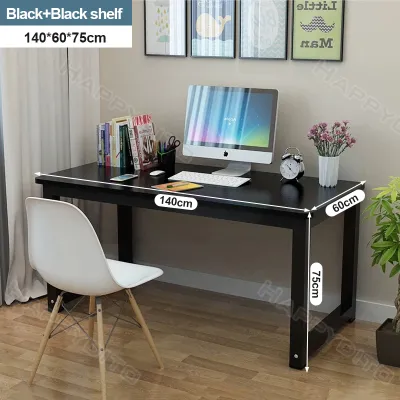
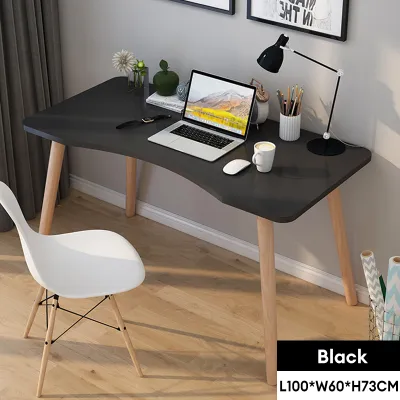
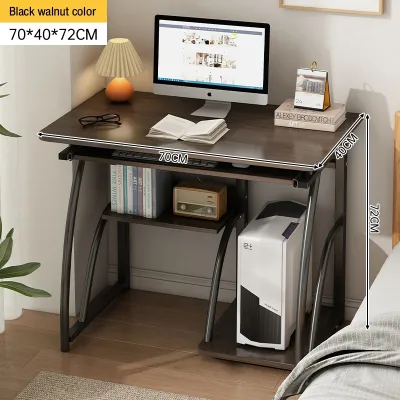
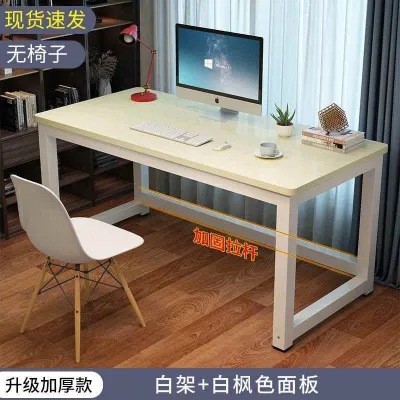
Prices are valid at publication and may change. Please refer to the product page for the latest price.
- The Space-Constrained Worker: If your workspace doubles as your dining area, bedroom walkway, or living room corner, square footage is your primary bottleneck. You need a setup that can disappear when you are off the clock. A foldable desk is the ideal match for this scenario, allowing you to maintain a clear distinction between professional hours and personal life.
- The Posturally Fatigued Worker: If you find yourself slouching, constantly adjusting your chair, or dealing with persistent lower back tension by mid-afternoon, your primary bottleneck is physical stasis. A standing desk serves as an active ergonomic tool, enabling you to transition between sitting and standing postures throughout the day to keep your circulation active and your spine aligned.
- The Multi-Device Power User: If your daily tasks require two or more monitors, a dedicated desktop tower, a drawing tablet, physical reference books, or piles of documents, your primary bottleneck is surface area. An L-shaped desk provides distinct, expansive zones that keep all your tools within arm's reach without forcing you to work in a cramped environment.
Ultimately, the best desk is the one that resolves your specific daily friction. A high-end motorized desk is of little use if it blocks a vital walkway in a small apartment, just as a compact folding table will frustrate a developer who needs to spread out multiple devices and reference materials.
Assess Your Space: Clearances, Corners, and Multi-Use Rooms
Before browsing designs, you must take precise measurements of your designated work area. Failing to account for physical clearances can lead to a frustrating assembly process or a desk that obstructs natural foot traffic.

Measuring for L-Shaped Desks
An L-shaped desk requires a significant, permanent footprint. When measuring your room, do not focus solely on the length of the two intersecting walls. You must also calculate the depth of each desk return and ensure there is at least 90 to 100 centimeters of clearance behind the desk. This clearance is necessary to comfortably push back your office chair, stand up, and walk around the workspace. Additionally, decide whether the desk will sit flush against a corner or act as a floating room divider. If you place it in a corner, check that it does not block access to wall outlets, light switches, or window cranks.
Evaluating Foldable Desk Placements
If you are considering a foldable desk, you must evaluate how it interacts with your room both when open and when collapsed. For wall-mounted drop-leaf variants, check your wall construction. Many modern homes and condominiums in the Philippines utilize precast concrete or hollow blocks covered in plaster. Mounting a desk to these walls requires heavy-duty masonry wall plugs and robust brackets; standard drywall anchors will fail under the weight of a desk and a laptop. For freestanding folding desks, measure your storage space—such as the gap behind a wardrobe or under a bed—and compare it to the folded thickness of the desk to ensure it hides away easily.
Checking Vertical Clearance for Standing Desks
Standing desks introduce a vertical dimension to your spatial planning. When the desk is fully raised, it must not collide with overhead shelves, wall-mounted air conditioning units, low-hanging pendant lights, or window sills. Measure your maximum comfortable standing height and add the height of your monitor setup to ensure you have at least 15 to 20 centimeters of clearance from any overhead obstructions.
Floor and Environment Inspections
Always check the leveling of your floor before purchasing heavy furniture. Uneven floor tiles, warped wood planks, or thick rugs can cause a desk to wobble, which becomes highly noticeable when typing or using a mouse. Furthermore, the tropical climate in the Philippines presents unique environmental challenges. High relative humidity, which frequently exceeds 80% during the rainy season, can cause low-quality engineered wood to swell or warp. When selecting a desktop table, look closely at the product specifications for high-quality edge banding (such as ABS or PVC) and a moisture-resistant surface finish (like melamine or high-pressure laminate). These protective layers prevent damp air from penetrating the inner core of the board, ensuring your desk remains stable and structurally sound over years of use.
Evaluate Your Workflow: Health Signals and Equipment Footprint
Your physical well-being and the specific tools you use daily should dictate the structural features of your desktop table. Reflecting on your daily routine helps prevent common purchasing mistakes, such as buying a desk that is too small for your gear or too rigid for your physical needs.
Listening to Your Body's Health Signals
Pay close attention to how your body feels after a long working session. If you regularly experience lower back stiffness, neck strain, or a noticeable drop in energy in the afternoon, your body is signaling a need for movement. A standing desk is an excellent tool for introducing postural variation, allowing you to alternate between sitting and standing every 30 to 60 minutes. However, it is important to remember that a standing desk is not a medical cure-all. Standing for too long can lead to sore feet and lower limb fatigue. The key to ergonomic health is variation, and a height-adjustable desk makes this transition seamless.
Mapping Your Equipment Footprint
The physical size and weight of your work tools are critical factors in your decision. Take an inventory of everything that must sit on your desk.
- Heavy Setups: If you use dual 27-inch monitors, a heavy desktop tower, an external keyboard, and a drawing tablet, you require a robust, spacious surface. One side of an L-shaped desk can be designated for digital work and the other for analog tasks like reading or writing.
- Minimalist Setups: If your work is entirely cloud-based and you only use a single laptop, a mouse, and a notebook, a compact standing desk or a high-quality foldable desk will provide more than enough surface area without overwhelming your room.
Analyzing Task Switching and Multi-Use Spaces
Consider how often your workspace must transition to serve other household functions. If you live in a studio apartment where your work desk must double as a dining table, a folding desk allows you to pack away your professional life in under a minute, restoring your home to a relaxing personal environment. Alternatively, if your work involves switching between deep computer focus and physical model building, crafting, or reviewing large printed documents, the expansive, angled layout of an L-shaped desk provides the physical separation needed to transition between tasks without constantly rearranging your equipment.
Compare the Options: Real-World Limitations and Stability Checks
Every desk design involves trade-offs between stability, convenience, and structural limits. Understanding these real-world performance factors will help you set realistic expectations before making a purchase.
Standing Desks: Lift Mechanisms and Wobble Factors
Standing desks are generally divided into motorized and manual (crank) models. Motorized desks offer maximum convenience but require proximity to a power outlet and cost significantly more, often ranging from ₱10,000 to over ₱30,000 for high-end models. Manual crank desks are budget-friendly and independent of power sources, but adjusting the height requires physical effort, which may discourage you from changing positions regularly.
When choosing a standing desk, always check the manufacturer’s stated weight capacity. Subtract the weight of your monitors, mounts, and PC tower from this limit to ensure the motor operates comfortably below its maximum capacity. Running a motor near its limit can lead to premature failure. Additionally, look for models with a solid steel frame, a lower crossbar to minimize side-to-side wobble at maximum height, and anti-collision sensors. These sensors are vital safety features that automatically stop the desk’s movement if it encounters an obstacle, protecting nearby furniture, children, or pets.
Foldable Desks: Hinge Durability and Weight Limits
Foldable desks prioritize portability, but this convenience often comes at the expense of surface rigidity. The primary failure points on folding desks are the hinges, brackets, and locking mechanisms. Before buying, verify the maximum weight limit, which is typically much lower than that of fixed desks—often capped between 15 and 30 kilograms.
Heavy typing, leaning your forearms on the edge, or mounting a monitor arm can cause cheaper foldable surfaces to flex, bounce, or sag over time. Ensure the model you select features robust steel legs, thick metal hinges, and a secure locking mechanism (such as safety pins or spring-loaded latches) to prevent the desk from accidentally collapsing while you are working.
L-Shaped Desks: Assembly, Reach, and Corner Utilization
While L-shaped desks offer unmatched surface area, they present unique spatial and assembly challenges. The most common issue is the “dead corner”—the deep, triangular space where the two desk sections meet, which is often difficult to reach comfortably. To maximize this space, look for models with a curved inner edge, or use the deep corner to place static items that do not require frequent handling, such as speakers, a printer, or a multi-monitor mount.
Assembly is another major consideration. L-shaped desks are incredibly heavy and arrive in large, bulky flat packs. Assembling one requires careful attention to joint alignment, and you will almost certainly need a second person to help lift and flip the completed frame safely to avoid warping the connection brackets.
Desktop Table Comparison Matrix
| Desk Type | Space Required | Setup Complexity | Ideal Workflow | Primary Limitation |
|---|---|---|---|---|
| Standing Desk | Moderate (requires vertical clearance) | Medium (motor and frame assembly) | Alternating sit-stand work, active users | Higher cost; requires nearby power outlet |
| Foldable Desk | Low (collapsible and easy to store) | Low (minimal to no assembly) | Light laptop work, multi-use rooms | Low weight capacity; potential surface bounce |
| L-Shaped Desk | High (requires dedicated corner/wall) | High (multi-step assembly, heavy) | Multi-monitor, paper-heavy tasks | Hard to relocate; creates unreachable corner space |
Final Pre-Purchase Checklist: Clearances, Power, and Warranties
To ensure a smooth delivery and setup experience, run through this practical checklist before finalizing your purchase from an online store or physical showroom.
- Delivery and Access Dimensions: Measure your doorways, hallway corners, elevator doors, and stairwells. Large L-shaped desks and heavy, steel-framed standing desks are shipped in long, heavy boxes that can exceed 1.8 meters in length. Verify that these packages can physically fit through your building's entry points.
- Power and Cable Management: If you choose a motorized standing desk, ensure it sits close to a wall outlet. Plan your cable management using under-desk trays, adhesive clips, or cable spines. Crucially, leave enough slack in your power cables so that when the desk rises to its maximum height, it does not pull plugs out of the wall or strain your device ports.
- Warranty and Return Policies: Read the fine print regarding moving parts. Lift motors, control keypads, gas springs, and folding hinges are the components most susceptible to wear and tear. Look for warranties that explicitly cover these mechanical parts for at least two to five years. Additionally, check the seller's return policy; shipping a heavy, 40-kilogram desk back due to a change of mind can incur exorbitant courier fees.
- Surface Material Verification: Do not rely solely on marketing titles like "solid luxury wood." Check the product specifications or material labels for the exact composition of the desktop. If it is made of medium-density fibreboard (MDF) or particleboard, ensure it has a thick, high-quality laminate or melamine coating to protect it from daily wear and tropical humidity.
Frequently Asked Questions (FAQ)
Can I convert my existing regular desk into a standing desk?
Yes, you can convert a traditional desk using a sit-stand desk converter, also known as a desktop riser. Before purchasing a converter, check the weight capacity of your existing desk to ensure it can support both the heavy riser and your computer gear. Additionally, verify that the converter’s base fits completely on your desktop without overhanging the front or side edges, which can create a dangerous tipping hazard.
Are foldable desks stable enough for dual monitor setups?
Most standard foldable desks are not designed to handle the weight and leverage of dual monitors, especially when mounted on articulating clamp-on arms. If you must use a dual-monitor setup on a foldable desk, ensure the monitors are lightweight, placed on their original individual stands rather than a single clamp, and positioned close to the rear legs or hinges where the structural support is strongest.
How do I prevent an L-shaped desk from wobbling on uneven floors?
To prevent wobbling, choose an L-shaped desk equipped with adjustable leveling feet on the bottom of each leg. Avoid placing thick, soft rugs under only a portion of the desk’s legs, as this uneven compression will destabilize the frame. If your floor is significantly uneven, adjust the leveling feet individually, or use rigid plastic furniture shims under the feet until all support points bear weight equally.
Community discussion
Share your experience or ask a question. Comments are reviewed before publication.