
Working from home has transitioned from a temporary arrangement to a permanent lifestyle for many professionals in the Philippines. Whether you are operating out of a high-rise condominium in Bonifacio Global City or a suburban home in Laguna, your workspace directly influences your productivity, physical comfort, and long-term health. Investing in a high-quality office table adjustable model can transform your daily workflow, allowing you to transition seamlessly between sitting and standing. However, with several distinct configurations on the market—ranging from standard standing models to space-saving foldable designs and expansive L-shaped setups—choosing the right one requires a careful evaluation of your physical space, daily work habits, and equipment requirements. The ideal choice is not just about aesthetics; it is about finding a balance between structural stability, spatial constraints, and ergonomic support.
Diagnose Your Space and Daily Work Habits
Before browsing online catalogs or visiting local showrooms, you must conduct a thorough diagnostic check of your physical environment and daily routines. The physical layout of your home is the most rigid constraint you face. Begin by measuring the exact footprint of your intended workspace using a reliable measuring tape. Do not rely on visual estimation alone; even a few centimeters of error can result in a desk that blocks a doorway, prevents a wardrobe from opening, or obstructs a vital pathway.
In the Philippines, urban living often means navigating tight spaces. If you live in a condominium or an apartment complex, you must also plan the delivery route. Measure the width and height of your building’s service elevator, the clearances of your stairwells, and the narrowest points of your apartment’s entryways. A solid, single-piece desktop measuring 140 centimeters or more can easily become stuck in a tight corner of a stairwell or fail to fit inside a standard residential lift. Knowing these dimensions beforehand helps you decide whether to purchase a split-desktop model or a desk that requires complete on-site assembly.
Products mentioned in this guide
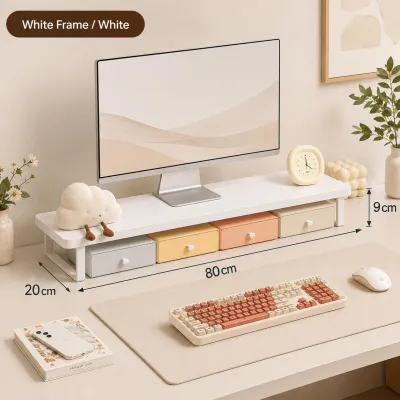
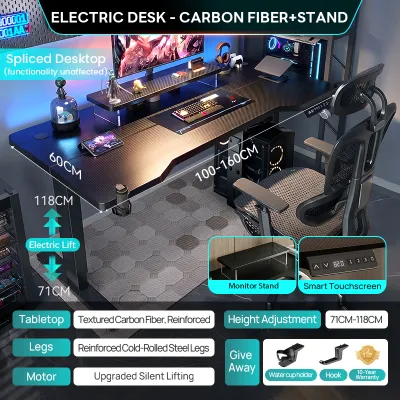
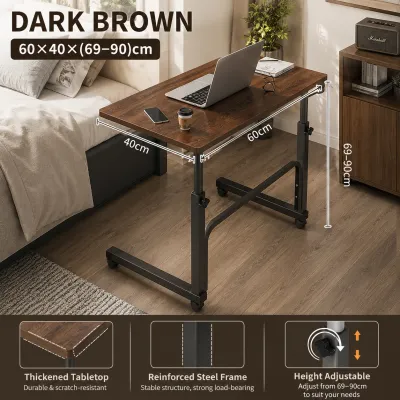
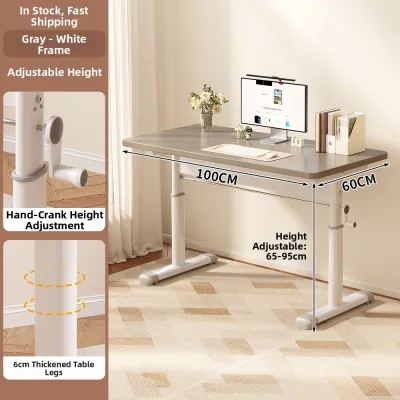
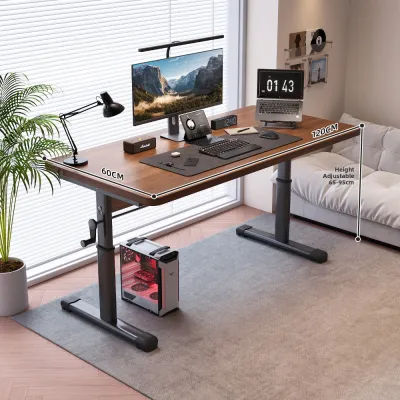
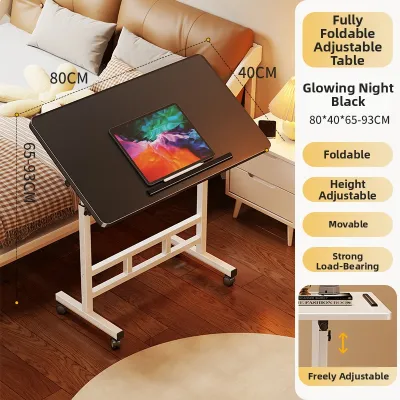
Prices are valid at publication and may change. Please refer to the product page for the latest price.
Next, analyze your daily work habits and physical needs. Consider how many hours you spend at your desk each day and how often you experience physical discomfort, such as lower back stiffness, shoulder tension, or neck strain. If you find yourself sitting continuously for eight to ten hours, an adjustable desk can help you introduce movement into your day. However, if your work involves heavy multitasking, physical documents, or multiple monitors, a basic compact frame might feel cluttered and restrictive. Identifying these personal pain points early ensures you select a desk that actively supports your physical well-being rather than just holding your computer.
Standing Desks: The Classic Office Table Adjustable Option for Dedicated Workspaces
Standard rectangular adjustable standing desks are the most common choice for dedicated home offices. These desks feature a clean, straightforward design with a motorized or manual lifting mechanism that adjusts the entire work surface vertically. They are designed for users who have a permanent spot in their home dedicated solely to work and who want a reliable, daily-use workstation.

Signs This Type Fits Your Routine
A standard standing desk is highly suitable if you find yourself experiencing physical fatigue or a drop in energy levels during long shifts. If you want to actively alternate between sitting and standing every 30 to 60 minutes to improve circulation and posture, a motorized rectangular desk offers the easiest transition. This design is also ideal if you have a dedicated room or a permanent corner in your home where the desk can remain fully assembled and plugged in. It suits professionals who use a standard setup, such as a single external monitor paired with a laptop, and who value a clean, distraction-free workspace that encourages a disciplined daily routine.
Space and Clearance Requirements
While rectangular standing desks are highly versatile, they require a dedicated floor footprint that cannot be easily reclaimed at the end of the day. A standard model typically measures between 120 and 160 centimeters in width and 60 to 80 centimeters in depth. Beyond the floor footprint, you must consider vertical clearance. Ensure there are no low-hanging shelves, wall-mounted air conditioners, or decorative wall frames that could collide with your monitors or the desk surface when raised to its maximum height.
Cable management is another critical operational factor. Because the desk moves up and down, your power cables, monitor cords, and charger lines must have sufficient slack. If cables are too tight, transitioning the desk to a standing height can pull plugs out of wall outlets, strain device ports, or even overload the desk’s motor. Utilizing flexible cable sleeves, under-desk cable trays, and a high-quality surge protector with a long power cord is essential. In the Philippines, where electrical fluctuations can occur, plugging your motorized desk into a reliable surge protector is a smart way to safeguard the sensitive electronic control box from power spikes.
Foldable Desks: For Compact Rooms and Flexible Schedules
For those who do not have the luxury of a dedicated home office, a foldable adjustable desk offers a practical alternative. These desks are designed with folding legs or collapsible frames, allowing them to be set up quickly and packed away when the workday is over. They bridge the gap between ergonomic adjustment and space-saving utility.
When a Foldable Design Makes Sense
A foldable adjustable desk is highly practical for professionals living in studio apartments, shared bedrooms, or multi-purpose living areas where space is at a premium. If your dining table double-duties as your workspace, or if you need to clear your living room on weekends, a foldable model allows you to reclaim your home environment. It is also an excellent option for hybrid employees who only work from home one or two days a week and do not want a permanent piece of office furniture dominating their living space. When folded, many of these desks can slide under a bed or stand flat against a wall, keeping your work life separate from your personal life.
Stability and Capacity Limitations
While foldable desks excel at space-saving, they come with clear structural trade-offs. To make the desk collapsible, manufacturers must use lighter frames and multiple joint mechanisms. This design makes foldable desks inherently less stable than their permanent, heavy-duty counterparts. When raised to their maximum height, you may notice a slight lateral wobble, especially during vigorous typing or when using a heavy mechanical keyboard.
Before purchasing, always verify the manufacturer’s specified weight capacity. Foldable adjustable desks typically support between 15 and 30 kilograms, which is significantly less than the 80 to 120 kilograms supported by standard motorized desks. This means they are best suited for minimal setups—usually just a laptop, a mouse, and a notebook. Placing heavy dual-monitor mounts or desktop PC towers on a foldable desk can compromise the frame, strain the adjustment joints, and pose a tipping hazard. Additionally, because of the humid tropical climate in the Philippines, ensure that the metal joints are powder-coated or treated to prevent rust over time, and check the joint locks regularly to ensure they remain secure.
L-Shaped Desks: For Heavy Multitasking and Corner Layouts
If your daily work involves complex workflows, massive screen real estate, or handling physical documents alongside digital tasks, an L-shaped adjustable desk offers the ultimate workspace. By utilizing a corner configuration, these desks provide an expansive surface area without taking over the center of your room.
Workflow Signals for an L-Shaped Layout
An L-shaped layout is designed for heavy multitaskers who require distinct zones for different types of work. For instance, you can dedicate one side of the “L” to your primary computer setup with multiple monitors, while using the other side for writing, reviewing physical documents, or hosting video calls on a secondary device. This layout is also highly beneficial for creative professionals, such as digital artists, architects, or engineers, who need to transition between digital tablets and physical blueprints. By fitting snugly into a corner, an L-shaped desk maximizes the usable area of a room, turning an underutilized corner into a highly efficient workstation.
Measuring and Installation Checks
Installing an L-shaped adjustable desk requires careful preparation and precise measurements. You must measure both the main desk surface and the return wing to ensure they fit your corner without blocking windows, power outlets, or walkways. Because of their size and complexity, these desks are significantly heavier than rectangular models and are much harder to move once assembled.
When selecting an L-shaped desk, pay close attention to the motor system and frame stability. Lifting an unevenly distributed load across an L-shaped surface requires a robust motor system—ideally dual or triple motors. A triple-motor system assigns a dedicated motor to each leg, ensuring a smooth, synchronized lift that prevents the desk from tilting or jamming under heavy loads. Ensure that the floor surface is level; an uneven floor can place unequal stress on the motors, leading to premature wear or mechanical failure. Given the weight of these systems, budget for professional assembly if you are not confident in your DIY skills, and ensure your home’s flooring can handle the concentrated weight of the heavy steel frame.
Decision Checklist: Matching the Desk to Your Reality
To help you finalize your decision, use this quick checklist to map your physical space and daily workflow to the most suitable desk configuration:
- Standard Standing Desk: Best for dedicated home offices or permanent corners. Ideal for moderate setups (one or two monitors) where you want a reliable, stable vertical adjustment to alternate between sitting and standing throughout the day.
- Foldable Adjustable Desk: Best for studio apartments, shared spaces, or hybrid workers who need to pack their office away. Ideal for minimal setups (laptop only) where space-saving is the absolute priority.
- L-Shaped Adjustable Desk: Best for heavy multitaskers, creative professionals, and those with multiple monitors or physical paperwork. Ideal for utilizing corner spaces in larger rooms where maximum surface area is required.
If you find that your current static desk is still structurally sound and matches your aesthetic preferences, but you want the benefits of a standing routine, consider a desk converter. A converter sits on top of your existing table and allows you to raise your monitor and keyboard manually or pneumatically. This can be a highly cost-effective alternative to purchasing a completely new adjustable desk.
Before making a final purchase on any online marketplace or local furniture store, always verify the manufacturer’s specifications. Check the exact height range to ensure it accommodates your sitting and standing elbow heights, review the maximum weight capacity, and confirm the warranty terms for motorized parts. Motor warranties typically range from two to five years, and having a reliable warranty provides peace of mind for your investment.
Frequently Asked Questions (FAQ)
Can I use a desk converter instead of a full adjustable desk?
Yes, a desk converter is an excellent alternative if you have a high-quality static desk that you do not want to replace. Converters are budget-friendly and require no complex assembly. However, keep in mind that they add significant weight to your existing table, reduce the remaining flat surface area, and can make your workspace look more cluttered compared to a clean, full-sized adjustable desk.
What should I check before buying a motorized desk online?
Before purchasing a motorized desk online, verify the warranty coverage on the motor and control box, as these are the most vulnerable electronic components. Check the motor’s noise level (ideally below 50 decibels) and ensure it has an anti-collision safety feature to prevent damage to surrounding furniture. Finally, check the delivery terms; because motorized frames are extremely heavy, confirm if the courier delivers directly to your doorstep or high-rise unit, and whether assembly services are available.
Community discussion
Share your experience or ask a question. Comments are reviewed before publication.