
Choosing the right home office desk depends entirely on your spatial constraints, daily workflow, and physical comfort. There is no single ideal desk for everyone; instead, the right choice is the one that aligns with your specific environment and health needs. This guide will help you diagnose your requirements and determine whether a standing, foldable, or L-shaped desk is the right investment for your setup.
Your desk is the foundation of WFH productivity, especially when working in a tropical climate where comfort and air circulation are paramount. A poorly matched desk can lead to physical fatigue, cluttered cables, or a cramped room layout. By analyzing how you work and the physical limits of your room, you can select a configuration that enhances your daily routine.
Assess Your Space and Room Layout
Before browsing online marketplaces or visiting local furniture showrooms, you must establish the physical boundaries of your workspace. Start by measuring the exact floor area where you plan to position the desk, keeping in mind that you need at least 80 to 100 centimeters of clearance behind the desk for your office chair to glide smoothly. If your room features built-in cabinets or swinging doors, map out their swing paths to prevent collisions.
Products mentioned in this guide
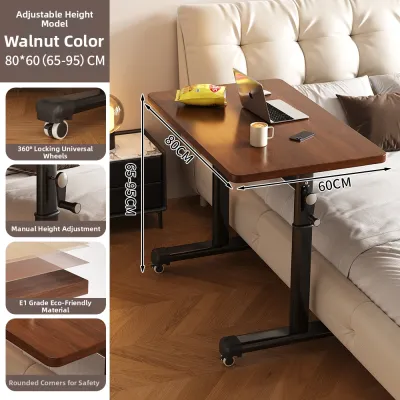
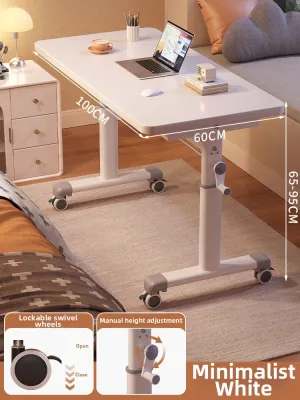
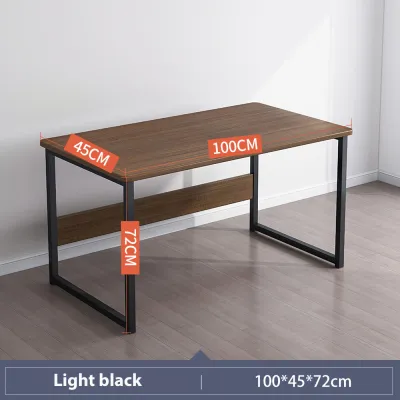
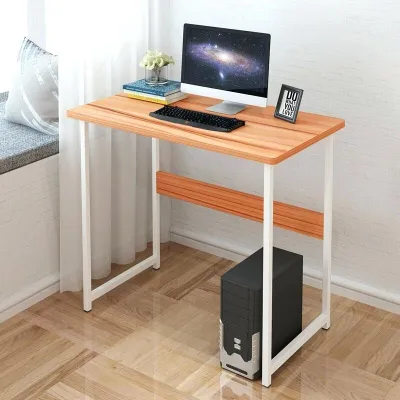
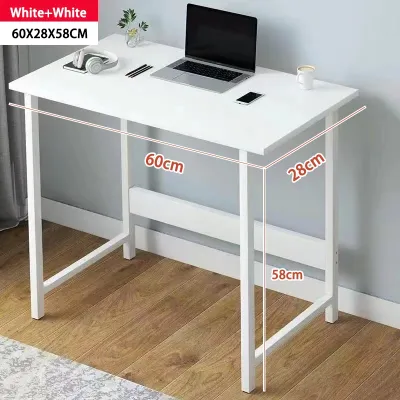
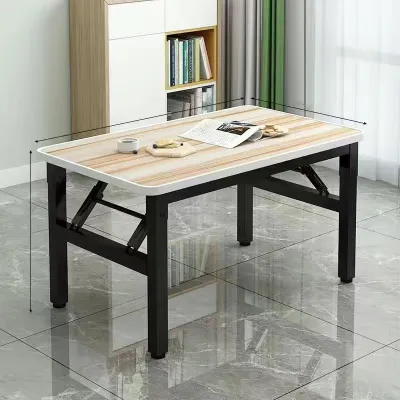


Prices are valid at publication and may change. Please refer to the product page for the latest price.
In urban homes, particularly high-rise condominiums or townhouses, delivery logistics present a major hurdle. Measure the width of your doorways, the clearance of tight staircase turns, and the interior dimensions of your building’s elevator. A massive, pre-assembled L-shaped desk might be impossible to transport up a narrow stairwell, making flat-packed or modular options a much safer choice.
Power access is another critical factor that dictates desk placement. Count the available wall outlets in the room and plan your cable routing to avoid creating tripping hazards. If you are planning a multi-device setup or opting for an electric standing desk, ensure the desk can sit close enough to a power source without stretching cords. Additionally, in humid environments, leaving a small gap between the desk and the wall helps promote airflow and prevents moisture buildup.
Evaluate Your Daily Work Habits and Health Needs
Your daily tasks and physical well-being should dictate the shape and functionality of your desk. Begin by tracking how many hours you spend sitting continuously throughout the day and how often you feel the urge to stretch or stand. If you find yourself struggling with afternoon sluggishness or physical stiffness, a desk that facilitates regular posture changes can transform your energy levels.

Next, take an inventory of the equipment you use to complete your daily tasks. A professional who relies solely on a single laptop requires far less surface area than a creative professional managing dual monitors, a drawing tablet, and physical sketchbooks. If your job involves handling physical documents, reference books, or external hardware like printers and scanners, you will need a desk that offers dedicated zones for different activities.
Pay close attention to the physical feedback your body provides during long working sessions. Persistent lower back stiffness, shoulder tension, or neck strain are often clear indicators that your current setup lacks proper ergonomic alignment. While a high-quality chair is essential, the height and depth of your desk play an equally vital role in keeping your elbows at a comfortable 90-degree angle and your screens at eye level.
Standing Desks: When Movement and Ergonomics Are the Priority
Standing desks, particularly height-adjustable models, are designed for professionals who prioritize physical movement and ergonomic flexibility. These desks allow you to transition between sitting and standing positions throughout the day, which helps encourage circulation and reduces the physical strain associated with prolonged sitting. If your daily routine involves long hours of virtual meetings or focused typing, alternating your posture can keep you more alert and comfortable.
To integrate a standing desk successfully, your workspace must meet specific physical requirements. The floor surface must be completely level to prevent uneven wear on motorized lifting mechanisms and to ensure the desk remains stable when fully extended. Because motorized models rely on continuous electrical power, you must position the desk near a reliable outlet and use high-quality surge protectors to safeguard the motor from local power fluctuations.
When shopping for a standing desk, look past aesthetic material names and focus on the manufacturer’s technical specifications. Check the certified weight capacity to ensure the motor can smoothly lift your monitors, computer tower, and accessories. Examine the height adjustment range to verify it accommodates both your sitting and standing elbow heights, and look for heavy-duty steel frames with wide base feet to minimize wobble when the desk is raised.
Foldable Desks: When Flexibility and Space-Saving Are Essential
Foldable desks offer an excellent solution for multi-purpose rooms, shared living spaces, or temporary remote work arrangements. If your home office must double as a guest bedroom, dining area, or living room, a foldable desk allows you to reclaim your living space once the workday ends. This flexibility is particularly valuable in compact apartments where dedicated office space is a luxury.
However, choosing a foldable desk requires accepting certain structural compromises. These models typically offer a much smaller surface area, limiting you to a laptop, a mouse, and a notepad. They also feature lower weight capacities compared to permanent desks, and their lightweight frames are more susceptible to minor structural wobble during vigorous typing or when supporting heavier equipment.
To ensure a foldable desk meets your needs, carefully inspect the locking mechanisms and hinge durability before purchasing. The folding joints should lock securely into place without slipping, and the frame should feel rigid when fully deployed. Additionally, measure the folded dimensions of the desk to confirm it can slide easily under a bed, fit inside a closet, or stand flat against a wall when not in use.
L-Shaped Desks: When You Need Maximum Surface Area and Zoning
L-shaped desks are the ultimate choice for professionals who require expansive desktop real estate and distinct task zoning. The dual-surface design allows you to dedicate one side of the desk to computer-based work and the other side to physical paperwork, reading, or hands-on projects. This physical separation helps organize your workflow and keeps your primary digital workspace free from clutter.
Because of their substantial footprint, L-shaped desks require a dedicated corner or a long, unobstructed wall to avoid disrupting the natural flow of room traffic. They are ideal for larger rooms where you can position the desk in a corner to maximize floor space, or even use it as a room divider to separate your office zone from the rest of the living area.
When evaluating L-shaped models, look for reversible configurations that allow you to install the return wing on either the left or right side, giving you greater flexibility if you rearrange your room in the future. Check that the desktop joints align seamlessly to prevent uneven surfaces, and verify that the under-desk frame provides ample legroom on both sides of the corner so you can pivot your chair freely.
Making the Final Decision: A Diagnostic Checklist
To finalize your choice, cross-reference your spatial limitations with your daily workflow demands to eliminate incompatible options. If your room is highly compact or serves multiple purposes, a foldable desk is likely your most practical starting point. If you have ample space and manage multiple monitors or heavy paperwork, an L-shaped desk will provide the organization you need, while a standing desk remains the premier choice for those prioritizing physical movement and ergonomic health.
When planning your budget, allocate your funds strategically between the desk frame mechanism and the desktop surface. For standing desks, it is wise to invest a larger portion of your budget, perhaps around ₱10,000 to ₱20,000, into a high-quality motorized frame with a reliable warranty, while opting for a simpler laminate top to keep costs manageable. For static or L-shaped desks, prioritize sturdy joint construction and moisture-resistant finishes that can withstand tropical humidity over decorative embellishments.
Remember that while the right desk can significantly improve your comfort, it is only one part of a healthy workspace. If you continue to experience chronic physical pain, numbness, or severe strain despite adjusting your desk height and chair position, stop and consult an ergonomic specialist or a physical therapist. They can provide personalized guidance to help you configure your environment to match your body’s unique physical needs.
Frequently Asked Questions (FAQ)
Can I convert my existing desk into a standing desk?
Yes, you can convert a standard static desk into a sit-stand workstation by using a desktop converter. Before purchasing a converter, you must verify your existing desk’s weight capacity to ensure it can support both the heavy converter mechanism and your computer equipment. Additionally, check the depth of your current desktop surface; a converter requires a stable, deep base to prevent the entire setup from tipping forward when fully extended.
Are foldable desks stable enough for dual monitors?
Most standard foldable desks are not designed to support the weight and physical footprint of dual monitors or heavy clamp-on monitor arms. Before attempting to mount multiple screens, check the manufacturer’s explicit weight limit and inspect the thickness of the desktop material. If you must use dual monitors on a foldable desk, opt for lightweight, independent monitor stands placed directly on the surface, and ensure the total weight remains well below the desk’s certified capacity to prevent structural failure or tipping.
Community discussion
Share your experience or ask a question. Comments are reviewed before publication.