
Choosing the right table for pc computer setups is one of the most critical decisions you will make when designing a home office or gaming station. The ideal desk does not merely hold your monitor and keyboard; it actively supports your physical health, protects your expensive hardware, and fits seamlessly into your living space. With the rise of hybrid work and dedicated gaming setups in the Philippines, three distinct desk styles have emerged as the primary contenders: standing desks, foldable desks, and L-shaped desks. Each type caters to a fundamentally different set of priorities, spatial constraints, and workflows.
To identify the best option for your specific setup, you must balance your available floor space, the total weight of your PC hardware, and your daily workflow requirements.
- Choose a Standing Desk if: You prioritize long-term ergonomics, want to alternate between sitting and standing throughout long sessions, and have the budget to invest in a motorized frame.
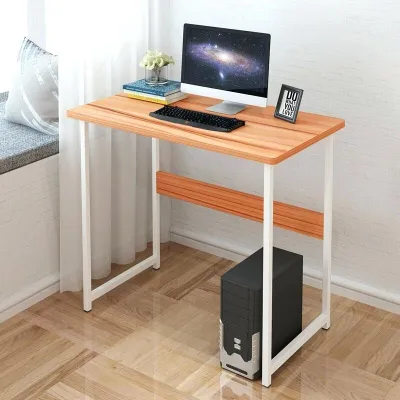
- Choose a Foldable Desk if: You live in a compact condo or shared room, need a temporary or multi-purpose workstation that can be tucked away, and use a lightweight laptop or mini-PC setup.
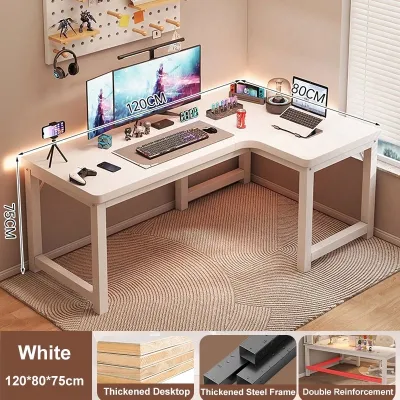
- Choose an L-Shaped Desk if: You require maximum surface area for multiple monitors, heavy desktop towers, and dedicated corner placement without the need to move the desk.
Ultimately, the “best” choice is not about finding the most expensive model, but about selecting the design that resolves your specific spatial and physical pain points.
Products mentioned in this guide

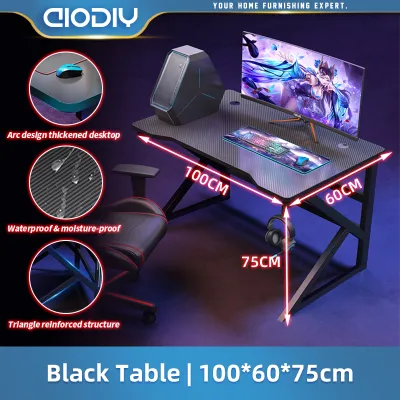
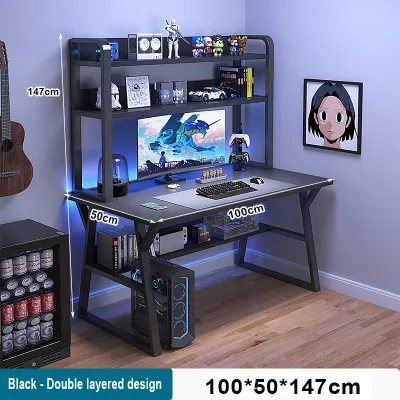
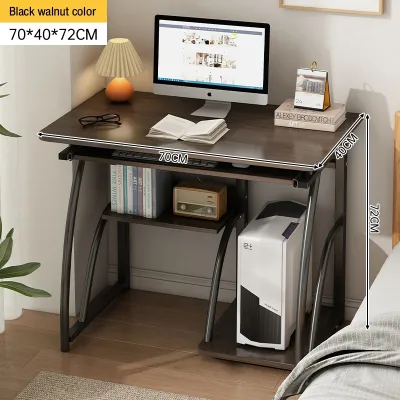
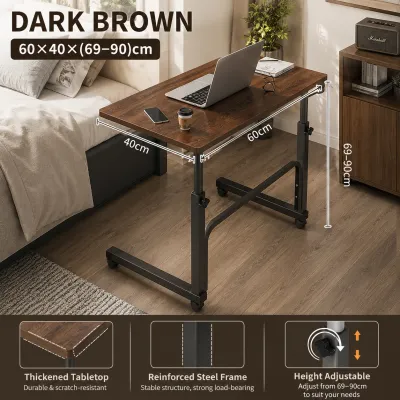
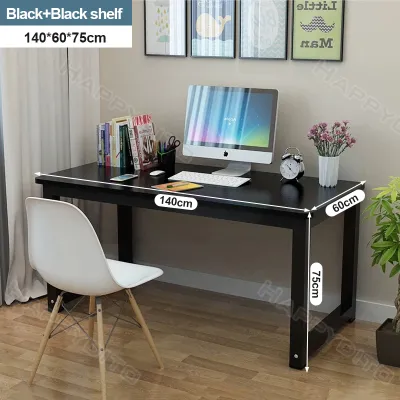
Prices are valid at publication and may change. Please refer to the product page for the latest price.
Standing Desks: Ergonomics and Active Workflows
Standing desks have transitioned from a niche office luxury to a mainstream staple for professionals and gamers alike. The primary appeal of a height-adjustable table for pc computer setups lies in its health and ergonomic benefits. Alternating between sitting and standing during long working or gaming sessions helps mitigate the physical strain associated with sedentary lifestyles. In tropical climates, where sitting in a standard office chair for eight hours can lead to heat buildup and discomfort, the ability to stand up and improve airflow around your body is a major comfort advantage.
When evaluating standing desks, the lifting mechanism is a crucial factor to consider. Height-adjustable desks generally utilize either motorized (electric) or manual (hand-crank) systems. For a dedicated PC setup, motorized frames are highly recommended. Manually cranking a desk loaded with heavy monitors, a desktop tower, and accessories requires significant physical effort and can cause the surface to shake violently, risking damage to your components. Motorized desks, particularly those with programmable memory presets, allow you to transition smoothly between heights at the press of a button, ensuring your hardware remains stable and level.
Stability is a common concern with standing desks, particularly when extended to their maximum heights. As the desk rises, its center of gravity shifts upward, which can introduce a slight sway or monitor wobble during intense typing or gaming. To prevent this, look for desks constructed with heavy-duty steel frames and thick legs. Dual-motor systems are inherently more stable and powerful than single-motor alternatives, as they distribute the lifting force evenly across both legs. Additionally, desks featuring a structural crossbar between the legs offer superior lateral stability, minimizing the micro-wobbles that can cause eye strain over time.
Weight capacity is another critical specification to verify before purchasing. A complete PC setup—consisting of a mid-tower case, dual monitors, heavy-duty desk mounts, a mechanical keyboard, and audio gear—can easily weigh between 25 and 40 kilograms. You must ensure that the desk’s dynamic weight capacity (the maximum weight it can safely lift while moving) comfortably exceeds the total weight of your gear. Exceeding this limit can strain the motor, lead to uneven lifting, or cause premature mechanical failure.
Foldable Desks: Space Efficiency and Flexibility
For many residents in urban centers like Metro Manila, living space is at a premium. In studio apartments, shared boarding houses, or multi-generational homes, dedicating a permanent, large footprint to a computer desk is often impractical. This is where foldable desks offer an unmatched level of space efficiency and flexibility. These desks are designed for rapid deployment and easy storage, allowing you to transform a corner of your living room or bedroom into a temporary office during the day and reclaim your living space at night.

While portability and convenience are the primary strengths of foldable desks, they do come with structural trade-offs. Because these desks rely on folding joints, hinges, and lightweight materials to remain portable, they inherently lack the structural rigidity of permanent wooden or steel-framed desks. Under the weight of a heavy desktop tower or during aggressive mouse movements, a foldable desk is highly prone to lateral movement and shaking. This makes them less than ideal for high-performance gaming rigs or setups that require absolute stability.
Consequently, foldable desks are best suited for lightweight, streamlined hardware configurations. They perform exceptionally well with laptops, tablets, mini-PCs, or single lightweight monitors on their original stands. Attempting to mount a heavy dual-monitor arm to a foldable desk is generally not recommended; the clamping force concentrated on a thin, often hollow-core or low-density fiberboard surface can crack the tabletop or cause the desk to tip forward.
If you decide a foldable desk is the right fit for your space, pay close attention to the build quality of the locking mechanisms and hinges. Look for models that feature automatic safety locks to prevent accidental collapsing while in use. Additionally, in humid environments, cheap steel hinges without proper powder coating can rust over time, leading to stiffness or structural weakness. Prioritize models with rust-resistant coatings and solid joint connections to ensure the desk remains safe and reliable over years of folding and unfolding.
L-Shaped Desks: Maximum Workspace and Stability
If your priority is sheer workspace, structural stability, and a commanding presence, the L-shaped desk is the gold standard. These desks are specifically engineered to maximize corner space, turning what is often wasted area in a room into a highly productive workstation. By wrapping around the user, an L-shaped table for pc computer setups provides a massive amount of surface area within arm’s reach, making it the preferred choice for power users, content creators, and multi-monitor enthusiasts.
One of the greatest advantages of an L-shaped desk is its ability to facilitate distinct task zones. You can dedicate one side of the “L” entirely to your primary PC setup, complete with multiple monitors, a keyboard, and a mouse. The adjacent side can then be kept clear for secondary tasks, such as writing, reviewing physical documents, managing a secondary work laptop, or housing streaming gear like mixers and cameras. This physical separation of tasks can significantly improve focus and workflow efficiency.
In terms of stability, L-shaped desks are exceptionally robust. Because they utilize a three-leg or multi-frame support structure that spans two perpendicular walls, they distribute weight across a much wider footprint than standard rectangular desks. This makes them highly resistant to wobbling, even when loaded with multiple heavy monitors, massive desktop towers, and clamp-on monitor arms. If you have a high-end custom PC with a heavy tempered-glass case, an L-shaped desk provides the structural confidence you need to display your rig safely.
However, the massive footprint of an L-shaped desk comes with logistical challenges. These desks are heavy, difficult to move once assembled, and require a large, permanent floor area. Before purchasing, you must carefully plan the layout of your room, ensuring that the desk does not block doorways, built-in wardrobes, or air conditioning vents. Additionally, assembling an L-shaped desk can be a complex, time-consuming process that often requires two people, and moving it to a new room or home usually necessitates complete disassembly.
Furthermore, the expansive frame of an L-shaped desk offers excellent opportunities for advanced cable management. Because the desk sits flush against two walls, you can easily hide cables, power strips, and external hard drives beneath the surface or along the inner legs. Many models come with built-in grommets, under-desk trays, or modesty panels that make routing complex wiring setups much cleaner and more organized.
Head-to-Head Comparison: Space, Stability, and Value
To help you weigh the trade-offs of each desk type, the table below summarizes how they compare across the most critical decision dimensions. Price tiers are categorized broadly to reflect the local market in the Philippines.
| Desk Type | Best Use Case | Space Required | Stability for Heavy PCs | Typical Price Tier (PHP) |
|---|---|---|---|---|
| Standing Desk | Ergonomic active workflows, sitting/standing transitions | Moderate rectangular footprint | High (with dual-motor frames) | Premium (₱12,000 and above) |
| Foldable Desk | Small apartments, temporary or highly flexible setups | Minimal (can be stored flat) | Low to Moderate | Budget (Under ₱3,000) |
| L-Shaped Desk | Multi-monitor setups, heavy hardware, corner optimization | Large permanent footprint | Excellent | Mid-Range to Premium (₱4,000 – ₱15,000+) |
When evaluating space efficiency, the foldable desk is the clear winner for users who cannot commit to a permanent workstation. However, if you have a dedicated corner that is currently underutilized, an L-shaped desk actually provides better space efficiency than a standard rectangular desk by reclaiming dead corner space that would otherwise go unused.
In terms of stability, L-shaped desks and high-quality standing desks are head and shoulders above foldable options. If your setup includes a heavy desktop tower and multiple monitor arms, investing in a stable, permanent frame is essential to prevent costly accidents. A shaking desk not only causes annoying monitor wobble but also puts unnecessary stress on your hardware’s internal components, such as mechanical hard drives or water-cooling loops.
From a cost-to-value perspective, foldable desks represent the lowest initial investment, making them highly accessible. However, they offer little in the way of long-term ergonomic support or hardware expansion. Motorized standing desks and large L-shaped desks require a more substantial financial commitment, but they deliver immense value over time. A high-quality standing desk is an investment in your physical health, while a sturdy L-shaped desk provides the durability and surface area needed to support your workstation as your hardware and career grow.
Pre-Purchase Checklist: Measuring Space and Verifying Specs
Before you click purchase or head to a local furniture showroom, walk through this checklist to ensure your chosen desk will fit your physical space and support your hardware safely.
1. Measure Your Physical Access Paths
Do not just measure the final spot where the desk will sit. You must ensure that the packaged boxes—or the pre-assembled frame—can actually reach that spot.
- Measure the width and height of your front door, bedroom doors, and any narrow hallways.
- If you live in a high-rise condominium, check the dimensions of the service elevator and the tight turns in the stairwells.
- Verify that there is sufficient clearance to maneuver large, heavy tabletop slabs (which can exceed 1.5 meters in length for L-shaped or large standing desks).
2. Calculate Your Setup's Total Weight
Avoid guessing whether a desk can support your gear. Take the time to calculate the actual load your new table for pc computer must carry.
- PC Tower: Weigh your computer tower or look up its chassis specifications online (a fully built mid-tower typically weighs 12 to 18 kg).
- Monitors: Check the weight of your monitors without their stands if you plan to use a mount (typically 4 to 8 kg per monitor).
- Mounts and Accessories: Add the weight of dual-monitor arms (usually 3 to 5 kg), UPS battery backups, speakers, and desk mats.
- Compare this total against the desk's rated weight capacity. For standing desks, ensure you are looking at the dynamic lifting capacity, not just the static limit.
3. Verify Ergonomic Height Ranges
A desk is only ergonomic if it fits your body dimensions.
- Sit in your favorite office chair adjusted to your comfortable height (where your feet are flat on the floor and your knees are at a 90-degree angle).
- Measure the distance from the floor to the underside of your elbows. Your desk surface should sit at or slightly below this height.
- If buying a standing desk, stand up naturally and measure the same elbow-to-floor distance to ensure the desk's maximum extension height can reach this level.
4. Check Material Finishes and Care Instructions
Because the climate in the Philippines is highly humid, material choice directly impacts longevity.
- Check if the tabletop has a moisture-resistant finish, such as high-pressure laminate (HPL) or a sealed polyurethane coating, to prevent warping or peeling.
- Inspect the joints and metal frames for rust-resistant powder coating.
- Review the manufacturer's care instructions; avoid harsh chemical cleaners that can strip protective coatings, and always use coasters to protect wood veneers from condensation water rings.
Frequently Asked Questions (FAQ)
Can I put a heavy desktop PC tower on a foldable desk?
While some heavy-duty foldable desks with reinforced steel frames exist, most standard models are designed for lightweight office use. Placing a heavy mid-tower or full-tower desktop PC on a typical foldable desk can compromise its structural integrity, cause severe wobbling, and increase the risk of a catastrophic collapse. If you must use a foldable desk, keep the PC tower on the floor (on a protective riser to avoid dust and moisture) and keep only your monitor, keyboard, and mouse on the desk surface.
Are L-shaped desks suitable for small apartments in the Philippines?
Yes, L-shaped desks can be highly effective in small apartments or studio condos if you have an underutilized corner. By utilizing vertical corner space and wrapping around your seating area, they can actually free up central floor space. However, they require a permanent, continuous footprint and cannot be easily rearranged. Always measure your corner precisely, ensuring the desk legs do not block electrical outlets, internet fiber ports, or the swing path of bedroom and closet doors.
Do standing desks wobble when using multiple monitors?
Minor wobble can occur at maximum standing heights, but this depends heavily on the desk’s frame design and build quality. Dual-motor standing desks with heavy steel legs and thick feet offer significantly better stability than budget single-motor models. If you use multiple monitors on clamp-on arms, the wobble can be amplified because the arms act as levers. To minimize shake, choose a desk with a structural crossbar, ensure all frame bolts are tightened securely, and place the desk on a completely level tile or concrete floor.
Community discussion
Share your experience or ask a question. Comments are reviewed before publication.