
Finding the ideal computer table for your work-from-home (WFH) setup is not a one-size-fits-all decision. It requires balancing your physical room dimensions, daily work habits, and the weight of your hardware. If you operate in a highly compact, shared, or multi-purpose room where space must be reclaimed at the end of the day, a foldable desk offers the ultimate flexibility. For professionals handling multi-monitor configurations, physical paperwork, or heavy peripheral setups, an L-shaped desk maximizes corner efficiency and surface area. Meanwhile, if your priority is physical wellness, reducing sedentary strain, and actively transitioning between sitting and standing postures throughout the day, a dedicated standing desk is the most effective investment.
The best computer table depends entirely on your specific room constraints and work habits, rather than a single “winner” design. To help you visualize the core differences, the following quick-scan comparison table outlines how these three desk types perform across key operational dimensions:
| Dimension | Foldable Desk | L-Shaped Desk | Standing Desk |
|---|---|---|---|
| Space Requirement | Minimal; easily folded and stored in tight spaces | Large; requires dedicated corner or wall space | Moderate; standard rectangular footprint |
| Stability & Weight | Low; designed for lightweight laptops and accessories | High; exceptionally stable for heavy multi-monitor setups | Moderate to High; stable at lower heights, minor wobble when extended |
| Ergonomic Adjustability | None; fixed height limits long-term posture support | None; fixed height but offers excellent lateral reach | High; seamless motorized or manual height adjustment |
| Ideal User Profile | Temporary workers, students, or those in small studio apartments | Power users, creative professionals, and multi-taskers | Health-conscious professionals working long, continuous shifts |
Space and Layout: Fitting the Desk Into Your Home Office
Evaluating your physical workspace constraints is the critical first step before purchasing any computer table. In dense urban areas like Metro Manila, where high-rise condominiums and shared family homes often limit available square footage, how a desk interacts with room geometry dictates your daily comfort and productivity.
Products mentioned in this guide
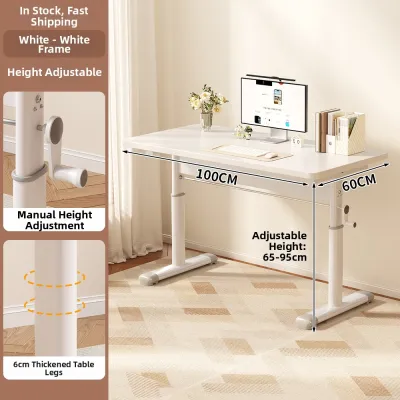
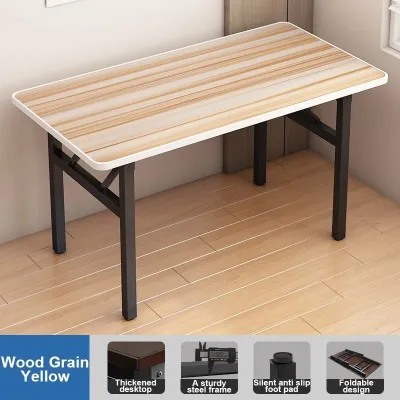

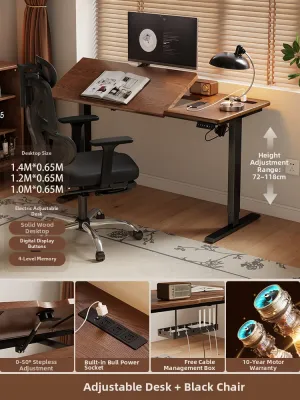
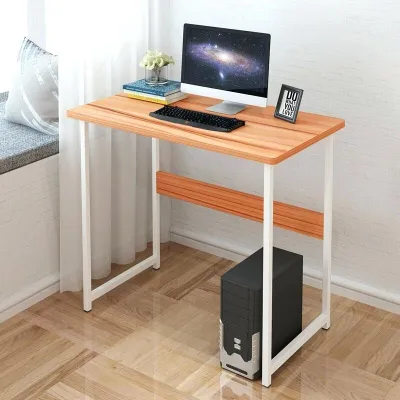
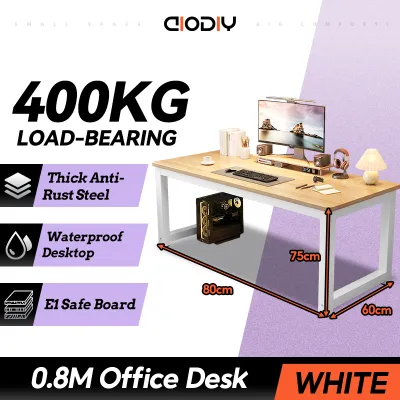
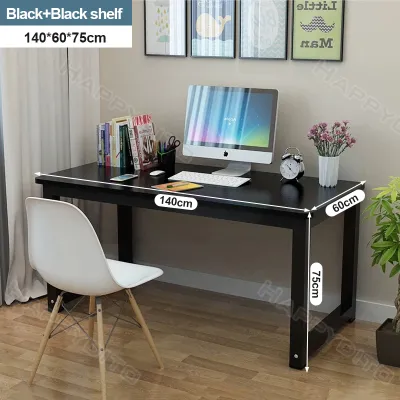
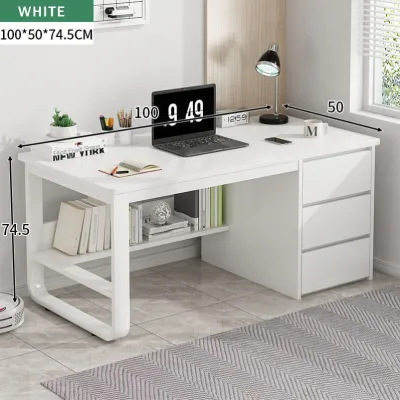
Prices are valid at publication and may change. Please refer to the product page for the latest price.
Foldable Desks Foldable desks are the premier solution for small apartments, studio units, or multi-purpose living areas where a permanent office setup is impractical. These desks require virtually no permanent floor space, allowing you to establish a highly functional workstation during the day and fold it flat to slide under a bed, behind a wardrobe, or inside a closet after hours. However, you must ensure you have clear, unobstructed floor space to unfold the desk when working, and a designated storage spot that is easily accessible.
L-Shaped Desks L-shaped desks are designed to maximize corner space, turning an underutilized “dead corner” into a highly productive workstation. By hugging two perpendicular walls, they provide a massive, continuous desktop surface without protruding excessively into the center of the room. The trade-off is that L-shaped desks dominate a room’s layout; they have a large, permanent footprint and are highly rigid. They are generally unsuitable for narrow hallways, highly constrained rooms, or spaces where you may need to rearrange furniture frequently.
Standing Desks Standing desks typically share the same rectangular footprint as standard office desks, making them highly versatile for most room layouts. However, they introduce unique vertical dynamics. When adjusting the height, the desk must have clear vertical clearance, meaning it cannot be placed directly beneath low wall-mounted shelves, hanging artwork, or low window frames. Additionally, standing desks require meticulous cable management to prevent cords from snagging or pulling tight as the surface rises, and they require extra floor space nearby to store an anti-fatigue mat when you transition back to sitting.
Practical Space Measurement Tip Before placing an order, always measure your intended workspace, leaving at least 80 to 100 centimeters of clearance behind the desk to accommodate your office chair and allow for comfortable movement. Furthermore, verify the finished dimensions of the desk against your home’s entry points. This includes checking door frame widths, hallway corners, and elevator dimensions—especially in high-rise buildings where a large, pre-assembled standing desk frame or a solid, single-piece L-shaped desktop may not fit through standard entryways or tight stairwells.
Work Habits and Ergonomics: Aligning the Desk With Your Workflow
Your physical health and daily productivity depend heavily on how well your computer table aligns with your natural work habits. Selecting a desk that supports your body’s alignment can prevent long-term strain, repetitive motion injuries, and daily fatigue.

Standing Desks Standing desks are engineered to combat the health risks associated with prolonged sedentary behavior, such as tight hip flexors, poor circulation, and lower back pain. The primary benefit lies in the ability to alternate between sitting and standing postures throughout your shift, which keeps your core engaged and boosts energy levels. However, standing all day can cause foot fatigue and varicose veins, meaning the desk must be paired with a highly supportive ergonomic chair for sitting intervals. When standing, your keyboard should sit at elbow height (allowing your arms to rest at a 90-degree angle) and your monitor’s top edge should align with your eye level to prevent cervical spine strain.
L-Shaped Desks L-shaped desks excel at physical and cognitive workflow zoning, which is highly beneficial for multi-taskers. The main desk surface can be dedicated entirely to your primary computer setup, while the side wing (the “return”) serves as a secondary zone for analog tasks like writing, reviewing physical documents, or housing peripheral equipment like printers and scanners. This perpendicular layout places all your tools within your natural reach zone, allowing you to transition between tasks simply by swiveling your office chair, which eliminates the need to constantly stretch, lean, or twist your lower back.
Foldable Desks Foldable desks have significant ergonomic limitations that make them less suitable for full-time, eight-hour workdays. Because they prioritize portability, they almost always feature a fixed height (typically around 72 to 75 centimeters) that cannot be adjusted to match your specific torso length or height. Additionally, budget-friendly foldable models often feature sharp, unchamfered front edges that can press into your wrists and forearms, restricting blood flow and causing discomfort during long typing sessions. These tables are best reserved for light, temporary, or laptop-only tasks rather than heavy desktop use.
Stability and Equipment: Supporting Your Hardware Safely
Your computer table must provide a secure, stable foundation for your expensive hardware. A wobbly desk not only disrupts your focus but also poses a safety hazard to monitors, desktop towers, and peripheral devices.
L-Shaped Desks L-shaped desks are structurally the most stable option available. The perpendicular intersection of the two desktop sections, combined with multiple supporting legs, creates a highly rigid frame that naturally resists lateral swaying. This structural integrity makes L-shaped desks the ideal choice for housing heavy, complex setups, such as triple-monitor mounts, heavy custom PC towers, uninterrupted power supplies (UPS), and desktop audio gear, without the risk of the tabletop bowing or tipping.
Standing Desks Standing desks present an inherent physical trade-off between height adjustability and structural stability. As the lifting columns extend to their maximum height, the desk’s center of gravity rises, which can introduce noticeable front-to-back or side-to-side wobble, especially during rapid typing or when using clamp-on monitor arms. To ensure hardware safety, look for standing desks featuring heavy steel frames, wider lifting columns (ideally with the thicker column segment at the base), and dual-motor systems that lift the desk smoothly and evenly. Always check the manufacturer’s rated weight capacity and ensure your equipment’s total weight remains well below that limit.
Foldable Desks Foldable desks feature mechanical hinges, joints, and lightweight frames that inherently limit their weight capacity and overall stability. Under heavy loads or aggressive typing, these joints can flex, causing the desktop to bounce or sag. Clamping a heavy dual-monitor mount to a foldable desk is highly discouraged, as the concentrated torque can crack thin tabletop materials or cause the entire table to tip forward. Keep equipment limited to a single laptop, a compact keyboard, and a mouse.
Tropical Climate and Maintenance Check In the humid climate of the Philippines, high atmospheric moisture can rapidly degrade furniture components. Unprotected steel frames are prone to rusting, which can seize folding hinges or compromise the lifting columns of a standing desk. Furthermore, engineered wood surfaces (such as particleboard or MDF) can absorb moisture and swell if the protective laminate or edge banding is chipped or poorly sealed. When choosing your computer table, verify that metal components are powder-coated or rust-treated, and check that all wooden surfaces are fully sealed. Always follow the manufacturer’s care instructions to keep mechanical joints and motorized parts clean and dry.
Budget and Assembly: Weighing Costs and Setup Effort
The final cost of a computer table involves more than its purchase price; you must also consider the assembly effort, tool requirements, and the long-term durability of the materials.
Cost Tiers
- Budget-Friendly (typically under ₱4,000): This tier is dominated by foldable desks and basic rectangular tables, offering an economical entry point for temporary setups.
- Mid-Range (typically ₱4,000 to ₱12,000): This tier includes standard L-shaped desks made of laminated engineered wood, manual crank standing desks, and entry-level single-motor standing desks.
- Premium (typically ₱12,000 to ₱30,000+): This tier features advanced dual-motor standing desks with digital memory keypads and anti-collision sensors, as well as large, heavy-duty L-shaped desks crafted from premium hardwoods or industrial-grade steel.
Assembly Effort Foldable desks require virtually zero assembly, typically arriving pre-assembled and ready to unfold straight out of the box, making them ideal for those without tools or DIY experience. In contrast, L-shaped desks require a significant investment of time and effort, often taking one to two hours to align multiple desktop panels, secure heavy metal brackets, and install supporting legs; having a second person to assist is highly recommended. Motorized standing desks also demand careful assembly, as you must precisely align the lifting columns, secure the control box, and route multiple electrical cables so they do not pinch or pull during height adjustments.
Long-Term Value and Durability Static L-shaped desks offer exceptional long-term value because they have no moving parts or electrical components that can wear out over time. Standing desks rely on electric motors and control units that can be vulnerable to electrical surges—a common concern in many parts of the Philippines. To protect your investment, always connect a motorized desk to a high-quality surge protector and verify the manufacturer’s warranty terms, prioritizing brands that offer multi-year coverage on the motor and electronics. Foldable desks offer moderate durability, but their mechanical hinges and locking pins can gradually loosen with frequent folding and unfolding cycles, eventually compromising the desk’s stability.
Final Decision Matrix: Matching the Desk to Your Profile
To finalize your decision, use this quick checklist to match each computer table type to your specific WFH environment and daily requirements.
Choose a Foldable Desk if:
- Your WFH space is shared, temporary, or highly compact, such as a studio condo.
- You work primarily on a lightweight laptop with minimal external peripherals.
- You want a budget-friendly solution with zero assembly hassle.
Choose an L-Shaped Desk if:
- You have a dedicated corner or a spacious room for your home office.
- You use multiple monitors, heavy desktop towers, or extensive physical paperwork.
- You want maximum stability and a large, continuous workspace with zero mechanical failure points.
Choose a Standing Desk if:
- You experience back pain or physical fatigue from sitting for long hours.
- You want to actively incorporate movement and alternating postures into your workday.
- You have a moderate-to-high budget and are willing to invest time in assembly and cable management.
Verify first if:
- Dimensions: Measure your floor space, leaving room for your chair, and check doorway/elevator access before ordering.
- Weight Capacity: Calculate the total weight of your monitors, mounts, computer, and accessories to ensure they sit well below the desk's rated limit.
- Power Access: For standing desks, ensure there is a nearby wall outlet and that your power cables have enough slack to stretch safely to maximum height.
- Stability: If purchasing in person, test the desk at your working height to check for lateral wobble or frame flex.
Neither may fit if:
- You require extensive built-in storage, such as deep filing drawers, lockable cabinets, or integrated hutch shelving. In this scenario, a traditional executive desk or a modular office workstation with built-in cabinetry would be a more suitable choice.
Frequently Asked Questions (FAQ)
Can I convert a regular foldable desk into a standing desk?
While you can place a portable desktop riser or converter on top of a foldable desk, you must proceed with extreme caution. Foldable desks have low weight capacities and lightweight frames, meaning the added weight of a heavy riser, monitors, and typing pressure can easily exceed the desk’s structural limits, causing the joints to collapse or the desk to tip over. If you attempt this conversion, verify the foldable desk’s manufacturer-rated load capacity first, and avoid using heavy clamp-on monitor arms that concentrate torque on thin tabletop edges.
Are L-shaped desks suitable for small home offices?
Yes, L-shaped desks can be highly effective in small rooms, provided they are placed strategically. Because they hug perpendicular walls, they utilize corner areas that are typically wasted, leaving the center of the room open. However, you must carefully measure the depth and length of both wings (the main desk and the return) to ensure they do not block doorways, closet doors, or natural walkways. Choosing a compact or asymmetrical L-shaped desk can provide ample workspace without overwhelming a smaller room.
Do motorized standing desks consume a lot of electricity?
No, motorized standing desks consume a negligible amount of electricity. The electric motors only draw significant power during the brief moments when you are actively raising or lowering the desk, which typically takes less than 15 seconds per transition. When stationary, the control box enters a low-power standby mode that consumes minimal wattage, having an unnoticeable impact on your monthly household electricity bill.
Community discussion
Share your experience or ask a question. Comments are reviewed before publication.