
Choosing the right ergonomic desk table is one of the most significant decisions you will make for your home office. There is no single “best” desk design; the ideal choice depends entirely on your available space, daily workflow, and budget.
For professionals who spend long, continuous hours at their screens, a standing desk offers the physical movement necessary to combat sedentary fatigue. If you live in a compact condominium or share a multi-purpose room, a foldable desk provides a temporary, highly functional workstation that can be tucked away at the end of the day. For power users, creatives, or remote workers managing multiple monitors, physical documents, and heavy hardware, an L-shaped desk maximizes corner space and provides distinct task zones. Evaluating these options requires looking beyond aesthetics to analyze the structural realities, physical measurements, and environmental factors of your home office.
Core Comparison Dimensions for Your Home Office
Before browsing online catalogs or visiting showrooms, you must establish the physical and ergonomic criteria that will dictate your purchase. A desk that looks perfect in a studio photo might fail in a highly humid room or fail to fit through a narrow stairwell during delivery.
Products mentioned in this guide
![[NEW] TTRacing Tacto Portable Standing Desk Ergonomic Height Adjustable Table](https://img.lazcdn.com/g/p/d212247077fd8c96aa340eee125211c1.jpg_400x400q80.jpg_.webp)
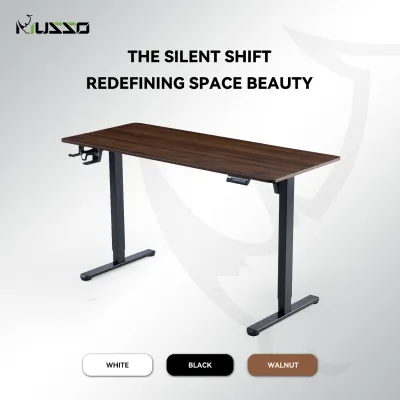
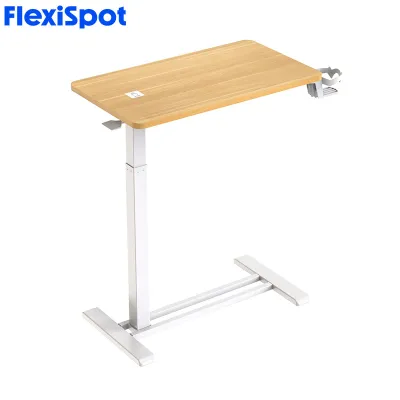
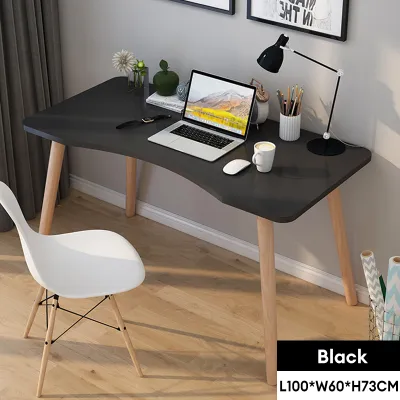
Prices are valid at publication and may change. Please refer to the product page for the latest price.
Space Constraints and Room Layout
The physical footprint of your desk must harmonize with the flow of your room. Begin by measuring the exact floor space where the desk will sit, but do not stop there. You must also measure doorway widths, hallway turns, and elevator capacities to ensure the packaged desk can actually reach your room.
In many homes in the Philippines, especially urban apartments or shared family spaces, floor area is at a premium. A desk must not block walking paths or prevent nearby closet doors and drawers from opening fully. Remember to account for chair clearance behind the desk. A standard ergonomic task chair requires at least 75 to 90 centimeters of unobstructed space behind the desk edge to glide, tilt, and allow you to sit or stand comfortably without hitting a wall or wardrobe.
Furthermore, the local climate demands attention to placement. Positioning a desk directly against a wall prone to moisture during the rainy season can trap humidity, leading to mold growth on the back of the desk or damage to wooden components. Ensure there is a small gap for air circulation between your desk and the wall.
Work Habits and Equipment Needs
Your daily workflow dictates the surface area and weight capacity your desk must support. A writer who uses only a single lightweight laptop has vastly different structural needs than a software engineer, graphic designer, or stock trader.
Count your screens, peripherals, and reference materials. If you use dual monitors, a laptop on a stand, a dedicated keyboard, and a drawing tablet, a standard compact desk will quickly feel cluttered and restrict your natural arm movements. Consider the depth of the desk surface. A shallow desk of 50 centimeters or less brings your screens too close to your eyes, causing strain, and leaves little room for your forearms to rest comfortably. A depth of 60 to 80 centimeters is generally recommended for proper visual distance and physical support.
Weight distribution is equally critical. Heavy equipment like desktop towers, professional studio monitors, or clamp-on monitor arms exert localized pressure on the desk surface, requiring a top that will not sag or crack under concentrated loads.
Ergonomic Support and Adjustability
The term “ergonomic” is frequently used as a marketing buzzword, but true ergonomic support relies entirely on how well a piece of furniture adjusts to your unique body measurements. A fixed-height desk is only ergonomic if its height perfectly aligns with your seated elbow height.
When your hands rest on your keyboard, your elbows should be bent at a 90-degree angle, with your shoulders relaxed and your wrists neutral. If a desk is too high, you will unconsciously raise your shoulders, leading to chronic neck and upper back tension. An ergonomic desk table must function as part of a complete system. It must coordinate with an adjustable office chair, proper monitor mounts that keep the top of your screen at eye level, and adequate lighting that prevents screen glare.
Do not assume a desk labeled “ergonomic” fits you automatically. Always check the minimum and maximum height specifications on the manufacturer’s label to ensure it can accommodate both your seated and standing postures.
Detailed Breakdown: Standing, Foldable, and L-Shaped Desks
Each desk design addresses a specific set of spatial and physical challenges. Understanding their structural differences, material vulnerabilities, and operational demands will help you narrow down the best category for your lifestyle.

Standing Desks (Motorized and Manual)
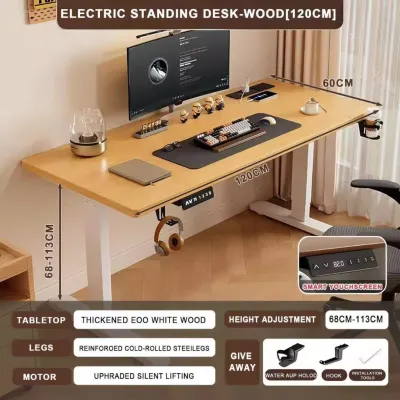
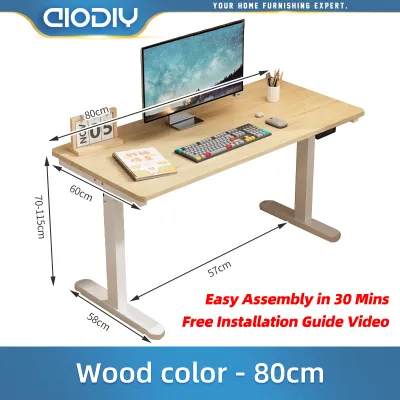
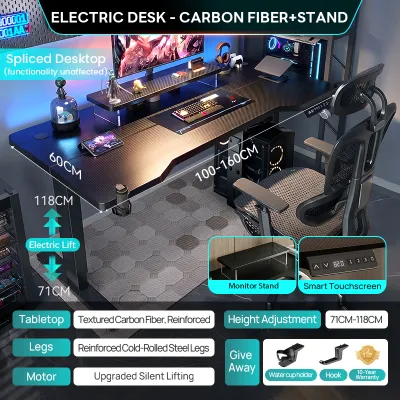
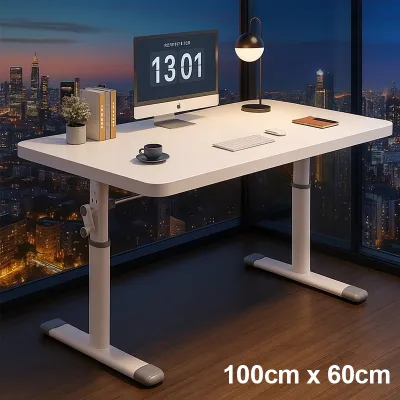
Standing desks, particularly motorized sit-stand models, are designed to introduce physical movement into your workday. Alternating between sitting and standing every 30 to 45 minutes helps improve blood circulation, reduces spinal compression, and keeps energy levels high during long afternoon shifts.
However, structural stability is a common point of failure for lower-end standing desks. Cheaper models with thin steel legs or single-motor mechanisms often exhibit a noticeable wobble when extended to their maximum height, which can cause monitor shake and disrupt your typing rhythm. When evaluating a standing desk, prioritize dual-motor systems with heavy-duty, multi-stage legs. These provide smoother transitions, higher weight capacities, and better lateral stability.
The local environment also plays a role in your choice of desktop material. Many standing desks utilize engineered wood tops; ensure the surface has a high-quality, moisture-resistant laminate or veneer finish to prevent the core from swelling or warping in high humidity.
Logistically, motorized desks require proximity to a reliable power outlet. You must also implement meticulous cable management, using flexible cable trays and spine organizers, to ensure that power cords, monitor cables, and charger wires do not stretch, snag, or unplug when the desk rises.
Foldable Desks (Portable and Space-Saving)
Foldable desks are engineered for maximum spatial efficiency and temporary utility. They are highly favored by renters, students, or remote workers who must convert a living room, bedroom, or dining area into an office by day and reclaim the space by night.
The primary trade-off with any foldable desk is structural rigidity. Because these desks rely on hinges, joints, and folding brackets, they inherently lack the solid, unyielding feel of a fixed-frame desk. Heavy typing, vigorous writing, or leaning your body weight on the front edge can cause the desk to sway or bounce. Therefore, they are best suited for lightweight setups, such as a single laptop or tablet, rather than heavy desktop computers or multiple clamp-on monitor arms.
When shopping for a foldable desk, carefully inspect the locking mechanisms and hinge construction. Look for heavy-duty steel latches that secure the legs firmly in place when open, and check the manufacturer’s specified weight limit, which is typically much lower than that of standard desks.
Additionally, consider the storage profile. A good foldable desk should fold down to a thickness of 10 centimeters or less, allowing you to slide it under a bed, behind a wardrobe, or inside a closet when it is not in use.
L-Shaped Desks (Corner and Multi-Zone)
L-shaped desks are the ultimate solution for heavy multitaskers who require expansive surface area and want to optimize unused corner space. By wrapping around your seating position, these desks keep a vast amount of equipment and documents within arm’s reach without requiring you to slide your chair back and forth.
The dual-surface layout allows you to establish distinct functional zones. For example, you can dedicate one side of the “L” entirely to your computer screens and digital tasks, while reserving the other side for analog work, such as reviewing physical documents, sketching, or handling paperwork.
However, L-shaped desks have a massive physical footprint and require careful assembly. You must verify whether the desk is universally reversible—meaning you can install the longer return on either the left or right side—or if it has a fixed orientation that limits how you can arrange your room.
Ergonomically, the deep inner corner can become a dead zone where items are difficult to reach. Placing your primary monitor in this corner is highly effective, but you should use a mechanical monitor arm to bring the screen forward to an optimal viewing distance. Furthermore, because of their size and weight, L-shaped desks are difficult to move once assembled. Ensure the desk is constructed with durable, moisture-sealed joints, as any humidity trapped in the seams of a large corner desk can compromise its structural integrity over time.
Specification and Feature Checklist
To help you quickly compare the physical attributes and operational demands of these three desk types, refer to the comparative checklist below.
| Feature / Dimension | Standing Desks (Motorized/Manual) | Foldable Desks | L-Shaped Desks |
|---|---|---|---|
| Space Required | Moderate (Standard rectangular footprint) | Low (Compact and easily stored) | High (Requires dedicated corner or large wall) |
| Adjustability | High (Continuous height adjustments) | Low (Fixed height, no customization) | Low to Moderate (Typically fixed height) |
| Structural Stability | Moderate to High (Varies by frame thickness) | Low to Moderate (Prone to minor wobble) | High (Very stable due to wide base) |
| Ideal Workflow | Active, sit-stand transitions | Lightweight, single-device tasks | Heavy multitasking, multi-screen setups |
| Assembly Complexity | Moderate to High (Requires motor wiring) | Low (Often pre-assembled or minimal parts) | High (Multiple panels, heavy components) |
Note: The specifications listed above represent general product categories. Before making a final purchase, always verify the exact dimensions, weight capacities, joint construction, and warranty details on the manufacturer’s product label or official retailer page.
Final Decision Framework: Choose Your Ergonomic Desk Table
Selecting the right ergonomic desk table comes down to matching your physical environment with your daily operational habits. Use the following condition-based guidelines to make your final decision.
Choose a Standing Desk if:
- You work long, continuous hours and want to reduce physical fatigue, back pain, or lethargy by alternating between sitting and standing.
- You have a dedicated, permanent workspace with easy access to electrical outlets for a motorized frame.
- You are willing to invest in high-quality cable management accessories to keep your wires organized and safe during height transitions.
Choose a Foldable Desk if:
- Your home office must share space with your living room, bedroom, or dining area, and you need to clear the floor space after working hours.
- Your daily work setup is highly streamlined, consisting of a laptop, tablet, or minimal paperwork.
- You live in a rental property or move frequently, making lightweight, portable, and pre-assembled furniture highly practical.
Choose an L-Shaped Desk if:
- You utilize multiple monitors, large desktop computers, or heavy creative equipment that requires a spacious, high-capacity surface.
- You prefer having separate physical zones for digital computer work and analog tasks like writing, reading, or drawing.
- You have an underutilized corner in a dedicated room that can accommodate a large, permanent furniture footprint.
Regardless of the style you choose, always check the retailer’s return policies and warranty terms, especially for moving parts such as electric motors, control keypads, and folding hinges. For heavy motorized frames or expansive L-shaped units, consider purchasing professional assembly services or ensuring you have a second person available to assist with lifting and building the desk safely.
Frequently Asked Questions (FAQ)
Can I convert my existing table into a standing desk?
Yes, you can convert a standard fixed-height table into a sit-stand workstation by using a desktop converter, also known as a sit-stand riser. These units sit directly on top of your existing desk and feature a gas-spring or manual lift mechanism to raise your monitor and keyboard. Before purchasing a converter, check your current desk’s weight capacity and structural stability, as converters can be heavy and may cause a lightweight table to become top-heavy or wobble.
What is the standard height for an ergonomic desk table?
The standard height for most fixed-height office desks is typically between 71 and 76 centimeters, which is designed to accommodate an average adult male. However, because true ergonomic comfort is highly individual, a fixed height may not perfectly align with your body. If your desk is too high, you can use an adjustable ergonomic chair paired with a supportive footrest to ensure your feet are flat, your thighs are parallel to the floor, and your elbows remain at a comfortable 90-degree angle.
Community discussion
Share your experience or ask a question. Comments are reviewed before publication.