
Quick Answer: Which Desk Type Should You Choose?
Selecting the ideal table for your home office depends on your daily physical habits, the nature of your work, and the physical limits of your room. There is no single style that suits everyone, but matching your primary work challenges to the correct design will immediately improve your daily comfort and productivity.
Choose a standing desk if your priority is physical ergonomics, if you experience lower back fatigue from sitting, or if you want to actively alternate between sitting and standing postures throughout a long shift. These adjustable tables are ideal for professionals who spend eight or more hours at their screens and require regular movement to maintain focus and physical comfort.
Select a foldable desk if you live in a compact apartment, rent your home, or need a multi-purpose room where the workspace must be packed away after hours. These tables prioritize spatial flexibility and portability, allowing you to reclaim your living area once the workday is complete.
Products mentioned in this guide
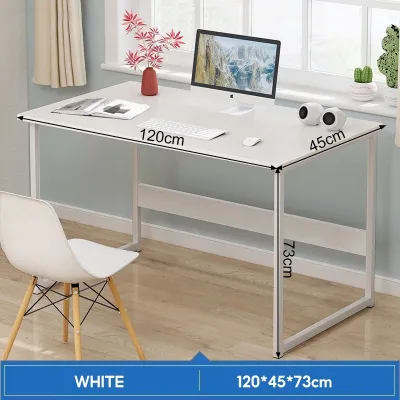
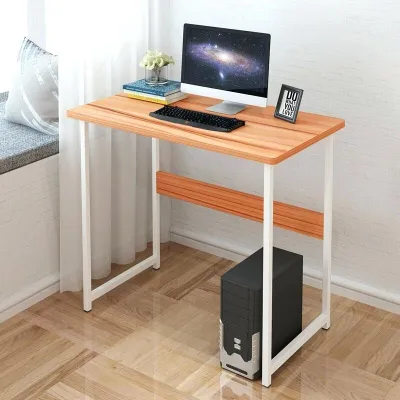
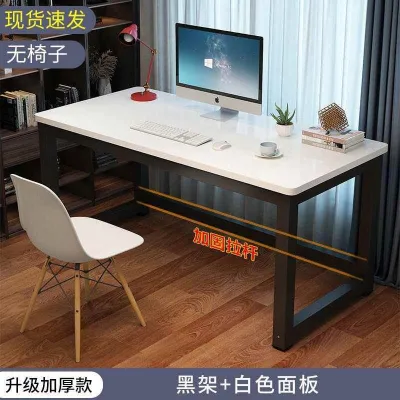
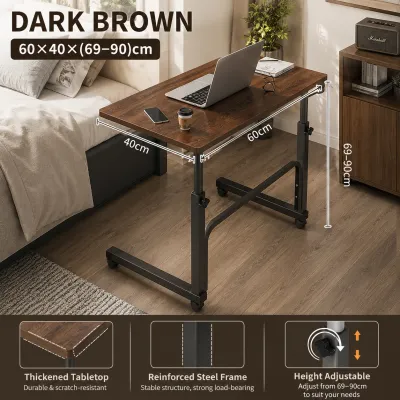
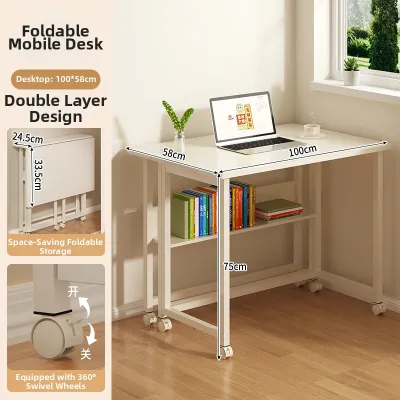
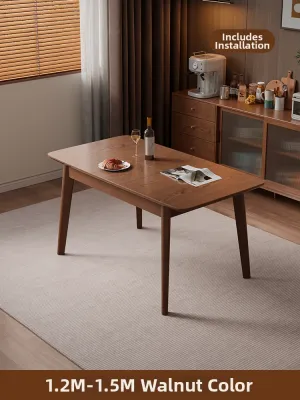
Prices are valid at publication and may change. Please refer to the product page for the latest price.
Opt for an L-shaped desk if you are a heavy multitasker who operates multiple monitors, manages physical paperwork alongside a computer, or needs dedicated zones for different tasks like gaming and professional work. This style maximizes corner spaces and provides the expansive surface area required to keep all your tools within arm’s reach.
Key Comparison Dimensions for Your Home Office
Before browsing online marketplaces or visiting local showrooms in the Philippines, you must establish objective criteria to evaluate how a desk will function in your specific environment. A desk is a long-term spatial commitment that dictates how you move within your room, meaning a hasty purchase can lead to cramped pathways or poor posture.

Available floor space and room layout represent your primary constraints. You must measure the footprint of the room and consider how the desk interacts with existing furniture, door swings, and window locations to avoid screen glare. Access to power outlets is another critical factor, particularly for motorized furniture that requires a constant electrical connection.
Your daily workflow determines the required surface depth and width. A professional who only uses a single slim laptop has vastly different spatial needs than a creative director using dual monitors, an external drawing tablet, and physical reference books. Consider whether you need a deep surface to maintain a safe viewing distance from large screens or if a shallow, space-saving top is sufficient.
Physical comfort and posture variation should guide your ergonomic choices. If you experience chronic neck, shoulder, or back strain, a static desk height may worsen these issues over time, making height adjustability a vital feature rather than a luxury.
Installation permanence and mobility are crucial if you rent your home or plan to rearrange your layout. Some heavy, complex desks are highly difficult to disassemble and transport, while lighter options can be relocated in minutes without professional assistance.
Standing Desks: Best for Active and Ergonomic Workflows
Standing desks, available in both manual hand-crank and electric motorized configurations, are designed to combat the physical strains of prolonged sedentary work. By allowing you to transition from sitting to standing in seconds, these tables encourage subtle muscle engagement, improve circulation, and relieve pressure on the lumbar spine.
When evaluating electric standing desks, the motor system is the most critical component for long-term reliability. Single-motor models are generally more budget-friendly but may struggle with heavy loads, lifting slower or with more noticeable noise. Dual-motor systems offer faster, smoother, and quieter height adjustments, which is particularly beneficial if you share a workspace and need to make frequent changes without causing a distraction.
Stability at maximum height is a common vulnerability for two-legged standing frames. You should check the manufacturer’s specifications for frame thickness, leg stage count (three-stage columns generally offer more range and stability than two-stage columns), and the presence of a heavy steel crossbar. A desk that wobbles when you type at standing height can cause eye strain and make writing or mouse control frustrating.
Material names such as “bamboo,” “MDF,” or “solid wood” do not automatically guarantee durability in tropical climates. High relative humidity in the Philippines can cause unsealed engineered woods to swell, warp, or peel at the edges. You must verify that the desktop features a moisture-resistant laminate or polyurethane sealant, high-quality edge banding, and pre-drilled metal screw inserts rather than direct wood screws, which can strip over time during assembly.
Motor warranties and safety features are essential checks before purchase. Ensure the manufacturer offers a clear warranty on the electronics and motor, and look for models equipped with anti-collision sensors that stop the desk from moving if it hits an obstacle like a chair armrest or a windowsill.
Foldable Desks: Ideal for Small Spaces and Flexible Setups
Foldable desks are engineered for maximum spatial efficiency, making them highly popular in urban condominiums and shared family homes. These tables allow you to establish a functional workspace during the day and completely clear the floor area at night, preserving the domestic character of your living space.
This portability provides unmatched flexibility for hybrid workers who do not have a dedicated home office room. You can easily move your setup to follow natural light, find a quiet corner for a video call, or store the table away when guests visit.
However, the convenient folding mechanism introduces specific structural trade-offs that you must accept. Foldable tables generally feature a lower weight capacity than static or motorized desks, making them unsuitable for heavy desktop computer towers or multiple monitor arms. The folding joints and hinges can also introduce a slight wobble during vigorous typing or when writing by hand.
To ensure a stable working experience, inspect the locking mechanisms and leg designs carefully. Look for frames made of thick, powder-coated steel tubes and locking brackets that snap securely into place to prevent accidental collapsing. High-quality hinges should operate smoothly without sticking or showing signs of metal fatigue.
Before purchasing, measure the folded dimensions of the table to ensure it fits into your intended storage spot. Verify if it can slide flat under your bed frame, stand securely behind a wardrobe, or fit inside a standard closet without blocking the doors.
L-Shaped Desks: Perfect for Multitasking and Dedicated Zones
L-shaped desks are the ultimate solution for professionals, gamers, and creators who require a massive amount of surface area and enjoy organized, distinct work zones. The perpendicular design allows you to sit at the junction and simply pivot your chair to transition from one task to another.
This layout is highly efficient for separating your digital workspace from your analog workspace. You can dedicate one wing of the table to your computer monitors and keyboard, while keeping the other wing entirely clear for writing, reviewing physical documents, sketching, or managing hobby equipment.
maximizing corner space is a major benefit of this shape, as it utilizes areas of a room that often go wasted. This can make a medium-sized room feel more open by keeping the center of the floor clear of furniture.
The primary challenges of an L-shaped desk are its large physical footprint and its complex assembly. These desks are heavy, difficult to move once assembled, and rarely fit well in small or narrow rooms. You must measure both wings of the desk carefully to ensure they do not block doorways, closets, or walking paths.
Structural support is critical if you plan to mount heavy monitor arms or place heavy computer towers on the desk. Check the weight capacity of each individual wing, and ensure the corner joint is reinforced with steel brackets or an extra support leg to prevent sagging over time under the weight of your equipment.
Side-by-Side Comparison: Standing vs. Foldable vs. L-Shaped
To help you visualize how these three desk types compare across key operational categories, review the summary table below. This comparison uses qualitative standards to assist your decision-making process.
| Desk Type | Best For | Space Requirement | Stability & Weight Capacity | Assembly Effort |
|---|---|---|---|---|
| Standing Desk | Ergonomic posture, active workflows, long hours | Moderate; requires vertical clearance and outlet access | High; stable at lower heights, variable at full extension | Moderate; requires assembling motor and frame |
| Foldable Desk | Small apartments, temporary setups, renters | Very Low; easily stowed away when not in use | Low to Moderate; best for light laptops and accessories | Low; often arrives pre-assembled or requires minimal setup |
| L-Shaped Desk | Multitasking, multiple monitors, corner layouts | High; requires a large corner or dedicated wall space | High; excellent support across multiple flat surfaces | High; complex assembly with multiple panels and joints |
Pre-Purchase Checklist: Space, Clearance, and Stability
Before finalizing your desk purchase, you must perform several physical checks in your home to prevent delivery issues or layout mistakes. Large furniture pieces can be challenging to return, so taking precise measurements beforehand is essential.
- Measure the Floor Footprint: Mark the exact dimensions of the proposed desk on your floor using masking tape. Walk around the taped area to ensure you can move freely without bumping into other furniture.
- Calculate Chair Clearance: Ensure there is at least 70 to 80 centimeters of clear space behind the desk. This allows you to comfortably push your office chair back when standing up or sitting down.
- Verify Pathway and Doorway Access: Measure the width of your front door, hallway corners, stairwells, and elevator doors. Heavy standing desk frames and long L-shaped desktop panels must be able to navigate these spaces during delivery.
- Check Floor Leveling: Uneven floors can cause desks to wobble, which is especially noticeable with tall standing desks or wide L-shaped desks. Look for desks equipped with adjustable leveling feet to compensate for uneven surfaces.
- Protect Your Flooring: Many homes in the Philippines feature smooth ceramic tiles or polished concrete, which can easily scratch or cause a desk to slide. Inspect the desk legs and install anti-slip rubber pads or felt protectors to keep the desk stable and protect your floor.
- Plan Cable Management: Identify the nearest wall outlets. Motorized desks and multi-monitor setups require neat cable routing to prevent tripping hazards and avoid pulling on cords when adjusting height.
Frequently Asked Questions (FAQ)
Can I convert a regular foldable desk into a standing desk?
While you can place a desktop standing converter on a foldable desk, this setup is generally unsafe. Foldable tables are lightweight and have lower weight capacities, meaning a heavy converter loaded with monitors can easily exceed the weight limit, make the table top-heavy, and cause it to tip over or collapse during use.
How much weight can a typical L-shaped desk support?
Weight capacity varies significantly depending on the frame construction, leg placement, and corner joint design. You must check the manufacturer’s specific load ratings for each wing, as some models can support over 100 kilograms across reinforced steel frames, while cheaper particleboard models may sag under much lighter loads.
Are standing desks worth the investment for casual computer use?
If you only use your computer for an hour or two a day to browse the web or check emails, a standard static desk paired with a supportive chair is usually sufficient. A standing desk is a highly valuable investment primarily for individuals who work or study at their desks for long, continuous hours and need posture transitions to manage physical fatigue.
Community discussion
Share your experience or ask a question. Comments are reviewed before publication.